1. Introducció
The Meta Ray-Ban Wayfarer Smart AI Glasses (Gen 1) combine iconic style with advanced technology, allowing you to capture photos and videos, listen to audio, make calls, and interact with Meta AI hands-free. Designed for seamless integration into your daily life, these glasses offer a unique perspective on wearable technology.
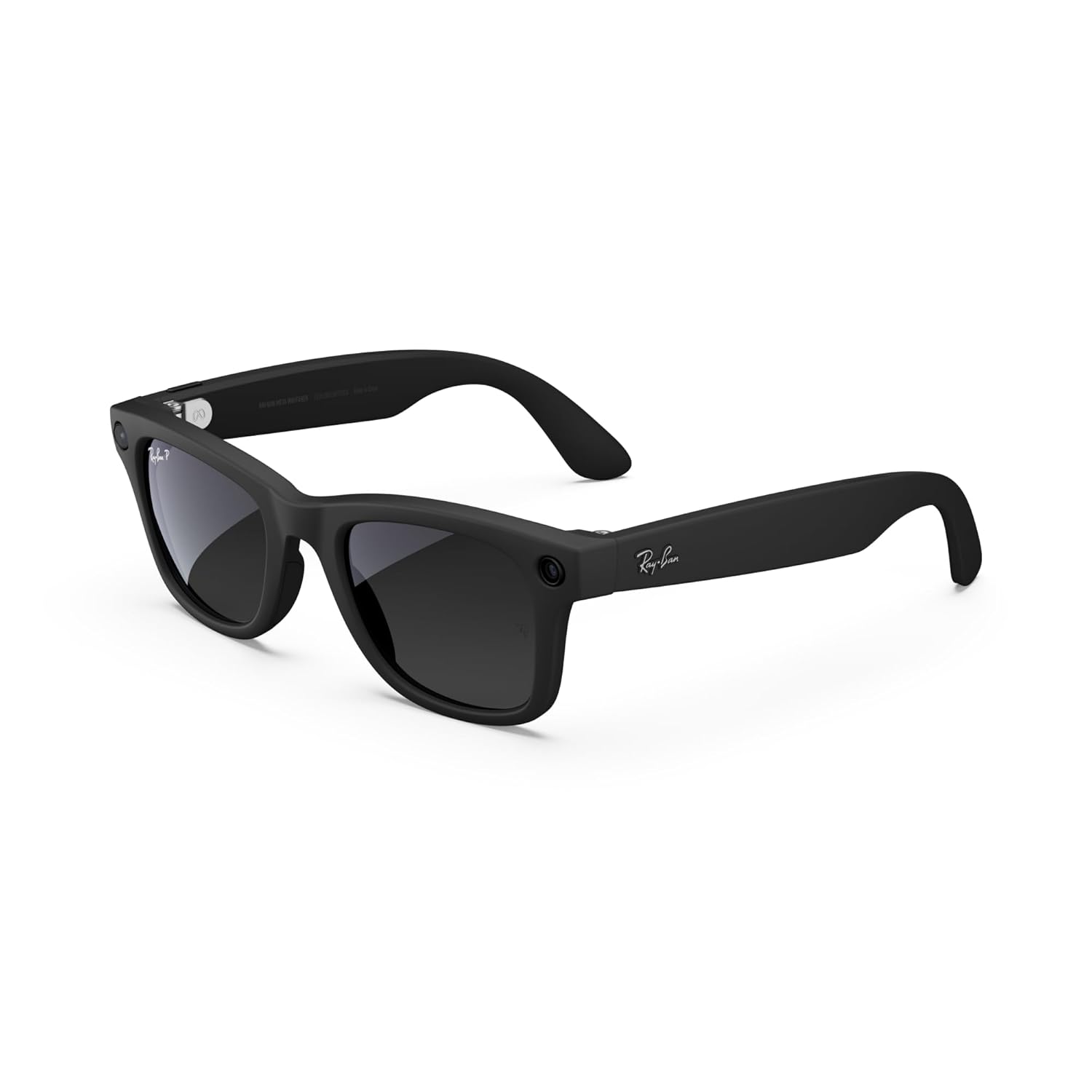
Figura 1: Frontal view of the Meta Ray-Ban Wayfarer Smart AI Glasses (Gen 1).
2. Què hi ha a la caixa
Your Meta Ray-Ban Wayfarer Smart AI Glasses package includes the following items:
- Meta Ray-Ban Wayfarer Smart AI Glasses (Gen 1)
- Estoig de càrrega
- Drap de neteja
- Manual d'usuari (aquest document)
- Guia d'inici ràpid
3. Configuració
3.1. Càrrega inicial
Before first use, fully charge your glasses using the provided charging case.
- Place the glasses securely into the charging case.
- Connect the charging case to a power source using the supplied USB-C cable.
- The LED indicator on the case will show charging status. A solid green light indicates a full charge.

Figure 2: Glasses charging inside the portable case. Fully charged glasses can last up to four hours with moderate use, and the charging case provides an additional 32 hours of charge.
3.2. Emparellament amb el dispositiu
To unlock the full functionality of your glasses, pair them with your smartphone via Bluetooth.
- Ensure your glasses are charged and powered on.
- Activa el Bluetooth al teu telèfon intel·ligent.
- Open the Meta View app (see section 3.3).
- Follow the on-screen instructions in the app to discover and pair your glasses.
3.3. Meta View Instal·lació d'aplicacions
The Meta View app is essential for managing your glasses, viewing captured content, and accessing advanced features.
- Descarrega la Meta View aplicació des de la botiga d'aplicacions del teu telèfon intel·ligent (iOS o Android).
- Install the app and create or log in to your Meta account.
- Complete the in-app tutorial for a guided tour of features.
4. Operating Your Glasses
4.1. Encendre/apagar
To power on your glasses, open the temples. To power off, close the temples or hold the capture button for 5 seconds.
4.2. Captura de fotos i vídeos
Capture moments from your perspective with the integrated 12 MP camera.
- Fer una foto: Press the capture button once.
- Grava un vídeo: Press and hold the capture button for 2 seconds to start recording. Press once more to stop.
- Comandament de veu: Say "Hey Meta, take a photo" or "Hey Meta, record a video."

Figure 3: Built-in 12 MP HD camera for hands-free photo and video capture.
4.3. Reproducció d'àudio
Enjoy music, podcasts, and more through the discreet open-ear speakers.
- Reproduir/pausa: Tap the touchpad on the temple once.
- Omet la pista: Double-tap the touchpad.
- Ajustar el volum: Swipe forward or backward on the touchpad.
- Comandament de veu: Say "Hey Meta, play music" or "Hey Meta, turn up the volume."

Figure 4: Open-ear audio allows you to listen to content while remaining aware of your surroundings.
4.4. Realització de trucades i missatgeria
Stay connected with hands-free calls and texts.
- Respondre/Finalitzar la trucada: Tap the touchpad once.
- Rebutja la trucada: Press and hold the touchpad.
- Comandament de veu: Say "Hey Meta, call [Contact Name]" or "Hey Meta, send a message to [Contact Name]."
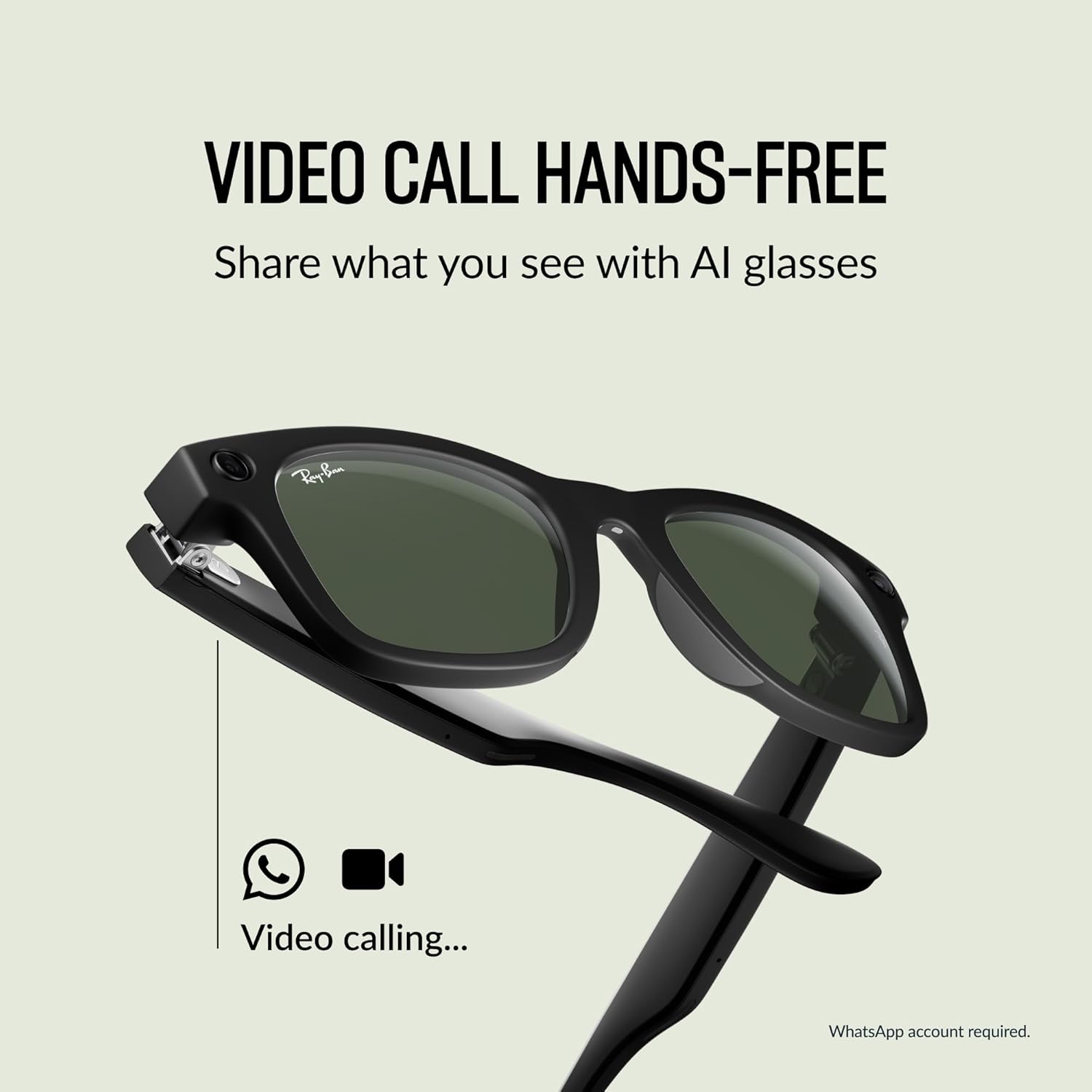
Figure 5: Conduct hands-free video calls directly from your glasses.
4.5. Using Meta AI
Access Meta AI for information and assistance based on your surroundings.
- Activa la IA: Say "Hey Meta" followed by your question or command.
- Meta AI can provide context-rich suggestions, analyze your surroundings, scan QR codes, and take notes.

Figure 6: Interact with Meta AI for information and assistance.
4.6. Live Translation
Experience real-time translation for various languages.
- Activate Translation: Use a voice command like "Hey Meta, translate [language] to [language]."
- Supported languages include French, Italian, Spanish, English, German, and Portuguese.

Figure 7: Real-time translation feature for seamless communication.
4.7. Privacy Indicator Light
A small LED light on the front of the glasses illuminates when recording photos or videos, indicating to others that content is being captured. This feature cannot be disabled.
5. Manteniment
5.1. Cleaning Your Glasses
Feu servir el drap de neteja inclòs per netejar suaument les lents i la muntura. Eviteu materials abrasius o productes químics agressius.
5.2. Cura de la bateria
To maximize battery life, store your glasses in the charging case when not in use. Avoid exposing the glasses or case to extreme temperatures.
6. Solució De Problemes
6.1. Glasses Not Powering On
- Ensure the glasses are fully charged. Place them in the charging case and check the LED indicator.
- Try opening and closing the temples firmly.
6.2. Problemes de connexió
- Verifiqueu que el Bluetooth estigui habilitat al vostre telèfon intel·ligent.
- Restart the Meta View aplicació.
- Forget the device in your phone's Bluetooth settings and re-pair through the Meta View aplicació.
6.3. Problemes d'àudio
- Adjust the volume using the touchpad or voice commands.
- Ensure the glasses are positioned correctly on your face for optimal sound delivery.
6.4. Problemes de gravació
- Check the privacy indicator light; if it's not illuminating, the camera may not be active.
- Ensure sufficient storage space is available on the glasses (managed via the Meta View aplicació).
7. Especificacions
| Característica | Detall |
|---|---|
| Número de model | 0RW4006 |
| Dimensions | 2.13 x 3.94 x 3.94 polzades |
| Pes | 10.9 unces |
| Càmera | 12 MP Ultra gran angular |
| Àudio | Open-ear speakers, Five-mic system |
| Tipus de bateria | 1 ió de liti (inclòs) |
| Fabricant | Luxottica |
| Data de llançament | 17 d'octubre de 2023 |
7.1. Lens Types
The Meta Ray-Ban Wayfarer Smart AI Glasses are available with various lens options:
- Lents de sol: Proporciona protecció ocular avançada en condicions de llum brillant amb una protecció 100% UVA i UVB.
- Lents transparents: Blue light filter lenses designed to improve visual comfort by filtering blue light from digital screens and indoor lighting.
- Lents Transitions®: S'adapta perfectament a les condicions de llum canviants, passant de completament transparent o lleugerament tintat a l'interior a completament fosc a l'exterior.
- Lents polaritzades: Intercept reflections and reduce glare for better contrast and improved clarity, with 100% UVA and UVB protection.

Figura 8: Mésview of available lens types.
7.2. Frame Size
The Wayfarer model is available in different sizes to ensure a comfortable fit.
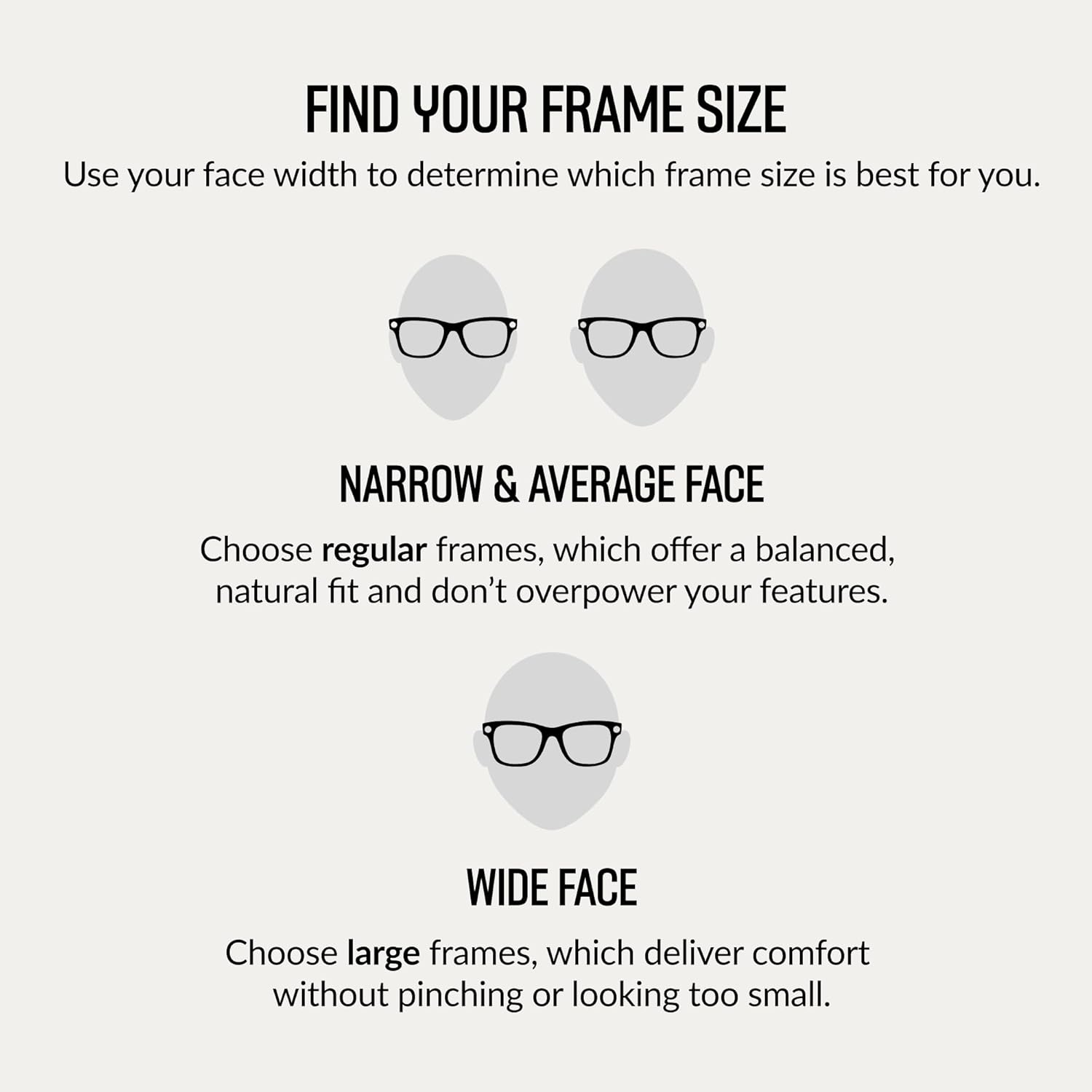
Figure 9: Guide to finding the correct frame size based on face width.

Figure 10: Dimensions for the Regular fit Wayfarer frame.
8. Garantia i Suport
For information regarding product warranty, returns, or technical support, please refer to the official Meta or Ray-Ban support websites. You can also find additional resources and FAQs within the Meta View aplicació.


