1. Introducció
This manual provides instructions for the proper use and maintenance of your Walkers Silencer BT 2.0 Rechargeable Electronic Earbuds and Crosshair Sport Shooting Glasses. These products are designed to provide hearing protection, sound amplification, and eye protection in various environments, particularly during shooting activities.
The bundle includes two pairs of Walkers Silencer BT 2.0 Rechargeable Electronic Earbuds (OD Green) and two pairs of Walker's Crosshair Sport Shooting Glasses (Clear).

Imatge 1.1: acabatview of the Walkers Silencer BT 2.0 Earbuds and Crosshair Sport Shooting Glasses bundle.
2. Informació de seguretat
Always prioritize safety when using hearing and eye protection. Failure to follow these instructions may result in hearing damage or eye injury.
- Ensure earbuds are properly seated to achieve the stated Noise Reduction Rating (NRR).
- Regularly inspect shooting glasses for damage. Replace immediately if scratches or cracks are present.
- Do not modify the earbuds or glasses.
- Mantenir fora de l'abast dels nens.
- Consult a physician if you experience discomfort or hearing changes.
3. Contingut del paquet
Verifiqueu que tots els elements siguin presents al vostre paquet:
- 2 x Walkers Silencer BT 2.0 Rechargeable Electronic Earbuds (OD Green)
- 2 x Walker's Crosshair Sport Shooting Glasses (Clear)
- Coixins per a les orelles (diverses mides)
- Earplugs (various sizes)
- Estoig de càrrega
- Cable de càrrega USB
4. Configuració
4.1. Silencer BT 2.0 Earbuds
- Càrrega dels auriculars:
Place the earbuds into the charging case. Connect the charging case to a power source using the provided USB cable. The indicator lights on the earbuds will illuminate during charging and turn off when fully charged. Ensure the case itself is charged for portable power.

Image 4.1.1: Earbuds placed in the charging case.
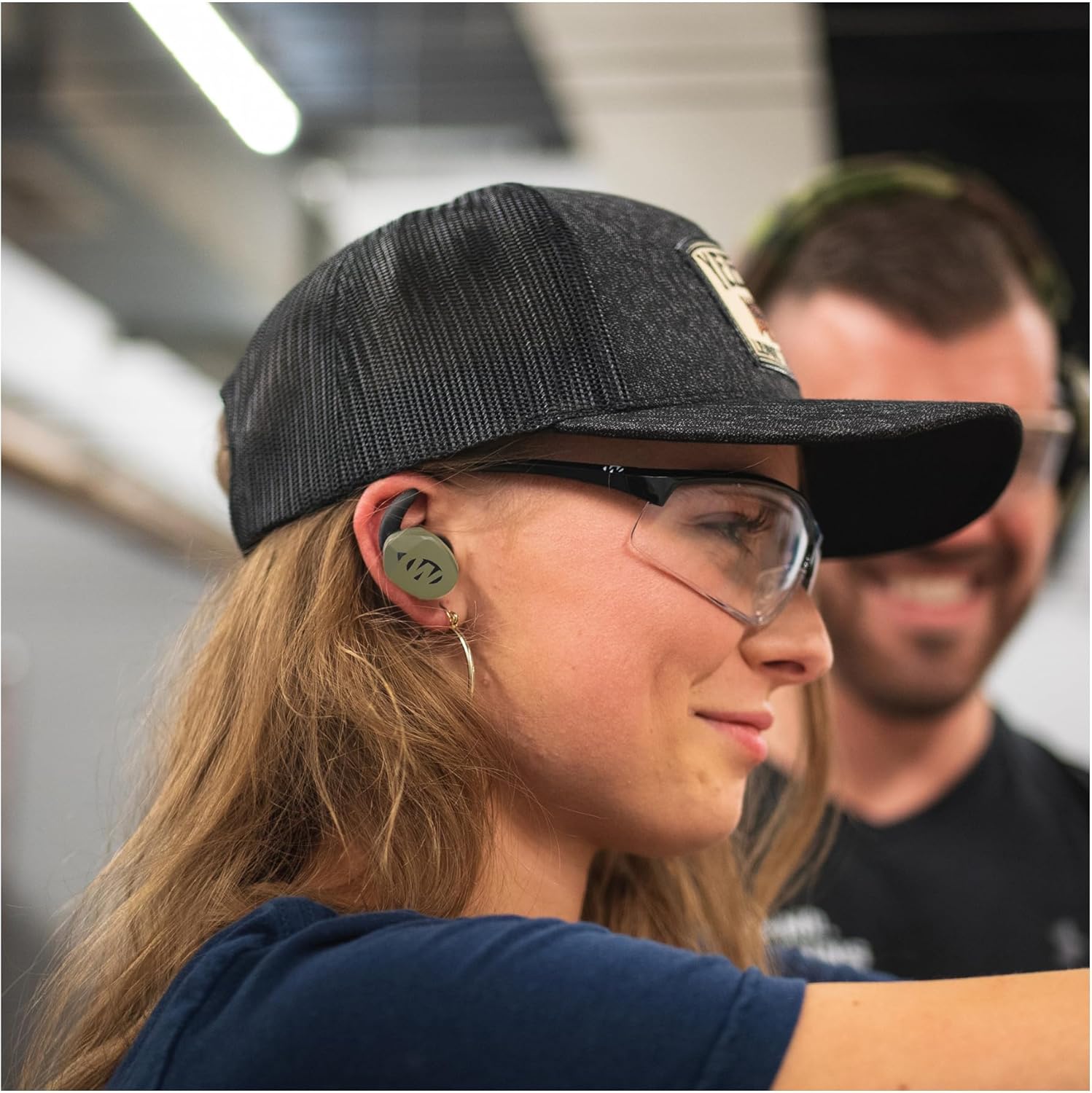
Image 4.1.2: Earbuds charging within the case.
- Selecció de puntes per a les orelles:
Choose the ear cushions and earplugs that provide the most comfortable and secure fit. A proper seal is crucial for effective noise reduction. Experiment with different sizes to find the best fit for your ears.
- Emparellament Bluetooth:
Remove the earbuds from the charging case. They will automatically enter pairing mode. On your smartphone or Bluetooth-enabled device, go to Bluetooth settings and select "Silencer BT 2.0" from the list of available devices. A voice prompt will confirm successful pairing.
- Control App Installation:
Download the free Walkers control app from your smartphone's app store. This app allows for complete control and customization of your Silencer BT 2.0 earbuds.
4.2. Crosshair Sport Shooting Glasses
- Inspecció:
Before each use, inspect the glasses for any damage, scratches, or cracks on the lenses or frame. Do not use damaged glasses.
- Portada:
Place the glasses securely over your eyes, ensuring full coverage and a comfortable fit. The glasses are designed to exceed ANSI Z87.1-2010 high impact safety requirements.

Image 4.2.1: Walker's Crosshair Sport Shooting Glasses.
5. Operating the Silencer BT 2.0 Earbuds
The Silencer BT 2.0 earbuds offer advanced features for hearing protection and sound management.
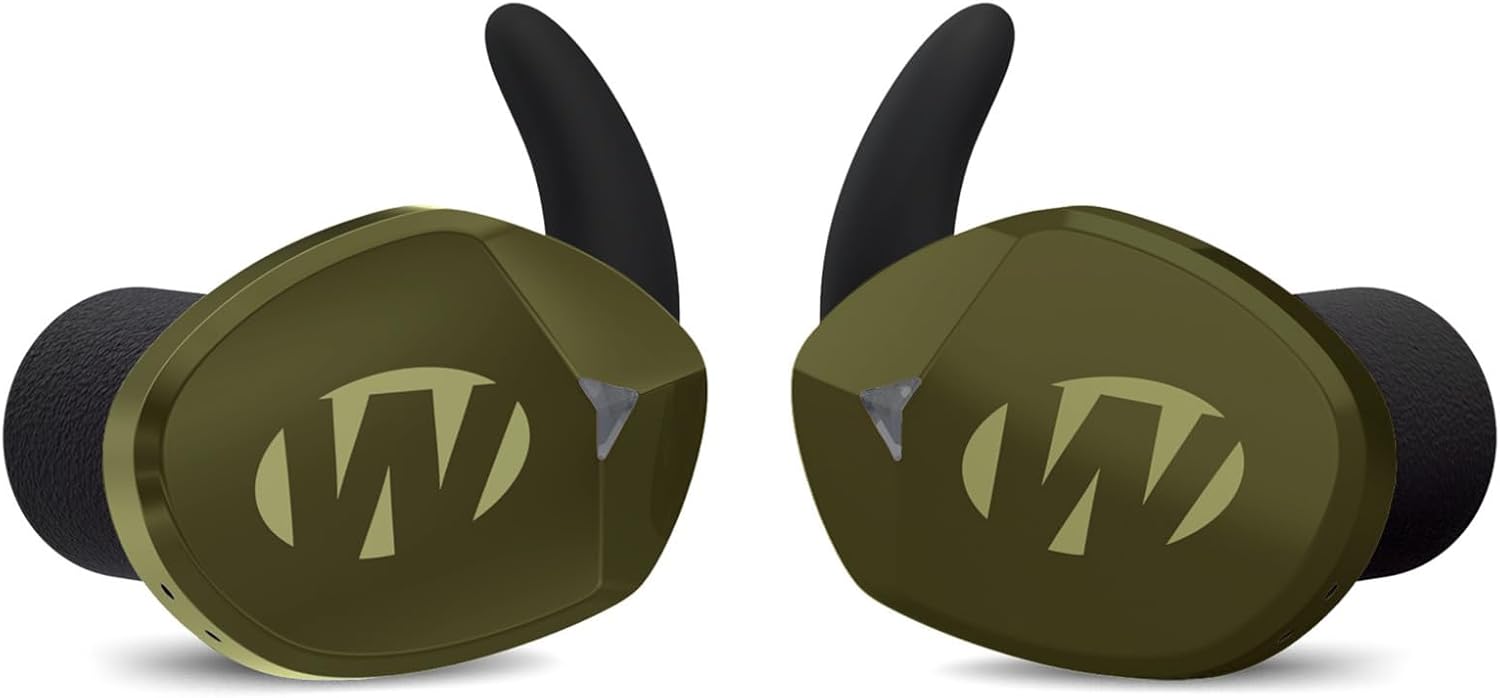
Image 5.1: Close-up of the Silencer BT 2.0 Earbuds.
- Encès/apagat:
The earbuds typically power on automatically when removed from the charging case and power off when returned to the case. Refer to the app or touch controls for manual power options.
- Sound Activated Compression (SAC):
This feature automatically compresses loud noises, such as gunshots, to a safe level while allowing ambient sounds to be heard. The NRR for these earbuds is 24.
- Dynamic Wind Noise Reduction:
The earbuds are equipped with technology to reduce wind noise interference, improving clarity in outdoor environments.
- Variable Gunshot Suppression:
This feature intelligently suppresses high-decibel sounds, activating only when necessary, such as during shooting activities.
- Indicacions de veu:
The earbuds provide voice prompts for status updates, such as power on/off, pairing, and battery level.
- Controls del botó tàctil:
Utilize the touch-sensitive areas on the earbuds for various functions, including volume adjustment, play/pause, and call management. Specific functions can be customized via the control app.
- Bluetooth Media Control:
Once paired, the earbuds can control media playback (play, pause, skip) and answer/end calls from your connected device.
6. Manteniment
6.1. Auriculars
- Neteja: Gently wipe the earbuds and charging case with a soft, dry cloth. Do not use abrasive cleaners or immerse in water.
- Consells per a les orelles: Remove and clean ear cushions and earplugs regularly with mild soap and water. Ensure they are completely dry before reattaching.
- Emmagatzematge: Store the earbuds in their charging case when not in use to protect them and keep them charged. Store in a cool, dry place away from direct sunlight.
- Cura de la bateria: For optimal battery life, avoid fully discharging the earbuds frequently. Charge them regularly, even if not used for extended periods.
6.2. Shooting Glasses
- Neteja: Clean lenses with a microfiber cloth and a lens cleaning solution. Avoid using paper towels or harsh chemicals, which can scratch the lenses.
- Emmagatzematge: Store glasses in a protective case to prevent scratches and damage when not in use.
7. Solució De Problemes
If you encounter issues with your Walkers products, refer to the following common solutions:
| Problema | Causa possible | Solució |
|---|---|---|
| Els auriculars no s'encenen | Low battery; not removed from case | Charge earbuds fully. Ensure they are removed from the charging case. |
| Sense so ni volum baix | Improper fit; device volume low; earbuds not paired | Adjust earbud fit. Increase volume on connected device and earbuds. Re-pair earbuds. |
| Problemes de vinculació de Bluetooth | Earbuds not in pairing mode; device Bluetooth off | Ensure earbuds are in pairing mode (usually when removed from case). Turn Bluetooth off and on on your device. Forget device and re-pair. |
| Shooting glasses scratched/cracked | Danys físics | Discontinue use immediately and replace the glasses. |
If the issue persists, contact Walkers customer support for further assistance.
8. Especificacions
8.1. Walkers Silencer BT 2.0 Earbuds
- Nom del model: Silencer BT 2.0
- Marca: Caminants
- Tecnologia de connectivitat: Sense fil (Bluetooth 5.0)
- Classificació de reducció de soroll (NRR): 24
- Tipus de control: Tàctil, control multimèdia
- Característiques especials: Noise Cancellation, Sound Activated Compression (SAC), Dynamic Wind Noise Reduction, Variable Gunshot Suppression, Voice Prompts, Auto Shut Off
- Dispositius compatibles: Dispositius compatibles amb Bluetooth
- Material: Plàstic, cautxú
- Color: OD Verd
- Pes de l'article (aprox.): 1.9 Pounds (for the bundle, individual earbud weight not specified)
- Interval de freqüència: 20 Hz - 20,000 Hz
- Nivell de resistència a l'aigua: No resistent a l'aigua
8.2. Walker's Crosshair Sport Shooting Glasses
- Marca: Caminants
- Material de la lent: High Poly-carbonate Impact Lenses
- Estàndard de seguretat: Exceeds ANSI Z87.1-2010 high impact safety requirements
- Protecció UV: 99% Ultra Violet Protection
- Color: Clar
9. Garantia i Suport
For warranty information and customer support, please refer to the official Walkers weblloc web o contacteu directament amb el seu departament d'atenció al client. Conserveu el comprovant de compra per a qualsevol reclamació de garantia.
Fabricant: Caminants
ASIN: B0CGYLJ2WM
UPC: 196271845751


