1. Producte acabatview
The XIAOMI 50-inch X Series 4K Smart Google LED TV (Model L50M8-A2IN) offers a premium viewing experience with its 4K Dolby Vision display and smart features powered by Google TV. This manual provides essential information for setting up, operating, and maintaining your television.
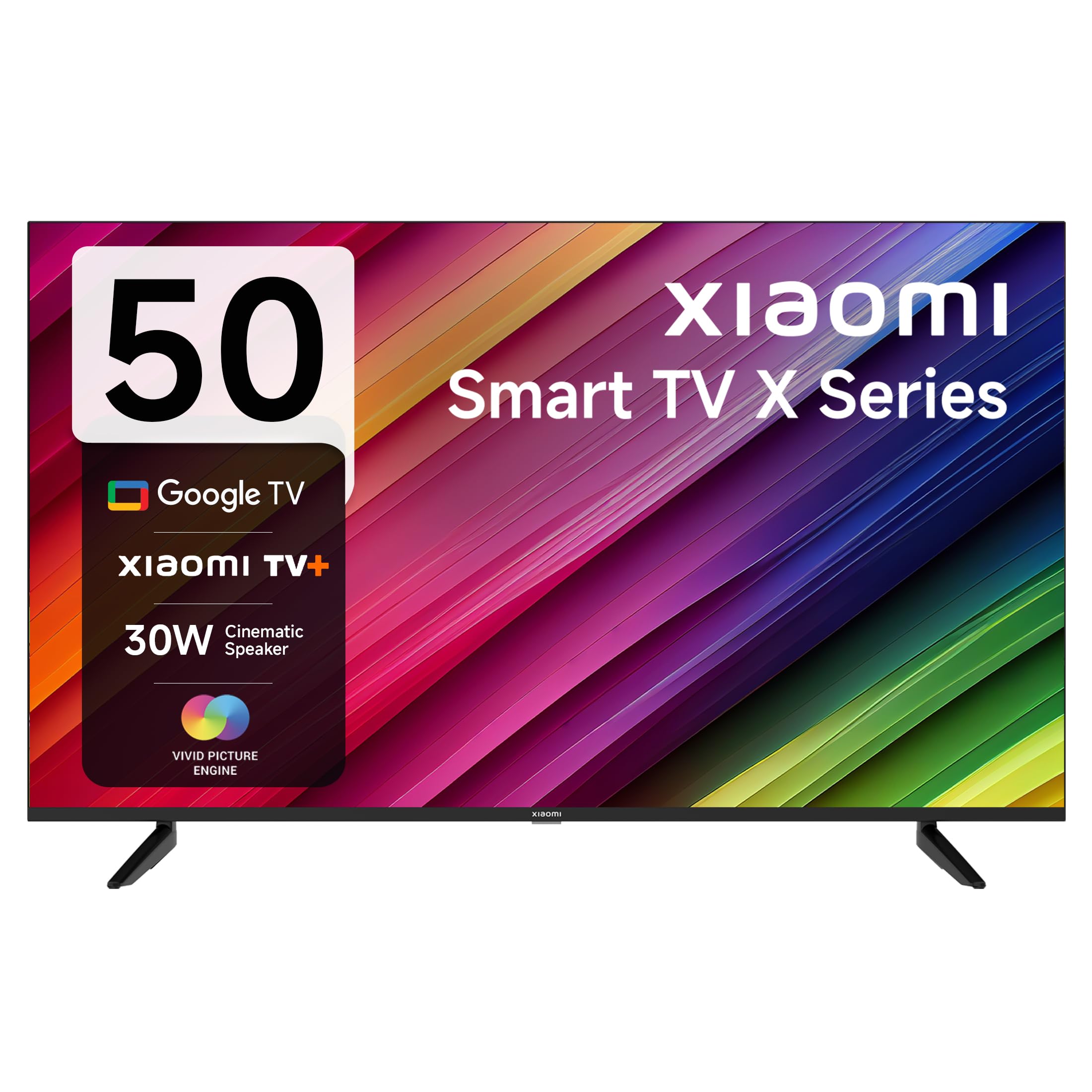
Imatge 1.1: Frontal view of the XIAOMI 50-inch X Series 4K Smart Google LED TV.
2. Què hi ha a la caixa
Desembaleu la caixa amb cura i assegureu-vos que hi hagi tots els elements:
- 1 TV LED
- 2 Table Stand Bases along with screws
- 1 Control remot
- 2 piles AAA
3. Instruccions de configuració
3.1 Fixació del suport de TV
To ensure stability, attach the provided table stand bases to the bottom of the TV. Place the TV face down on a soft, flat surface to prevent screen damage. Align the stand bases with the screw holes on the TV and secure them using the provided screws.
3.2 Engegada i configuració inicials
- Connecteu el cable d'alimentació al televisor i després a una presa de corrent.
- Premeu el botó d'engegada del comandament a distància o del televisor per encendre-lo.
- Follow the on-screen instructions to select your language, region, and connect to your Wi-Fi network.
- Inicia la sessió amb el teu compte de Google per accedir a les funcions i aplicacions de Google TV.
4. Instruccions de funcionament
4.1 Funcions de control remot
The included remote control provides easy access to all TV functions. Insert the two AAA batteries into the remote control before use.

Imatge 4.1: acabatview of the sleek remote control for the XIAOMI Smart TV.
- Botó d'encesa: Encén o apaga el televisor.
- Botó de l'Assistent de Google: Activa les ordres de veu.
- Bloc de navegació: Use Up, Down, Left, Right, and OK buttons to navigate menus.
- Botons de volum: Adjust the volume. Double-tap volume down for Quick Mute.
- Botons de canal: Canviar els canals de televisió.
- Botó d'inici: Torna a la pantalla d'inici de Google TV.
- Botó enrere: Torna a la pantalla anterior.
- Despertar ràpid: Engega el televisor en menys de 5 segons.
- Configuració ràpida: Premeu llargament el botó PatchWall per entrar al menú de configuració ràpida.
- Botons d'aplicació dedicats: Direct access to Netflix, Prime Video, Disney+ Hotstar, and YouTube.
4.2 Smart TV Features (Google TV & PatchWall)
Your XIAOMI TV runs on Google TV, providing a personalized content experience. It also features PatchWall, an intuitive interface that curates content based on your viewd'hàbits.

Image 4.2: Google TV and Google Assistant features for enhanced entertainment.
- Interfície d'usuari de Content First: Discover new movies and shows easily.
- Recomanacions: Personalized suggestions based on your viewhistòria.
- Chromecast integrat: Emet contingut des dels teus dispositius mòbils directament al televisor.
- Assistent de Google: Feu servir ordres de veu per cercar contingut, controlar dispositius domèstics intel·ligents i molt més.
- Aplicacions compatibles: Access popular streaming services like Netflix, Prime Video, YouTube, Disney+ Hotstar, Zee5, and many others from the Google Play Store.
- PatchWall: Offers a unified content experience with over 30+ OTT apps and 300+ Live channels.
- Mode infantil: Proporciona una caixa forta viewambient per als nens.
5. Característiques i connectivitat
5.1 Pantalla i àudio
- Resolució: 4K Ultra HD (3840 x 2160) for stunning clarity.
- Freqüència d'actualització: 60 hertz per a un moviment suau.
- Viewangle: 178 degrees for wide visibility.
- Display Technologies: 4K Dolby Vision, HDR 10, HLG, Reality Flow MEMC, Vivid Picture Engine, Wide Colour Gamut- DCI-P3 94% (typ) for vibrant and accurate colors.
- Sortida d'àudio: 30 Watts with Dolby Audio, DTS-X, and DTS Virtual: X for immersive sound.
- eARC (Dolby Atmos Pass-through): Enhanced audio return channel for high-quality sound.

Image 5.1: Display technologies including Dolby Vision, HDR 10, and HLG.

Image 5.2: Enhanced audio experience with Dolby Audio and DTS-X technologies.
5.2 Ports de connectivitat
The TV offers a variety of ports for connecting external devices:

Imatge 5.3: Primer pla view of the connectivity ports on the XIAOMI Smart TV.
- HDMI 2.1 x 3: Connect high-definition devices like gaming consoles, Blu-ray players, or set-top boxes.
- USB 2.0 x 2: Per connectar dispositius d'emmagatzematge USB per reproduir contingut multimèdia o per actualitzacions de programari.
- Port Ethernet: Per a una connexió a Internet per cable.
- Port AV: Per connectar dispositius analògics més antics.
- Port òptic: Per a la sortida d'àudio digital a barres de so o sistemes de cinema a casa.
- Jack de 3.5 mm: Per connectar auriculars o altaveus externs.
- Wi-Fi de doble banda: Per a la connectivitat a Internet sense fil.
- Bluetooth 5.0: Per connectar accessoris sense fil com ara auriculars o controladors de joc.
6. Especificacions
Especificacions tècniques detallades del televisor LED intel·ligent Google 4K de la sèrie XIAOMI de 50 polzades (model L50M8-A2IN):
| Característica | Especificació |
|---|---|
| Marca | XIAOMI |
| Model | L50M8-A2IN |
| Nom del model | Sèrie GTV |
| Any model | 2023 |
| Mida de la pantalla | 50 polzades (125 cm) |
| Tecnologia de visualització | LED |
| Resolució | 4K Ultra HD (3840 x 2160) |
| Freqüència d'actualització | 60 Hz |
| Viewangle ing | 178 graus |
| Sistema operatiu | Google TV |
| Memòria RAM | 2 GB |
| Capacitat d'emmagatzematge | 8 GB |
| Coprocessador gràfic | Mali G52 MP1 |
| Sortida d'àudio | 30 watts |
| Funcions d'àudio | Dolby Àudio, DTS-X, DTS Virtual:X |
| Connectivitat | Dual Band Wi-Fi, Bluetooth 5.0, 3 HDMI, 2 USB, Ethernet, AV, Optical, 3.5mm Audio |
| Dimensions del producte (LxWxH) | 111.12 x 27.99 x 70.89 cm |
| Pes de l'article | 9.4 kg |

Image 6.1: Dimensions of the XIAOMI Smart TV X Series (50 inches).
7. Manteniment
Un manteniment adequat garanteix la longevitat i el rendiment òptim del teu televisor.
- Neteja de la pantalla: Use a soft, lint-free cloth specifically designed for electronics. Do not use harsh chemicals or abrasive materials. Lightly dampHumitegeu el drap amb aigua si cal i netegeu suaument la pantalla.
- Neteja del cos: Netegeu el marc i el suport del televisor amb un drap suau i sec.
- Ventilació: Ensure the TV's ventilation openings are not blocked to prevent overheating. Maintain adequate space around the TV for air circulation.
- Apagar: Desendolleu el televisor de la presa de corrent durant tempestes o quan no el fareu servir durant períodes prolongats.
8. Solució De Problemes
Si teniu problemes amb el televisor, consulteu els passos habituals següents per resoldre problemes:
- Sense energia: Comproveu si el cable d'alimentació està connectat correctament tant al televisor com a la presa de corrent. Assegureu-vos que la presa de corrent funciona.
- Sense imatge/so: Verify that the correct input source is selected. Check all cable connections (HDMI, AV, etc.).
- El control remot no funciona: Substituïu les piles AAA. Assegureu-vos que no hi hagi cap obstacle entre el comandament a distància i el televisor.
- Sense connexió a Internet: Check your Wi-Fi router and ensure it is working correctly. Reconnect the TV to the Wi-Fi network in the settings menu. For wired connections, check the Ethernet cable.
- Apps Not Loading/Freezing: Restart the TV by unplugging it for a few minutes and then plugging it back in. Clear the cache for the problematic app in the TV settings.
- Problemes de qualitat d'imatge: Ajusteu la configuració de la imatge (brillantor, contrast, color) al menú del televisor. Assegureu-vos que la font de contingut sigui d'alta qualitat (per exemple, contingut 4K per a una pantalla 4K).
Si el problema persisteix després de provar aquests passos, poseu-vos en contacte amb l'atenció al client.
9. Garantia i Suport
Your XIAOMI TV comes with a standard brand warranty. For specific warranty details and terms, please refer to the warranty card included with your product or visit the official XIAOMI weblloc.
- Període de garantia: Gaudeix de 2 anys de garantia: el 1r any de garantia completa + 1 any addicional de garantia gratuïta a la pantalla.
- Exclusions: Any kind of physical damages to the unit will not be covered under Warranty.
- Atenció al client: For assistance, service requests, or further information, please visit the brand's official weblloc o poseu-vos en contacte amb el seu servei d'atenció al client.


