Introducció
Welcome to the PowerLocus P3 Bluetooth Headphones user manual. This guide provides comprehensive instructions for setting up, operating, and maintaining your new headphones. The PowerLocus P3 headphones are designed for superior audio performance, comfort, and versatility, offering up to 50 hours of playtime and multiple EQ modes.

Image: PowerLocus P3 Bluetooth Headphones in Black/Gold, showcasing el seu disseny elegant.
Què hi ha a la caixa
Upon opening your PowerLocus P3 package, you should find the following items:
- Wireless Headphones Over-Ear P3
- Cable d'àudio de 3.5 mm
- Cable de càrrega USB-C
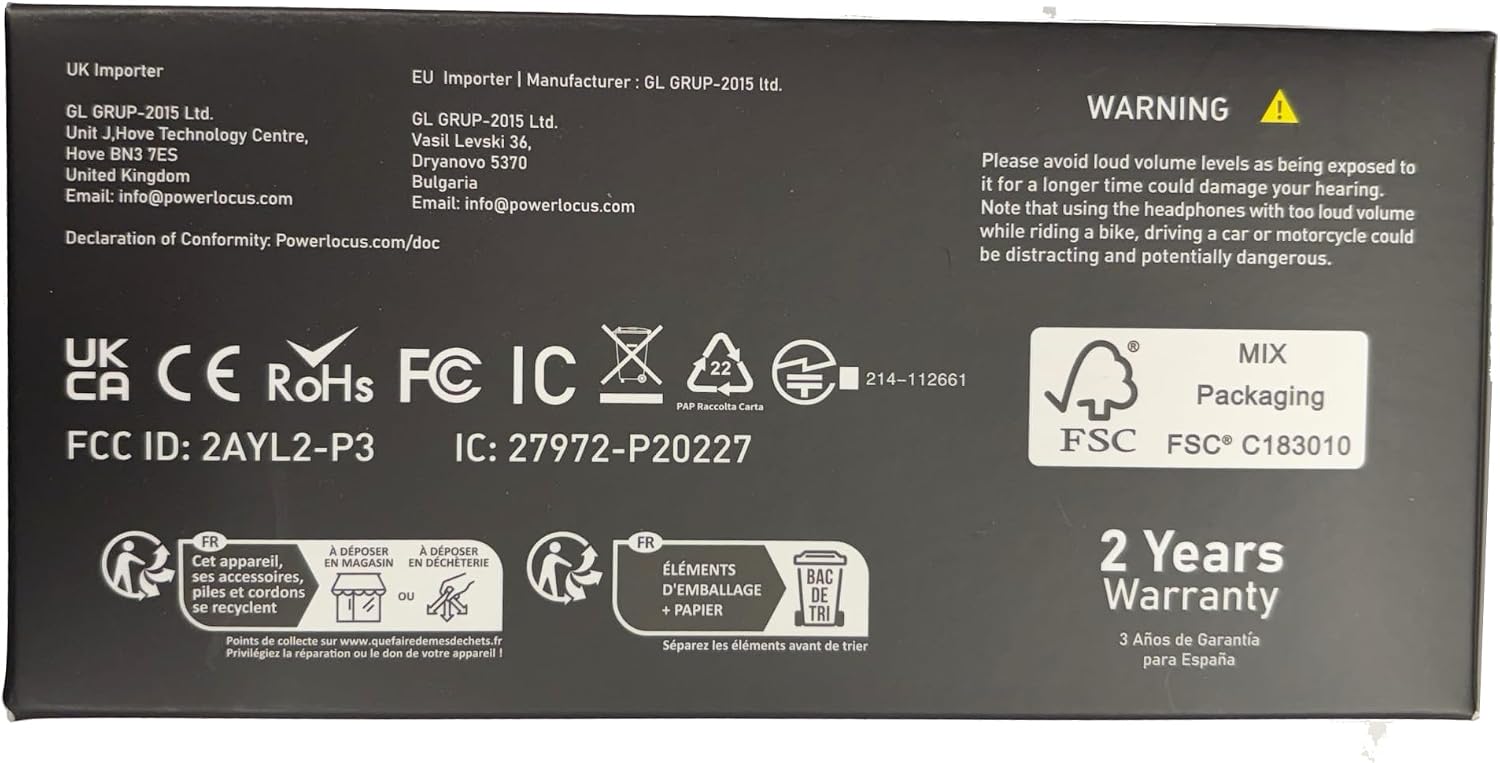
Image: The back of the PowerLocus P3 packaging, detailing the included accessories.
Característiques del producte
The PowerLocus P3 headphones are equipped with advanced features for an enhanced listening experience:
- Hi-Fi Sound Experience: Equipped with 40mm audio drivers for rich, superior audio performance with deep bass and extended treble. Features 4 EQ Music Modes: Pop, Bass, Vocal, and Rock.
- Comoditat superior: Ergonomic design with soft memory foam earmuffs and a softly padded headband for a secure and comfortable fit during extended use.
- Long Playtime & Wired Mode: Offers more than 50 hours of wireless playtime. Includes a 3.5mm wired mode for continued use when the battery is depleted. USB-C fast charging technology is supported.
- Bluetooth 5.3 and Built-in Mic: Industry-leading Bluetooth 5.3 technology ensures instant pairing with all Bluetooth-enabled devices (phones, tablets, laptops, TV). Noise-cancelling microphones enhance call quality.
- Connexió multipunt: Allows pairing with two devices simultaneously.
- Disseny plegable: Lightweight and foldable for easy portability and storage.

Image: A user demonstrating the comfortable fit and adjustable features of the headphones.

Image: The headphones offer over 50 hours of playtime, ideal for travel.

Image: Experience immersive audio with 4 distinct EQ modes.

Image: Multi-point connection allows seamless switching between devices.
Producte acabatview Vídeo
Vídeo: Un overview of the PowerLocus P3 Bluetooth Headphones, highlighting key features and design.
Configuració
Carregant els auriculars
Before first use, fully charge your PowerLocus P3 headphones. Use the provided USB-C charging cable.
- Connect the USB-C end of the charging cable to the USB-C charging port on the headphones.
- Connecteu l'extrem USB-A a un adaptador de corrent USB compatible (no inclòs) o al port USB d'un ordinador.
- L'indicador LED mostrarà l'estat de càrrega. Una càrrega completa triga aproximadament 2 hores.

Image: The headphones feature USB-C fast charging for quick power-ups.
Vinculació amb dispositius Bluetooth
Segueix aquests passos per emparellar els teus auriculars amb un dispositiu amb Bluetooth:
- Assegureu-vos que els auriculars estiguin carregats i apagats.
- Premeu i manteniu premut el botó d'engegada fins que l'indicador LED parpellegi en blau i vermell, cosa que indica el mode d'emparellament.
- Al dispositiu, activa el Bluetooth i cerca els dispositius disponibles.
- Select "PowerLocus P3" from the list of devices.
- Un cop connectat, l'indicador LED mostrarà una llum blava fixa.
For multi-point connection, pair with the first device, then disable Bluetooth on the first device. Put the headphones back into pairing mode and connect to the second device. Re-enable Bluetooth on the first device, and the headphones should connect to both.

Image: The multi-point connection feature allows simultaneous pairing with two devices.
Instruccions de funcionament
The PowerLocus P3 headphones feature intuitive controls located on the earcups:

Image: An illustration detailing the intuitive controls on the headphone earcup.
| Botó/Port | Funció |
|---|---|
| Botó d'engegada | Press and hold to Power ON/OFF. Short press to Play/Pause music, Answer/End calls. Double press for Siri/Google Assistant activation. |
| Puja el volum (+) | Short press to increase volume. Long press to skip to the next song. |
| Baixar el volum (-) | Short press to decrease volume. Long press to go to the previous song. |
| Botó de mode EQ | Short press to cycle through 4 EQ modes: Pop, Bass, Vocal, Rock. |
| Port de càrrega USB-C | Per carregar els auriculars. |
| 3.5mm Àudio Jack | For wired audio connection when battery is low or for non-Bluetooth devices. |
| Indicador LED | Indica l'estat de l'alimentació, el mode d'emparellament i l'estat de càrrega. |
Ús del micròfon integrat
The integrated noise-cancelling microphone allows for clear hands-free calls and voice assistant commands.
- Respondre / finalitzar trucades: Premeu breument el botó d'engegada.
- Rebutjar trucades: Premeu llargament el botó d'engegada.
- Activació de l'Assistent de veu: Premeu dues vegades el botó d'engegada.

Image: The built-in microphone ensures clear communication during wireless calls.
Mode de joc
For an optimized gaming experience with low latency, activate Gaming Mode:
- Hold the Play/Pause button for 3 seconds to enter Low Latency Gaming Mode.

Image: Activate Gaming Mode for low-latency audio during gameplay.
Connexió per cable
If the battery is depleted or you prefer a wired connection, use the provided 3.5mm audio cable:
- Connecteu un extrem del cable d'àudio de 3.5 mm a la presa d'àudio dels auriculars.
- Connecteu l'altre extrem al port de 3.5 mm de la font d'àudio.

Image: The headphones support both wireless and wired connections for versatile use.
Manteniment
To ensure the longevity and optimal performance of your PowerLocus P3 headphones, follow these maintenance guidelines:
- Neteja: Use a soft, dry cloth to clean the exterior of the headphones. Do not use abrasive cleaners or solvents.
- Emmagatzematge: When not in use, store the headphones in a cool, dry place, preferably in their protective case. The foldable design allows for compact storage.
- Cura de la bateria: Avoid fully depleting the battery frequently. For long-term storage, charge the headphones to about 50% every few months.
- Eviteu condicions extremes: No exposeu els auriculars a temperatures extremes, humitat ni llum solar directa.

Image: The foldable design and included case make the headphones easy to store and transport.
Resolució de problemes
If you encounter issues with your PowerLocus P3 headphones, refer to the following common solutions:
| Problema | Solució |
|---|---|
| Els auriculars no s'encenen | Ensure the headphones are fully charged. Press and hold the Power button for 3-5 seconds. |
| No es pot emparellar amb el dispositiu | Ensure Bluetooth is enabled on your device. Make sure headphones are in pairing mode (flashing blue/red LED). Move headphones closer to the device. Forget previous pairings on your device and try again. |
| Sense so ni volum baix | Check volume levels on both headphones and your connected device. Ensure headphones are properly paired. If using wired mode, ensure the 3.5mm cable is fully inserted. |
| Mala qualitat de so/distorsió | Move closer to your device to avoid interference. Ensure no physical obstructions are between the headphones and the device. Try a different audio source or file. |
| El micròfon no funciona | Ensure headphones are connected via Bluetooth. Check microphone settings on your device to ensure PowerLocus P3 is selected as the input device. |
Especificacions
| Característica | Detall |
|---|---|
| Nom del model | P3 New |
| Tecnologia de connectivitat | Sense fil (Bluetooth 5.3) |
| Interval Bluetooth | Fins a 36 peus |
| Durada de la bateria | 50 hores |
| Temps de càrrega | 2 hores |
| Mida del controlador d'àudio | 40 mil·límetres |
| Interval de freqüència | 20 Hz - 20,000 Hz |
| Impedància | 32 ohms |
| Conector d'auriculars | 3.5 mm Jack |
| Control de soroll | Cancel·lació passiva de soroll |
| Pes de l'article | 181 grams (6.4 unces) |
| Fabricant | PowerLocus |
Garantia i Suport
PowerLocus P3 headphones come with a 2 Years Full Warranty. For any questions or problems, our friendly customer support team is available 24/7.
Please refer to the contact information provided in your product packaging or visit the official PowerLocus weblloc de suport.
Important: Please avoid loud volume levels as being exposed to it for a longer time could damage your hearing. Note that using the headphones with too loud volume while riding a bike, driving a car or motorcycle could be distracting and potentially dangerous.


