1. Introducció
Gràcies per la compraasing the ULTIMEA Nova S50 Dolby Atmos Soundbar. This 2.1 channel sound system, featuring a powerful 190W output and a dedicated subwoofer, is designed to deliver an immersive audio experience for your home theater, PC, or TV. This manual provides detailed instructions for setting up, operating, maintaining, and troubleshooting your device to ensure optimal performance.

Figure 1.1: ULTIMEA Nova S50 Soundbar delivering immersive Dolby Atmos sound.
2. Configuració
2.1 Contingut del paquet
Abans de començar, comproveu que tots els elements siguin presents al paquet:
- Barra de so (x1)
- Wired Subwoofer (x1)
- Adaptador de corrent (x1)
- Cable HDMI (x1)
- HDMI Adapter (x1)
- Comandament a distància (x1, piles no incloses)
- Optical Cable (x1)
- Cable d'àudio de 3.5 mm (x1)
- Wall Mounting Kit (x1)
- Manual d'usuari (x1)

Figura 2.1: Accessoris i components inclosos.
2.2 Col·locació física
The Nova S50 soundbar features a compact and slim design, allowing for flexible placement options. It can be placed on a TV stand, a tabletop, or wall-mounted. Ensure the soundbar is positioned centrally in front of your TV for the best audio experience. The subwoofer can be placed on the floor near the soundbar.

Figure 2.2: Compact design allows for placement under a TV without obstructing the view.
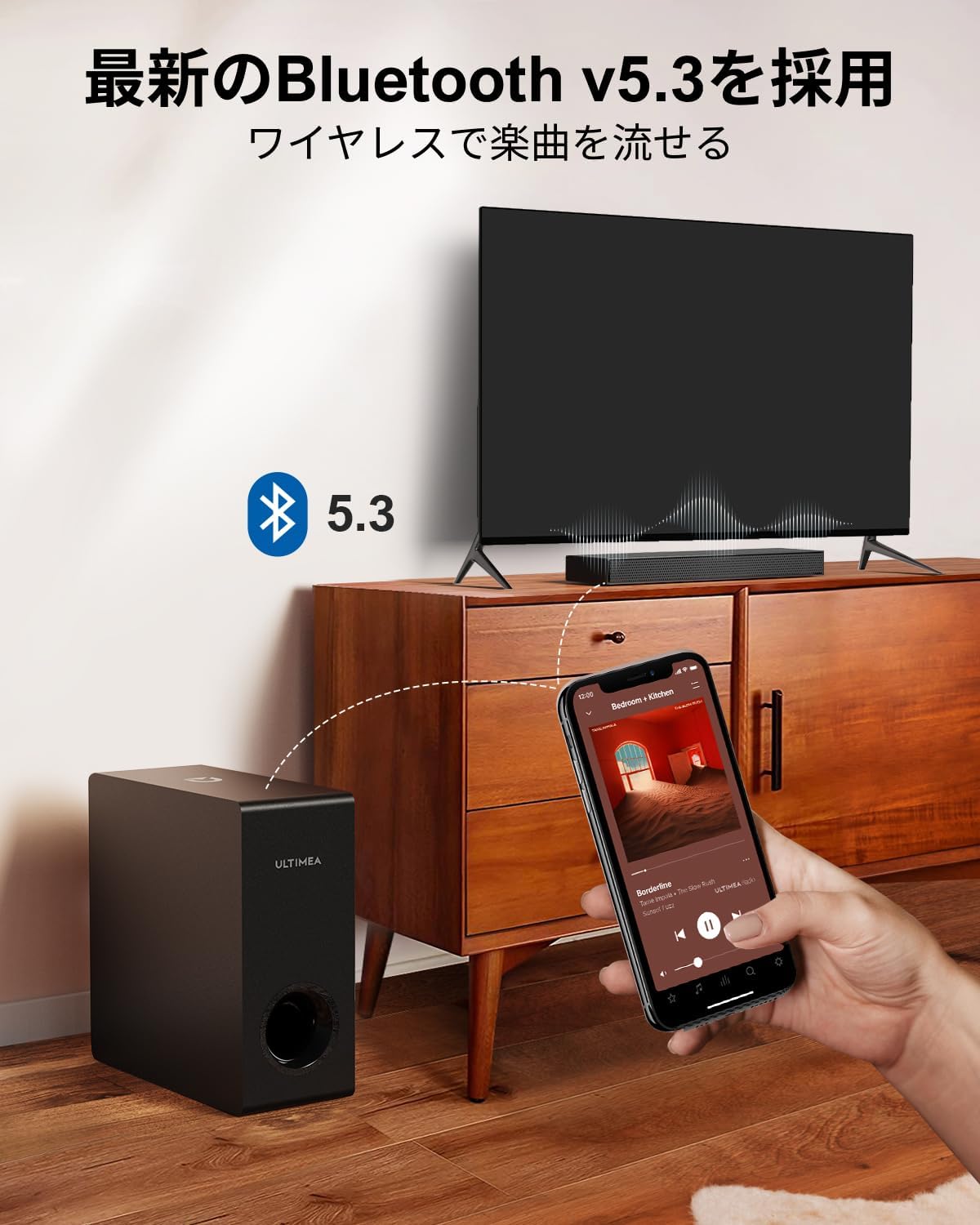
Figure 2.3: Dimensions of the soundbar and subwoofer.
2.3 Connexions
The Nova S50 offers multiple connectivity options. Choose the method that best suits your device.

Figura 2.4: Connexions del panell posterior.
Connexió HDMI eARC 2.3.1
For the highest quality audio transmission, connect your TV to the soundbar using the HDMI eARC port.
- Connect one end of the provided HDMI cable to the HDMI eARC port on your TV.
- Connect the other end of the HDMI cable to the HDMI eARC port on the soundbar.
- On the soundbar's remote control, press the 'eARC' button to select the HDMI eARC input mode.
- Ensure your TV's audio output settings are configured for HDMI eARC (usually found under TV Settings > Sound > Digital Audio Output > Auto).

Figure 2.5: HDMI eARC connection steps.
2.3.2 Connexió òptica
Use the optical cable for digital audio connection if your TV does not support HDMI eARC.
- Connect one end of the optical cable to the optical output port on your TV.
- Connect the other end of the optical cable to the optical input port on the soundbar.
- Select the 'OPT' input mode on the soundbar using the remote control.
2.3.3 Connexió AUX
For analog audio devices, use the 3.5mm AUX cable.
- Connect one end of the 3.5mm audio cable to the audio output of your device (e.g., PC, smartphone).
- Connect the other end to the AUX input port on the soundbar.
- Select the 'AUX' input mode on the soundbar using the remote control.
2.3.4 Connexió Bluetooth
Connect your mobile devices wirelessly via Bluetooth 5.3.
- Turn on the soundbar and select 'BT' input mode using the remote control. The soundbar will enter pairing mode.
- On your mobile device, enable Bluetooth and search for 'Nova S50'.
- Select 'Nova S50' from the list of available devices to pair. Once connected, you will hear an audible confirmation.

Figure 2.6: Wireless audio streaming via Bluetooth 5.3.
3. Instruccions de funcionament
3.1 Encès/Apagat
Premeu el botó d'engegada de la barra de so o del comandament a distància per encendre o apagar la unitat.
3.2 Selecció d'entrada
Use the dedicated input buttons (HDMI eARC, OPT, AUX, BT, USB) on the remote control to switch between audio sources.
3.3 Control de volum
Adjust the volume using the Volume Up (+) and Volume Down (-) buttons on the remote control or the soundbar. The soundbar also supports HDMI-CEC, allowing you to control its volume with your TV remote if your TV supports this feature.

Figure 3.1: Remote control with HDMI-CEC support.
3.4 Modes de so
The Nova S50 features audio algorithms and machine learning technology to optimize sound based on content. Use the remote control to select from the following sound modes:
- PEL·LÍCULA: Enhances cinematic sound for movies and TV shows, emphasizing vocals and dynamic scenes.
- JOC: Optimized for gaming, providing clear sound effects and immersive spatial audio.
3.5 BassMX Adjustment
The dedicated subwoofer and ULTIMEA's proprietary BassMX technology provide powerful and adjustable bass. Use the BassMX button on the remote to cycle through different bass levels (Weak, Medium, Strong) to suit your preference.

Figure 3.2: BassMX technology for enhanced bass.
4. Manteniment
4.1 Neteja
To maintain the appearance and performance of your soundbar, regularly clean it with a soft, dry cloth. Do not use liquid cleaners or abrasive materials, as these can damage the finish or internal components.
4.2 Emmagatzematge
If storing the soundbar for an extended period, disconnect it from the power source and store it in a cool, dry place, away from direct sunlight and extreme temperatures.
5. Solució De Problemes
If you encounter issues with your ULTIMEA Nova S50 soundbar, refer to the following common problems and solutions:
- Sense so:
- Assegureu-vos que la barra de so estigui engegada i que s'hagi seleccionat la font d'entrada correcta.
- Check all cable connections (HDMI, Optical, AUX) are secure.
- Verify the TV's audio output settings are correctly configured for the chosen connection type (e.g., HDMI eARC, PCM for Optical).
- Increase the volume on both the soundbar and your connected device.
- If using HDMI eARC, ensure HDMI-CEC is enabled on your TV.
- Problemes de connexió Bluetooth:
- Assegureu-vos que la barra de so estigui en mode d'emparellament Bluetooth.
- Desactiveu i torneu a activar el Bluetooth al vostre dispositiu mòbil.
- Move your device closer to the soundbar to ensure it is within the 10-meter range.
- Esborra els emparellaments Bluetooth anteriors del dispositiu i intenta emparellar-los de nou.
- So distorsionat:
- Reduce the volume on both the soundbar and the connected device.
- Check for any physical obstructions or interference near the soundbar or subwoofer.
- Assegureu-vos que els cables no estiguin danyats ni connectats de manera fluixa.
- El control remot no funciona:
- Substituïu les piles del comandament a distància.
- Assegureu-vos que no hi hagi obstacles entre el comandament a distància i el sensor de la barra de so.
- Apunteu el comandament a distància directament a la barra de so.
6. Especificacions
| Característica | Detall |
|---|---|
| Nom del model | Nova S50 |
| Tipus d'altaveu | Dolby Atmos Soundbar 2.1ch (with Subwoofer) |
| Tecnologia de connectivitat | AUX, Bluetooth, HDMI-eARC, Optical |
| Tecnologia de comunicació sense fils | Bluetooth 5.3 |
| Potència de sortida màxima | 190 W |
| Resposta de freqüència | 45 Hz - 18 kHz |
| Dimensions de la barra de so (L x A x A) | 40 cm x 7.9 cm x 3.8 cm |
| Dimensions del subwoofer (L x A x A) | 27 cm x 11.4 cm x 27 cm |
| Pes del producte | 4.52 kg |
| Mètode de control | Remot |
| Zona d'habitació recomanada | ≤ 25 m² |

Figure 6.1: Ultra-thin driver technology for high-fidelity sound.
7. Garantia i assistència
7.1 Garantia limitada
ULTIMEA products come with a limited warranty. Please refer to the warranty card included in your package or visit the official ULTIMEA weblloc web per obtenir informació detallada sobre els termes i condicions de la garantia.
7.2 Atenció al client
For any questions, technical assistance, or support needs, please contact ULTIMEA customer service. We offer 365-day support and a 30-day free return policy. You can find contact information on our official weblloc web o a través de la vostra plataforma de compra.


