Introducció
Gràcies per la compraasing the Mesqool Projection Alarm Clock. This manual provides detailed instructions for the proper setup, operation, and maintenance of your new device. Please read this manual thoroughly before use and retain it for future reference.
Instruccions importants de seguretat
- No exposeu el dispositiu a temperatures extremes, llum solar directa ni humitat elevada.
- Eviteu deixar caure o sotmetre el dispositiu a forts impactes.
- Use only the provided power adapter or a compatible Type-C power source.
- No intenteu desmuntar o reparar el dispositiu vosaltres mateixos. Contacteu amb l'assistència al client per obtenir assistència.
- Mantingueu el dispositiu allunyat de l'aigua o altres líquids.
Contingut del paquet
- Mesqool Projection Alarm Clock
- Power Adapter (USB Type-C cable and wall adapter)
- Manual d'usuari
Producte acabatview
Familiaritzeu-vos amb els components i controls principals del vostre despertador.
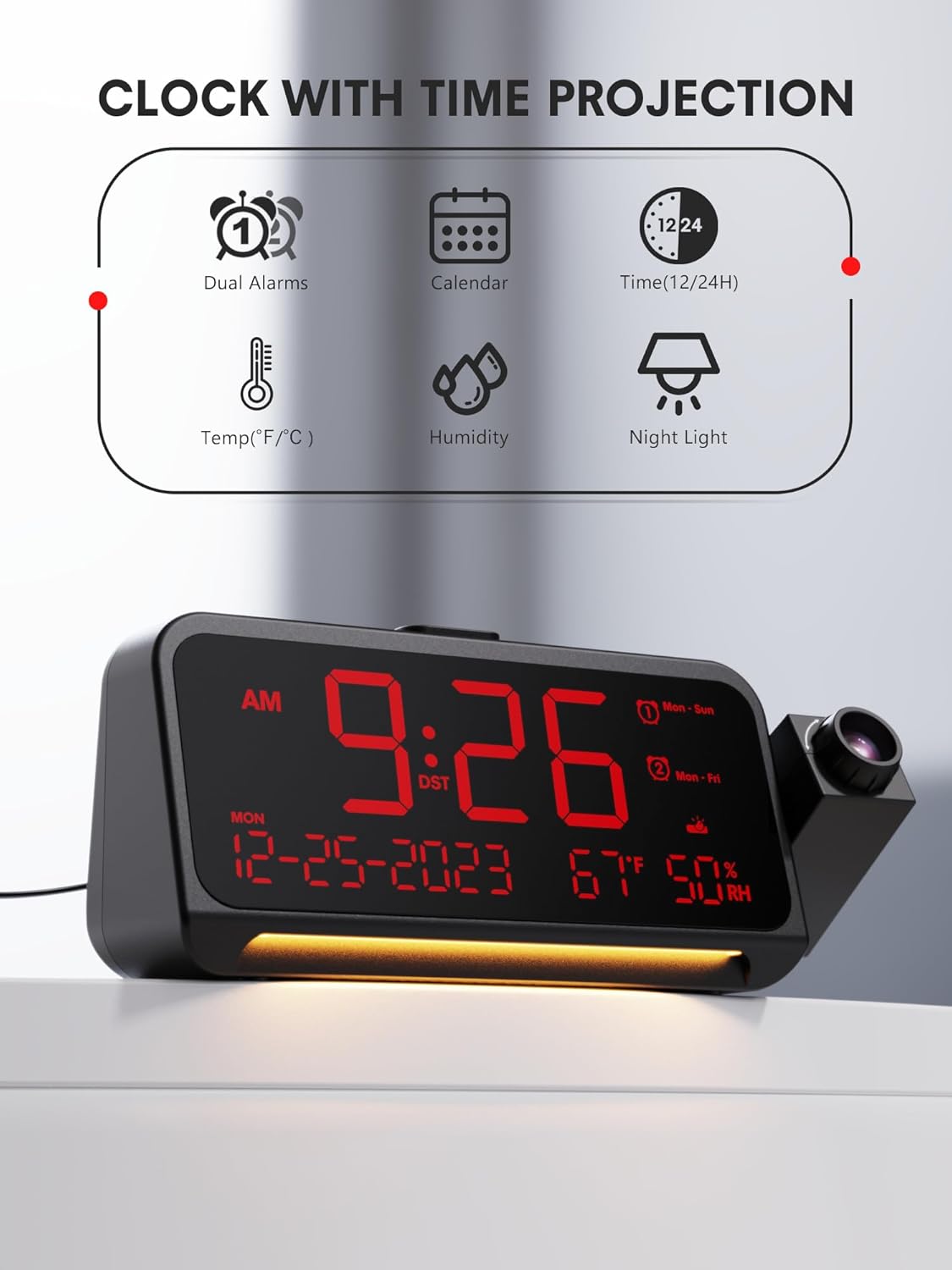
Figura 1: Frontal View i Característiques clau
This image shows the front of the Mesqool Projection Alarm Clock, highlighting its main display with time, date, temperature, and humidity. Icons above the clock indicate its features: dual alarms, calendar, 12/24-hour format, temperature, humidity, and night light.
Botons de control:
- HORA ESTABLECIDA: Press to enter time setting mode.
- AL1/AL2: Press to set Alarm 1 or Alarm 2.
- VOL: Ajusta el volum de l'alarma.
- SNOOZE/OK/DIM: Snooze alarm, confirm settings, or adjust display brightness.
- +/-: Adjust values up or down.
- PROJECTION ON/OFF: Toggle projection.
- PROJECTION ROTATION/FLIP: Adjust projection orientation.
- FOCUS RING: Adjust projection clarity.
Configuració
1. Connexió d'alimentació
- Connect the provided USB Type-C cable to the Type-C port on the back of the alarm clock.
- Plug the other end of the USB cable into the wall adapter, then plug the adapter into a standard electrical outlet.
- La pantalla s'il·luminarà, indicant que el rellotge està encès.
2. Configuració inicial de l'hora
Upon first power-on, the clock may display a default time. Follow the 'Setting Time and Date' instructions in the Operating section to set the correct time.
Instruccions de funcionament
1. Configuració de l'hora i la data
- Manteniu premut el botó HORA CONFIGURADA button for 3 seconds to enter time setting mode. The hour digit will flash.
- Utilitza el +/- botons per ajustar l'hora. Premeu HORA CONFIGURADA per confirmar.
- Repetiu-ho per a minuts, any, mes i dia.
- After setting the date, you can select 12-hour or 24-hour format using the +/- botons. Premeu HORA CONFIGURADA per confirmar.
- Finally, set Daylight Saving Time (DST) ON or OFF. Press HORA CONFIGURADA per sortir.

Figure 2: Display Formats and Dimensions
This image provides the physical dimensions of the alarm clock (7.87 inches length, 3.15 inches height, 1.18 inches depth). It also shows examples of the 12-hour, 24-hour, and Daylight Saving Time (DST) display formats.
2. Setting Alarms (Dual Alarms, Modes, Snooze)
The clock supports two independent alarms (AL1 and AL2).
- Manteniu premut el botó AL1 or AL2 button for 3 seconds to enter alarm setting mode. The hour digit will flash.
- Utilitza el +/- botons per ajustar l'hora. Premeu AL1 / AL2 per confirmar.
- Repetiu durant minuts.
- Select the alarm mode: Dl-Dg (every day), de dilluns a divendres (weekdays), Ds-Dg (weekends), or Una vegada. Ús +/- i confirmar amb AL1 / AL2.
- To adjust alarm volume, press the VOL button during alarm setting or when the alarm is sounding. There are 7 levels.
- To activate/deactivate an alarm, short press AL1 or AL2Apareixerà/desapareixerà una icona d'alarma a la pantalla.

Figure 3: Alarm Settings and Modes
This image depicts the alarm clock in a bedroom setting, displaying '7:20 AM'. Graphics highlight its 7-level adjustable alarm volume (ranging from 45dB to 116dB) and four customizable alarm modes: Monday-Sunday, Monday-Friday, Saturday-Sunday, and One-time.
Funció de posposar:
Quan soni l'alarma, premeu el botó SNOOZE/OK/DIM button to activate snooze. The alarm will pause for 9 minutes and then sound again. To turn off the alarm completely, press any other button.
3. Ajust de la brillantor de la pantalla
The main LED display has 5 brightness levels.
- Premeu breument SNOOZE/OK/DIM button repeatedly to cycle through the 5 brightness levels (brightest to off).

Figure 4: Display Dimmer Levels
This image demonstrates the clock's 5-level adjustable dimmer feature, showing the main LED display at two different brightness settings to illustrate customization options for optimal viewcomoditat.
4. Using the Projection Feature
The clock can project the time onto a wall or ceiling.

Figure 5: Clear Time Projection
The alarm clock is shown projecting the time '23:50' onto a wall, demonstrating its clear time projection feature in a bedroom environment.

Figure 6: Ceiling Projection Features
This image illustrates the clock projecting time onto a bedroom ceiling. It highlights key projection features: optional projection distance of 4.9-9.8 feet, 350-degree adjustable projector, 180-degree flip of projection time, focus ring for clarity, and 5 adjustable projection brightness levels.
- Activar/Desactivar: Premeu el botó PROJECCIÓ ON/OFF button to toggle the projection.
- Ajusta la brillantor: Premeu breument PROJECCIÓ ON/OFF button repeatedly to cycle through 5 projection brightness levels.
- Girar projecció: The projector arm can be swiveled 350 degrees manually to direct the time onto your desired surface.
- Flip Projection: Premeu el botó PROJECTION ROTATION/FLIP button to flip the projected image 180 degrees, ensuring correct orientation.
- Ajustar el focus: Gira el ANELL DE FOCUS on the projector lens to achieve a clear and sharp image. Optimal projection distance is 4.92-9.84 feet.

Figure 7: Projection Customization
Aquesta imatge ofereix un primer pla view of the projection mechanism, illustrating its customizable features including an optimal projection distance of 4.92-9.84 feet, time flip function, 350-degree rotatable projector, adjustable focus ring for clarity, and five levels of projection brightness.
5. Using the Night Light
The clock features a soft LED night light at its base.
- Premeu el botó dedicat Llum nocturna button (if available, otherwise refer to general controls) to turn the night light on.
- Press again to cycle through brightness levels (Off, Medium, Full) or turn it off.
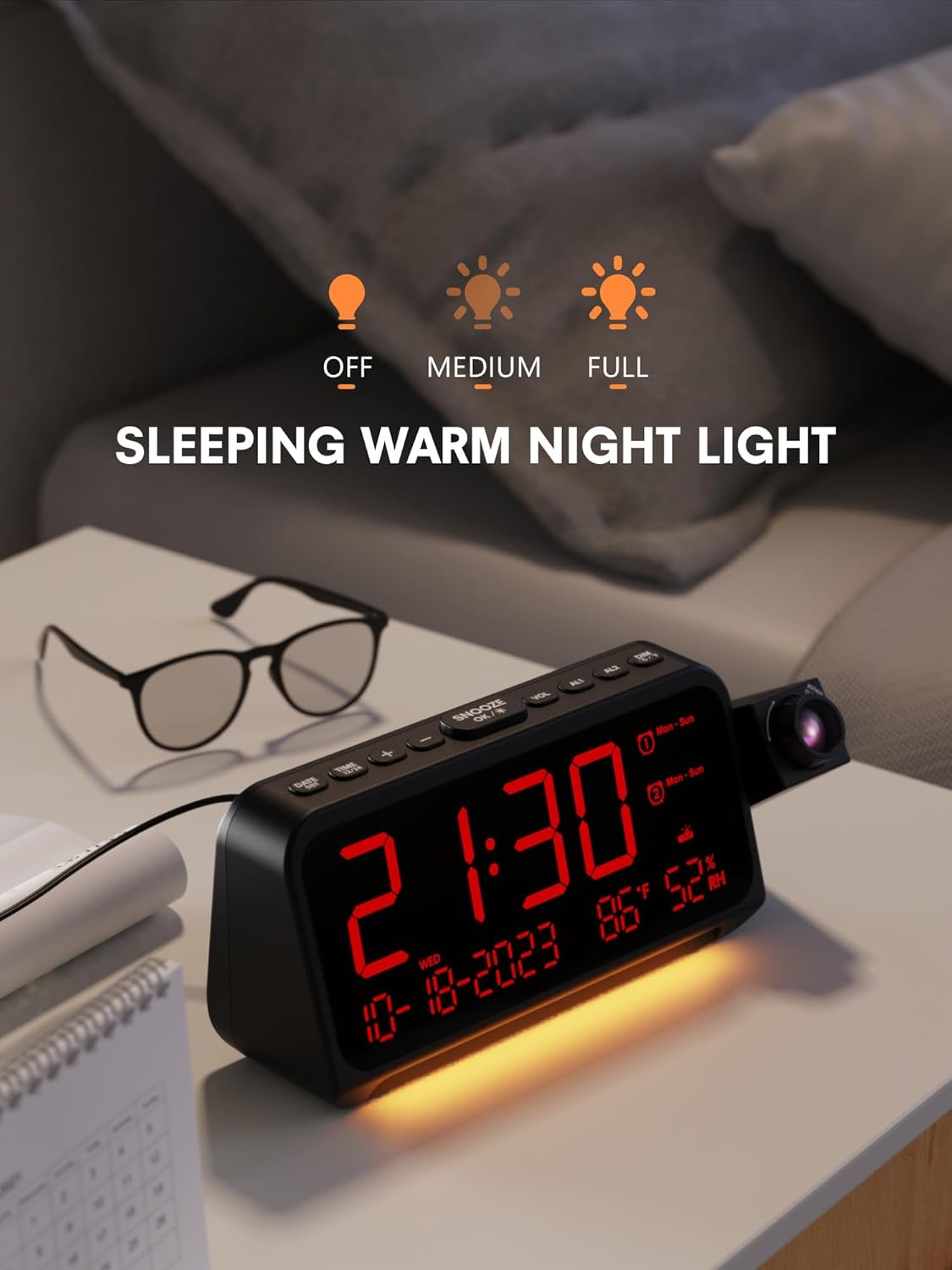
Figure 8: Night Light Function
The alarm clock is shown on a bedside table with its integrated night light emitting a soft glow. The display shows '21:30', and icons above indicate the night light's adjustable brightness settings: Off, Medium, and Full.
6. Visualització de temperatura i humitat
The clock continuously displays indoor temperature (℉/℃) and humidity.
- To switch between Fahrenheit (℉) and Celsius (℃), press the +/- botó mentre esteu en el mode de visualització de l'hora normal.
Manteniment
- Neteja: Netegeu la superfície del rellotge amb un drap suau i sec. No utilitzeu productes de neteja abrasius ni dissolvents.
- Cura de les lents: Gently clean the projector lens with a soft, lint-free cloth to maintain clear projection.
- Emmagatzematge: If storing for an extended period, disconnect the power adapter and keep the device in a cool, dry place.
Resolució de problemes
| Problema | Causa possible | Solució |
|---|---|---|
| La pantalla del rellotge està en blanc. | Sense poder. | Ensure the power adapter is securely connected to the clock and a working power outlet. |
| La projecció és borrosa. | Enfocament no ajustat. | Rotate the FOCUS RING on the projector lens until the image is clear. Ensure optimal projection distance. |
| L'alarma no sona. | L'alarma no està activada o el volum és massa baix. | Check if the AL1/AL2 icon is displayed. Adjust alarm volume using the VOL button. |
| L'hora és incorrecta. | Time not set correctly or DST setting is wrong. | Re-enter time setting mode and adjust the time, date, and DST settings. |
Especificacions
- Marca: Mesqool
- Model: B0CHS1KY2W
- Tipus de visualització: LED digital
- Font d'alimentació: Cable elèctric (tipus C)
- Projecció: 350° Swivel, 5 Brightness Levels, Adjustable Focus, 180° Flip
- Alarmes: Dual Alarms, 4 Modes (Mon-Sun, Mon-Fri, Sat-Sun, One-time), 7 Volume Levels, 9-minute Snooze
- Atenuador de pantalla: 5 nivells
- Llum nocturna: Integrated, Adjustable Brightness
- Característiques addicionals: Temperature (℉/℃), Humidity, 12/24H Format, DST
- Dimensions: Aproximadament 7.87 x 3.15 x 1.18 polzades
- Material: Metall (Marc)
Garantia i Suport
Mesqool products are designed for reliability and performance. For warranty information or technical support, please refer to the contact details provided with your purchase or visit the official Mesqool website. Please have your model number (B0CHS1KY2W) ready when contacting support.


