1. Introducció
Thank you for choosing the HANLIM Portable CD Player HL-108. This device offers versatile audio playback options including CD, Bluetooth, FM radio, USB, and AUX input, along with a microphone jack for added functionality. This manual provides essential information for safe operation, setup, and maintenance of your new device. Please read it thoroughly before use and retain it for future reference.
2. Instruccions de seguretat
- No exposeu el dispositiu a la pluja, la humitat ni a temperatures extremes.
- Eviteu col·locar el dispositiu a prop de fonts de calor o sota la llum solar directa.
- Feu servir només l'adaptador de corrent proporcionat o un de recanvi compatible.
- No obriu el dispositiu casing. Demaneu totes les tasques de manteniment a personal qualificat.
- Mantingueu el dispositiu allunyat de camps magnètics forts.
- Netegeu el dispositiu amb un drap suau i sec. No utilitzeu netejadors líquids.
3. Contingut del paquet
Si us plau, comproveu el paquet per veure si hi ha els elements següents:
- HANLIM Portable CD Player HL-108
- Control remot
- Power Cord (1.2m / 47.2 inches)
- Manual d'usuari (aquest document)

Image: The HANLIM Portable CD Player shown with its included accessories: a remote control and a power cord. The image also indicates the product dimensions.
4. Producte acabatview
4.1 Controls del panell frontal
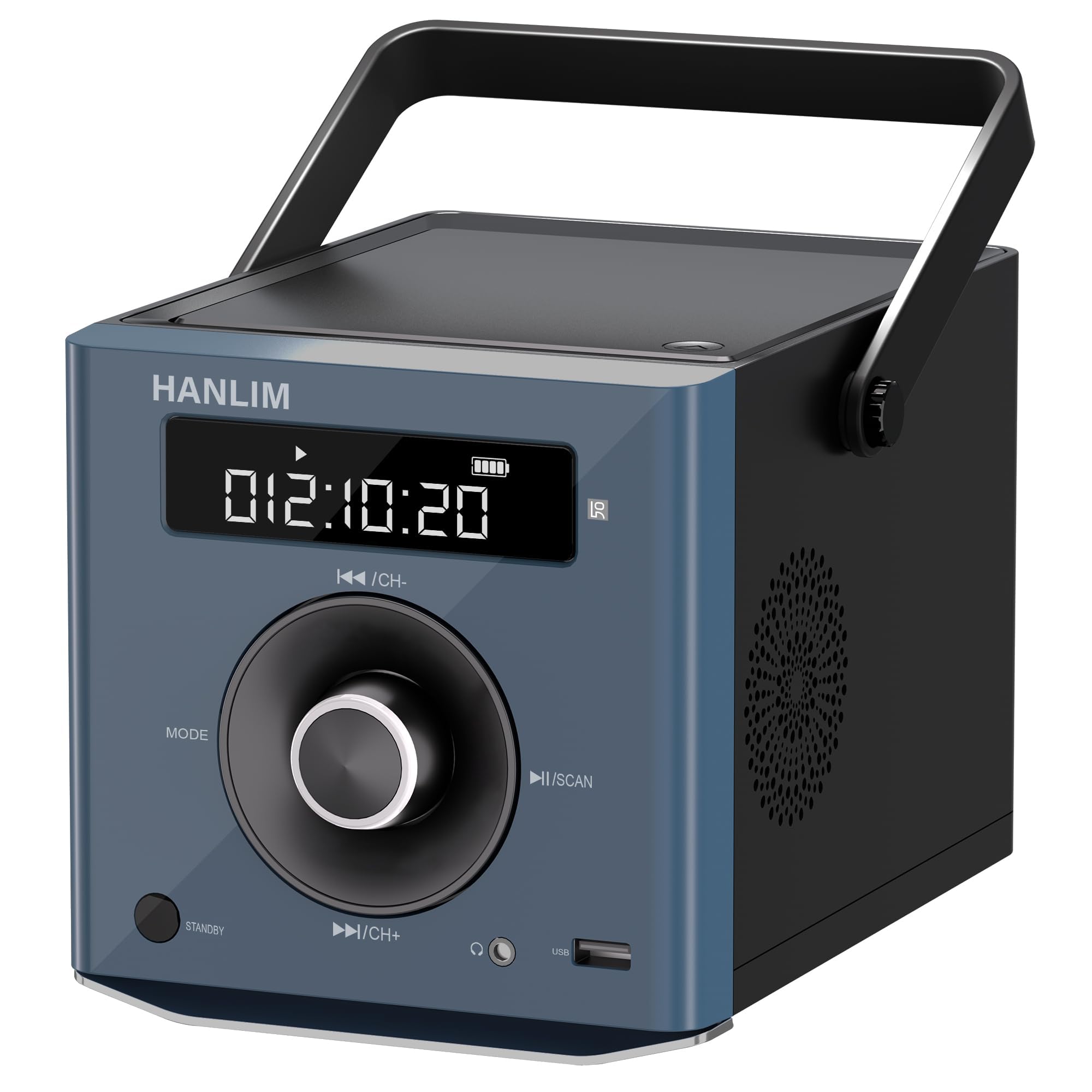
Imatge: Frontal view of the HANLIM Portable CD Player, highlighting the digital display, central control knob, and various buttons such as MODE, STANDBY, Play/Pause, and Skip/Channel controls.
- Pantalla de visualització: Shows current mode, track number, time, FM frequency, and battery status.
- Botó MODE: Cycles through available input modes (CD, Bluetooth, FM, USB, AUX).
- Botó STANDBY: Encén o apaga la unitat.
- ◄◄ / CH- Button: Skips to the previous track/station or navigates backward.
- ►► / CH+ Button: Skips to the next track/station or navigates forward.
- ►II / SCAN Button: Plays/pauses playback or initiates FM radio auto-scan.
- Pom de volum: Ajusta el nivell de sortida d'àudio.
4.2 Ports laterals i posteriors
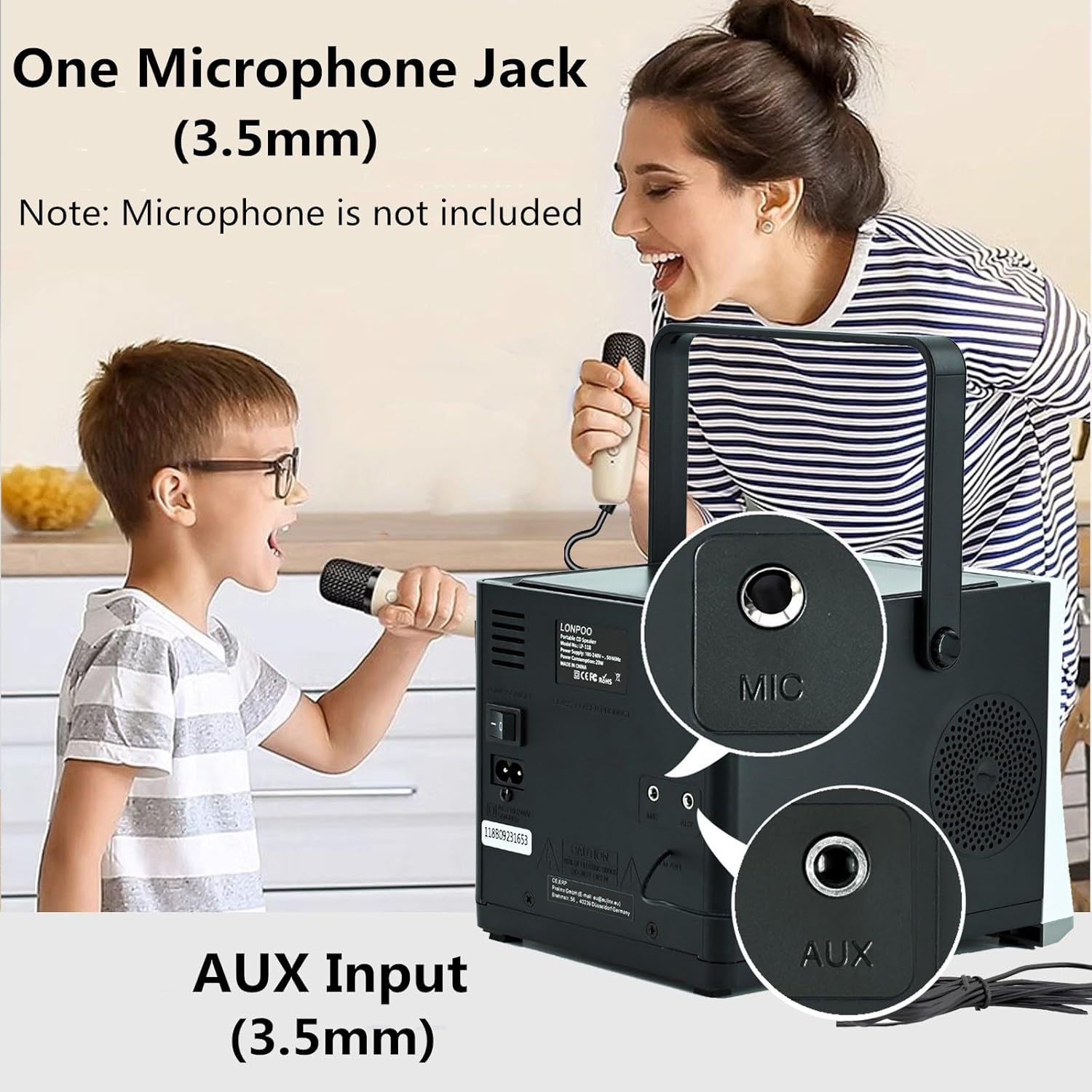
Imatge: Part posterior view of the HANLIM Portable CD Player, clearly showing the 3.5mm Microphone (MIC) input and the 3.5mm Auxiliary (AUX) input jacks.
- Port USB: Per reproduir àudio files d'una unitat flash USB.
- Presa per a auriculars (3.5 mm): For private listening with headphones.
- MIC Input (3.5mm): For connecting an external microphone (microphone not included).
- Entrada AUX (3.5 mm): Per connectar dispositius d'àudio externs.
- Port DC IN: Per connectar l'adaptador de corrent.
5. Configuració
5.1 Connexió d'alimentació
The HANLIM HL-108 can be powered by the included AC power cord or its internal rechargeable battery.
- Alimentació CA: Connect the power cord to the DC IN port on the back of the unit and plug the other end into a standard wall outlet.
- Potència de la bateria: The unit includes a built-in 2000mAh Lithium Polymer rechargeable battery. Ensure the battery is charged before portable use.
5.2 Càrrega de la bateria

Image: The HANLIM Portable CD Player's display showing a full battery indicator. Text overlays indicate a '2000 mHA Rechargeable Battery' and a continuous playback time of '4.5~5 Hours' at maximum volume.
When connected to AC power, the internal battery will automatically charge. The battery indicator on the display will show the charging status. A full charge provides approximately 4.5 to 5 hours of continuous playback at maximum volume.
6. Instruccions de funcionament
6.1 Encès/Apagat
Premeu el botó ESPERA botó per encendre o apagar la unitat.
6.2 Selecció del mode
Premeu el botó MODE button repeatedly to cycle through the available input sources: CD, Bluetooth, FM Radio, USB, and AUX.
6.3 Reproducció de CD
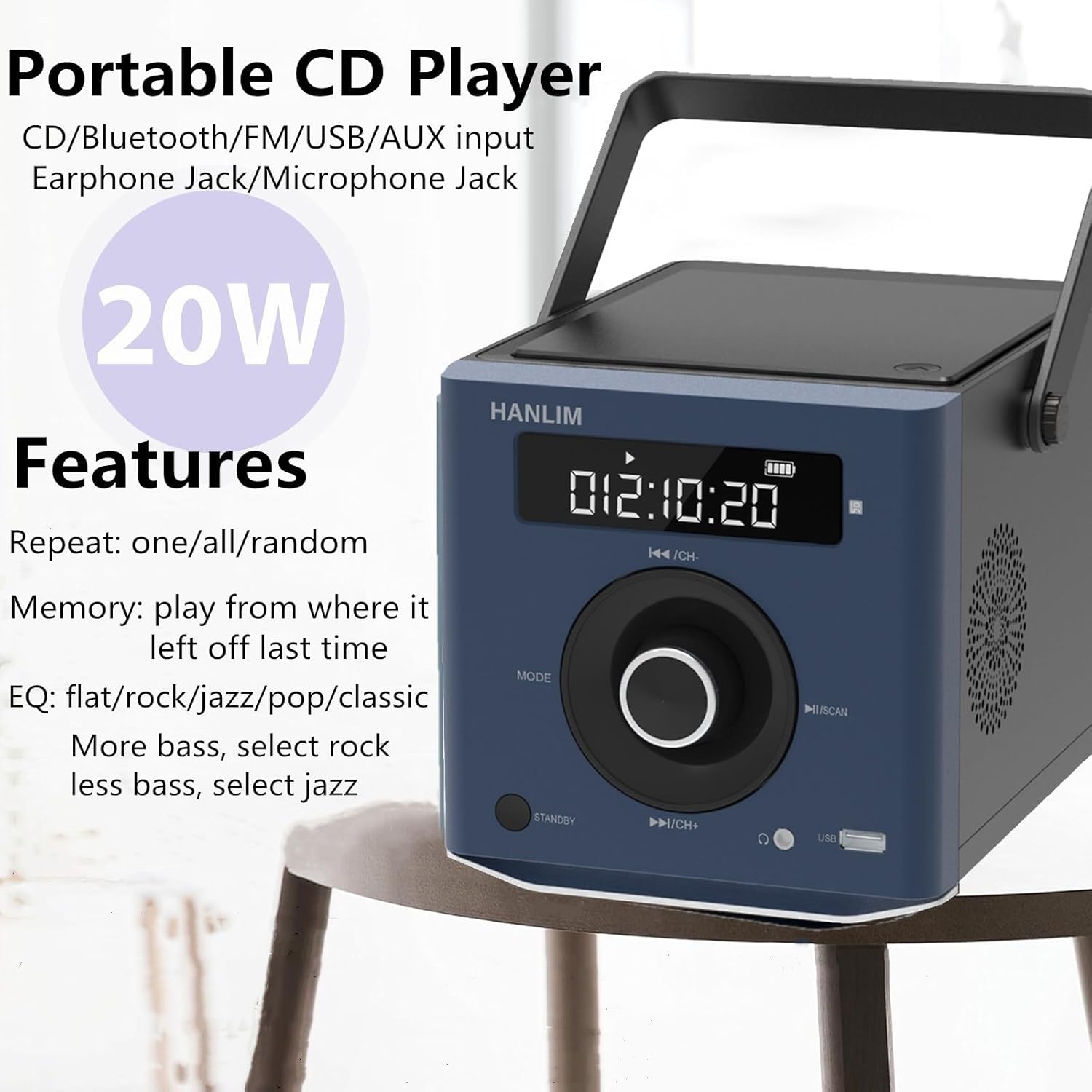
Image: The HANLIM Portable CD Player with text indicating its various features including CD, Bluetooth, FM, USB, AUX input, Earphone Jack, Microphone Jack, 20W power, repeat modes (one/all/random), memory function, and EQ settings (flat/rock/jazz/pop/classic).
- Open the CD compartment lid and carefully place a CD with the label side facing up. Close the lid.
- Premeu el botó MODE button until 'CD' appears on the display.
- El CD començarà a reproduir-se automàticament. Si no, premeu el botó ►II botó.
- Utilitza el ◄◄ i ►► botons per saltar pistes.
- Premeu el botó ►II botó per aturar o reprendre la reproducció.
- Funció de repetició: Press the repeat button (if available on remote or unit) to cycle through repeat one, repeat all, or random playback.
- Configuració d'EQ: The unit supports various equalizer presets such as flat, rock, jazz, pop, and classic. Adjust these via the remote control or dedicated button (if available) to customize sound output.
6.4 Connexió Bluetooth
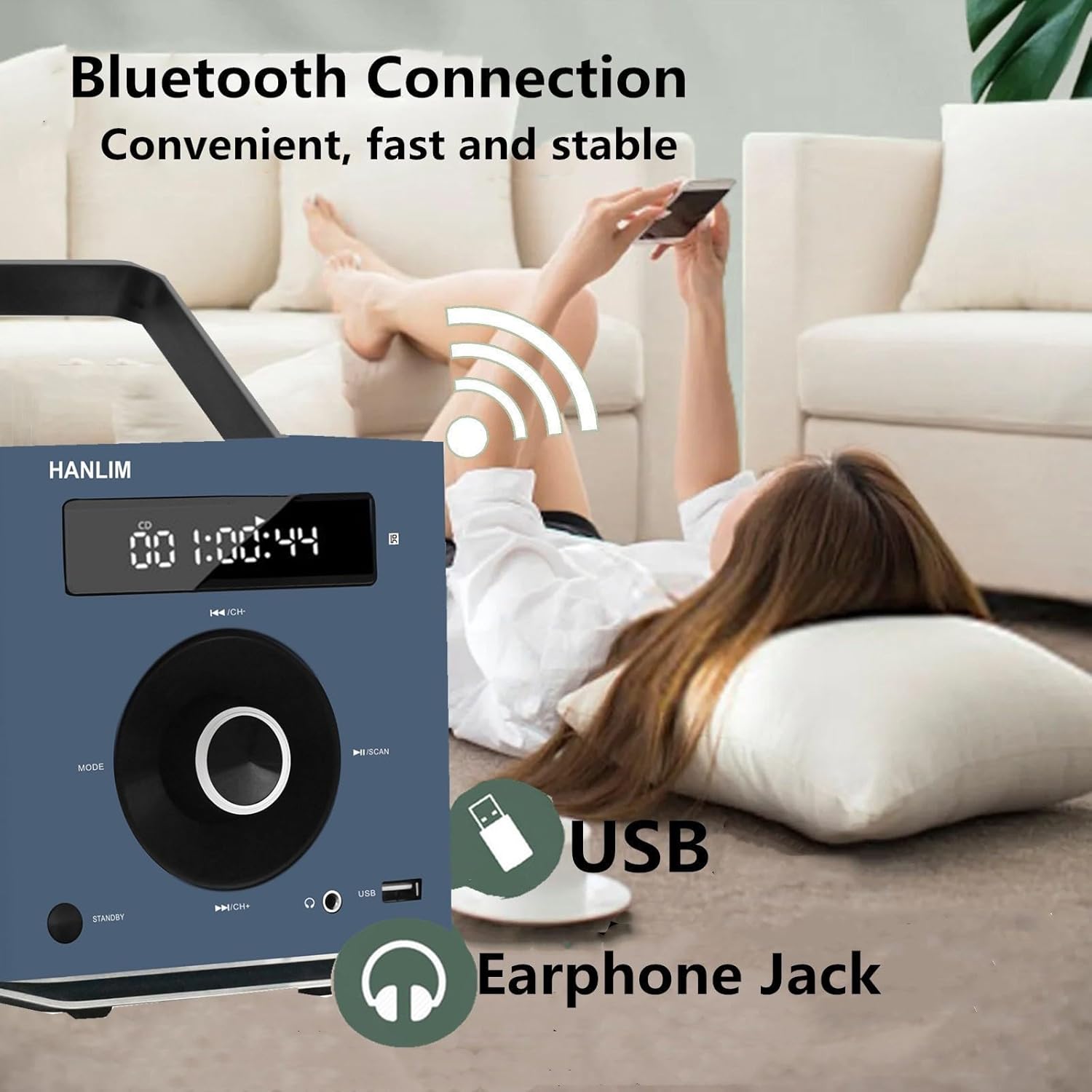
Image: The HANLIM Portable CD Player in a home setting, with a person wirelessly connecting a smartphone via Bluetooth. The image highlights the Bluetooth connection, USB port, and Earphone Jack.
- Premeu el botó MODE button until 'BT' or 'Bluetooth' appears on the display. The unit will enter pairing mode.
- Al dispositiu compatible amb Bluetooth (per exemple, un telèfon intel·ligent o una tauleta), cerqueu els dispositius Bluetooth disponibles.
- Select 'HANLIM HL-108' (or similar name) from the list to pair.
- Once paired, you can play audio from your device through the CD player.
6.5 Funcionament de la ràdio FM

Image: The HANLIM Portable CD Player displaying an FM radio frequency (93.90 MHz). The background shows people listening, illustrating the FM radio functionality for news, music, and programs.
- Premeu el botó MODE fins que aparegui «FM» a la pantalla.
- Escaneig automàtic: Manteniu premut el botó ►II / SCAN button to automatically scan and save available FM stations (frequency range: 87.5 to 108 MHz).
- Sintonització manual: Premeu breument ◄◄ / CH- or ►► / CH+ buttons to manually tune to the next/previous saved station or frequency.
Reproducció USB 6.6
- Inseriu una unitat flaix USB al port USB.
- Premeu el botó MODE button until 'USB' appears on the display.
- The unit will automatically detect and play audio files de la unitat USB.
- Utilitza el ◄◄ i ►► botons per navegar per pistes.
6.7 Entrada AUX
- Connecteu un dispositiu d'àudio extern (per exemple, un reproductor MP3, un telèfon intel·ligent) al Entrada AUX connector mitjançant un cable d'àudio de 3.5 mm (no inclòs).
- Premeu el botó MODE button until 'AUX' appears on the display.
- Audio from the connected device will now play through the CD player. Control playback from the external device.
6.8 Microphone Use
Connect a 3.5mm microphone (not included) to the Entrada MIC jack. The microphone audio will be mixed with the current playback source.
6.9 Control de volum
Gira el Pom de volum to increase or decrease the audio output level.
6.10 Control remot
The included remote control provides convenient access to all functions from a distance. Refer to the remote's button layout for specific controls.
7. Manteniment
- Neteja: Wipe the exterior of the unit with a soft, dry, lint-free cloth. Do not use abrasive cleaners or solvents.
- Cura de les lents de CD: Si teniu problemes de reproducció de CD, feu servir un disc netejador de lents de CD disponible comercialment.
- Emmagatzematge: When not in use for extended periods, disconnect the power cord and store the unit in a cool, dry place.
8. Solució De Problemes
| Problema | Causa possible | Solució |
|---|---|---|
| Sense poder | Power cord not connected; Battery depleted | Ensure power cord is securely connected; Charge the battery. |
| Sense so | Volum massa baix; Mode incorrecte seleccionat; Auriculars connectats | Increase volume; Select correct input mode; Disconnect headphones if using speakers. |
| El CD no es reprodueix | CD inserted incorrectly; CD dirty/scratched; CD compartment not closed | Insert CD label side up; Clean or replace CD; Ensure lid is fully closed. |
| Bluetooth no connectat | El dispositiu no està en mode d'emparellament; Bluetooth desactivat al dispositiu extern | Ensure unit is in Bluetooth pairing mode; Enable Bluetooth on your device and re-scan. |
| Mala recepció de ràdio FM | Senyal feble; Antena no estesa | Adjust the unit's position; Extend the wire antenna fully for better reception. |
9. Especificacions
| Marca | HANLIM |
| Model | HL-108 |
| Potència de sortida | 20 watts |
| Bateria | Polímer de liti de 2000 mAh (recarregable) |
| Temps de joc de la bateria | Approx. 4.5 - 5 hours (at max volume) |
| Dimensions (L x A x A) | 20.32 x 15.24 x 15.24 cm (8 x 6 x 6 polzades) |
| Pes | 1.72 kg (3.7 lliures) |
| Connectivitat | CD, Bluetooth, FM Radio, USB, AUX Input, Microphone Jack, Earphone Jack |
| Interval de freqüència FM | 87.5 - 108 MHz |
10. Garantia i Suport
HANLIM products are designed for reliability and performance. For warranty information or technical support, please refer to the warranty card included with your purchase or contact HANLIM customer service through the retailer where the product was purchased. Please have your model number (HL-108) and purchase details ready when contacting support.


