1. Introducció
Thank you for choosing the SSK 2TB Portable External SSD, Model SD102. This device is designed to provide high-speed, reliable, and portable storage for your data. Featuring USB 3.2 Gen2 (6Gbps) connectivity and read/write speeds of up to 550 MB/s, it is ideal for transferring large files, backing up important documents, and expanding storage for various devices. Its compact design and durable aluminum alloy shell ensure both convenience and protection for your data.
2. Contingut del paquet
- SSK 2TB Portable External SSD (Model SD102)
- Cable USB-C a USB-A
- Adaptador USB-A a USB-C
- Manual d'usuari (aquest document)
3. Configuració
3.1 Connexió de l'SSD
The SSK Portable External SSD is designed for plug-and-play operation, requiring no driver installation for most operating systems. It is compatible with devices featuring USB-C or USB-A ports.
- For USB-C Devices (e.g., modern laptops, smartphones, tablets): Connect one end of the provided USB-C to USB-A cable to the SSD's USB-C port. Connect the other end (USB-A) to the included USB-A to USB-C adapter, then plug the adapter into your device's USB-C port.
- For USB-A Devices (e.g., older laptops, desktops): Connect one end of the provided USB-C to USB-A cable to the SSD's USB-C port. Connect the other end (USB-A) directly into your device's USB-A port.

Image: The SSK Portable External SSD connected to a smartphone using the included Type-C adapter, demonstrating how to expand phone storage.

Imatge: Un primer pla view of the SSK Portable External SSD showing the blue LED indicator when connected, signifying data transfer status.
3.2 Initializing and Formatting (If Necessary)
For new drives or if the drive is not recognized, you may need to initialize and format it. Most operating systems will prompt you to do this. If not, refer to your operating system's disk management tools:
- Windows: Use Disk Management. Right-click 'This PC' > 'Manage' > 'Disk Management'. Find the SSD, initialize it (GPT recommended), and create a new simple volume with a suitable file system (e.g., NTFS).
- macOS: Use Disk Utility. Go to 'Applications' > 'Utilities' > 'Disk Utility'. Select the SSD, click 'Erase', and choose a format (e.g., APFS or Mac OS Extended).
- Android: The device should be recognized automatically. If prompted, allow it to format.
4. Instruccions de funcionament
4.1 Transferència de dades
Once connected and recognized by your device, the SSD will appear as an external storage drive. You can transfer files per:
- Arrossegar i deixar anar: Seleccioneu files or folders on your computer/device and drag them to the SSD's drive icon.
- Copiar i enganxar: Right-click (or long-press on touch devices) files/folders, select 'Copy', then navigate to the SSD, right-click in an empty space, and select 'Paste'.
The blue LED indicator on the SSD will flash during data transfer, indicating active operation.

Image: The SSK Portable External SSD connected to a laptop, illustrating its use for ultra-fast data transfer at speeds up to 550MB/s.
4.2 Eliminació segura
To prevent data corruption, always safely eject the SSD before disconnecting it from your device.
- Windows: Click the 'Safely Remove Hardware and Eject Media' icon in the system tray, then select the SSD.
- macOS: Drag the SSD's icon from the desktop to the Trash, or right-click the icon and select 'Eject'.
- Android: Go to 'Settings' > 'Storage' > 'Eject' next to the SSD.
5. Manteniment
The SSK Portable External SSD is built with a durable aluminum alloy shell, offering shockproof and vibration-resistant properties. To ensure optimal performance and longevity:
- Mantenir net: Wipe the exterior with a soft, dry cloth. Avoid liquid cleaners.
- Eviteu condicions extremes: Do not expose the SSD to extreme temperatures, humidity, or strong magnetic fields.
- Manejar amb cura: While shockproof, avoid unnecessary drops or impacts.
- Dissipació de calor: The aluminum shell is designed for efficient heat dissipation. Ensure it is not covered during prolonged use to allow proper cooling.
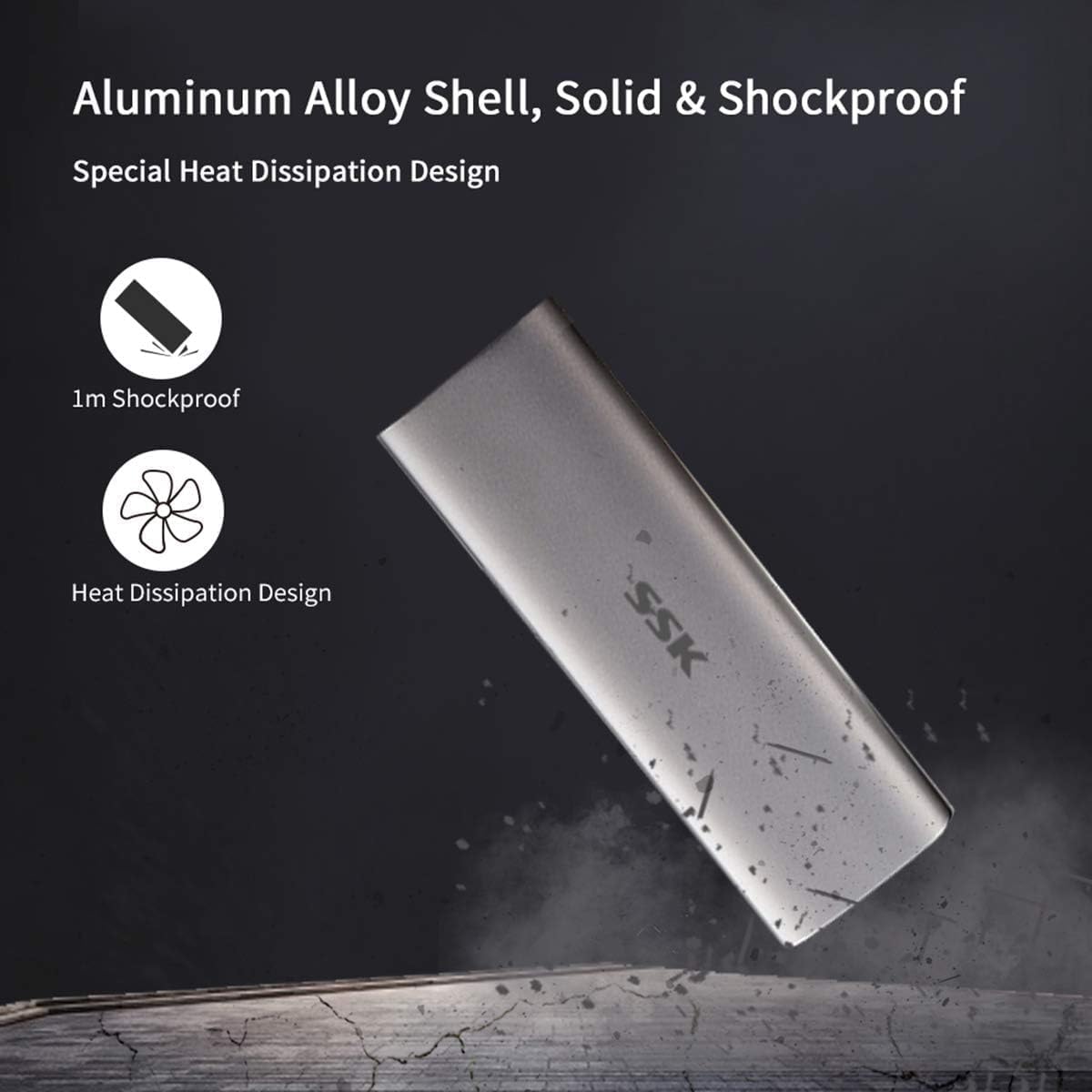
Image: The SSK Portable External SSD highlighting its aluminum alloy shell, 1m shockproof rating, and efficient heat dissipation design.
6. Solució De Problemes
| Problema | Causa possible | Solució |
|---|---|---|
| SSD not recognized by device |
|
|
| Velocitats de transferència de dades lentes |
|
|
| Blue indicator light not flashing during transfer |
|
|
7. Especificacions
Image: The SSK Portable External SSD held in a hand, displaying its compact dimensions of 4.27 inches in length and 1.48 inches in width.
| Característica | Detall |
|---|---|
| Model | SD102 |
| Capacitat d'emmagatzematge digital | 2 TB (2000 GB) |
| Interfície | USB 3.2 Gen2 (6Gbps), USB Type-C |
| Velocitat de lectura/escriptura | Up to 550 MB/s (Actual speed may vary) |
| Dimensions (LxWxH) | 4.25 x 1.46 x 0.47 polzades (108 x 37 x 12 mm) |
| Pes | 4 unces (0.11 kg) |
| Material | Aliatge d'alumini |
| Compatibilitat | Android, Mac OS 10.11 or above, Windows 7 or above |
| Característiques | Shockproof, Vibration-resistant, Efficient Heat Dissipation, Blue LED Indicator, UASP, Trim support |
| Longitud del cable | 18.0 centímetres |
Image: A visual comparison showing the superior speed of USB 3.2 6Gb/s (550MB/s) compared to USB 2.0 480Mb/s, highlighting the SSD's performance.

Image: An illustration demonstrating the SSK Portable External SSD's broad compatibility with Windows, macOS, Android, and Linux operating systems, and various devices including monitors, laptops, tablets, and smartphones.
8. Garantia i Suport
SSK products are designed for reliability and performance. For specific warranty details, please refer to the warranty card included with your purchase or visit the official SSK website. For technical support, product inquiries, or assistance with troubleshooting, please contact SSK customer service through the channels provided on our official weblloc.
Oficial Weblloc: www.ssk.cn


