Introducció
This manual provides comprehensive instructions for the setup, operation, and maintenance of your EMEET C960 4K Webcam. Designed for high-quality video conferencing and content creation, this webcam features a 4K UHD Sony Sensor, PDAF Auto Focus, Dual AI Noise-Cancelling Microphones, and Auto Light Correction. Please read this manual thoroughly to ensure optimal performance and longevity of your device.
Producte acabatview
The EMEET C960 4K Webcam is engineered to deliver superior video and audio quality for all your communication needs. Key features include:
- True 4K Resolution: Experience ultra-clear video with a genuine 4K CMOS sensor, providing pure 4K quality without false upscaling.
- PDAF Auto Focus: Ensures clear and stable focusing in various scenarios, eliminating blurry interruptions.
- Correcció automàtica de la llum: Automatically adjusts to both over-exposed and low-light settings for optimal illumination.
- Dual AI Noise-Cancelling Mics: Built-in microphones with noise-suppressing algorithms for crisp, natural audio.
- Camp de visió de 73°: A focused field of view that centers on you, reducing the need for background adjustments.
- Connexió USB i reproducció: Simple setup with a standard USB-A interface, requiring no drivers.
- Physical Privacy Cover: Included for enhanced security and peace of mind.
- Àmplia compatibilitat: Works with Windows (Win7,10,11), macOS (10.14+), Android TV V7.0+, and Linux, supporting popular communication software like Zoom, Teams, and Skype.

Figure 1: EMEET C960 4K Webcam with its privacy cover open, highlighting the lens and dual microphones.
Configuració
Contingut del paquet
- EMEET C960 4K Weblleva
- Protecció de privadesa
- Manual d'usuari (aquest document)
Connectant el Weblleva
The EMEET C960 4K Webcam is designed for simple plug-and-play operation. No additional drivers are required for basic functionality.
- Ensure your computer or device is powered on.
- Connect the USB-A cable from the webcàmera a un port USB disponible de l'ordinador.
- El webcam will be automatically recognized by your operating system.

Figure 2: Simple USB Plug & Play connection for the EMEET C960 4K Weblleva.
Muntatge del Weblleva
El webcam features flexible mounting options for various screen types and tripods.
- En un monitor/ordinador portàtil: Unfold the clip base and rest it on top of your monitor or laptop screen. Adjust the angle to secure the weblleva.
- En un trípode: El webcam includes a 1/4-inch tripod thread on its base, allowing it to be mounted on standard tripods (not included).

Figura 3: El/La/Els/Les webcam offers 360° horizontal and 15° vertical adjustments for optimal positioning.
Instal·lació de programari (opcional)
For advanced settings and personalization, download the EMEETLINK software from the official EMEET website. This software allows you to adjust brightness, saturation, white balance, and other video settings.
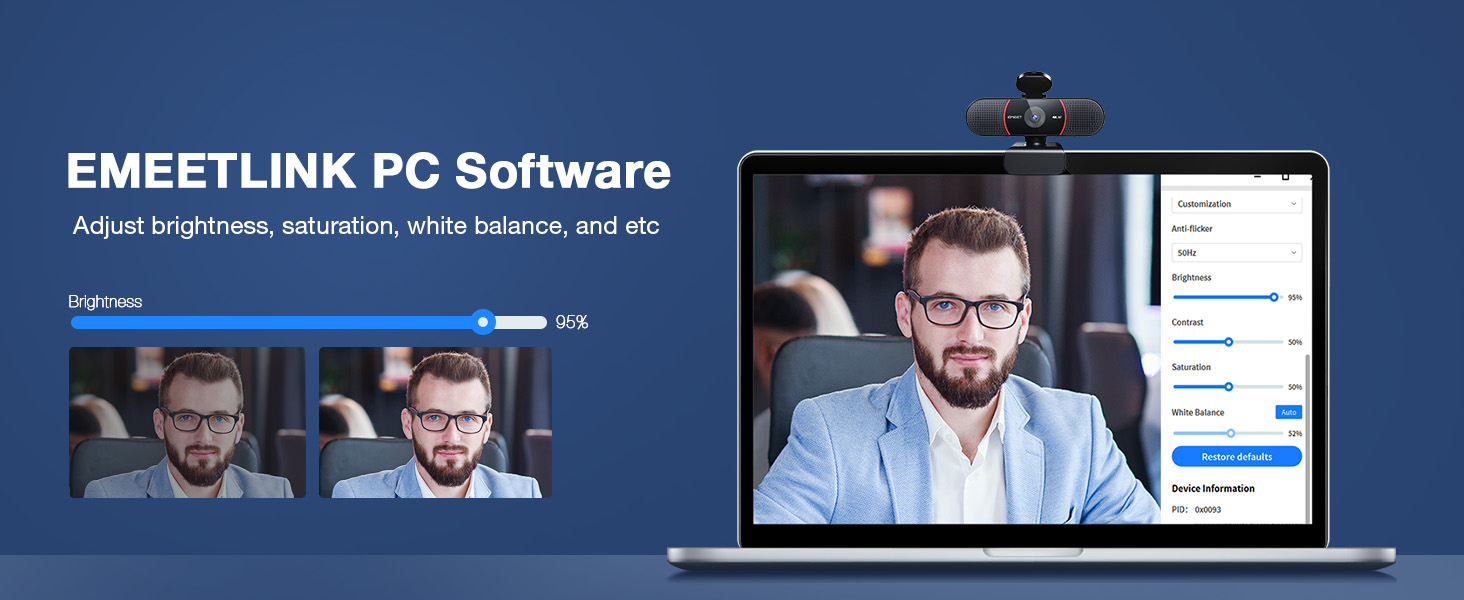
Figure 4: EMEETLINK PC Software for customizing video settings.
Instruccions de funcionament
Utilitzant el Weblleva
Once connected, the EMEET C960 4K Webcam can be selected as your primary video and audio device in most communication and streaming applications.
- Open your preferred video conferencing software (e.g., Zoom, Microsoft Teams, Skype, Google Meet).
- Navigate to the audio/video settings within the application.
- Select "EMEET C960" or similar for both your camera and microphone input.
- Ensure the physical privacy cover is open when in use.
4K Resolution Usage
The EMEET C960 supports true 4K resolution. Note that video resolution defaults to 1080P in many applications. To utilize 4K, you may need to adjust settings within your operating system or specific applications.
- Windows: Go to Camera settings -> Video settings -> Video quality and select 2160P 16:9 30FPS.
- macOS: The default resolution is typically the highest supported.
- For streaming or advanced use, applications like PotPlayer or OBS Studio allow direct selection of 4K resolution.

Figure 5: Visual comparison of different video resolutions, highlighting the clarity of 4K UHD.

Figure 6: Steps to configure 4K resolution on Windows and macOS.
For the best 4K experience, ensure you are using a USB 3.0 port and a 4K display. While a 4K camera can still deliver better details without a 4K display, a compatible display will maximize the visual quality.

Figure 7: Recommendations for achieving the best 4K experience.
PDAF Auto Focus
El webcam's PDAF (Phase Detection Auto Focus) technology automatically adjusts the focus to keep you clear and sharp, even if you move during a call or presentation.

Figure 8: PDAF Auto Focus ensures clear and stable images.
Correcció automàtica de la llum
The EMEET C960 automatically corrects for lighting conditions, ensuring you are well-lit whether in bright or dim environments. This feature helps maintain consistent video quality.

Figure 9: Auto Light Correction for optimal video quality in varying light conditions.
Dual AI Noise-Cancelling Microphones
The built-in dual microphones utilize AI noise-cancelling algorithms to reduce background noise, providing clear and natural audio. For optimal performance, ensure the EMEET C960 is selected as your default microphone device in your system settings and communication applications.

Figure 10: Dual AI Noise-Cancelling Microphones for clear audio.
Garantia i Suport
Informació de la garantia
EMEET offers a 2-year protection plan and a 3-year protection plan for the C960 4K Webcam. For detailed terms and conditions regarding your warranty or to purchase extended protection, please refer to your purchase documentation or contact EMEET customer support.
Atenció al client
For technical assistance, troubleshooting, or any inquiries regarding your EMEET C960 4K Webcam, please visit the official EMEET website or refer to the digital user manual available at https://manuals.plus/m/dbff9e69a504139c94deb977704d46b3a92afb1634e4cd304a461d8a232d2cba.
EMEET is committed to providing lifetime professional technical team support and aims to reply to inquiries within 24 hours.


