1. Introducció
This manual provides essential instructions for the proper setup, operation, and maintenance of your SVANTTO Android Barcode Scanner IPDA061. Please read this manual thoroughly before using the device to ensure optimal performance and longevity.
2. Contingut del paquet
Verifiqueu que tots els elements siguin presents al paquet:
- SVANTTO Android Barcode Scanner IPDA061
- Cable de càrrega USB
- Adaptador d'alimentació
- Corretja de canell
- Manual d'usuari (aquest document)
3. Dispositiu acabatview
The SVANTTO IPDA061 is a robust mobile computer designed for efficient barcode data collection. It features a 5-inch full-screen display, an 8-core CPU, and runs on Android 11 OS.

Característiques principals:
- Sistema operatiu Android 11
- 8-Core CPU with 4GB RAM and 64GB ROM
- Integrated Zebra SE4710 1D/2D/QR Barcode Scanner
- 5-inch Full-Screen Display
- Connectivity: Bluetooth 5.0, Wi-Fi, 4G LTE, NFC, GPS
- Bateria extraïble de 4000 mAh
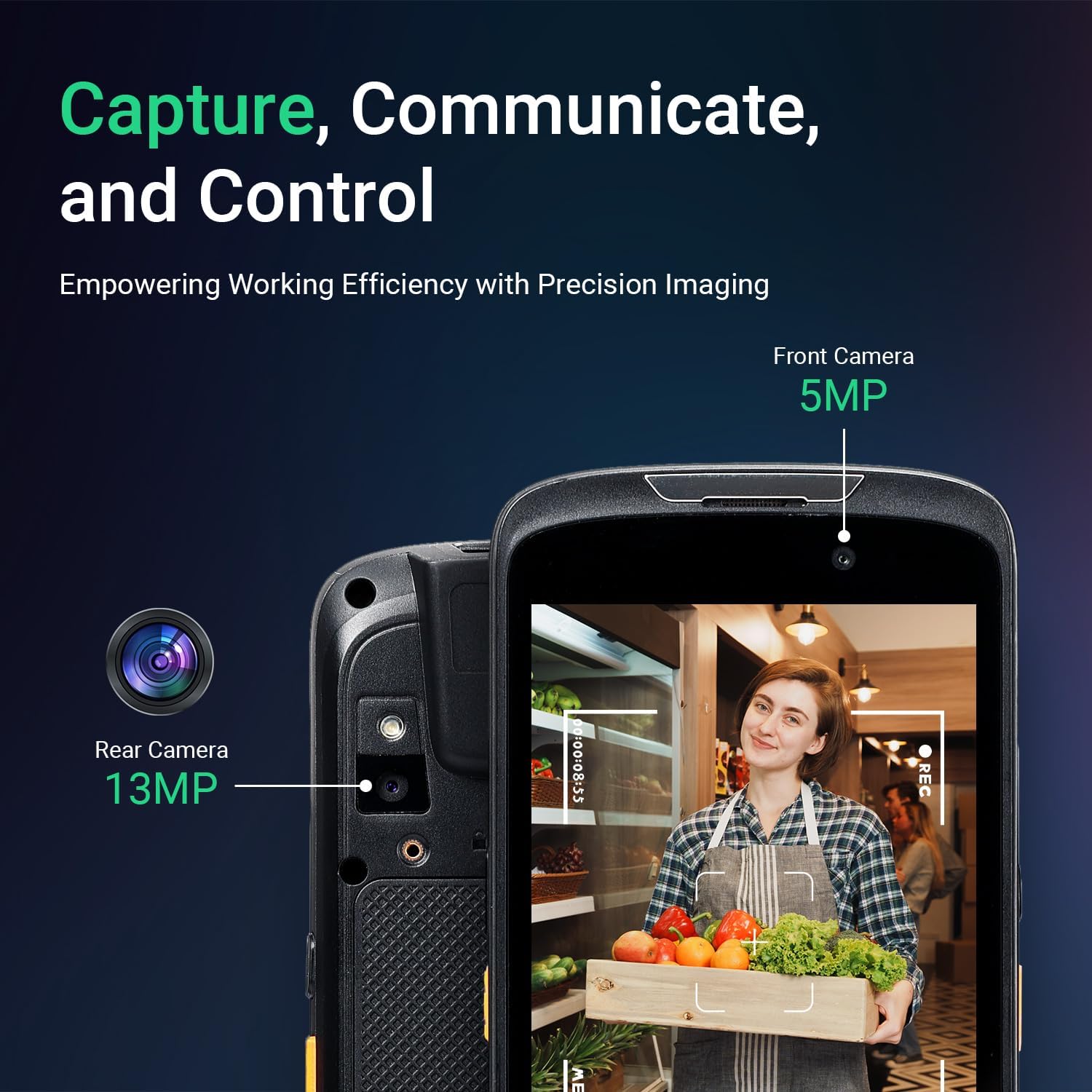
- Càmera frontal de 5 MP, càmera posterior de 13 MP
- IP65 Rated for Dust and Water Resistance
- Customizable Scan Buttons
4. Configuració
4.1 Instal·lació i càrrega de la bateria
- Localitzeu el compartiment de la bateria a la part posterior del dispositiu.
- Insert the 4000mAh Lithium-ion Polymer battery, ensuring proper alignment of the contacts.
- Assegureu la coberta de la bateria.
- Connect the USB charging cable to the device and the power adapter, then plug the adapter into a power outlet. Allow the device to fully charge before first use.

4.2 SIM Card Installation (Optional)
If 4G LTE connectivity is required, insert a compatible SIM card into the designated slot. Refer to the device's internal diagram for precise slot location.
4.3 Engegada inicial i configuració de xarxa
- Manteniu premut el botó d'engegada fins que el dispositiu s'encengui.
- Segueix les instruccions que apareixen a la pantalla per completar la configuració inicial d'Android 11.
- To connect to Wi-Fi, navigate to Configuració > Xarxa i Internet > Wi-Fi, select your network, and enter the password.
- For Bluetooth connectivity, go to Configuració> Dispositius connectats> Preferències de connexió> Bluetooth and pair with your desired device.

5. Instruccions de funcionament
5.1 Escaneig de codis de barres
The device is equipped with a Zebra SE4710 engine for scanning 1D, 2D, and QR codes.
- Open the scanning application or an application that supports barcode input.
- Point the scanner module at the barcode, ensuring the red laser aimer covers the entire code.
- Press one of the two dedicated scan buttons located on the sides of the device.
- The device will emit a confirmation sound or vibration upon successful scan.
Note: The camera and the scan engine cannot operate simultaneously.


Funcionalitat de càmera 5.2
The device includes a 5MP front camera and a 13MP rear camera for image capture.
- Obriu l'aplicació de la càmera.
- Select either the front or rear camera as needed.
- Tap the screen to focus and press the shutter button to capture images or record videos.

5.3 Integració de programari
The SVANTTO IPDA061 is compatible with various inventory management software solutions, including Odoo, Zoho Inventory, Ocra Scan, inFlow Inventory, and Finale Inventory. An API/SDK is available for custom software integration.
Note: This device is not compatible with "Correos Express" and "QuickBooks Desktop" software.

6. Manteniment
6.1 Neteja
Per netejar el dispositiu, utilitzeu un suau, damp drap. Eviteu utilitzar productes químics agressius o materials abrasius que puguin danyar la pantalla o el casing. Ensure the device is powered off and disconnected from charging before cleaning.
6.2 Cura de la bateria
The 4000mAh removable battery provides over 10.5 hours of continuous use. To maximize battery life:
- Carregueu la bateria completament abans del primer ús.
- Eviteu temperatures extremes durant la càrrega i el funcionament.
- If storing the device for an extended period, charge the battery to approximately 50% and remove it from the device.
6.3 Consideracions ambientals
The device is designed for rugged environments with an IP65 rating and 1.2m drop resistance. It operates effectively in temperatures ranging from -10 °C to 50 °C and can be stored between -20 °C to 60 °C.

7. Solució De Problemes
If you encounter issues with your SVANTTO IPDA061, refer to the following common problems and solutions:
| Problema | Causa possible | Solució |
|---|---|---|
| El dispositiu no s'encén | Bateria baixa o esgotada | Charge the device for at least 30 minutes. Ensure the battery is correctly installed. |
| El codi de barres no s'escaneja | Incorrect aiming, dirty scanner window, incompatible barcode type, scanner engine conflict with camera. | Ensure the laser covers the entire barcode. Clean the scanner window. Verify barcode type is 1D, 2D, or QR. Ensure the camera app is not active. |
| Problemes de connectivitat Wi-Fi/Bluetooth | Out of range, incorrect password, interference. | Move closer to the access point/device. Re-enter password. Restart Wi-Fi/Bluetooth on the device. |
| Application compatibility issues | Software not supported. | Confirm software compatibility. Note that "Correos Express" and "QuickBooks Desktop" are not supported. |
| Device is slow or unresponsive | Too many applications running, low storage. | Close unnecessary applications. Clear cache or free up storage space. Restart the device. |
8. Especificacions
| Característica | Detall |
|---|---|
| Número de model | IPDA061 |
| Sistema operatiu | Android 11 |
| CPU | Processador de 8 nuclis |
| Memòria (RAM/ROM) | 4 GB de RAM / 64 GB de flaix |
| Scanner Engine | Zebra SE4710 (1D/2D/QR) |
| Mostra | 5-inch Full-Screen |
| Connectivitat | Bluetooth 5.0, Wi-Fi, 4G LTE (SIM card support), NFC, GPS |
| Bateria | 4000mAh Removable Lithium-ion Polymer |
| Càmeres | 5MP frontal, 13MP posterior |
| Classificació de durabilitat | IP65 |
| Resistència a les caigudes | 1.2m (composite wood floor) |
| Temperatura de funcionament | -10 °C a 50 °C |
| Temperatura d'emmagatzematge | -20 °C a 60 °C |
| Dimensions del producte | 6.18 x 2.9 x 0.95 polzades |
| Pes de l'article | 1.1 lliures |

9. Garantia i Suport
SVANTTO provides comprehensive support for your IPDA061 device:
- 30-Day Return Service: Enjoy a 30-day no-questions-asked return policy.
- 2 any de garantia: The device is covered by a 2-year warranty service.
- Suport tècnic de tota la vida: Access lifetime online technical support for any operational or technical queries.
For technical assistance or warranty claims, please contact SVANTTO customer support through your purchase platform (e.g., "Contact Buyer" on Amazon).


