Introducció
Thank you for choosing the KOORUI BKC01 Wired Keyboard and Mouse Combo. This manual provides essential information for setting up, operating, and maintaining your new peripheral set. This combo is designed for optimal productivity and comfort, offering a reliable wired connection for various computing environments.

Image: The KOORUI BKC01 wired keyboard and mouse combo, highlighting its design.
Contingut del paquet
Si us plau, assegureu-vos que tots els articles estiguin presents al vostre paquet:
- 1 x KOORUI Full-Size Wired Keyboard
- 1 x KOORUI 1600 DPI Wired Optical Mouse
- 1 x Manual d'usuari (aquest document)
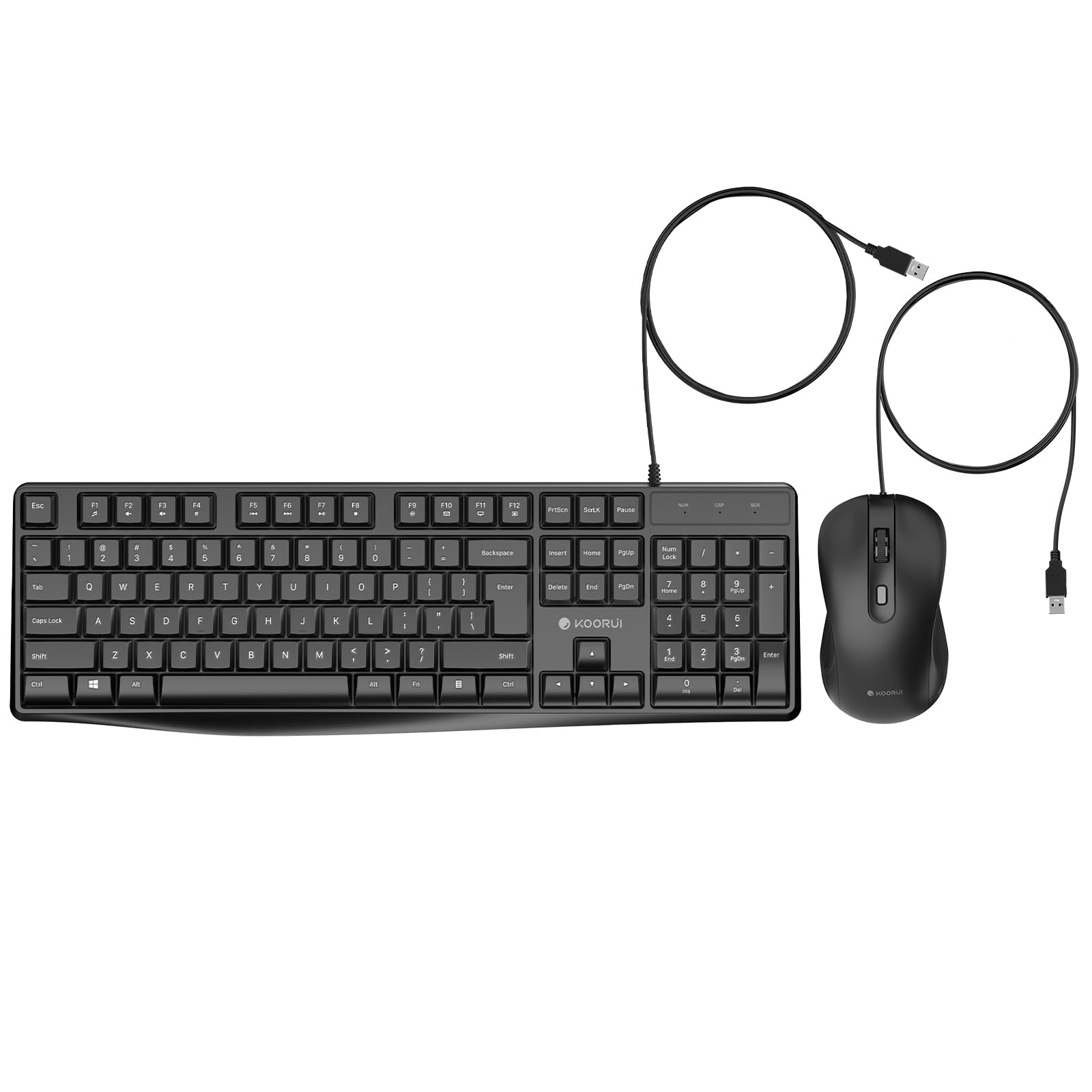
Image: The KOORUI wired keyboard and mouse, showing both components.
Instruccions de configuració
The KOORUI BKC01 keyboard and mouse combo features a simple plug-and-play design, requiring no additional drivers for most operating systems.
- Connecteu el teclat: Locate an available USB-A port on your computer. Plug the USB-A connector of the keyboard into the USB-A port.
- Connecteu el ratolí: Locate another available USB-A port on your computer. Plug the USB-A connector of the mouse into the USB-A port.
- Reconeixement del sistema: Your operating system (Windows, macOS, Linux) should automatically detect and install the necessary generic drivers. This process typically takes a few seconds.
- Començar a utilitzar: Once recognized, your keyboard and mouse are ready for immediate use.

Image: The keyboard and mouse cables with USB-A connectors, illustrating the wired connection.

Image: The keyboard and mouse connected and in use on a desk with a computer monitor.
Instruccions de funcionament
Característiques del teclat
- Disseny a mida completa: Inclou un teclat numèric per a una entrada de dades eficient.
- Low-Profile Claus de Chiclet: Designed for quick, accurate, and quiet typing.
- F1-F12 Shortcut Keys: Access 12 common functions with a single key press, enhancing productivity. These functions typically include media control, volume adjustment, and quick access to applications.
- Indicadors LED: Illuminated LEDs clearly display the status of Num Lock, Caps Lock, and Scroll Lock.
- Disseny ergonòmic: Features an 8-degree adjustable tilt for comfortable typing and reduced wrist stress.

Image: The keyboard layout with F1-F12 shortcut keys highlighted, demonstrating their function.

Imatge: Primer pla views of the keyboard, showing the adjustable feet for tilt and the contoured keycaps.
Funcions del ratolí
- Sensor òptic de 1600 DPI: Provides fast and precise cursor control.
- Disseny ergonòmic: Natural contours and shapes offer all-day comfort for your hand.
- Sensibilitat ajustable: The mouse offers adjustable cursor speed and sensitivity to enhance accuracy, typically managed through your operating system's mouse settings.

Image: The KOORUI wired mouse, illustrating its 1600 DPI capability.
Manteniment
Un manteniment adequat garanteix la longevitat i el rendiment òptim del teclat i del ratolí.
- Neteja del teclat: The keyboard features a spill-resistant design. In case of accidental water splashes, gently wipe the surface clean with a soft, dry cloth. Avoid submerging the keyboard in liquid. For general cleaning, use a soft, slightly damp tela.
- Neteja del ratolí: Feu servir un drap suau i sec per netejar l'exterior del ratolí. Per al sensor òptic, feu servir un bastonet de cotó lleugerament humit.ampened with rubbing alcohol to gently clean the sensor area if dust or debris affects tracking.
- Eviteu productes químics durs: Do not use abrasive cleaners, solvents, or strong detergents, as these can damage the surface and internal components.
- Emmagatzematge: When not in use for extended periods, store the keyboard and mouse in a clean, dry environment away from extreme temperatures.

Image: The KOORUI keyboard with water droplets, demonstrating its spill-resistant feature.
Resolució de problemes
If you encounter issues with your KOORUI keyboard and mouse combo, please refer to the following common solutions:
- Dispositiu no reconegut:
- Ensure the USB-A connectors are fully inserted into the computer's USB ports.
- Try plugging the keyboard and mouse into different USB-A ports on your computer.
- Reinicieu l'ordinador.
- Test the devices on another computer to determine if the issue is with the devices or your computer's USB ports.
- Les tecles no responen / El ratolí no es mou:
- Check the USB connections as described above.
- Ensure no debris is lodged under the keys or obstructing the mouse's optical sensor.
- For the mouse, ensure you are using it on a suitable surface (non-reflective, opaque).
- Sortida de clau incorrecta:
- Verifiqueu que la disposició de teclat correcta estigui seleccionada a la configuració del sistema operatiu.
Especificacions
| Característica | Especificació |
|---|---|
| Marca | KOORUI |
| Número de model | BKC01 |
| Plataforma de maquinari | Linux, Mac, PC |
| Compatibilitat de sistemes operatius | Linux, Windows 10 (and other Windows versions), macOS |
| Dimensions del producte (teclat) | 42.16 x 12.45 x 1.78 cm (16.6 x 4.9 x 0.7 polzades) |
| Pes de l'article (total) | 599 g (aproximadament 1.32 lliures) |
| Color | Negre |
| Tecnologia de connectivitat | Cablejat (USB-A) |
| Característica especial | Noise-canceling, Spill-resistant |
| Dispositius compatibles | Laptop, Personal Computer, Tablet (with USB-A port) |
| Descripció del teclat | Membrane, Full-size with numeric keypad |
| Detecció de moviment del ratolí | Òptic |
| DPI del ratolí | 1600 DPI |
| Font d'alimentació | Elèctric amb cable (alimentat per USB) |

Image: Detailed diagram showing the dimensions of the KOORUI keyboard and mouse.
Garantia i Suport
KOORUI provides a 1-year paid warranty for this product. If you have any questions, require technical assistance, or need to claim warranty service, please contact KOORUI customer support through the retailer's platform or the official KOORUI website. Our support team is available to assist you.


