1. Introducció
Thank you for choosing the THOKWOK TK-X2 Motorcycle Bluetooth Headset. This manual provides detailed instructions for the proper installation, operation, and maintenance of your device. Please read this manual thoroughly before use to ensure optimal performance and safety.
Precaucions de seguretat:
- Prioritzeu sempre la seguretat viària. No feu servir el dispositiu de manera que us distregui de la conducció.
- Assegureu-vos que el dispositiu estigui ben muntat al casc abans de conduir.
- Adjust volume to a safe level that allows you to hear ambient traffic sounds.
- No intenteu desmuntar ni modificar el dispositiu. Això pot anul·lar la garantia i causar danys.
2. Què hi ha a la caixa
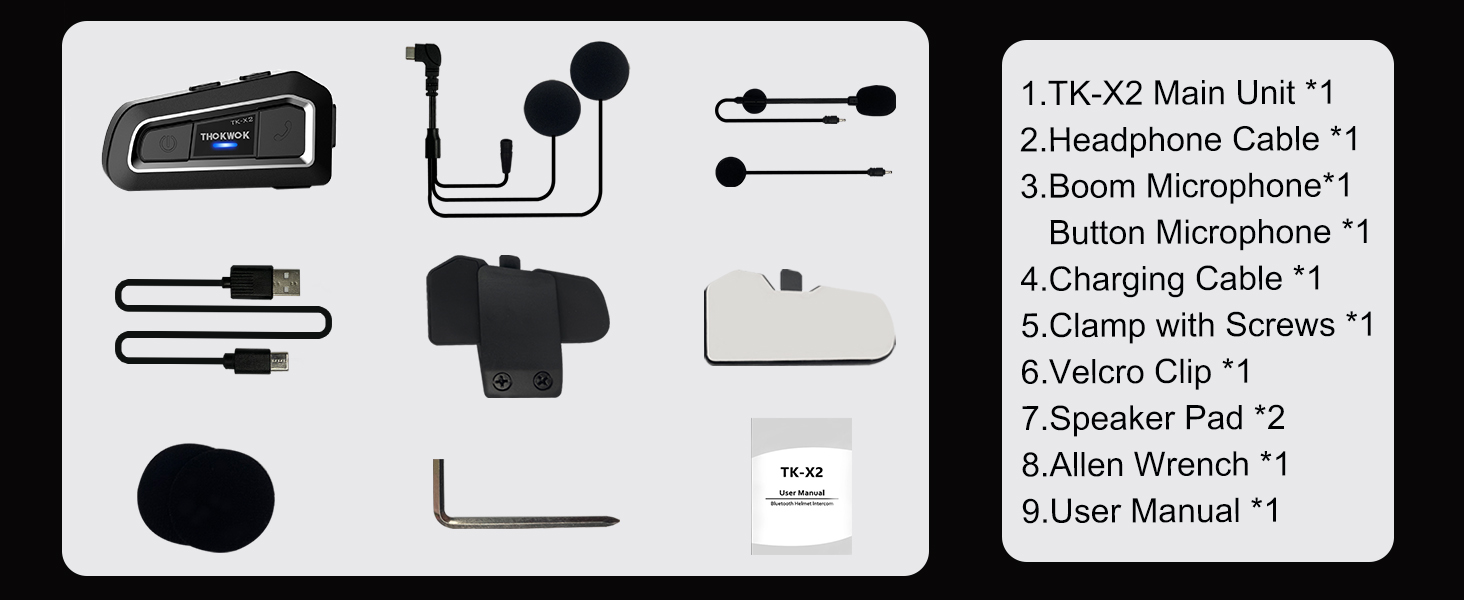
Verifiqueu que tots els components siguin presents abans de continuar amb la instal·lació.

TK-X2 Main Unit

Micròfon Boom

Micròfon de botó

Headphone Cable & Charging Cable
Clamp amb cargols
Velcro Clip
Coixinets d'altaveus
Clau Allen
Manual d'usuari
3. Producte acabatview
The THOKWOK TK-X2 features an intuitive button layout for easy operation even with gloves. Below is a diagram highlighting the main unit and its components.
Main Unit: Power Button (left), Function Button (middle), Phone Button (right).
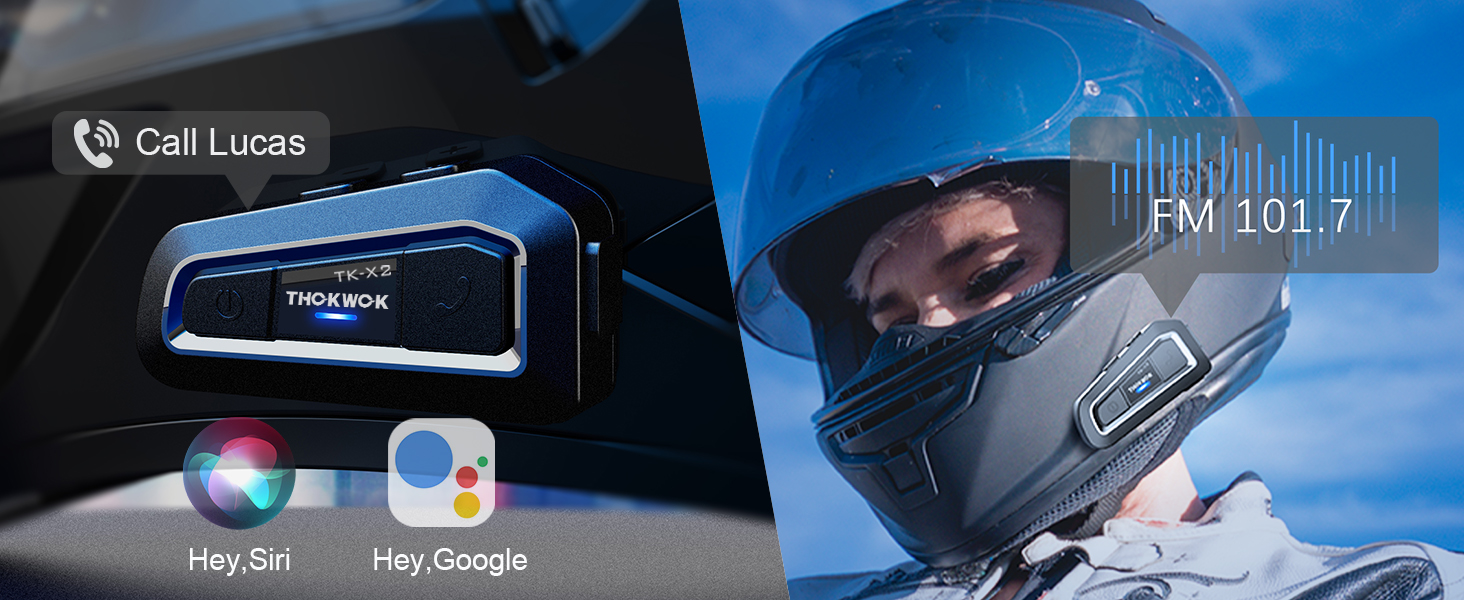
Key Features: Bluetooth 5.0, 3 Riders' Group, FM Radio, Hi-Fi Stereo, DSP&CVC Noise Reduction, Voice Assistant, IP67 Waterproof, 650mAh Battery.
4. Instal·lació
The TK-X2 offers flexible installation options to suit various helmet types.
4.1. Muntatge de la unitat principal
Use either the clamp with screws or the velcro clip to attach the main unit to the side of your helmet. Ensure it is securely fastened and does not obstruct your vision or helmet functionality.
4.2. Microphone Options
The TK-X2 includes two interchangeable microphones for different helmet styles:
- Micròfon de braç: Ideal for open-face or flip-face (modular) helmets.
- Micròfon de botó: Suitable for full-face helmets.
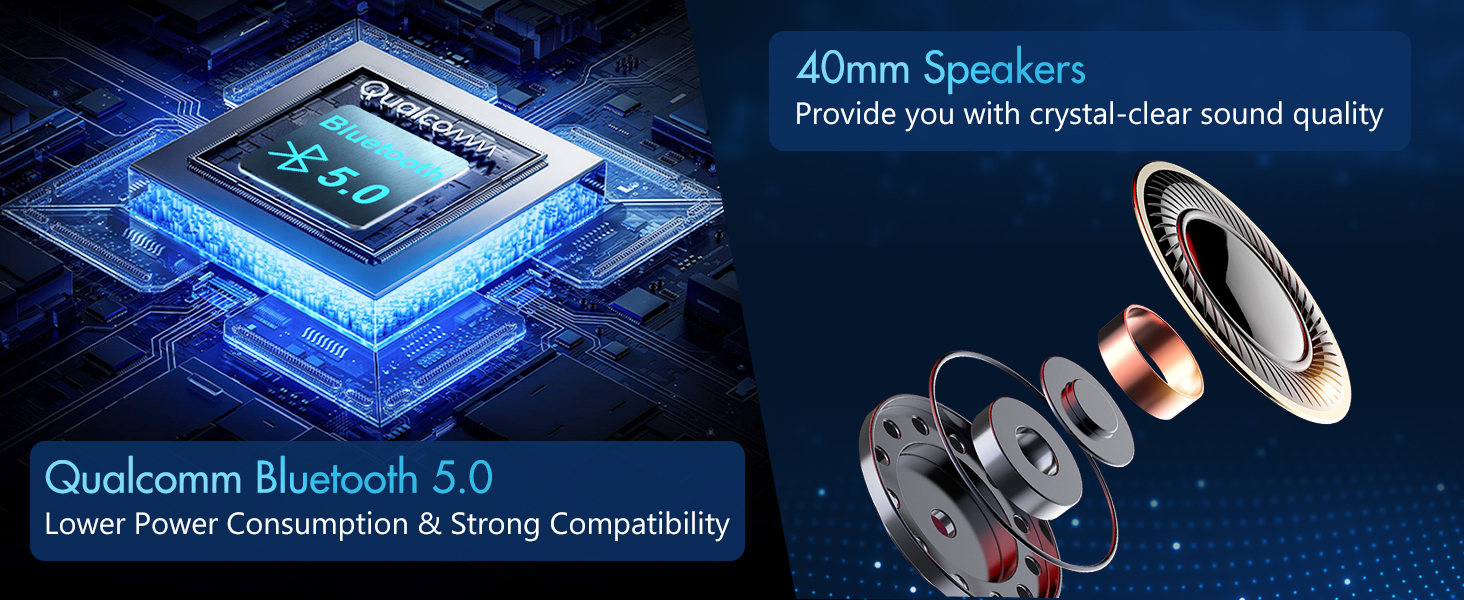
Choose the appropriate microphone for your helmet type.
5. Configuració i emparellament
5.1. Bluetooth Pairing with Phone
To connect your TK-X2 headset to your smartphone:
- Ensure the TK-X2 is powered off.
- Long press the Power button for 4 seconds until the red and blue lights flash alternately. This indicates pairing mode.
- On your phone, turn on Bluetooth and search for "TK-X2".
- Select "TK-X2" to connect. Once connected, the blue light on the headset will flash slowly.
Video: Demonstrates pairing the TK-X2 with a smartphone for music and call functions.
5.2. Intercom Pairing (Multiple Units)
The TK-X2 supports intercom communication for up to 3 riders, with 2 riders talking simultaneously. Before pairing, ensure all units have their previous Bluetooth pairing records cleared by long pressing the Power and Phone buttons simultaneously for 8 seconds until pink lights flash twice.
5.2.1. Two-Way Intercom Pairing
- Turn on both TK-X2 units.
- On both units, long press the Power button for 4 seconds until red and blue lights flash alternately (pairing mode).
- Click the Power button on one of the units to initiate pairing.
- Once paired, the blue lights on both units will flash slowly, and you will hear "Intercom connected".
5.2.2. Three-Way Intercom Pairing
- Clear all previous pairing records on all three units (A, B, C) as described above.
- Turn on all three units.
- Pairing A and B: On units A and B, long press the Power button for 4 seconds until red and blue lights flash alternately. Click the Power button on unit A to pair. Once paired, blue lights flash slowly.
- Pairing B and C: On unit B, click the Power button to hang up the intercom. On units B and C, long press the Power button for 4 seconds until red and blue lights flash alternately. Click the Power button on unit B to pair. Once paired, blue lights flash slowly.
- Pairing C and A: On unit C, click the Power button to hang up the intercom. On units C and A, long press the Power button for 4 seconds until red and blue lights flash alternately. Click the Power button on unit C to pair. Once paired, blue lights flash slowly.
- Initiating 3-Way Intercom: Double-click the Power button on unit A to talk with C. Click the Power button on unit C to talk with B.
Video: Illustrates the process of pairing two and three TK-X2 units for intercom communication.
6. Funcionament
6.1. Controls bàsics
- Encès/apagat: Premeu llargament el botó d'engegada durant 2 segons.
- Reproducció / pausa de música: Click the Function button.
- Següent cançó: Click the Phone button.
- Cançó anterior: Click the Power button.
- Pujar el volum: Long press the Phone button. You will hear a "Di" sound when maximum volume is reached.
- Baixar el volum: Premeu llargament el botó d'engegada.
- Respondre/Finalitzar la trucada: Click the Phone button.
- Rebutja la trucada: Long press the Phone button for 2 seconds.
- Voice Assistant (Siri/S-Voice): Long press the Function button for 2 seconds. You will hear "Voice Dial".
- Ràdio FM activada/desactivada: Double-click the Function button. You will hear "Turn on radio" or "Turn off radio".
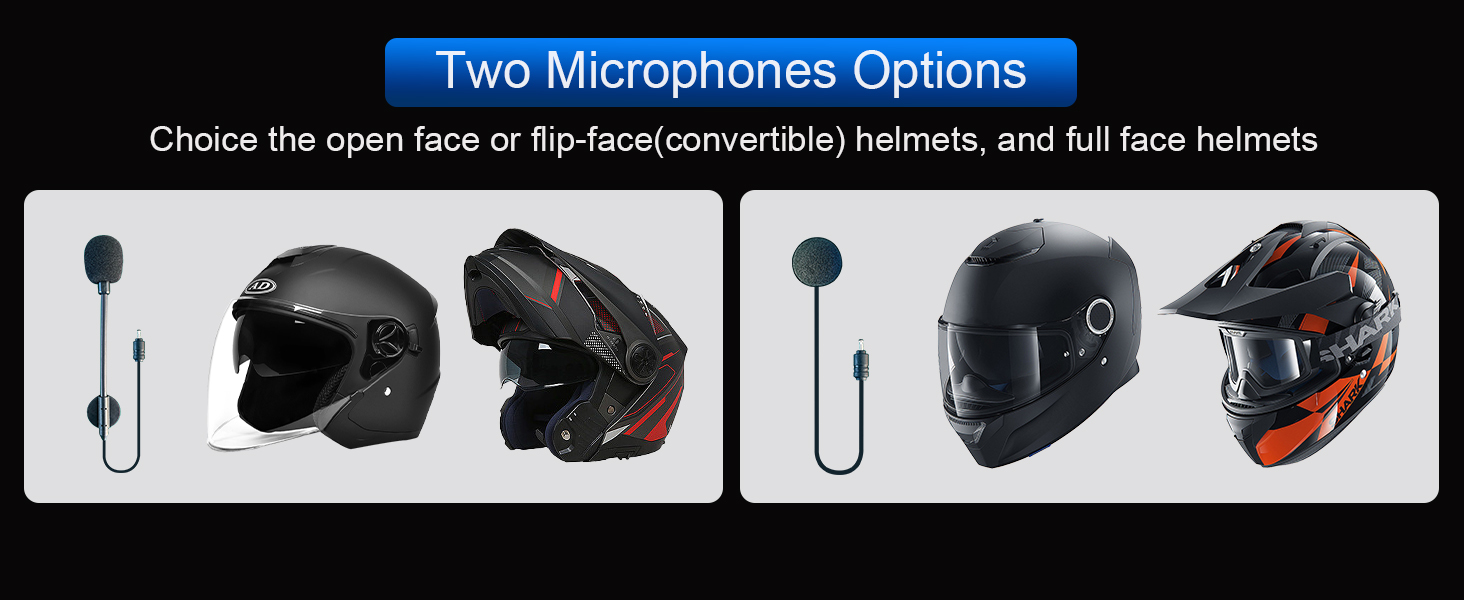
Access voice assistant and FM radio with simple button presses.
6.2. Intercom Usage
- Inicia l'intercomunicador: Click the Power button (after successful pairing).
- Finalitzar l'intercomunicador: Click the Power button.
- When an intercom call is active, music playback will automatically pause. Music will resume when the intercom call ends.
7. Manteniment
7.1. Càrrega
The TK-X2 features a built-in 650mAh Lithium Polymer battery. Connect the charging cable to the Type-C port on the unit and a suitable USB power source. A full charge takes approximately 2.5 hours. The device will broadcast battery status upon power-on: "Battery full", "Battery medium", or "Battery low".

Enjoy up to 24 hours of music or intercom time and 280 hours of standby time.
7.2. Neteja i emmagatzematge
The TK-X2 has a waterproof design (IP67 rated), allowing use in various weather conditions. To clean, wipe the unit with a soft, damp cloth. Avoid using harsh chemicals or abrasive materials. Store the device in a cool, dry place when not in use.
The waterproof design ensures durability in various riding environments.
8. Solució De Problemes
| Problema | Causa possible | Solució |
|---|---|---|
| No es pot encendre | Bateria baixa | Carregueu el dispositiu durant almenys 2.5 hores. |
| No es pot emparellar amb el telèfon | Device not in pairing mode / Phone Bluetooth off / Previous pairing conflict | Ensure TK-X2 is in pairing mode (red & blue flashing). Turn on phone Bluetooth. Clear previous pairing records on TK-X2 and try again. |
| L'intercomunicador no es connecta | Units not in pairing mode / Previous pairing conflict | Ensure all units are in pairing mode. Clear all previous pairing records on all units and re-pair. |
| Poor sound quality / Noise | Microphone/speaker placement / Environmental noise | Adjust microphone and speaker position inside the helmet. Ensure microphone is close to your mouth. The device features DSP & CVC noise cancellation for high-speed clarity. |
| La ràdio FM no funciona | Weak signal / Feature not activated | Move to an area with better signal. Double-click the Function button to activate FM radio. |
9. Especificacions
| Característica | Detall |
|---|---|
| Nom del model | TK-X2 Single |
| Versió Bluetooth | 5.1 |
| Distància d'intercomunicació | Up to 1000m (no obstacles) |
| Max Riders (Intercom) | 3 (2 simultaneous talk) |
| Control de soroll | Active Noise Cancellation (DSP & CVC) |
| Tipus de bateria | Polímer de liti (650 mAh) |
| Music/Intercom Time | Fins a 24 hores |
| Temps d'espera | Fins a 280 hores |
| Temps de càrrega | Aprox. 2.5 hores |
| Nivell de resistència a l'aigua | Impermeable (IP67) |
| Conector d'auriculars | Tipus-C |
| Dimensions | 3 x 1.6 x 0.83 polzades |
| Pes de l'article | 8.4 unces |
| Material | Acrilonitril butadiè estirè (ABS) |
10. Garantia i Suport
THOKWOK products are designed and manufactured to the highest quality standards. For warranty information, technical support, or customer service inquiries, please refer to the contact information provided on your product packaging or visit the official THOKWOK weblloc.
Conserveu el vostre comprovant de compra per a reclamacions de garantia.


