Introducció
This manual provides comprehensive instructions for the setup, operation, and maintenance of your Fosmon Wireless Bluetooth Gaming Controller. Please read this manual thoroughly before using the product to ensure proper functionality and to maximize your gaming experience. Keep this manual for future reference.

Image: The Fosmon Wireless Bluetooth Gaming Controller, showcasing its transparent design and vibrant RGB lighting.
Producte acabatview i Característiques
The Fosmon Wireless Bluetooth Gaming Controller is designed for a versatile gaming experience across multiple platforms. Key features include:
- Unique RGB LEDs: Transparent PC case with a 10-color RGB strip and 3 light modes (Breathing, Static, Off) for customizable ambiance.
- Compatibilitat multiplataforma: Works with Nintendo Switch (2/1/Lite/OLED), iOS Apple Arcade MFi games, Android HID models, Windows 7/8/10 PC, and Steam. Connects via Bluetooth or USB cable. Note: PC gaming only supports USB-wired connections.
- Auto & Manual Turbo Modes: Customizable TURBO function for A/B/X/Y/L (L1)/R (R1)/ZL (L2)/ZR (R2) buttons, with 3 adjustable speeds (5, 12, or 20 shots/second).
- 4-Level Vibration & 6-Axis Gyro: Enhanced immersion with accurate motion detection and adjustable vibration feedback (None, Weak, Medium, Strong). Note: No NFC support.
- Wake Up & Screenshot Function: Easily wake up and reconnect your console by pressing the HOME button after initial pairing. Capture and share game moments with the dedicated screenshot button.
- Bateria recarregable incorporada: 800mAh battery providing 6-10 hours of continuous gaming on a 2-hour charge.
Contingut del paquet
Si us plau, verifiqueu que tots els elements siguin presents al vostre paquet:
- Fosmon Wireless Bluetooth Gaming Controller
- Cable de càrrega USB
- Manual d'usuari (aquest document)
Configuració i connexió
Initial Pairing (First Connection)
For the first time connecting your controller to a device (e.g., Nintendo Switch, iOS, Android):
- Assegureu-vos que el Bluetooth del vostre dispositiu estigui activat.
- Al controlador, premeu i manteniu premut "Y" button + "HOME" button simultaneously until the indicator lights begin to flash rapidly. This indicates the controller is in pairing mode.
- On your device, search for Bluetooth devices and select "Fosmon Controller" or a similar name from the list.
- Un cop connectat, els indicadors lluminosos del controlador s'il·luminaran fixament.

Image: Visual representation of pressing the Y and HOME buttons for initial pairing with a Nintendo Switch.
Reconnection (After Initial Pairing)
After the first successful pairing, you can quickly reconnect the controller to your previously paired device:
- Simplement premeu el "HOME" button al controlador.
- The controller will automatically attempt to reconnect to the last paired device.
Wired Connection (PC Only)
For PC gaming, the controller supports USB-wired connections only:
- Connect the controller to your PC using the provided USB charging cable.
- L'ordinador hauria de detectar i instal·lar automàticament els controladors necessaris.

Image: The controller connected to a PC via its USB cable, illustrating the wired connection method for PC gaming.
Instruccions de funcionament
Modes d'il·luminació RGB
The controller features a customizable RGB lighting system with 10 colors and 3 distinct modes:
- Breathing RGB Light: Neon RGB lights cycle through different colors, creating a dynamic effect.
- Static RGB Light: The lighting will stop on the current RGB color that is cycling through, maintaining a single color.
- No RGB: Turns off all RGB lighting.
To cycle through these modes, locate the dedicated light mode button on the controller and press it repeatedly until your desired mode is active.
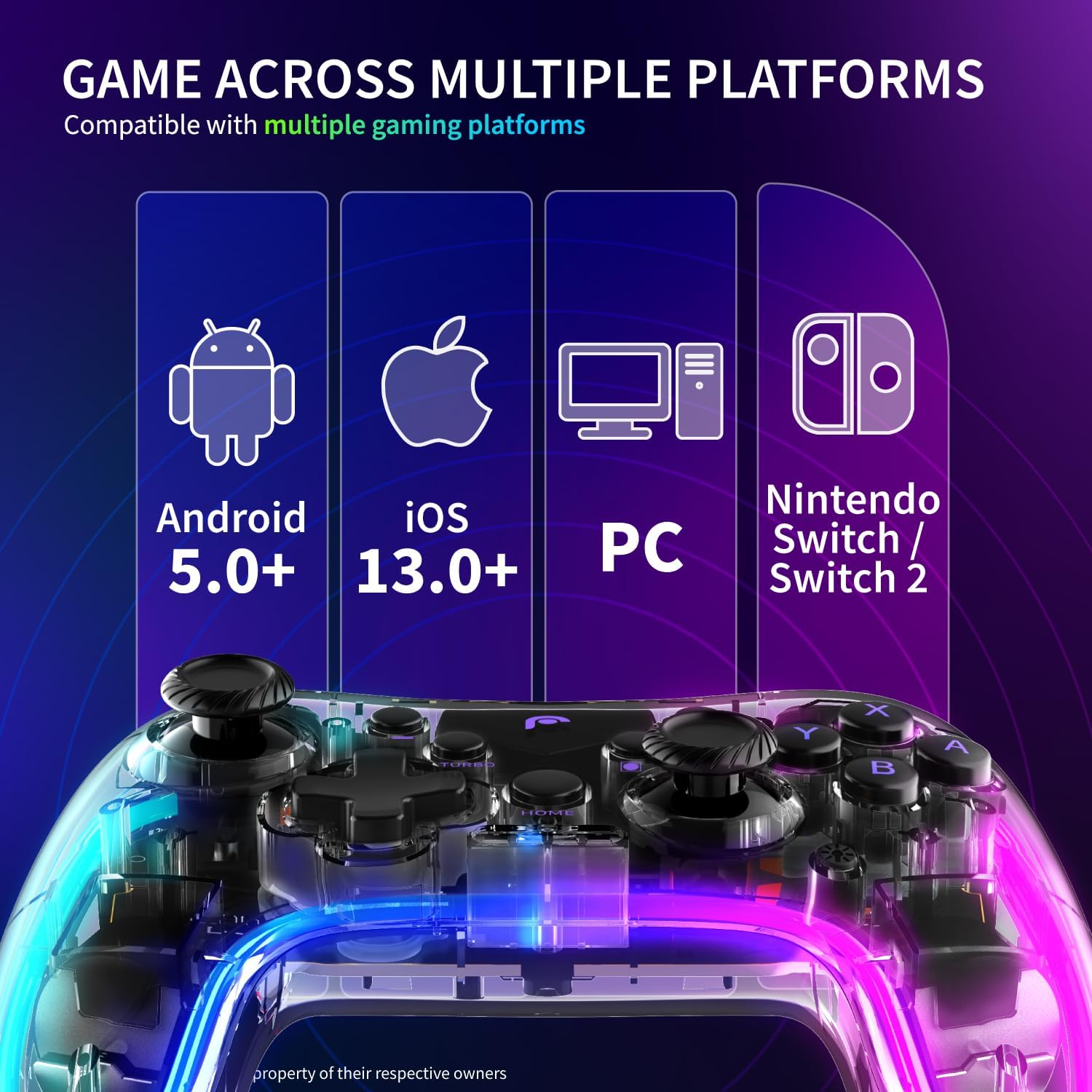
Image: A visual guide demonstrating the three RGB lighting modes: Breathing, Static, and No RGB, as seen on the controller.
Turbo Mode Configuration
The TURBO function allows for rapid, repeated input of a button press. It can be set to Auto or Manual mode and adjusted for speed.
- Applicable Buttons: A, B, X, Y, L (L1), R (R1), ZL (L2), ZR (R2).
- Velocitats ajustables: 5 shots/second, 12 shots/second, 20 shots/second.
Refer to the controller's specific button combinations for activating and adjusting Turbo mode, typically involving a "Turbo" button press followed by the desired action button.

Image: A graphic detailing the three adjustable speeds for the Turbo mode: 5, 12, and 20 shots per second.
Vibration and 6-Axis Gyroscope
The controller enhances gameplay immersion through haptic feedback and motion sensing:
- Vibració: Adjustable to 4 levels: None, Weak, Medium, and Strong. This allows you to customize the intensity of in-game rumble effects.
- Giroscopi de 6 eixos: Detects precise movements, enabling motion control in compatible games.
Consult your game's settings to enable or adjust motion controls and vibration feedback.

Image: The controller highlighting its 6-axis gyroscope for motion control and the four adjustable vibration settings.
Funció de captura de pantalla
To capture in-game moments:
- Premeu el botó dedicat Botó de captura de pantalla (usually located near the HOME button) to instantly capture a screenshot of your gameplay.
- Screenshots are saved to your connected device's gallery or designated game capture folder.
Battery Information and Charging
The controller is equipped with a built-in 800mAh Lithium Ion battery.
- Capacitat de la bateria: 800 mAh
- Temps de funcionament: Approximately 6-10 hours of continuous gaming on a full charge.
- Temps de càrrega: Aproximadament 2 hores per a una càrrega completa.
Carregant el controlador
Per carregar el controlador:
- Connect the smaller end of the provided USB charging cable to the charging port on the controller.
- Connect the larger end of the USB cable to a USB power source (e.g., computer USB port, USB wall adapter, game console).
- The indicator lights on the controller will typically show charging status and turn off or change color once fully charged.

Image: An illustration detailing the controller's 800mAh battery, its 6-10 hours of gaming endurance, and the approximate 2-hour charging time.
Manteniment
Per garantir la longevitat i el rendiment òptim del vostre controlador:
- Mantingueu el controlador net netejant-lo amb un drap suau i sec. Eviteu utilitzar productes químics agressius o materials abrasius.
- Guardeu el controlador en un lloc fresc i sec, allunyat de la llum solar directa i de temperatures extremes.
- Eviteu deixar caure el controlador o sotmetre'l a impactes forts.
- No intenteu desmuntar el controlador, ja que això anul·larà la garantia.
Resolució de problemes
If you encounter issues with your Fosmon Wireless Bluetooth Gaming Controller, please refer to the following common solutions:
| Problema | Possible causa/solució |
|---|---|
| El controlador no s'encén. |
|
| El controlador no es connecta per Bluetooth. |
|
| Els botons o els joysticks no responen. |
|
| Les llums RGB no funcionen. |
|
Especificacions
| Atribut | Detall |
|---|---|
| Número de model | C-10804FG |
| Dimensions del paquet | 6.19 x 4.77 x 2.52 polzades |
| Pes de l'article | 10.4 unces |
| Tipus de bateria | 1 bateria de ions de liti (obligatòria) |
| Fabricant | Fosmon |
| Primera data disponible | 9 d'octubre de 2023 |
Garantia i Suport
This Fosmon product comes with a Garantia limitada de per vida.
For detailed warranty information, product support, or to contact customer service, please refer to the official Fosmon website. You can typically find support contact information, FAQs, and additional resources there.
Visita: www.fosmon.com


