1. Introducció
Thank you for choosing the TOPTRO TR23 Mini Projector. This manual provides essential information for setting up, operating, and maintaining your projector to ensure optimal performance and longevity. The TR23 features smart electric focus, WiFi 6 and Bluetooth 5.2 connectivity, 1080P support, and an advanced dustproof design, offering a superior home theater experience.
2. Informació de seguretat
Please read all safety instructions before using the projector. Keep this manual for future reference.
- No mireu directament a la lent del projector quan estigui encès.amp està activat.
- Assegureu-vos una ventilació adequada per evitar el sobreescalfament. No obstruïu les obertures de ventilació.
- Feu servir només l'adaptador de corrent que s'inclou amb el projector.
- Avoid placing the projector in unstable locations or near water.
- Do not attempt to repair the projector yourself. Contact qualified service personnel.
3. Contingut del paquet
Verifiqueu que tots els elements siguin presents al paquet:
- TOPTRO TR23 Mini Projector
- Control remot
- Cable HDMI
- Adaptador d'alimentació
- Manual d'usuari
- Kit de neteja
- Cable Jack de 3.5 mm
4. Producte acabatview
Familiarize yourself with the components of your TOPTRO TR23 projector.

Figura 4.1: Frontal view of the TOPTRO TR23 Mini Projector, showcasing its compact design and integrated handle for portability.

Figure 4.2: The TOPTRO TR23 Mini Projector positioned on a table, highlighting its portable form factor and sleek appearance.

Figura 4.3: Superior i lateral view of the projector, illustrating the one-key start button and various input ports (HDMI, USB, IR receiver).
5. Configuració
5.1 Desembalatge
Carefully remove the projector and all accessories from the packaging. Retain the original packaging for future storage or transport.
5.2 Col·locació
Place the projector on a stable, flat surface. Ensure there is adequate space around the projector for ventilation. The projector supports front, rear, ceiling, and table mounting options.
5.3 Connexió d'alimentació
Connecteu l'adaptador de corrent al port d'entrada d'alimentació del projector i, a continuació, endolleu l'adaptador a una presa de corrent.
5.4 Initial Setup and Focus
After powering on, the projector will automatically adjust focus. For fine-tuning, use the remote control's electric focus function.

Figure 5.1: Demonstrates the ease and precision of the TR23's electric focus compared to traditional manual focus, achieving clarity in seconds.
6. Instruccions de funcionament
6.1 Encès/Apagat
Premeu el botó d'engegada del projector o del comandament a distància per encendre o apagar la unitat.
6.2 Fonts d'entrada
El projector admet diverses fonts d'entrada:
- HDMI: Connect devices like Fire TV Stick, Chromecast, Roku, DVD players, laptops, PS5.
- USB: Connecteu dispositius USB per a la reproducció multimèdia.
- DE: Connecteu dispositius més antics mitjançant el port AV.
6.3 Connectivitat sense fil
The TR23 features advanced wireless capabilities:
- WiFi 6: For stable and fast wireless screen mirroring from iOS, Android, and Windows 10 devices.
- Bluetooth 5.2: For connecting external audio devices like Bluetooth headphones, speakers, or AirPods.

Figure 6.1: Illustrates the superior speed and stability of 5G WiFi connectivity for seamless screen mirroring compared to 2.4G WiFi.
6.4 Mirall de pantalla
To mirror your device's screen:
- Ensure your device and the projector are connected to the same WiFi network.
- Select the screen mirroring option on the projector's menu.
- Follow the on-screen instructions for iOS, Android, or Windows devices.
Note on Copyrighted Content: Due to copyright restrictions, direct screen mirroring of content from platforms like Netflix, Prime Video, and Disney+ is not supported. For these services, please use an external streaming device (e.g., Fire TV Stick, Chromecast) connected via HDMI.
6.5 Ajust de la projecció
Optimitzeu el vostre viewing experience with these adjustments:
- Funció de zoom: Adjust the image size from 100% down to 50% using the remote control.
- Correcció Keystone: The projector supports 4D/4P Keystone Correction and Auto Vertical Correction to ensure a perfectly rectangular image even when the projector is not perfectly aligned with the screen.

Figure 6.2: Illustrates the various keystone correction methods available, including 4-point, horizontal, and vertical adjustments, for optimal image alignment.
6.6 Sortida d'àudio
The projector features dual 6W stereo speakers for an immersive sound experience. You can also connect external audio devices via Bluetooth or the 3.5mm headphone jack.
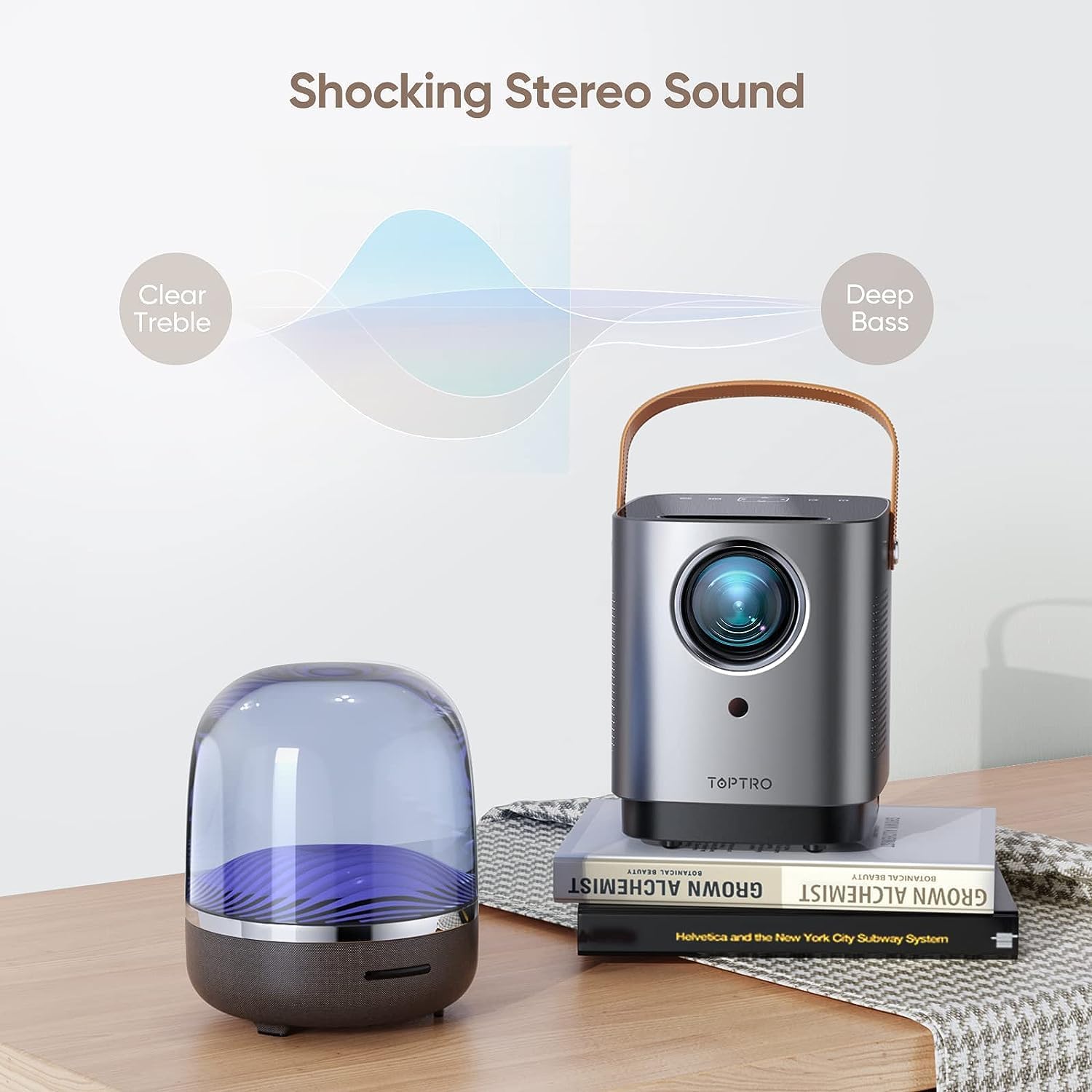
Figure 6.3: The projector's audio capabilities, emphasizing clear treble and deep bass from its built-in stereo speakers.
7. Manteniment
7.1 Dustproof Design
The TOPTRO TR23 features an IP5X-certified fully sealed optical system. This design effectively prevents dust from entering the optical components, reducing issues like yellow screens, black spots, and light leakage, and extending the projector's lifespan.

Figura 7.1: Intern view illustrating the full-sealed optical engine, designed to prevent dust accumulation and maintain image quality.
7.2 Neteja
Per mantenir un rendiment òptim:
- Feu servir un drap suau i sec per netejar l'exterior del projector.
- For the lens, use a lens cleaning cloth and specialized lens cleaning solution. Do not use abrasive cleaners.
- Comproveu i netegeu regularment les obertures de ventilació per garantir un flux d'aire adequat.
8. Solució De Problemes
Si teniu problemes, consulteu els següents problemes i solucions habituals:
| Problema | Causa possible | Solució |
|---|---|---|
| No picture / No signal | Font d'entrada incorrecta seleccionada; connexió del cable fluixa; dispositiu no encès. | Select correct input source (HDMI/USB/AV); Check all cable connections; Ensure connected device is powered on. |
| Imatge borrosa | Enfocament no ajustat; Projector massa a prop/lluny de la pantalla. | Use electric focus via remote control; Adjust projection distance. |
| Sense so | Volume too low/muted; External audio device not connected properly; Source device audio settings. | Increase volume/unmute; Check Bluetooth connection or 3.5mm cable; Adjust audio output on source device. |
| Screen mirroring issues (e.g., Netflix black screen) | Copyright restrictions; Network instability. | Use an external streaming device (Fire TV Stick, Chromecast) for copyrighted content; Ensure stable WiFi connection. |
| Overheating / Automatic shutdown | Ventilació bloquejada; Ús prolongat en ambients calorosos. | Ensure ventilation openings are clear; Operate in a well-ventilated area; Allow projector to cool down. |
9. Especificacions
| Característica | Especificació |
|---|---|
| Model | TR23 |
| Resolució nativa | 1280 x 720P |
| Resolució suportada | 1920 x 1080P |
| Brillantor | 15000 Lux (320 ANSI Lumen) |
| Relació de contrast | 20000:1 |
| Tecnologia de visualització | LCD |
| Relació d'aspecte | 16:9 / 4:3 |
| Mida de projecció | 40-300 polzades |
| Distància de projecció | 3-12 peus |
| Focus | Enfocament elèctric |
| Correcció de pedra clau | 4D/4P Keystone, Auto Vertical Correction |
| Funció de zoom | 100%-50% |
| Estàndard WiFi | WiFi 6 (5G) |
| Estàndard Bluetooth | Bluetooth 5.2 |
| Àudio | Altaveus estèreo duals de 6 W |
| Ports d'entrada | HDMI, USB, AV, 3.5mm Audio |
| Nivell de soroll | Per sota de 35 dB |
| Dimensions | 15.7 x 13.18 x 17.48 cm |
| Pes | 861.83 g |
10. Garantia i Suport
TOPTRO provides a Servei postvenda de 2 anys for the TR23 Mini Projector. If you encounter any issues or have questions, please do not hesitate to contact our dedicated customer support team.
Correu electrònic d’atenció al client: service@toptro.com
Our support team is available 24/7 to assist you and ensure your complete satisfaction.