Manual d'usuari dels auriculars sense fil HyperGear Stealth2 ANC
Model: 15860
Introducció
Thank you for choosing the HyperGear Stealth2 ANC Wireless Headphones. These headphones are designed to provide a superior audio experience with advanced active noise cancellation, comfortable over-ear design, and convenient wireless connectivity. This manual will guide you through the setup, operation, and maintenance of your new headphones.

Image: HyperGear Stealth2 ANC Wireless Headphones in black, shown with its retail packaging highlighting features like ANC, battery life, and rapid charge.
Contingut del paquet
Si us plau, assegureu-vos que tots els articles estiguin presents al vostre paquet:
- Auriculars sense fil HyperGear Stealth2 ANC
- Cable de càrrega USB-C

Imatge: Una imatge detallada view of the HyperGear Stealth2 ANC Headphones, illustrating features such as Premium HD Sound, Rapid Charging, Memory Foam Comfort, Quick Pair Bluetooth, No Lag Mode, and Hands-Free Control.
Producte acabatview & Controls
Familiarize yourself with the headphone's buttons and ports for optimal use.
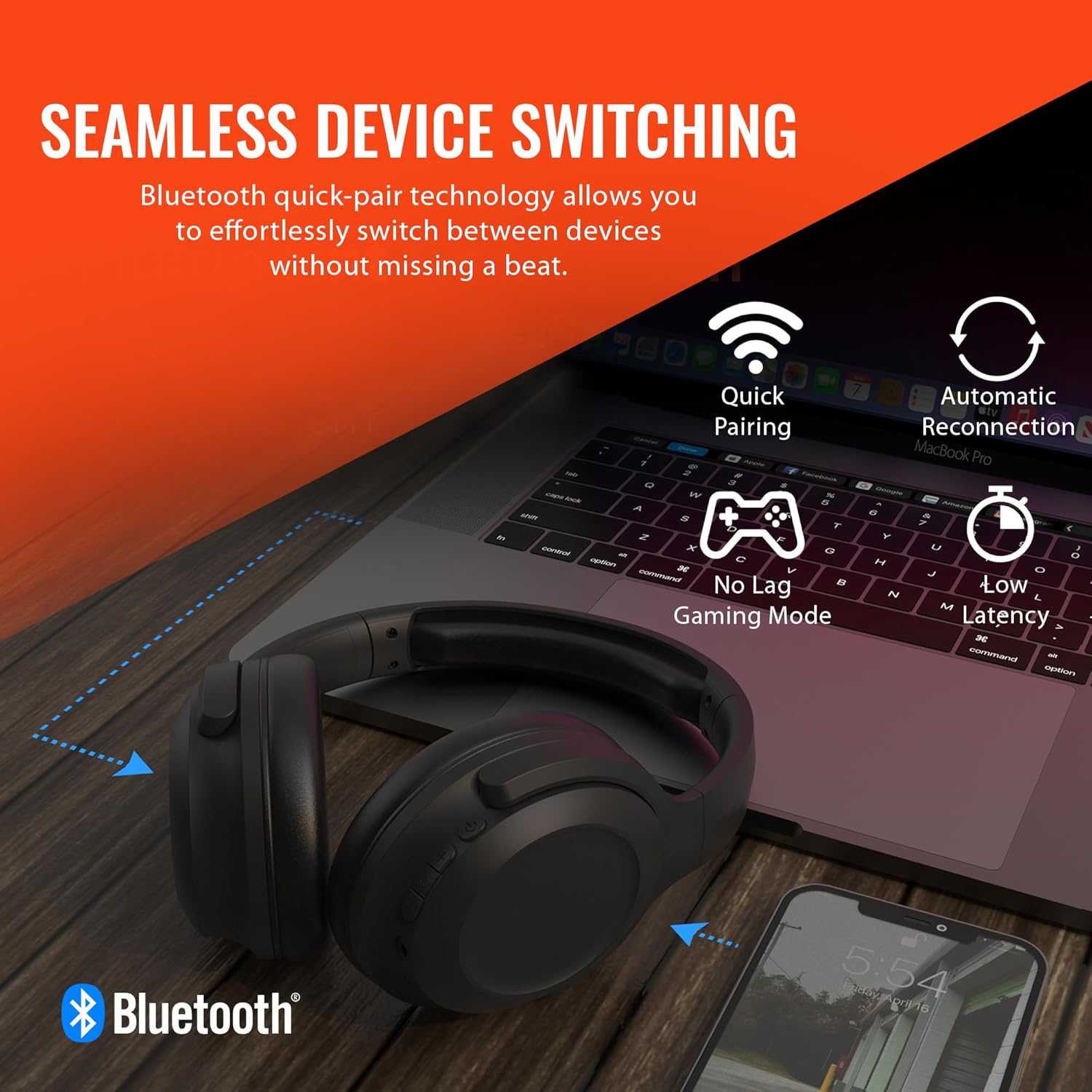
Image: A diagram illustrating the location and function of the on-ear controls for the HyperGear Stealth2 ANC Headphones, including Volume Down, Previous Track, Play/Pause, Answer/End Call, Reject Call, Activate Voice Assistant, Gaming Mode On/Off, Volume Up, Next Track, Power On/Off, Entering Pairing Mode, and ANC On/Off.
- Botó d'encesa: Manteniu premut per encendre/apagar.
- Augment de volum / pista següent: Premeu curt per pujar el volum, premeu llargament per passar a la següent pista.
- Baixada de volum / pista anterior: Premeu curt per baixar el volum, premeu llargament per anar a la pista anterior.
- Botó multifunció (MFB): Play/Pause, Answer/End Call.
- Botó ANC: Toggle Active Noise Cancellation on/off.
- Gaming Mode Button: Activate/Deactivate low-latency gaming mode.
Configuració
Carregant els auriculars
Abans del primer ús, carregueu completament els auriculars. Una càrrega completa triga aproximadament 2 hores.
- Connecteu el cable de càrrega USB-C al port de càrrega dels auriculars.
- Connecteu l'altre extrem del cable a una font d'alimentació USB (per exemple, un adaptador de paret, un port USB de l'ordinador).
- L'indicador LED mostrarà l'estat de càrrega i s'apagarà quan estigui completament carregat.
Funció de càrrega ràpida: Una càrrega de 10 minuts proporciona aproximadament 3 hores de reproducció.

Image: The HyperGear Stealth2 ANC Headphones folded, illustrating their lightweight and foldable design, along with battery life details: 18 hours with ANC on, up to 24 hours with ANC off, and a rapid charge feature providing 3 hours of play from a 10-minute charge.
Emparellament Bluetooth
Emparella els auriculars amb el dispositiu per a àudio sense fil.
- Assegureu-vos que els auriculars estiguin apagats.
- Press and hold the Power button until the LED indicator flashes rapidly (indicating pairing mode).
- Al dispositiu (telèfon intel·ligent, tauleta, ordinador), activeu el Bluetooth i cerqueu els dispositius disponibles.
- Select "HyperGear Stealth2 ANC" from the list of devices.
- Un cop connectat, l'indicador LED deixarà de parpellejar i es mantindrà de color blau continu.
The headphones feature quick-pair technology for seamless switching between devices.

Image: HyperGear Stealth2 ANC Headphones connected wirelessly to a laptop and a smartphone, illustrating the seamless device switching capability with quick pairing and automatic reconnection.
Instruccions de funcionament
Encès/Apagat
- Encès: Manteniu premut el botó d'engegada durant 3 segons.
- Apagar: Manteniu premut el botó d'engegada durant 3 segons.
Reproducció de música
- Reproduir/pausa: Premeu el MFB una vegada.
- Pista següent: Premeu llargament el botó de pujar el volum.
- Pista anterior: Premeu llargament el botó per baixar el volum.
- Pujar el volum: Premeu breument el botó de pujar el volum.
- Baixar el volum: Premeu breument el botó per baixar el volum.
Gestió de trucades
- Respondre/Finalitzar la trucada: Premeu el MFB una vegada.
- Rebutja la trucada: Manteniu premut el MFB durant 2 segons.
Cancel·lació activa de soroll (ANC)
The headphones feature dual built-in ANC microphones to block out external distractions.
- Activar/Desactivar ANC: Press the dedicated ANC button.

Image: A close-up of the HyperGear Stealth2 ANC Headphones with sound waves emanating, indicating noise cancellation. Icons represent common noises like a basketball, dog barking, train, and airplane, with text stating "UP TO 8X QUIETER".
Assistent de veu
- Activa l'assistent de veu (Siri/Assistent de Google): Premeu dues vegades el MFB.
Mode de joc
Activate gaming mode for reduced audio latency.
- Activa/Desactiva el mode de joc: Press the Gaming Mode button.
Manteniment
Una cura adequada allargarà la vida útil dels vostres auriculars.
- Neteja: Netegeu els auriculars amb un drap suau i sec. No utilitzeu productes químics agressius ni materials abrasius.
- Emmagatzematge: Guardeu els auriculars en un lloc fresc i sec, allunyats de la llum solar directa i de temperatures extremes. Quan no els feu servir, es recomana plegar-los per a un emmagatzematge compacte.
- Resistència a l'aigua: Aquests auriculars no són resistents a l'aigua. Eviteu l'exposició a líquids.

Imatge: Un costat view of the HyperGear Stealth2 ANC Headphones, folded for travel, highlighting the adjustable headband, ultra-lightweight materials, oversized breathable ear cups with plush memory foam padding, and dual-axis hinges.
Resolució de problemes
Si teniu problemes, proveu aquestes solucions habituals:
| Problema | Solució |
|---|---|
| Els auriculars no s'encenen | Ensure the headphones are fully charged. Press and hold the Power button for a longer duration (up to 5 seconds). |
| No es pot emparellar amb el dispositiu | Ensure headphones are in pairing mode (flashing LED). Turn off and on Bluetooth on your device. Move headphones closer to your device. Forget the device in your Bluetooth settings and try pairing again. |
| Sense so ni volum baix | Check volume levels on both headphones and your device. Ensure headphones are properly connected. Try playing different audio sources. |
| Poor Active Noise Cancellation (ANC) | Ensure ANC is activated. Adjust headphone position on your ears for a better seal. ANC is most effective for low-frequency constant noises. |
| Talls de so dins i fora | Move closer to your device (within 33 feet/10 meters). Avoid obstacles between headphones and device. Reduce interference from other wireless devices. |
Especificacions
| Característica | Detall |
|---|---|
| Nom del model | Auriculars HyperGear Stealth2 ANC |
| Tecnologia de connectivitat | Sense fil (Bluetooth 5.0) |
| Interval Bluetooth | 33 peus (10 metres) |
| Control de soroll | Cancel·lació activa del soroll |
| Tipus de controlador d'àudio | Conductor dinàmic |
| Mida del controlador d'àudio | 40 mm |
| Interval de freqüència | 20 Hz - 20,000 Hz |
| Durada de la bateria (ANC desactivat) | Fins a 24 hores |
| Durada de la bateria (ANC activat) | Fins a 18 hores |
| Temps de càrrega | 2 hores (càrrega completa) |
| Material | Plàstic |
| Dimensions | 7.88 x 2.25 x 10.51 polzades |
| Pes de l'article | 13.4 unces |
| Components inclosos | Cable de càrrega USB-C |
Garantia i Suport
HyperGear products are designed with quality and reliability in mind. For information regarding warranty coverage and customer support, please visit the official HyperGear weblloc o poseu-vos en contacte amb el seu departament d'atenció al client.
Podeu trobar més informació i suport a HyperGear Amazon Store.


