1. Introducció
Gràcies per la compraasing the CHIQ L32G7V 32-inch HD Google TV. This manual provides essential information for the safe and efficient use of your television. Please read it thoroughly before operating the device and retain it for future reference.
2. Informació de seguretat
Observeu les següents precaucions de seguretat per evitar incendis, descàrregues elèctriques o lesions:
- No exposeu el televisor a la pluja o la humitat.
- No obriu el televisor casing; demaneu totes les tasques de manteniment a personal qualificat.
- Assegureu-vos una ventilació adequada al voltant del televisor.
- Eviteu col·locar el televisor sobre superfícies inestables.
- Desendolleu el televisor durant tempestes o quan no l'utilitzeu durant períodes prolongats.
- Mantingueu les peces petites, com les piles, fora de l'abast dels nens.
3. Contingut del paquet
Verifiqueu que tots els elements siguin presents al paquet:
- CHIQ L32G7V 32-inch HD Google TV
- Comandament a distància Bluetooth
- Manual d'usuari (aquest document)
- Cable d'alimentació
- Cargols per a la fixació del suport
- Components del suport de TV
- AAA Batteries (2x) for remote control

Image: The CHIQ L32G7V television shown alongside its remote control and a table detailing specifications such as model number, dimensions, resolution, power, and package contents.
4. Producte acabatview
4.1. Davant View

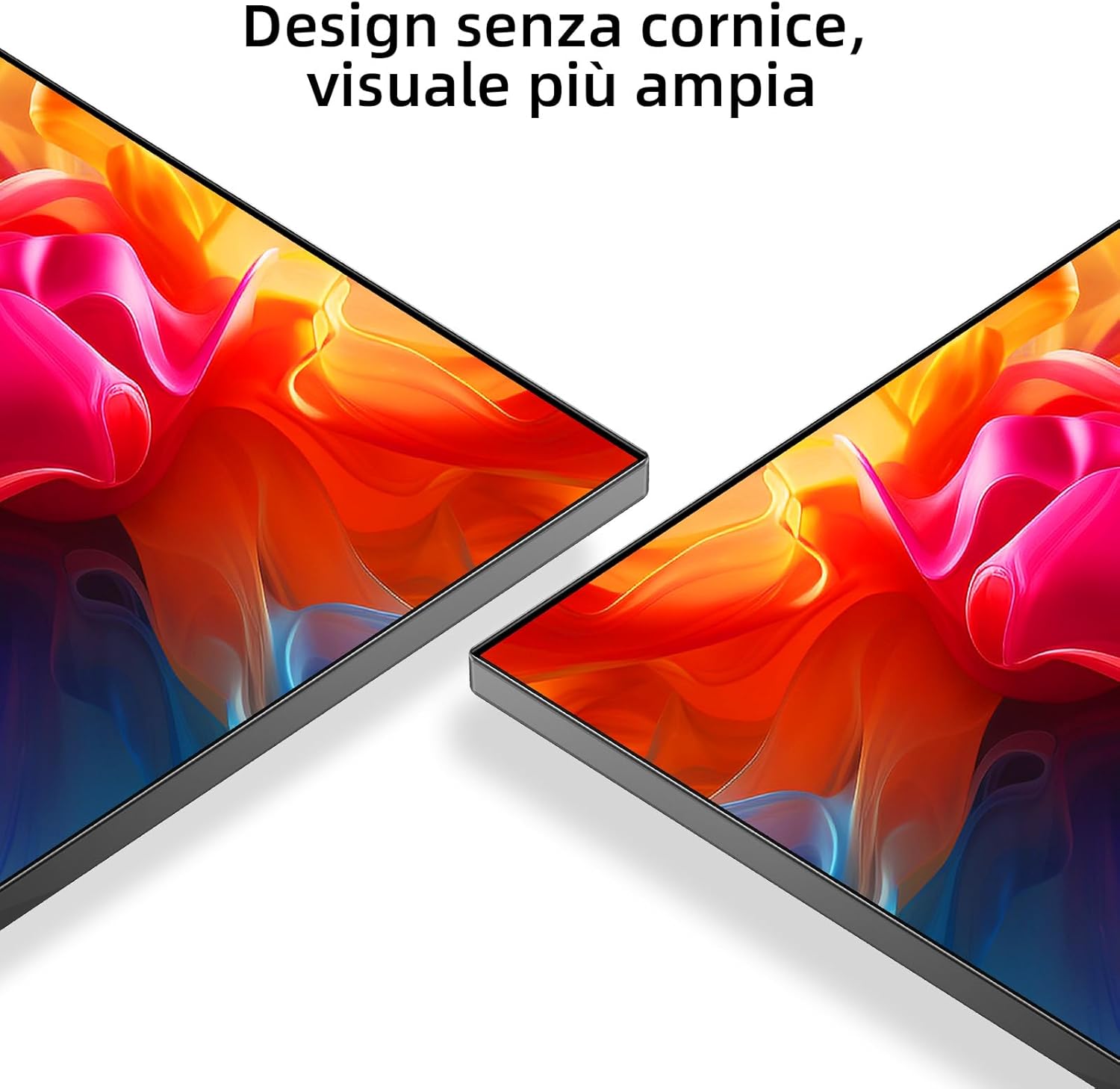
Imatge: Frontal view of the CHIQ L32G7V television, highlighting its frameless design and Google TV branding.
4.2. Dimensions
The following dimensions are provided for planning placement and installation:
- Amb suport: 724 mm (amplada) x 180 mm (profunditat) x 471 mm (alçada)
- Sense suport: 724 mm (amplada) x 84 mm (profunditat) x 425 mm (alçada)

Image: Technical drawing showing the precise dimensions of the CHIQ L32G7V television, both with and without its stand, including width, height, and depth measurements.
4.3. Ports de connectivitat
The CHIQ L32G7V offers various ports for connecting external devices:
- HDMI 1.4: 2 ports
- USB 2.0: 1 port
- LAN (Ethernet): 1 port
- Ranura CI+: 1 port
- Entrada AV: 1 port
- Sortida d'àudio digital: 1 port
- ANT (Antena/Cable): 2 ports
- Presa per a auriculars: 1 port
Imatge: Part posterior view of the CHIQ L32G7V television, illustrating the placement of various input and output ports for external device connections.
5. Configuració
5.1. Fixació del suport
- Col·loqueu amb cura el televisor cara avall sobre una superfície suau i plana per evitar que es facin malbé la pantalla.
- Alineeu els components del suport amb les ranures designades a la part inferior del televisor.
- Fixeu el suport amb els cargols proporcionats. Assegureu-vos que estiguin ben ajustats.

Imatge: Un primer pla view of the television's stand, showing its design and how it supports the display.
5.2. Muntatge a la paret
The TV supports VESA wall mounts with a pattern of 200x200mm (M6 screws). Consult a professional for wall mounting to ensure safety and proper installation.
5.3. Connexió de perifèrics
Connect your devices (e.g., Blu-ray player, game console, soundbar) to the appropriate ports on the back of the TV using HDMI, USB, or AV cables.
5.4. Engegada inicial i configuració de Google TV
- Connecteu el cable d'alimentació al televisor i a una presa de corrent.
- Premeu el botó d'engegada del comandament a distància o del televisor.
- Follow the on-screen instructions to complete the initial Google TV setup, including language selection, network connection (Wi-Fi 2.4G/5G), and Google account login.
6. Instruccions de funcionament
6.1. Funcions de control remot
The Bluetooth remote control allows navigation and control of your TV. Insert the two AAA batteries into the remote control, observing polarity.

Imatge: Una imatge detallada view of the CHIQ L32G7V television's remote control, showing its buttons and layout.
6.2. Interfície de Google TV
Google TV organizes your content from various streaming services and apps into a personalized home screen. Use the remote's navigation buttons to browse content, access apps, and adjust settings.

Image: A visual representation of the Google TV interface, displaying a selection of popular streaming applications available on the platform.
6.3. Connexió a Wi-Fi
Navigate to Settings > Network & Internet to connect your TV to a Wi-Fi network. The TV supports dual-band Wi-Fi (2.4G/5G).
6.4. Ús de Chromecast integrat
Chromecast built-in allows you to cast content from your compatible mobile devices or computer to the TV. Ensure your device is on the same Wi-Fi network as the TV.
6.5. Configuració d'àudio
The TV features Dolby Audio with 2 x 8W speakers. Access audio settings to select from available sound modes (e.g., News, Movies, Night, Music) to optimize your listening experience.
6.6. Gestió d'aplicacions
Access the Google Play Store to download and manage over 5,000 applications. You can also use the Smart Home mobile application for multi-sharing features.
7. Manteniment
7.1. Neteja del televisor
- Desendolla sempre el televisor abans de netejar-lo.
- Use a soft, dry cloth to wipe the screen and casing.
- Per a marques difícils, esbandiu lleugeramentampen the cloth with water or a specialized screen cleaner. Do not spray liquid directly onto the TV.
- Eviteu els productes de neteja o dissolvents abrasius.
7.2. Emmagatzematge
If storing the TV for an extended period, disconnect it from power, pack it in its original packaging if possible, and store it in a dry, dust-free environment.
8. Solució De Problemes
Aquesta secció tracta problemes comuns que podeu trobar. Si el problema persisteix, poseu-vos en contacte amb l'atenció al client.
| Problema | Possible solució |
|---|---|
| Sense poder | Ensure the power cable is securely connected and the power outlet is functional. Try a different outlet. |
| No hi ha imatge, però hi ha so | Comproveu la font d'entrada. Assegureu-vos que els dispositius externs estiguin encesos i connectats correctament. |
| No hi ha so, però hi ha imatge | Check volume levels and mute settings. Verify audio output settings if using external speakers. |
| El comandament a distància no funciona | Replace batteries. Ensure no obstructions between the remote and the TV. Re-pair the Bluetooth remote if necessary. |
| Problemes de connexió Wi-Fi | Restart your router and the TV. Check Wi-Fi password. Ensure the TV is within range of the router. |
9. Especificacions
| Característica | Detall |
|---|---|
| Número de model | L32G7V |
| Mida de la pantalla | 32 polzades |
| Tecnologia de visualització | LED |
| Resolució | 1366 x 768 píxels (HD) |
| Freqüència d'actualització | 60 Hz |
| Sistema operatiu | Google TV |
| Sortida d'àudio | 2 x 8W speakers, Dolby Audio |
| Connectivitat | Wi-Fi 5G, Bluetooth, HDMI 1.4 (x2), USB 2.0 (x1), LAN (x1), CI+ (x1), AV (x1), Digital Audio Out (x1), ANT (x2), Earphone (x1) |
| Font d'alimentació | AC100-240V, 50-60Hz |
| Consum d'energia (SDR) | 27 W |
| Classe d'eficiència energètica | F |
| Dimensions (amb suport) | 724 x 180 x 471 mm |
| Dimensions (sense suport) | 724 x 84 x 425 mm |
| Wall Mount Standard | VESA 200x200mm (M6) |
For detailed energy information, refer to the EU EPREL database: https://eprel.ec.europa.eu/qr/1520204
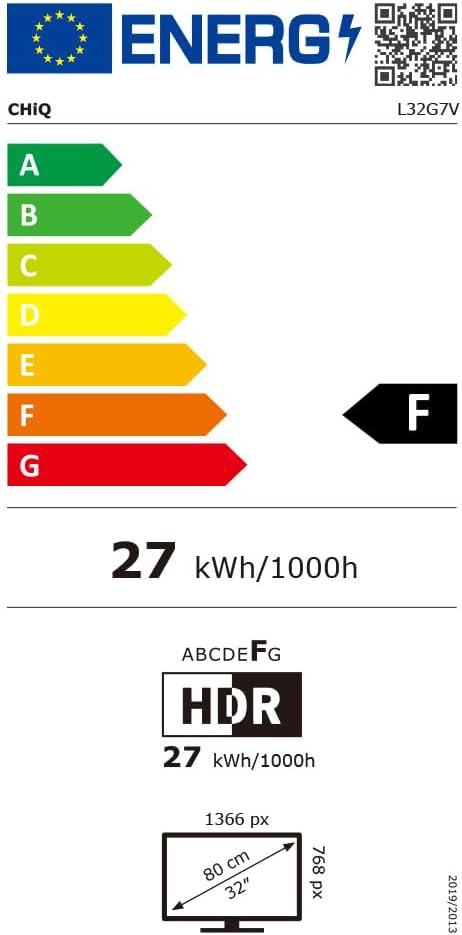
Image: The EU Energy Label for the CHIQ L32G7V television, indicating its energy efficiency class F and power consumption of 27 kWh/1000h.
10. Garantia i Suport
CHiQ offers the following warranty terms:
- Garantia estàndard: 2 years on all products (3 years for purchases in Spain).
- Compressor (for Refrigerators/Freezers): 12 years replacement. (Note: This specific term may not apply to televisions but is part of the general brand warranty information provided.)
- Motor (for Washing Machines): 12 years replacement. (Note: This specific term may not apply to televisions but is part of the general brand warranty information provided.)
- Devolucions: 30-day return policy without reason via Amazon.
- Assistència en línia: Professional staff available on weekdays via online hotline.
For further assistance or to report issues, please contact CHiQ customer support through their official channels.


