Introducció
Thank you for choosing the Twisted Minds 32 FHD 240Hz VA Gaming Monitor. This manual provides essential information for setting up, operating, maintaining, and troubleshooting your new monitor. Please read this manual thoroughly before use to ensure proper operation and to maximize your viewexperiència.
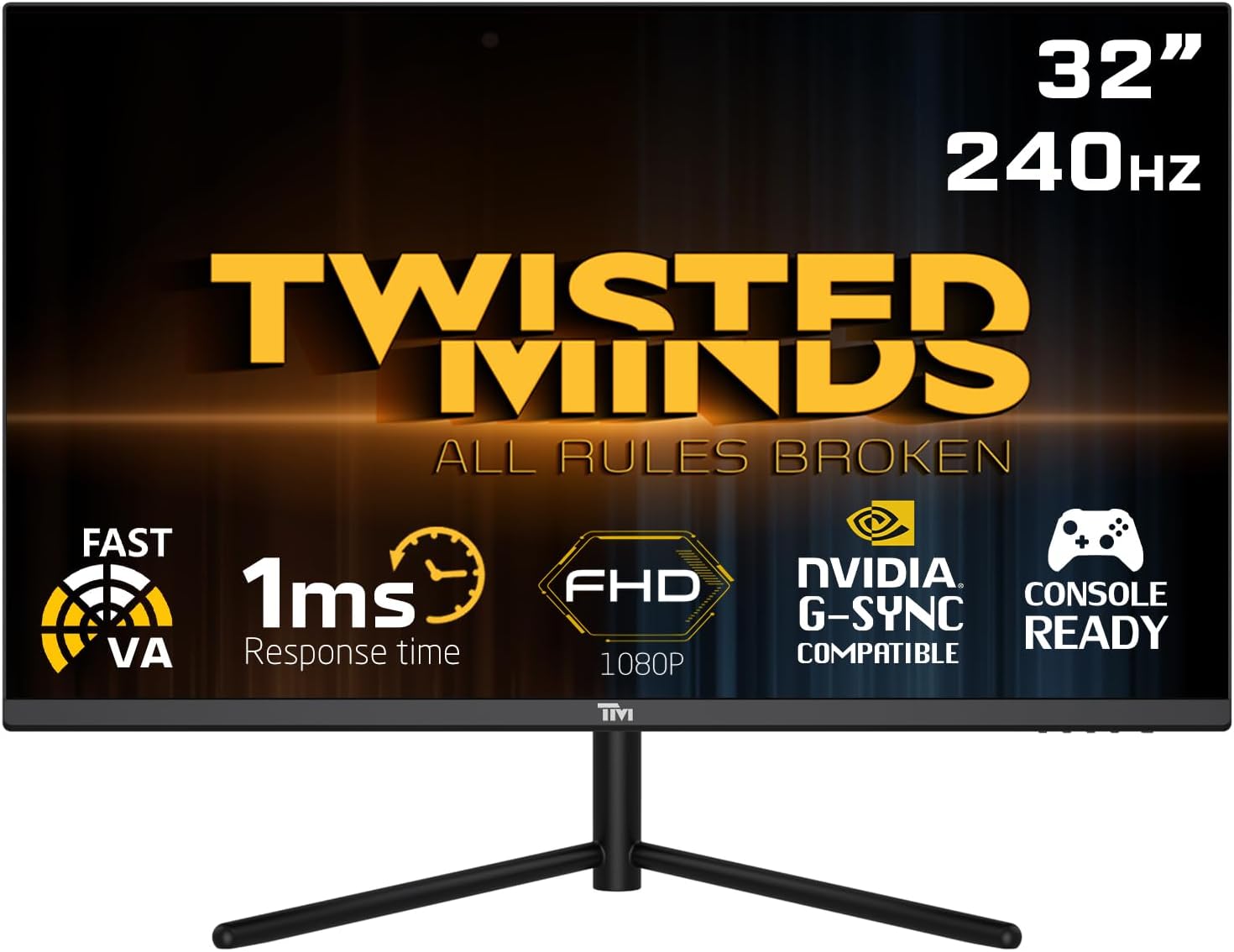
Davant view of the Twisted Minds 32-inch Gaming Monitor, highlighting its 32-inch display, 240Hz refresh rate, 1ms MPRT response time, FHD 1080p resolution, NVIDIA G-SYNC compatibility, and console readiness.
Guia de configuració
1. Desembalatge i contingut del paquet
Traieu amb cura tots els components de l'embalatge. Assegureu-vos que hi hagi tots els elements que s'enumeren a continuació:
- Twisted Minds 32-inch Gaming Monitor
- Suport de monitor (base i coll)
- Adaptador d'alimentació i cable
- Cable HDMI
- Cable DisplayPort
- Manual d'usuari (aquest document)
2. Muntatge del suport
- Col·loqueu el monitor cara avall sobre una superfície suau i neta per evitar ratllades.
- Fixeu el coll del suport a la part posterior del monitor, alineant els forats de muntatge. Fixeu-lo amb cargols si n'hi ha.
- Connect the stand base to the stand neck and tighten the thumb screw or screws from the bottom of the base.
3. Connexió del monitor
The monitor supports multiple input options. Choose the appropriate cable for your device.

posterior view of the monitor displaying its various input/output ports, including DC power, HDMI 2.1 (x2), DisplayPort 1.4 (x2), and Audio Out, along with menu buttons and a quick release base.
- Connexió d'alimentació: Connect the power adapter to the monitor's DC input port, then plug the power cable into a wall outlet.
- Connexió de vídeo:
- For PC: Connect one end of the DisplayPort cable to your computer's graphics card and the other end to a DisplayPort 1.4 input on the monitor.
- For PC/Console: Connect one end of the HDMI cable to your computer's graphics card or game console and the other end to an HDMI 2.1 input on the monitor.
- Sortida d'àudio: If desired, connect external speakers or headphones to the Audio Out port on the monitor.
4. Engegada inicial
After all connections are made, press the power button on the monitor. The power indicator light will illuminate, and the display will turn on. If no signal is detected, ensure your source device is powered on and correctly configured.
Instruccions de funcionament
1. Funcionament bàsic
- Encès/apagat: Premeu el botó d'engegada que es troba al monitor per encendre'l o apagar-lo.
- Selecció d'entrada: Use the OSD (On-Screen Display) menu buttons to navigate and select the desired input source (HDMI 1, HDMI 2, DP 1, DP 2).
2. Menú de visualització en pantalla (OSD).
The OSD menu allows you to adjust various display settings. Use the menu buttons (typically located on the back or bottom of the monitor) to navigate.
- Brillantor/Contrast: Ajusta la luminància i el contrast generals de la pantalla.
- Configuració de color: Modifiqueu la temperatura de color, el gamma i els nivells RGB individuals.
- Mode d'imatge: Select from preset modes (e.g., Standard, Game, Movie, Text) optimized for different content.
- Response Time/Overdrive: Adjust the pixel response time for reduced ghosting in fast-paced content. This monitor features a 1ms MPRT response time for smooth visuals.
- Freqüència d'actualització: The monitor supports up to 240Hz refresh rate. Ensure your graphics card settings are configured to utilize this high refresh rate for optimal gaming performance.
- HDR (alt rang dinàmic): Enable or disable HDR for enhanced contrast and color depth with compatible content.
- FreeSync/G-SYNC Compatibility: This monitor is compatible with adaptive sync technologies. Enable this feature in the OSD and your graphics card control panel for tear-free gaming.

Illustration demonstrating the 1ms quick response time of the monitor, showing a fast-paced gaming scene with reduced motion blur and low input lag.

Mostra d'imatgesasing the monitor's frameless design, ideal for multi-monitor setups, with a wide 178-degree viewangle de ing.

A user engaged in gaming on the Twisted Minds monitor, emphasizing the immersive experience provided by the 1920x1080 resolution, 300 nits brightness, 4000:1 contrast ratio, and 240Hz refresh rate.
3. Ajustaments ergonòmics
El suport del monitor permet ajustar la inclinació per optimitzar el vostre viewing angle and reduce strain.

Diagram illustrating the ergonomic tilt adjustment range of the monitor stand (-5 to 15 degrees) for optimal viewing comfort, and highlighting VESA wall-mount compatibility (100x100mm).
- Inclinació: Gently tilt the monitor screen forward or backward to find your preferred viewing angle. The tilt range is typically -5° to 15°.
- Muntatge VESA: For alternative mounting solutions, the monitor is VESA compatible (100x100mm). Remove the stand and attach a compatible VESA mount (sold separately).
Manteniment
Una cura i un manteniment adequats allargaran la vida útil del vostre monitor.
- Neteja de la pantalla: Netegeu suaument la pantalla amb un drap suau i sense borrissol. Per a marques difícils, dampen the cloth slightly with water or a non-ammonia, non-alcohol based screen cleaner. Never spray liquid directly onto the screen.
- Neteja de la Casing: Feu servir un drap suau i sec per netejar el monitor casing. Eviteu utilitzar productes de neteja o dissolvents abrasius.
- Ventilació: Assegureu-vos que les obertures de ventilació del monitor no estiguin bloquejades. No col·loqueu el monitor en un espai tancat sense un flux d'aire adequat.
- Apagueu quan no estigui en ús: Apagueu el monitor quan no l'utilitzeu durant períodes prolongats per estalviar energia i allargar-ne la vida útil.
Resolució de problemes
Si teniu problemes amb el monitor, consulteu els problemes i solucions més comuns següents.
| Problema | Causa possible | Solució |
|---|---|---|
| No hi ha imatge a la pantalla | Monitor not powered on; Incorrect input selected; Loose video cable. | Ensure power cable is connected and monitor is on. Select correct input source. Check video cable connections. |
| La imatge és borrosa o distorsionada | Resolució incorrecta; Problema amb el controlador de gràfics. | Set display resolution to 1920x1080. Update graphics card drivers. |
| No hi ha so dels altaveus/auriculars | Cable d'àudio no connectat; Volum massa baix; Sortida d'àudio incorrecta seleccionada a l'ordinador. | Ensure audio cable is connected to the monitor's audio out port. Adjust volume. Select monitor as audio output device in PC settings. |
| La pantalla parpelleja | Discrepància de freqüència d'actualització; Cable defectuós. | Ensure refresh rate is set correctly (e.g., 240Hz). Try a different video cable. |
| Els botons no responen | OSD lock enabled. | Refer to OSD menu section for unlocking button functions (if applicable). Power cycle the monitor. |
Si el problema persisteix després de provar aquestes solucions, poseu-vos en contacte amb l'atenció al client.
Especificacions
Detailed technical specifications for the Twisted Minds 32 FHD 240Hz VA Gaming Monitor.
| Característica | Especificació |
|---|---|
| Marca | Twisted Minds |
| Número de model | TM32 FHD 240Hz VA |
| Mida de la pantalla | 32 polzades |
| Resolució de pantalla | 1920 x 1080 (FHD 1080p) |
| Freqüència d'actualització | 240 Hz |
| Temps de resposta | MPRT d'1 ms |
| Tipus de panell | VA |
| Relació d'aspecte | 16:9 |
| Brillantor | 300 nits |
| Relació de contrast | 4000:1 |
| Gamma de colors | 77.29% NTSC |
| Connectivitat | 2 x HDMI 2.1, 2 x DisplayPort 1.4, Audio Out |
| Compatibilitat VESA | 100 x 100 mm |
| Dimensions del producte | 10 x 63 x 44 cm |
| Pes de l'article | 8.8 quilos |
| Color | Negre |
Garantia i Suport
Informació de la garantia
Twisted Minds products are manufactured to the highest quality standards. This monitor comes with a standard manufacturer's warranty. Please refer to the warranty card included in your package or visit the official Twisted Minds weblloc web per obtenir informació detallada sobre els termes i condicions de garantia específics de la vostra regió.
Atenció al client
If you require technical assistance or have questions regarding your monitor, please contact Twisted Minds customer support. Have your model number (TM32 FHD 240Hz VA) and purchase information ready when contacting support.
For the most up-to-date contact information, please visit the official Twisted Minds weblloc web o la pàgina d'assistència del venedor on vau comprar el producte.


