Introducció
Gràcies per la compraasing the Present Time Flat LED Alarm Clock with Wireless Charger. This device combines a modern digital alarm clock with the convenience of wireless charging, all housed in an elegant bamboo design. Please read this manual carefully to ensure proper use and maintenance of your new device.
Informació de seguretat
Per garantir un funcionament segur i evitar danys, observeu les següents precaucions de seguretat:
- No exposeu el dispositiu a l'aigua, la humitat ni a temperatures extremes.
- Eviteu deixar caure o sotmetre el dispositiu a forts impactes.
- No intenteu desmuntar, reparar o modificar el dispositiu vosaltres mateixos. Envieu totes les tasques de manteniment a personal qualificat.
- Feu servir només l'adaptador de corrent proporcionat o una font d'alimentació compatible.
- Mantingueu el dispositiu lluny de fonts de calor i de la llum solar directa.
- Ensure proper ventilation around the device during operation, especially when using the wireless charging function.
Contingut del paquet
Si us plau, comproveu que tots els elements siguin presents al paquet:
- Present Time Flat LED Alarm Clock with Wireless Charger (Model: PTG-KA5934)
- Adaptador d'alimentació
- Manual d'usuari
Producte acabatview
Davant i superior View
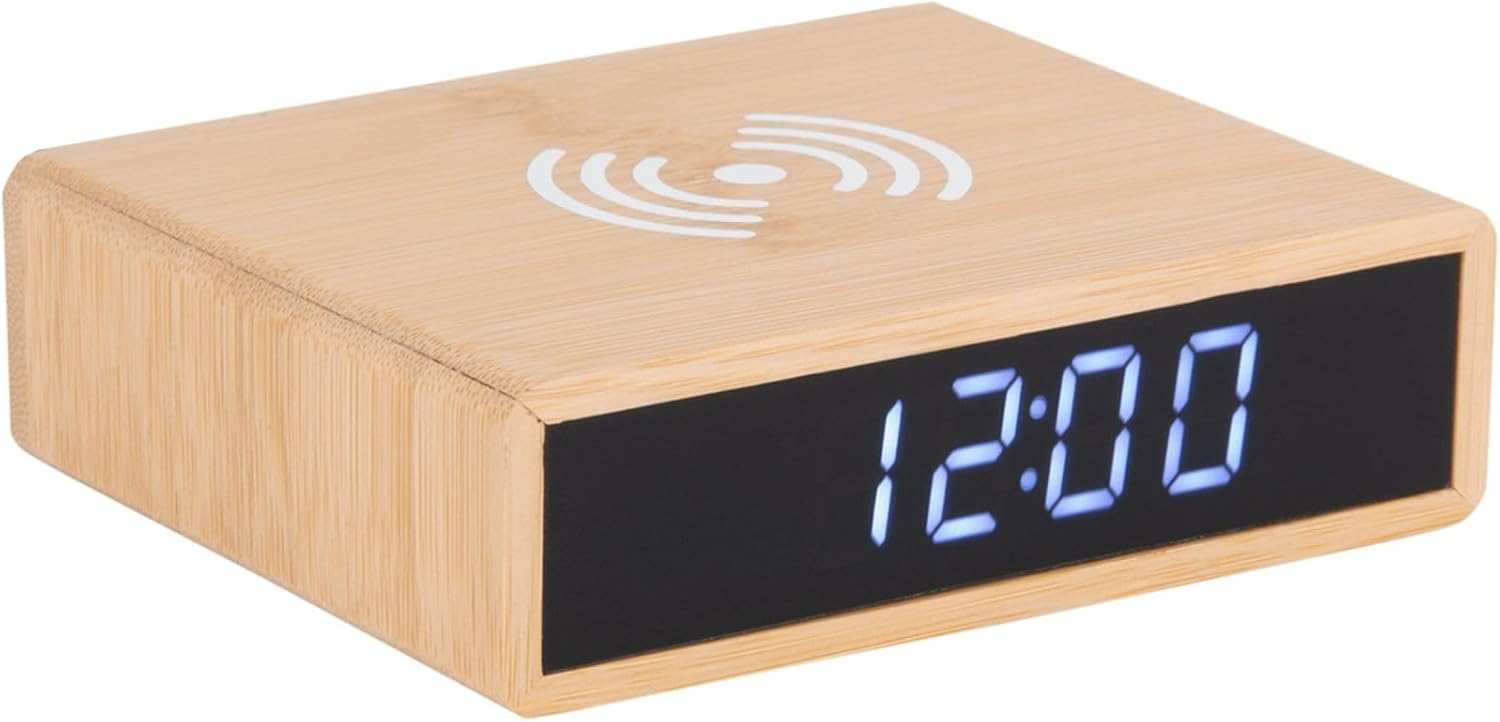
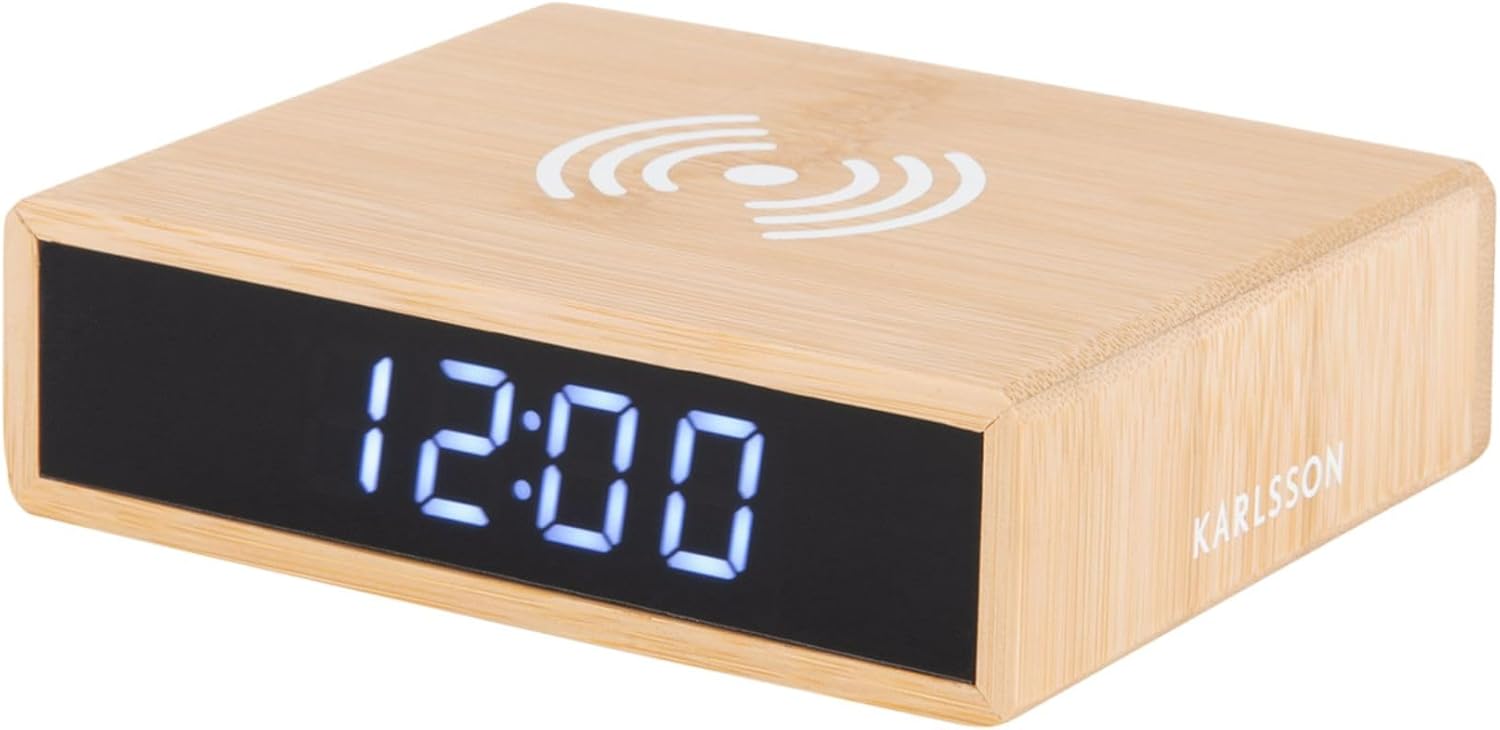
This image displays the front of the alarm clock with its clear digital LED time display and the top surface featuring the wireless charging pad symbol. The clock is made of bamboo.

This image illustrates the wireless charging functionality, showing a smartphone being placed on the top surface of the alarm clock, aligning with the charging symbol.
posterior View i Controls
La part posterior view of the device reveals the control panel, including buttons for setting time and alarm, a small reset pinhole, and the DC power input jack.
- Botó de configuració de l'hora: S'utilitza per entrar al mode de configuració de l'hora.
- Botó de configuració de l'alarma: S'utilitza per entrar al mode de configuració de l'alarma.
- Botons amunt / avall: Ajusteu els valors durant la configuració.
- Restableix el forat: For factory reset (use a thin object like a paperclip).
- Port DC IN: Es connecta a l'adaptador de corrent.
- Coixinet de càrrega sense fil: Situat a la superfície superior.
Configuració
1. Connexió d'alimentació
- Connecteu l'adaptador de corrent proporcionat al port DC IN de la part posterior del despertador.
- Plug the power adapter into a standard wall outlet. The LED display will light up.
2. Configuració de l'hora
- Manteniu premut el botó Temps establert botó de la part posterior del rellotge fins que els dígits de les hores comencin a parpellejar.
- Utilitza el Up i Avall botons per ajustar l'hora.
- Premeu el botó Temps establert Premeu el botó de nou per confirmar l'hora i passar a la configuració dels minuts. Els dígits dels minuts parpellejaran.
- Utilitza el Up i Avall botons per ajustar els minuts.
- Premeu el botó Temps establert button one more time to save the time and exit setting mode.
3. Configuració de l'alarma
- Manteniu premut el botó Conjunt d'alarma a la part posterior del rellotge fins que els dígits de l'hora de l'alarma comencin a parpellejar.
- Utilitza el Up i Avall botons per ajustar l'hora de l'alarma.
- Premeu el botó Conjunt d'alarma de nou per confirmar l'hora de l'alarma i passar a la configuració dels minuts de l'alarma. Els dígits dels minuts de l'alarma parpellejaran.
- Utilitza el Up i Avall botons per ajustar els minuts de l'alarma.
- Premeu el botó Conjunt d'alarma button one more time to save the alarm time.
- Per activar o desactivar l'alarma, premeu breument la tecla Conjunt d'alarma botó. Apareixerà una icona d'alarma a la pantalla quan l'alarma estigui activa.
Instruccions de funcionament
Funció de càrrega sense fil
The top surface of the alarm clock features a built-in wireless charging pad compatible with Qi-enabled devices.
- Place your Qi-enabled smartphone or device directly onto the wireless charging symbol on the top of the clock.
- Ensure the device is centered on the charging pad for optimal charging efficiency.
- A charging indicator (if available on your phone) will confirm that charging has begun.
- Traieu el dispositiu un cop estigui completament carregat.
Nota: Wireless charging may not work through thick phone cases or cases containing metal. Remove such cases if charging issues occur.
Ajust de la brillantor de la pantalla
The display brightness can typically be adjusted by briefly pressing one of the control buttons (often the Up/Down buttons when not in setting mode, or a dedicated brightness button if present). Refer to the specific button functions on the rear panel for your model.
Funció de posposar
When the alarm sounds, briefly press any button (often the large button on top or a dedicated snooze button) to activate the snooze function. The alarm will temporarily stop and sound again after a set interval (e.g., 5 or 9 minutes). To turn off the alarm completely, press and hold the Alarm Set button or the designated alarm off button.
Manteniment
- Neteja: Netegeu el dispositiu amb un drap suau i sec. No utilitzeu productes de neteja abrasius ni dissolvents.
- Emmagatzematge: Si no l'utilitzeu durant un període prolongat, desendolleu el dispositiu i guardeu-lo en un lloc fresc i sec.
- Atenció general: Avoid placing heavy objects on the device or exposing it to excessive dust.
Resolució de problemes
| Problema | Causa possible | Solució |
|---|---|---|
| Display is off or not lighting up. | Sense connexió elèctrica. | Ensure the power adapter is securely plugged into the clock and the wall outlet. |
| La càrrega sense fil no funciona. | Phone not Qi-enabled; phone not centered; thick case; foreign objects. | Verify phone compatibility. Reposition phone. Remove thick/metal case. Remove objects from charging pad. |
| L'alarma no sona. | Alarm not activated; alarm volume too low (if adjustable); incorrect time set. | Check if alarm icon is displayed. Ensure alarm time is correctly set. |
| L'hora és incorrecta. | Time not set correctly; power interruption. | Reset the time as per "Setting the Time" instructions. |
Especificacions
| Marca | Karlsson |
| Número de model | PTG-KA5934 |
| Color | Wood (Bamboo) |
| Material | Bambú |
| Dimensions (L x A x A) | 42 x 3.81 x 6 cm (aprox. 16.5 x 1.5 x 2.4 polzades) |
| Pes | 190 g (aprox. 0.42 lliures) |
| Tipus de visualització | LED digital |
| Característiques | Alarm, Wireless Charging (Qi-compatible) |
| Font d'alimentació | Adaptador CA/CC (inclòs) |
Garantia i Suport
This product is covered by a standard manufacturer's warranty. For detailed warranty information, please refer to the warranty card included in your package or contact your retailer. For technical support or service inquiries, please contact the customer service department of Karlsson or your point of purchase.
For further assistance, please visit the official Karlsson weblloc o poseu-vos en contacte amb el seu servei d'atenció al client.


