1. Introducció
This manual provides detailed instructions for the installation, operation, and maintenance of your Ernitec WOLF-PX-515IR Turret Camera. This camera is designed for surveillance applications, offering high-resolution video recording, motion detection, night vision, and remote viewing capabilities via a smartphone application.
Please read this manual thoroughly before operating the device to ensure proper use and to prevent damage.
1.1 Informació de seguretat
- Font d'alimentació: Feu servir només l'adaptador de corrent especificat. Volum incorrectetage may damage the camera and void the warranty.
- Entorn d'instal·lació: Avoid installing the camera in extreme temperatures, high humidity, or dusty environments. Ensure the mounting surface is strong enough to support the camera's weight.
- Neteja: Disconnect power before cleaning. Use a soft, dry cloth. Do not use strong detergents or abrasive cleaners.
- Manteniment: No intenteu desmuntar ni reparar la càmera vosaltres mateixos. Encarregueu tot el manteniment a personal qualificat.
- cables: Assegureu-vos que tots els cables estiguin correctament fixats i protegits contra danys.
2. Contingut del paquet
Verifiqueu que tots els articles siguin presents al paquet. Si falta algun article o està malmès, poseu-vos en contacte amb el vostre proveïdor.
- Ernitec WOLF-PX-515IR Turret Camera
- Plantilla de muntatge
- Cargols de muntatge i tacs de paret
- Guia d'inici ràpid
- Waterproof Connector Kit (for outdoor installations)
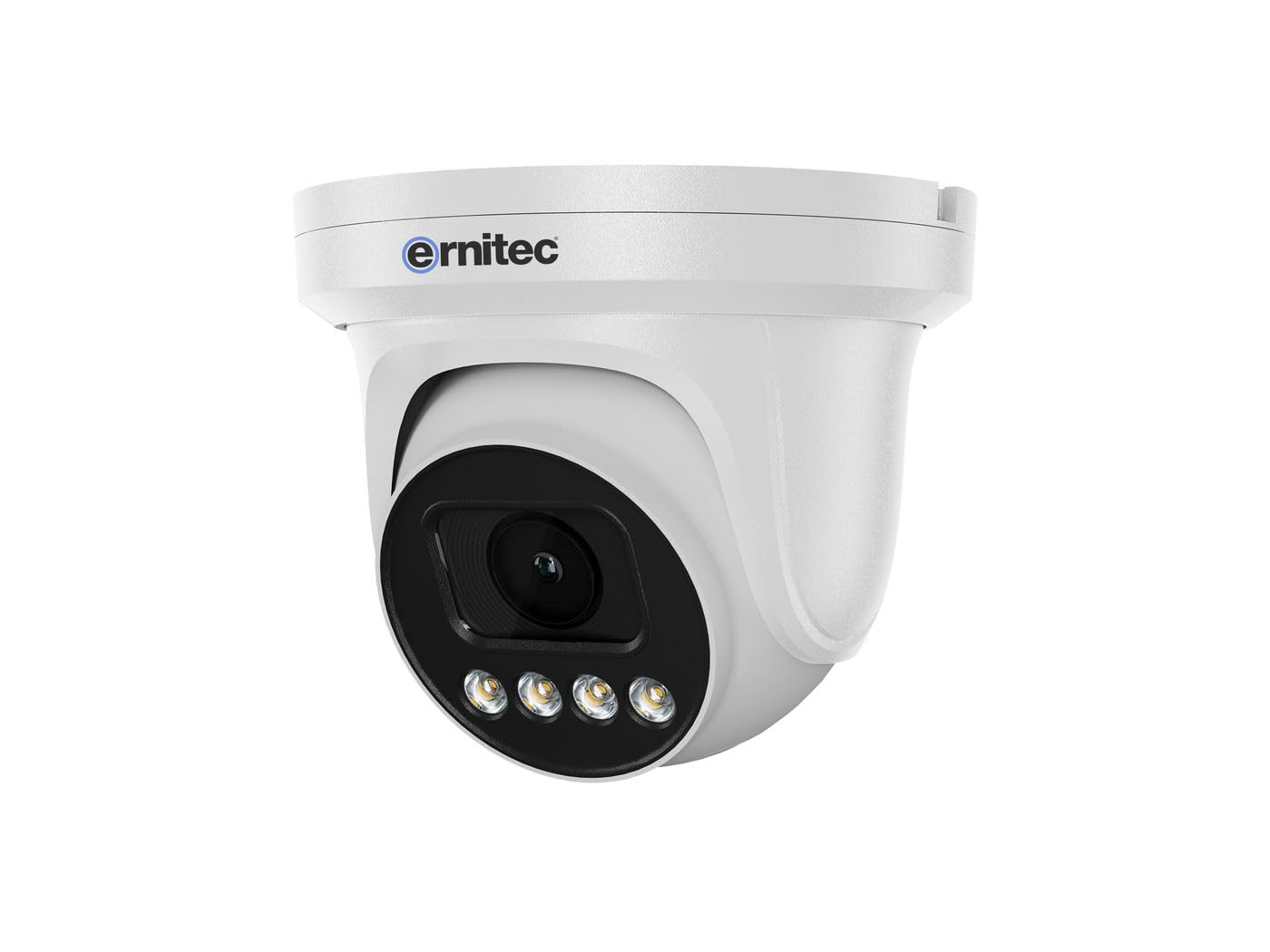
Image 2.1: Ernitec WOLF-PX-515IR Turret Camera with typical accessories.
3. Configuració
3.1 Instal·lació física
- Seleccioneu la ubicació: Choose a suitable location for the camera, ensuring it provides the desired field of view i està a l'abast de connexions elèctriques i de xarxa.
- Muntatge:
- Feu servir la plantilla de muntatge proporcionada per marcar els forats a la paret o al sostre.
- Perfora forats i insereix tacs de paret si cal.
- Fixeu la base de la càmera a la superfície de muntatge amb els cargols proporcionats.
- Ajust d'angle: Afluixeu els cargols d'ajust del cos de la càmera per ajustar la posició desitjada viewing angle. Tighten the screws once the position is finalized.
3.2 Cablejat
Connect the necessary cables to the camera's ports:
- Cable de corrent: Connect the power adapter to the camera's power input port. Ensure the power source matches the camera's requirements (e.g., 12V DC).
- Network Cable (Ethernet): Connect an Ethernet cable from the camera's RJ45 port to your network router or PoE switch. If using Power over Ethernet (PoE), a separate power adapter is not required.
3.3 Configuració de la xarxa
After physical installation and wiring, configure the camera for network access:
- Connexió inicial: Connecteu l'ordinador a la mateixa xarxa que la càmera.
- Adreça IP: The camera typically obtains an IP address automatically via DHCP. Use the Ernitec IP Search Tool (available on the Ernitec website) to discover the camera's IP address on your network.
- Accés Web Interfície: Obre a web browser and enter the camera's IP address. Log in using the default username and password (refer to the Quick Start Guide for default credentials).
- Canviar la contrasenya: Per seguretat, canvieu la contrasenya predeterminada immediatament després de la primera sessió.
- Configuració de la xarxa: Configure network settings as needed, such as assigning a static IP address or adjusting port forwarding for remote access.
4. Funcionament de la càmera
4.1 Funcions bàsiques
- Viu View: Accedir a la càmera web interface or dedicated software to view el canal de vídeo en directe.
- Gravació:
- Gravació contínua: Configure the camera to record continuously to a Network Video Recorder (NVR) or local storage (if supported).
- Gravació de detecció de moviment: Set up motion detection zones and sensitivity. The camera will record when motion is detected.
- Enregistrament programat: Defineix períodes de temps específics per a l'enregistrament.
- Visió nocturna: The camera automatically switches to infrared (IR) night vision in low-light conditions. Ensure the IR illuminators are not obstructed.
4.2 Remot Viewing via Smartphone Application
- Descarregar l'aplicació: Download the official Ernitec surveillance application from your smartphone's app store.
- Registre del compte: Creeu un compte i inicieu sessió.
- Afegeix un dispositiu: Follow the in-app instructions to add your WOLF-PX-515IR camera. This typically involves scanning a QR code on the camera or manually entering its serial number/IP address.
- Viu View i reproducció: Un cop afegit, podeu view viu footage, access recorded videos, and receive motion detection alerts directly on your smartphone.
5. Manteniment
5.1 Neteja
- Netegeu regularment la lent i la carcassa de la càmera per garantir una qualitat d'imatge clara.
- Use a soft, lint-free cloth. For stubborn dirt, slightly dampen el drap amb aigua.
- Do not use harsh chemicals, solvents, or abrasive materials, as these can damage the lens coating or camera finish.
5.2 actualitzacions de microprogramari
Periodically check the Ernitec official weblloc web per a actualitzacions de firmware. Les actualitzacions de firmware poden millorar el rendiment, afegir noves funcions i augmentar la seguretat. Seguiu atentament les instruccions que s'inclouen amb el paquet d'actualització de firmware.
6. Solució De Problemes
| Problema | Causa possible | Solució |
|---|---|---|
| Sense poder | Power adapter disconnected or faulty; no PoE. | Check power connections. Ensure PoE switch is active if using PoE. Test power adapter. |
| Sense canal de vídeo | Network connection issue; incorrect IP address; camera offline. | Verify network cable connection. Check camera's IP address. Ensure camera is powered on and connected to the network. Restart camera and router. |
| Mala qualitat d'imatge | Dirty lens; low light; incorrect settings. | Clean the camera lens. Adjust camera settings (e.g., exposure, brightness). Ensure adequate lighting or proper night vision activation. |
| Cannot access remotely | Network configuration issues (e.g., port forwarding); app not configured correctly. | Check router settings for port forwarding. Ensure the camera is connected to the internet. Reconfigure the smartphone application. |
7. Especificacions
| Característica | Detall |
|---|---|
| Número de model | 0070-08113 |
| Marca | Ernitec |
| Consum d'energia | 10 watts |
| Canals | 1 |
| Característiques clau | High-resolution video, motion detection, night vision, remote viewmitjançant una aplicació per a telèfons intel·ligents. |
| ASIN | B0CKJ4KDNX |
| Fabricant | Ernitec |
8. Garantia i Suport
For warranty information, please refer to the warranty card included with your product or visit the official Ernitec website. Technical support is available through the Ernitec customer service channels, which can typically be found on their weblloc.
Note: Information regarding spare parts availability and software updates is not available at the time of this manual's publication. Please check the manufacturer's weblloc per obtenir la informació més actualitzada.


