Introducció
This manual provides detailed instructions for the operation and maintenance of your RadioShack Portable Bluetooth Speaker. This versatile audio device offers multiple connectivity options and features to enhance your listening experience.

Figura 1: Frontal view of the RadioShack Portable Bluetooth Speaker, showcasing its black fabric grille and red accent symbols.
Contingut del paquet
Before proceeding, please ensure all items are present in the package:
- RadioShack Portable Bluetooth Speaker
- Cable de càrrega USB tipus C
- Auxiliary 3.5mm Cable (Note: Some packages may not include this cable, as per customer feedback.)
- Corretja de transport

Figure 2: The speaker shown with its included USB Type-C charging cable and an auxiliary cable.
Configuració
1. Carregant l’altaveu
Before first use, fully charge the speaker. The speaker is equipped with a 3000 mAh battery, providing up to 6 hours of playback on a full charge. A complete charge typically takes approximately 3 hours.
- Locate the USB Type-C charging port on the speaker. This is usually found on the top panel near the control buttons.
- Connecteu el cable USB tipus C proporcionat al port de càrrega de l'altaveu.
- Connecteu l'altre extrem del cable USB a un adaptador de corrent USB compatible (no inclòs) o al port USB d'un ordinador.
- El llum indicador de càrrega s'il·luminarà durant la càrrega i s'apagarà o canviarà de color quan estigui completament carregat.
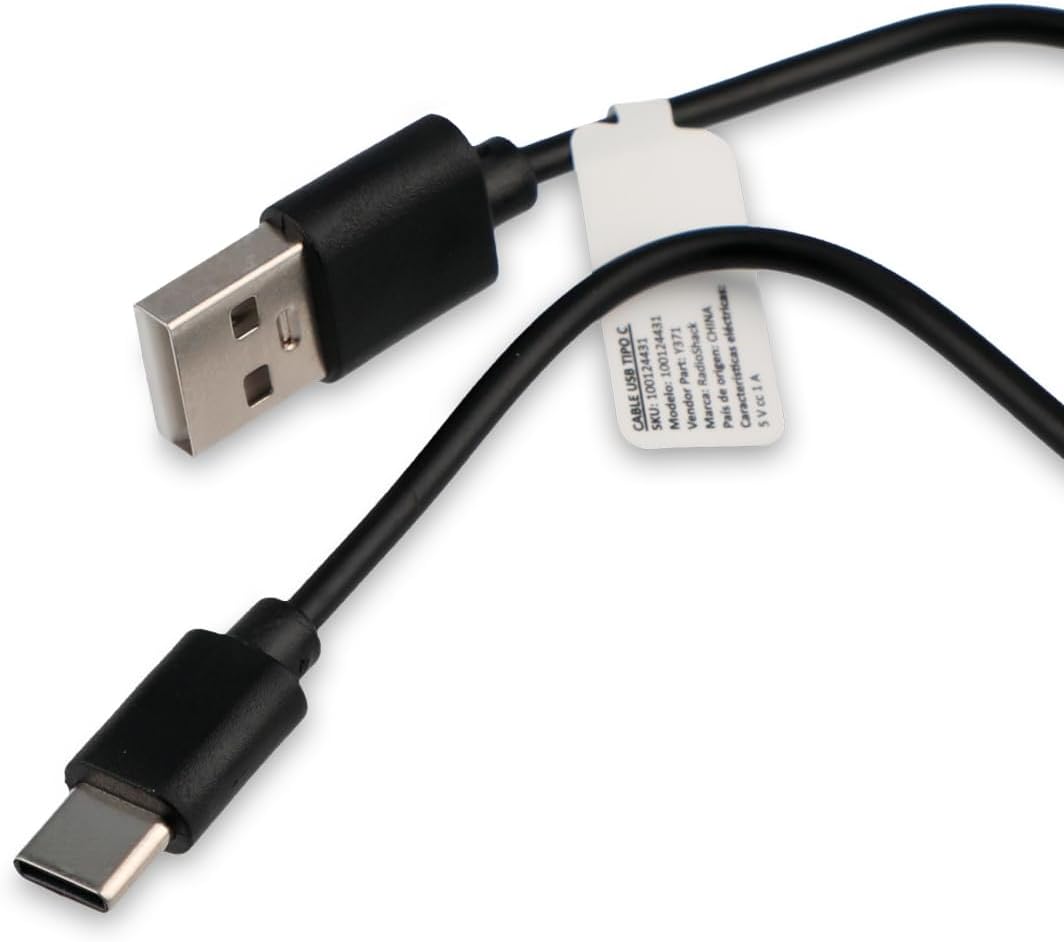
Figure 3: Close-up of the USB Type-C charging cable included with the speaker.
2. Engegada inicial
Press and hold the Power button (usually marked with a power symbol) on the speaker's control panel until you hear an audible prompt or see an indicator light illuminate.
Instruccions de funcionament
Tauler de control acabatview

Figure 4: Top panel of the speaker, displaying the control buttons and various input ports (AUX, TF, USB, Type-C).
The control panel on the top of the speaker features several buttons and ports for various functions:
- Botó d'encesa: Encén/apaga l'altaveu.
- Botó de mode: Cycles through input modes (Bluetooth, USB, SD, AUX, FM Radio).
- Botó Reproduir/Pausa: Reprodueix o posa en pausa la reproducció d'àudio.
- Botó Pujar volum/Pista següent: Increases volume (short press) or skips to the next track (long press).
- Botó per baixar el volum/pista anterior: Decreases volume (short press) or goes to the previous track (long press).
- Botó del mode de llum: Changes or turns off the RGB LED lighting effects.
- Port AUX: For 3.5mm auxiliary cable connection.
- Ranura per a targetes TF (Micro SD): Per reproduir àudio des d'una targeta Micro SD.
- Port USB: Per reproduir àudio des d'una unitat flash USB.
- Port de tipus C: Per carregar l'altaveu.
1. Connexió Bluetooth
This speaker supports wireless audio streaming via Bluetooth, compatible with smartphones, tablets, and computers.
- Turn on the speaker. It will automatically enter Bluetooth pairing mode, indicated by a flashing LED light or an audible prompt.
- Al dispositiu, activa el Bluetooth i cerca els dispositius disponibles.
- Select "RadioShack Speaker" (or similar name) from the list of found devices.
- Once paired, the speaker will confirm with an audible sound, and the LED indicator will become solid.
2. Reproducció USB
Inseriu una unitat flash USB que contingui àudio files (MP3, WAV, etc.) into the USB port. The speaker will automatically switch to USB mode and begin playback.
3. Reproducció de la targeta SD
Insert a Micro SD (TF) card with audio files into the TF card slot. The speaker will automatically switch to SD card mode and begin playback.
4. Connexió auxiliar (AUX)
For devices without Bluetooth, use the 3.5mm auxiliary input.
- Connect one end of a 3.5mm audio cable (not always included) to the AUX port on the speaker.
- Connecteu l'altre extrem a la presa d'auriculars o a la sortida d'àudio del dispositiu.
- Premeu el botó Mode de l'altaveu fins que canviï al mode AUX.
5. Funció de ràdio FM
Per utilitzar la ràdio FM integrada:
- Press the Mode button until you hear the FM radio mode activated.
- Press the Play/Pause button to auto-scan and save available radio stations.
- Feu servir els botons de pujar/baixar el volum (premu llargament) per navegar entre les emissores desades.
6. RGB LED Lighting
The speaker features an RGB LED light panel that adds visual ambiance. The light panel is located on one side of the speaker.

Figura 5: lateral view of the speaker, highlighting the transparent panel designed for RGB lighting effects.
Press the Light Mode button (often indicated by a sun or lightbulb icon) on the control panel to cycle through different lighting modes or to turn the lights off.
Manteniment
Neteja
To maintain the appearance and functionality of your speaker:
- Netegeu l'exterior amb un drap suau, sec i sense borrissol.
- No utilitzeu netejadors abrasius, ceres ni dissolvents.
- Avoid getting moisture into any openings. The speaker is not waterproof.
Emmagatzematge
When not in use for extended periods, store the speaker in a cool, dry place away from direct sunlight and extreme temperatures. It is recommended to charge the battery at least once every three months to preserve its lifespan.
Resolució de problemes
| Problema | Causa possible | Solució |
|---|---|---|
| L'altaveu no s'encén. | La bateria està esgotada. | Charge the speaker using the provided USB Type-C cable. |
| No hi ha so de l'altaveu. | El volum és massa baix o silenciat. Mode d'entrada incorrecte. | Increase volume on both speaker and connected device. Press the Mode button to select the correct input source (Bluetooth, USB, SD, AUX, FM). |
| No es pot emparellar per Bluetooth. | L'altaveu no està en mode d'emparellament. El dispositiu és massa lluny. Interferències. | Ensure speaker is in Bluetooth pairing mode (flashing LED). Move device closer to speaker (within 10 meters). Turn off other Bluetooth devices. |
| La targeta USB/SD no es reprodueix. | Sense suport file format. La targeta/unitat no s'ha inserit correctament. | Assegureu-vos l'àudio files are in a supported format (e.g., MP3). Reinsert the USB drive or SD card firmly. |
| Ràdio FM estàtica. | Senyal feble. | Recol·loca l'altaveu a una zona amb millor recepció. |
Especificacions
| Característica | Detall |
|---|---|
| Número de model | 100124431 (Y371) |
| Dimensions (L x A x A) | 9.6 cm x 22.7 cm x 8.2 cm |
| Pes | 500 grams |
| Material | Metall, silicona |
| Tecnologia de connectivitat | Bluetooth, USB, SD Card, 3.5mm Auxiliary |
| Interval Bluetooth | Fins a 10 metres |
| Potència de sortida dels altaveus | 10 watts |
| Resposta de freqüència | 80 kHz |
| Capacitat de la bateria | 3000 mAh d'ions de liti |
| Durada de la bateria | Fins a 6 hores |
| Temps de càrrega | Aproximadament 3 hores |
| Entrada Voltage | 5 Volts |
| Característiques especials | Portable, RGB LED Light, FM Radio |
| Impermeable | No |
Informació de la garantia
This RadioShack product comes with a limited warranty. For specific terms and conditions, including warranty duration and coverage details, please refer to the warranty card included with your product packaging or contact RadioShack customer support. Keep your purchase receipt as proof of purchase for warranty claims.
Atenció al client
For further assistance, technical support, or warranty inquiries, please contact RadioShack customer service. Contact information can typically be found on the product packaging, the official RadioShack weblloc web o a través del vostre punt de compra.
Conserveu aquest manual per a futures consultes.


