1. Producte acabatview
The TECLAST T40HD is a 10.5-inch Android 13 tablet designed for versatile use, offering a balance of performance and features for daily tasks, entertainment, and connectivity. It features a high-resolution display, an octa-core processor, ample memory, and comprehensive connectivity options.
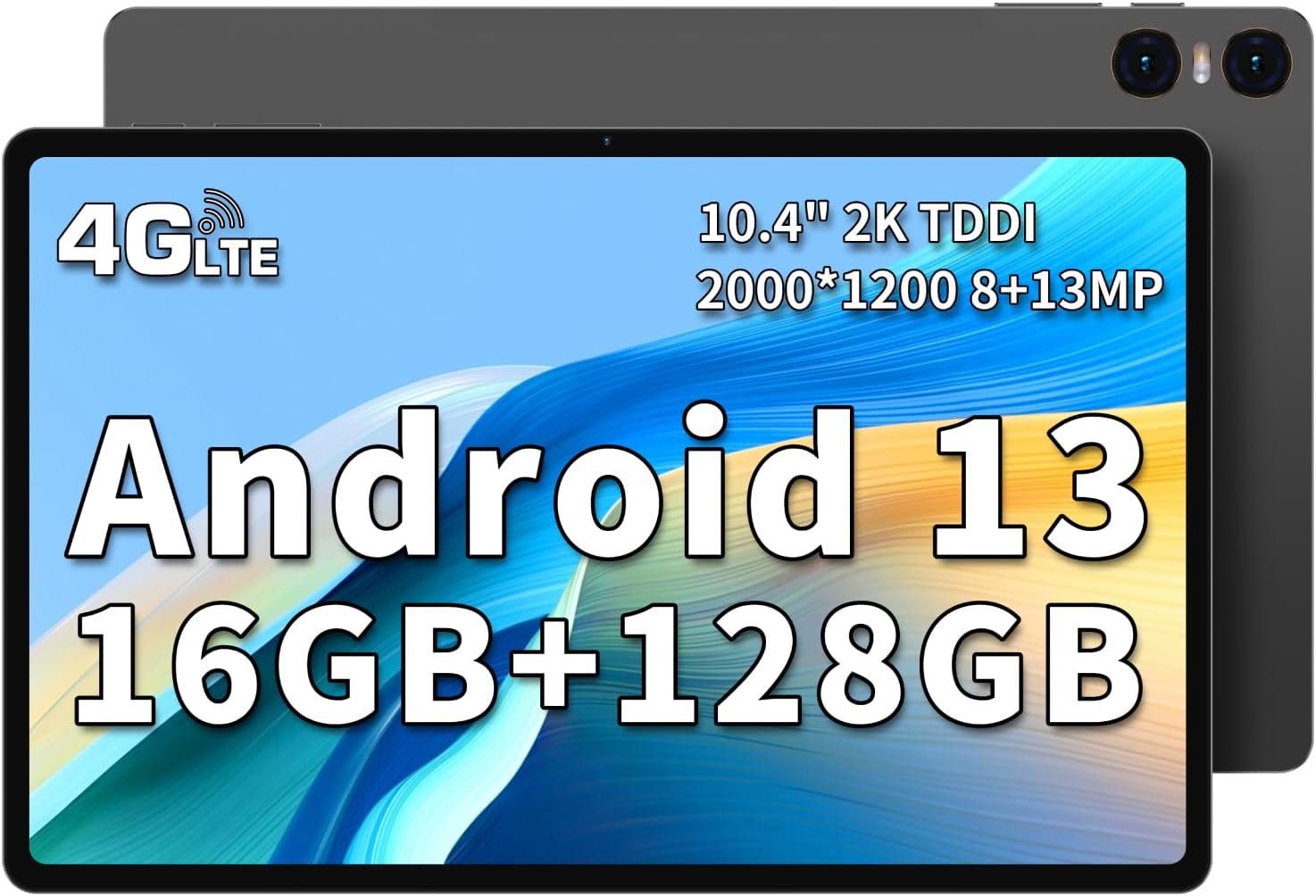
Imatge: Anvers i revers view of the TECLAST T40HD tablet, highlighting its slim design and dual cameras.
Característiques principals:
- Sistema operatiu: Android 13 with enhanced privacy and personalized features.
- Visualització: 10.5-inch FHD IPS screen (1920x1200 resolution) with 178-degree viewangle de ing.
- Processador: UNISOC T606 8-core CPU for efficient performance.
- Memòria i emmagatzematge: 16GB RAM (8GB physical + 8GB virtual expansion) and 128GB internal storage, expandable up to 1TB via Micro SD card (FAT32 format, sold separately).
- Connectivitat: 4G LTE (dual nano-SIM support), 2.4G/5G WiFi (802.11ac), Bluetooth 5.0.
- Càmeres: 8MP front camera and 13MP rear camera.
- Bateria: Bateria de polímer de liti de 7200 mAh.
- Àudio: Dual speakers for immersive sound.
- Disseny: Slim 7.5mm body with an aluminum alloy back.
2. Introducció: Configuració
2.1 Desembalatge i inspecció inicial
Upon receiving your TECLAST T40HD tablet, carefully open the packaging and inspect the contents. Ensure all items listed below are present and in good condition.

Image: Contents of the TECLAST T40HD tablet package, including the tablet, power adapter, charging cable, instruction manual, and ejection pin.
2.2 Contingut del paquet
- TECLAST T40HD Android 13 Tablet x 1
- Carregador x 1
- Charging Cable (USB-A to USB-C) x 1
- Manual d'instruccions x 1
- Pin d'expulsió x 1
2.3 Càrrega de la tauleta
Before first use, it is recommended to fully charge your tablet. Connect the provided charging cable to the tablet's USB-C port and the charger to a power outlet. The battery indicator on the screen will show charging status.
2.4 Engegada/apagada
- Per encendre: Press and hold the Power button (located on the side) until the TECLAST logo appears on the screen.
- Per apagar: Press and hold the Power button until the power options appear, then select "Power Off".
- Per reiniciar: Mantingueu premut el botó d'engegada fins que apareguin les opcions d'engegada i, a continuació, seleccioneu "Reiniciar".

Imatge: Detallada view of the tablet's side, indicating the location of the SIM/Micro SD slot, volume buttons, power button, speakers, Type-C port, and reset pinhole.
2.5 Assistent de configuració inicial
The first time you power on the tablet, you will be guided through an initial setup wizard. This includes:
- Selecció del vostre idioma.
- Connexió a una xarxa Wi-Fi.
- Setting up your Google account (optional, but recommended for app downloads).
- Setting up screen lock (PIN, pattern, password, or face unlock).
- Reviewconfigurant la configuració de privadesa.
2.6 Inserting SIM Card and Micro SD Card
The TECLAST T40HD supports dual nano-SIM cards for 4G LTE connectivity and a Micro SD card for storage expansion.
- Locate the SIM/Micro SD card tray on the side of the tablet.
- Insert the provided ejection pin into the small hole next to the tray to eject it.
- Carefully place your nano-SIM card(s) and/or Micro SD card into the designated slots on the tray. Ensure correct orientation.
- Empenyeu suaument la safata cap a dins de la tauleta fins que encaixi al seu lloc.
Note: SIM cards are not included in the package. Ensure your SIM card's band is compatible with the tablet's supported frequencies: GSM:B2,B3,B5,B8; WCDMA: B1,B2,B5,B8; FDD-LTE: B1,B3,B5,B7,B8,B20; TD-LTE: B34,B38,B39,B40,B41.
3. Com utilitzar la tauleta
3.1 Interfície d'Android 13
The TECLAST T40HD runs on Android 13, offering an intuitive and customizable user experience. Key features include:
- Material que vostè: Personalize your tablet's theme and UI with dynamic colors based on your wallpaper.
- Enhanced Privacy Controls: Granular control over app permissions, photo, video, and clipboard access.
- Barra de tasques: Quickly switch between apps and access frequently used applications.
- Split Screen & Floating Window: Multitask efficiently by running two apps side-by-side or in a floating window.

Image: The Android 13 interface on the TECLAST T40HD tablet, demonstrating multitasking capabilities with multiple applications open.
3.2 Connectivitat
- Wi-Fi: Connect to 2.4GHz or 5GHz Wi-Fi networks for internet access. Go to Configuració > Xarxa i Internet > Wi-Fi per gestionar connexions.
- 4G LTE: With a compatible nano-SIM card, enjoy mobile data connectivity. Ensure your SIM card is properly inserted and activated.
- Bluetooth 5.0: Pair with Bluetooth devices like headphones, speakers, or keyboards. Go to Configuració> Dispositius connectats> Preferències de connexió> Bluetooth.
- GPS: The tablet supports GPS, GLONASS, and GALILEO for accurate location services and navigation.

Image: The TECLAST T40HD tablet being used for GPS navigation in a vehicle, demonstrating its location services.
3.3 Funcions de la càmera
The tablet is equipped with an 8MP front camera and a 13MP rear camera. Open the Camera app to capture photos and videos.
- Mode de fotografia: Tap the shutter button to take pictures.
- Mode de vídeo: Switch to video mode to record footage.
- Configuració: Access camera settings for options like resolution, flash, and AI enhancements.
3.4 Media and Entertainment
Enjoy a rich multimedia experience with the 10.5-inch FHD display and dual speakers.
- Reproducció de vídeo: The tablet supports Widevine L1, allowing for high-definition streaming from services like YouTube and Amazon Prime Video. (Note: Netflix HD is not supported).
- Àudio: Connect headphones via the 3.5mm jack or use Bluetooth headphones for private listening.
- Projecció sense fil: Easily connect your tablet to a larger TV or display for an enhanced viewexperiència.
Video: An official product video from Teclast Brand Store showcasing the features and design of the T45HD Android 13 tablet, including its display, processor, memory, and camera capabilities.
4. Manteniment i cura
To ensure the longevity and optimal performance of your TECLAST T40HD tablet, follow these maintenance guidelines:
- Neteja: Feu servir un drap suau i sense borrissol per netejar la pantalla i la carcassa. Eviteu materials abrasius o productes químics agressius.
- Cura de la bateria: Avoid extreme temperatures. Do not let the battery fully drain frequently. For long-term storage, charge the battery to about 50-60%.
- Actualitzacions de programari: Regularly check for and install system updates to ensure security and performance improvements. Go to Configuració > Sistema > Actualització del sistema.
- Gestió d'emmagatzematge: Netegeu periòdicament els innecessaris files and apps to free up storage space. You can expand storage with a Micro SD card up to 1TB (FAT32 format).
- Protecció: Penseu en utilitzar una funda protectora i un protector de pantalla per protegir-vos de caigudes i ratllades.
- Condicions ambientals: Avoid exposing the tablet to direct sunlight, excessive moisture, or extreme temperatures.
5. Solució De Problemes
If you encounter issues with your TECLAST T40HD tablet, try the following basic troubleshooting steps:
- La tauleta no respon: If the tablet freezes, press and hold the Power button for about 10-15 seconds to force a restart.
- Esgotament ràpid de la bateria:
- Redueix la brillantor de la pantalla.
- Tanca les aplicacions no utilitzades que s'executen en segon pla.
- Desactiveu el Wi-Fi, el Bluetooth o el GPS quan no els feu servir.
- Comprova l'ús de la bateria a Configuració > Bateria per identificar aplicacions que consumeixen molta energia.
- Problemes de connectivitat Wi-Fi:
- Activa i desactiva el Wi-Fi.
- Reinicieu el vostre encaminador Wi-Fi.
- Oblida't de la xarxa i torna a connectar-te.
- Assegureu-vos que esteu dins de l'abast del senyal Wi-Fi.
- Apps Crashing or Not Working:
- Esborra la memòria cau i les dades de l'aplicació (Configuració > Aplicacions > [Nom de l'aplicació] > Emmagatzematge i memòria cau).
- Actualitza l'aplicació des de Google Play Store.
- Desinstal·leu i torneu a instal·lar l'aplicació.
- Rendiment lent:
- Tanca les aplicacions en segon pla innecessàries.
- Clear cache data regularly.
- Assegureu-vos que hi hagi prou espai d'emmagatzematge lliure.
- Reinicieu la tauleta.
- Restabliment de fàbrica: As a last resort, if software issues persist, you may perform a factory reset. This will erase all data on the tablet, so back up important information first. Go to Configuració > Sistema > Opcions de restabliment > Esborra totes les dades (restabliment de fàbrica).
6. Especificacions
| Característica | Especificació |
|---|---|
| Marca | TECLAST |
| Nom del model | T40HD |
| Sistema operatiu | Android 13 |
| Mida de la pantalla | 10.5 polzades |
| Resolució de pantalla | 1920 x 1200 píxels (FHD IPS) |
| Processador | Unisoc T606 (8-core, 1.6 GHz) |
| Coprocessador gràfic | Mali-G57 |
| RAM | 16 GB (8 GB físic + 8 GB virtual) |
| Mida de la memòria flash | 128 GB |
| Emmagatzematge ampliable | Micro SD up to 1TB (FAT32 format) |
| posterior WebResolució de la càmera | 13 MP |
| Davant WebResolució de la càmera | 8 MP |
| Tipus sense fil | 802.11ac (2.4G/5G WiFi) |
| Bluetooth | Bluetooth 5.0 |
| Connectivitat cel·lular | 4G LTE (Dual Nano-SIM) |
| Capacitat de la bateria | 7200 mAh |
| Pes de l'article | 1.92 lliures |
| Dimensions del producte | 9.7 x 6.3 x 0.29 polzades |
| Color | Negre |
7. Garantia i Suport
TECLAST products purchased from our store come with a 12 mesos de garantia. If you experience any issues with your product, please contact customer support through your Amazon purchase history. Most questions are answered within 24 hours to ensure a positive experience with our products.
For further assistance, please refer to the official TECLAST weblloc web o contacteu directament amb el seu servei d'atenció al client.


