1. Introducció
Thank you for choosing the ID-COOLING IS-67-XT Black Low Profile CPU Cooler. This manual provides detailed instructions for the proper installation, operation, and maintenance of your new CPU cooler. Designed for HTPCs, ITX, and Small Form Factor builds, this cooler features a 67mm total height, a pure copper base, 6 heat pipes, and a 120x15mm PWM fan for efficient heat dissipation and quiet operation.
Please read this manual thoroughly before installation to ensure optimal performance and to prevent any damage to your components.
2. Contingut del paquet
Verifiqueu que tots els components siguin presents al vostre paquet:
- ID-COOLING IS-67-XT Black CPU Cooler (Heatsink with pre-installed 120x15mm PWM fan)
- Mounting Hardware for Intel LGA1700/1200/115X
- Maquinari de muntatge per a AMD AM5/AM4
- Pasta tèrmica
- Long Screwdriver (for installation)
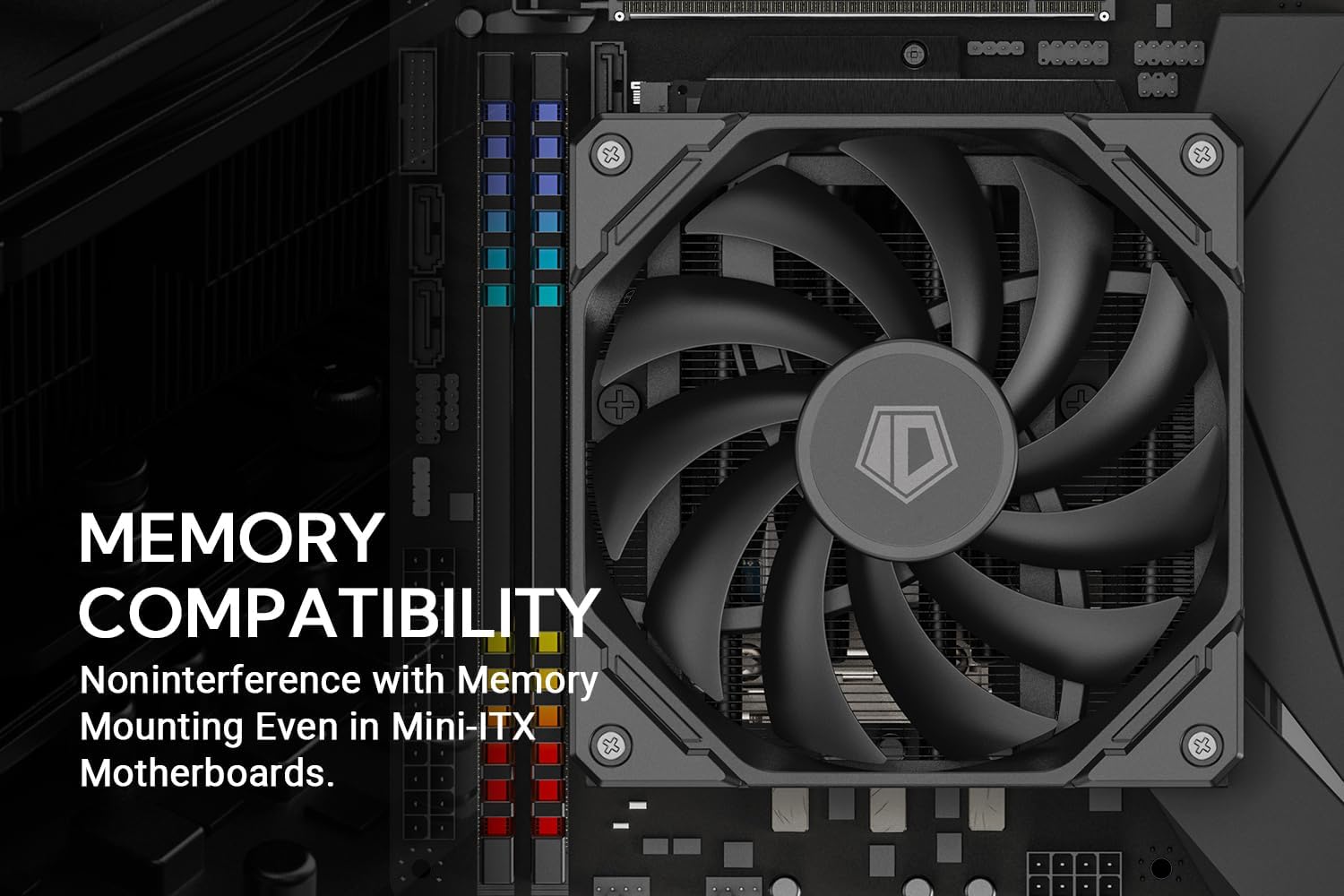
Figure 2.1: Included Mounting Hardware and Accessories
3. Especificacions
| Característica | Detall |
|---|---|
| Dimensió general | 120 x 120 x 67 mm (L x A x A) |
| Dimensió del ventilador | 120x120x15 mm |
| Pes | 500g (Net weight includes heatsink and fan(s) only) |
| Voltage | 12VDC |
| Corrent nominal | 0.28A |
| Entrada de potència | 3.36W |
| Velocitat del ventilador | 500-2200RPM ±10% |
| Màx. Flux d'aire | 67.58CFM |
| Nivell de soroll | 32.3 dB(A) Màx. |
| Tipus de rodament | Coixinet hidràulic |
| Tubs de calor | 6 (Direct Contact) |
| Material base | coure |
| Compatibilitat | Intel LGA1700/1200/115X; AMD AM5/AM4 |

Figure 3.1: Cooler Dimensions
4. Guia d'instal·lació
Before beginning installation, ensure your system is powered off and unplugged. It is recommended to install the CPU cooler on the motherboard before installing the motherboard into the PC case, especially for small form factor builds.
4.1. General Preparation
- Traieu qualsevol refrigerador de CPU existent i netegeu a fons la superfície de la CPU amb alcohol isopropílic per eliminar la pasta tèrmica antiga.
- Apply a small amount of thermal paste (pea-sized dot) to the center of the CPU's integrated heat spreader (IHS).
4.2. Intel LGA1700/1200/115X Installation
- Attach the appropriate Intel backplate to the rear of the motherboard, aligning the holes with the CPU socket mounting holes.
- From the front of the motherboard, insert the four standoffs through the mounting holes and into the backplate.
- Place the Intel mounting brackets onto the standoffs, ensuring they are oriented correctly. Secure them with the provided nuts.
- Carefully place the IS-67-XT cooler onto the CPU, aligning the spring-loaded screws on the cooler's mounting arms with the holes on the Intel mounting brackets.
- Using the long screwdriver, tighten the four spring-loaded screws in a diagonal pattern until secure. Do not overtighten.
- Connecteu el cable del ventilador PWM de 4 pins al capçalera CPU_FAN de la placa base.
4.3. Instal·lació d'AMD AM5/AM4
- Traieu els clips de retenció de plàstic de la placa posterior d'AMD, però manteniu la placa posterior d'origen al seu lloc.
- Screw the four AMD standoffs into the stock backplate's mounting holes.
- Place the AMD mounting brackets onto the standoffs, ensuring they are oriented correctly. Secure them with the provided nuts. Note that different length bars are provided to allow for 90-degree rotations for RAM and VRM heatsink clearance.
- Carefully place the IS-67-XT cooler onto the CPU, aligning the spring-loaded screws on the cooler's mounting arms with the holes on the AMD mounting brackets.
- Using the long screwdriver, tighten the four spring-loaded screws in a diagonal pattern until secure. Do not overtighten.
- Connecteu el cable del ventilador PWM de 4 pins al capçalera CPU_FAN de la placa base.

Figure 4.1: Cooler Installed on a Mini-ITX Motherboard
The cooler's design ensures non-interference with memory mounting, even on Mini-ITX motherboards.
Vídeo 4.1: Acabatview of the ID-COOLING IS-67-XT Black CPU Cooler, showcasing its components and compact design suitable for small form factor builds.
5. Funcionament
Once installed, the ID-COOLING IS-67-XT Black CPU Cooler operates automatically based on your motherboard's fan control settings. The 120x15mm PWM fan adjusts its speed according to CPU temperature, providing optimal cooling performance while minimizing noise.
- Control PWM: The fan's speed is controlled by the motherboard's Pulse Width Modulation (PWM) signal. This allows for dynamic fan speed adjustment, reducing noise during low-load operations and increasing airflow when temperatures rise.
- Seguiment: You can monitor CPU temperatures and fan speeds using motherboard monitoring software or third-party utilities.
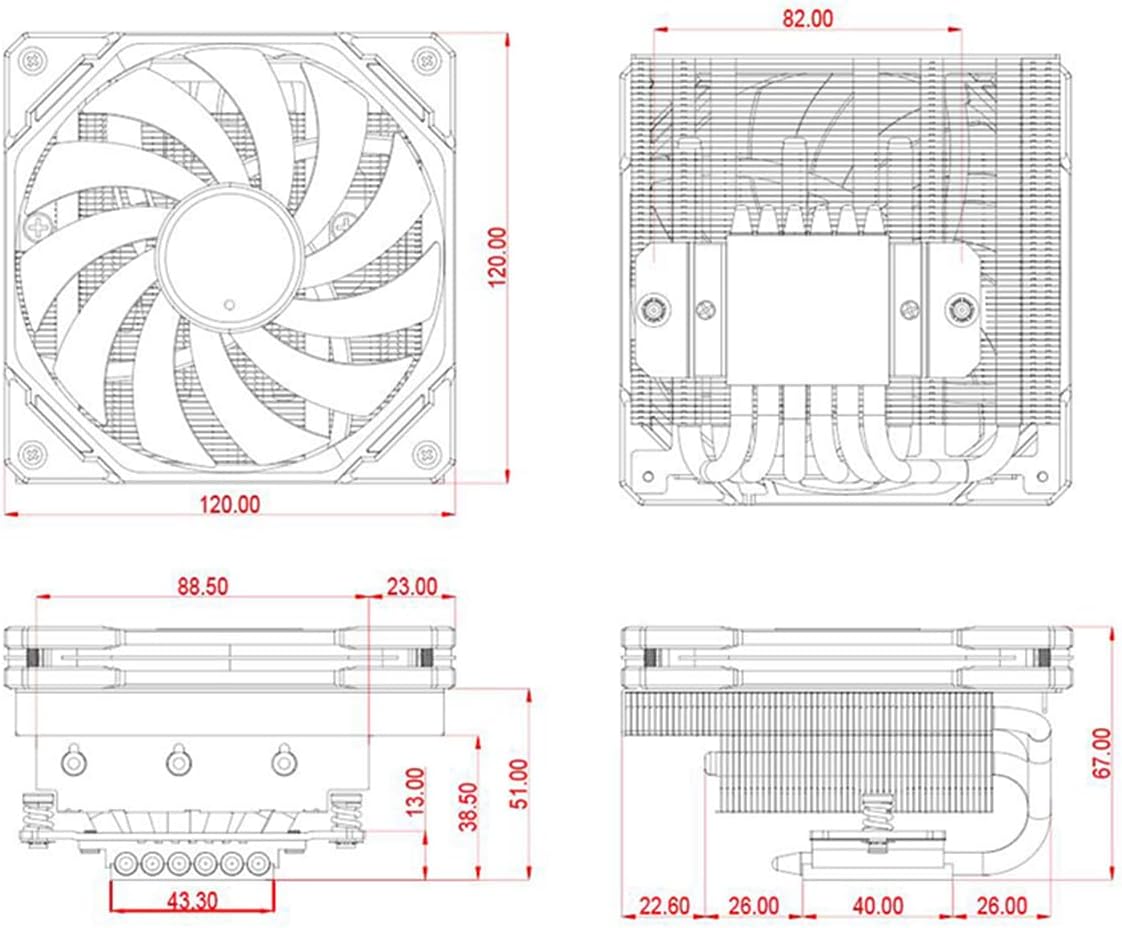
Figure 5.1: Cooler in a Small Form Factor PC Case
6. Manteniment
Regular maintenance ensures the longevity and optimal performance of your CPU cooler.
- Eliminació de pols: Periodically (every 3-6 months, depending on environment) use compressed air to clean dust from the heatsink fins and fan blades. Ensure the fan is held stationary while cleaning to prevent damage to the bearing.
- Pasta tèrmica: While not frequently required, if you remove the cooler for any reason, it is recommended to clean off the old thermal paste from both the CPU and the cooler's base and apply new thermal paste before reinstallation.
- Inspecció del ventilador: Check the fan for any signs of wear, unusual noises, or wobbling. If the fan is damaged or excessively noisy, consider replacing it.
7. Solució De Problemes
| Problema | Causa possible | Solució |
|---|---|---|
| Temperatures altes de la CPU |
|
|
| El ventilador no gira / Ventilador sorollós |
|
|
| La nevera no encaixa |
|
|
8. Garantia i Suport
ID-COOLING products are manufactured with high-quality materials and undergo strict quality control. This product is covered by a manufacturer's warranty against defects in materials and workmanship. For specific warranty terms and conditions, please refer to the warranty card included with your product or visit the official ID-COOLING weblloc.
For technical support, troubleshooting assistance, or warranty claims, please contact ID-COOLING customer service:
- Weblloc: www.idcooling.com
- Correu electrònic de suport: support@idcooling.com
- YouTube: youtube.com/c/idcooling
- Facebook: idcooling.global
Manufacturer: Shenzhen Wanjinghua Technology Co., Ltd.
Address: Wanjinghua Industry Park, Guiyue Road, Guanlan Shenzhen
Product Model: IS-67-XT Black
P/N: ID-CPU-IS-67-XT-BLACK
UPC: 6931393305226


