1. Introducció i finalview
This user manual provides comprehensive instructions for the FOXWELL NT710 Diagnostic Tool, a professional-grade scan tool designed specifically for Chrysler, Jeep, and Dodge vehicles. Equipped with an Android 9.0 operating system, a 5.5-inch touch screen, 4000mAh battery, and 32GB memory, the NT710 offers unparalleled diagnostic solutions and an exceptional user experience.
Les característiques clau inclouen:
- Advanced Bi-Directional Control: Perform individual tests for specific sub-systems or components to check if actuators function correctly.
- OE Level All System Diagnosis: Conduct comprehensive diagnostics for all vehicle systems, including Engine, SRS, Transmission, ABS, SAS, EPB, and more.
- Operació amb un sol clic: Quickly scan all available control modules, capture screenshots, and update software via Wi-Fi.
- Real-Time Data Share and Print: Generate and share PDF diagnostic reports effortlessly via Wi-Fi and Bluetooth.
- 4-in-1 Live Data Graph: Monitor real-time sensor data with intuitive graphical displays.
- Full Maintenance Services: Perform routine maintenance tasks such as EPB reset, ABS bleeding, oil light/SAS/TPMS resets, and more.
- Actualitzacions gratuïtes de per vida: Ensure your device always has the latest software version without additional fees.

2. Què hi ha a la caixa
Upon opening your FOXWELL NT710 package, you will find the following components:
- NT710 Car Scanner x 1
- Cable de diagnòstic x 1
- Cable USB x 1
- Manual d'usuari x 1
- Guia d'inici ràpid x 1

3. Configuració i ús inicial
Follow these steps to set up your FOXWELL NT710 Diagnostic Tool for the first time:
- Encès: The device is equipped with a 4000mAh Lithium Ion battery. Ensure it is sufficiently charged before first use.
- Connecta't a Wi-Fi: Navigate to the 'Settings' menu on the 5.5-inch touch screen and connect to a stable Wi-Fi network. This is crucial for software updates.
- Actualització de programari: Utilize the one-click software update feature via Wi-Fi to ensure your NT710 has the latest diagnostic software and vehicle coverage. This process is faster than updating via a computer.
- Connexió al vehicle: Locate your vehicle's OBD2 port (typically under the dashboard on the driver's side) and connect the diagnostic cable from the NT710 to the port.
- Escaneig VIN automàtic: The device supports one-click quick scan of all available control modules and can automatically read the VIN (Vehicle Identification Number) for quick vehicle identification.


4. Operating the Diagnostic Tool
The FOXWELL NT710 provides a range of powerful diagnostic and service functions:
4.1. OE Level All System Diagnosis
This function allows you to perform a dealer-level comprehensive diagnosis for all electronic control systems in your Chrysler, Jeep, or Dodge vehicle. This includes, but is not limited to, the Engine, SRS (Supplemental Restraint System), Transmission, ABS (Anti-lock Braking System), SAS (Steering Angle Sensor), EPB (Electronic Parking Brake), and more. It helps quickly assess the car's condition and identify issues efficiently by detecting both present and potential fault codes.


4.2. Advanced Bi-Directional Control / Active Test
The bi-directional control feature allows the NT710 to send commands to the ECU (Engine Control Unit), retrieve ECU data, and monitor actuator operations. This enables you to quickly determine if a specific system or component is functioning correctly. ExampLes proves actives inclouen:
- Testing switches, sensors, and relays.
- Operating windows (open/close).
- Controlling radiator fans.
- Activating wipers.
- Testing horn functionality.
- Adjusting mirrors.
- Checking headlights.


Vídeo 1: Un overview of the FOXWELL NT710 Diagnostic Tool, demonstrating its features including bi-directional control and system scanning.
4.3. 4-in-1 Live Data Graph
The NT710 features a 4-in-1 live data graph, providing a more intuitive view of real-time sensor data monitoring. This allows for comprehensive data display, comparative analysis, observation of changing trends, and improved work efficiency.

4.4. Report Sharing and Printing
The enhanced storage capabilities of the NT710 allow for the preservation of extensive diagnostic records. You can instantly generate a PDF diagnostic report with just one click. These reports can then be shared or printed effortlessly via Wi-Fi and Bluetooth.

4.5. Multiple Languages
The FOXWELL NT710 supports multiple languages for user convenience, allowing you to operate the device in your preferred language.
5. Serveis de manteniment
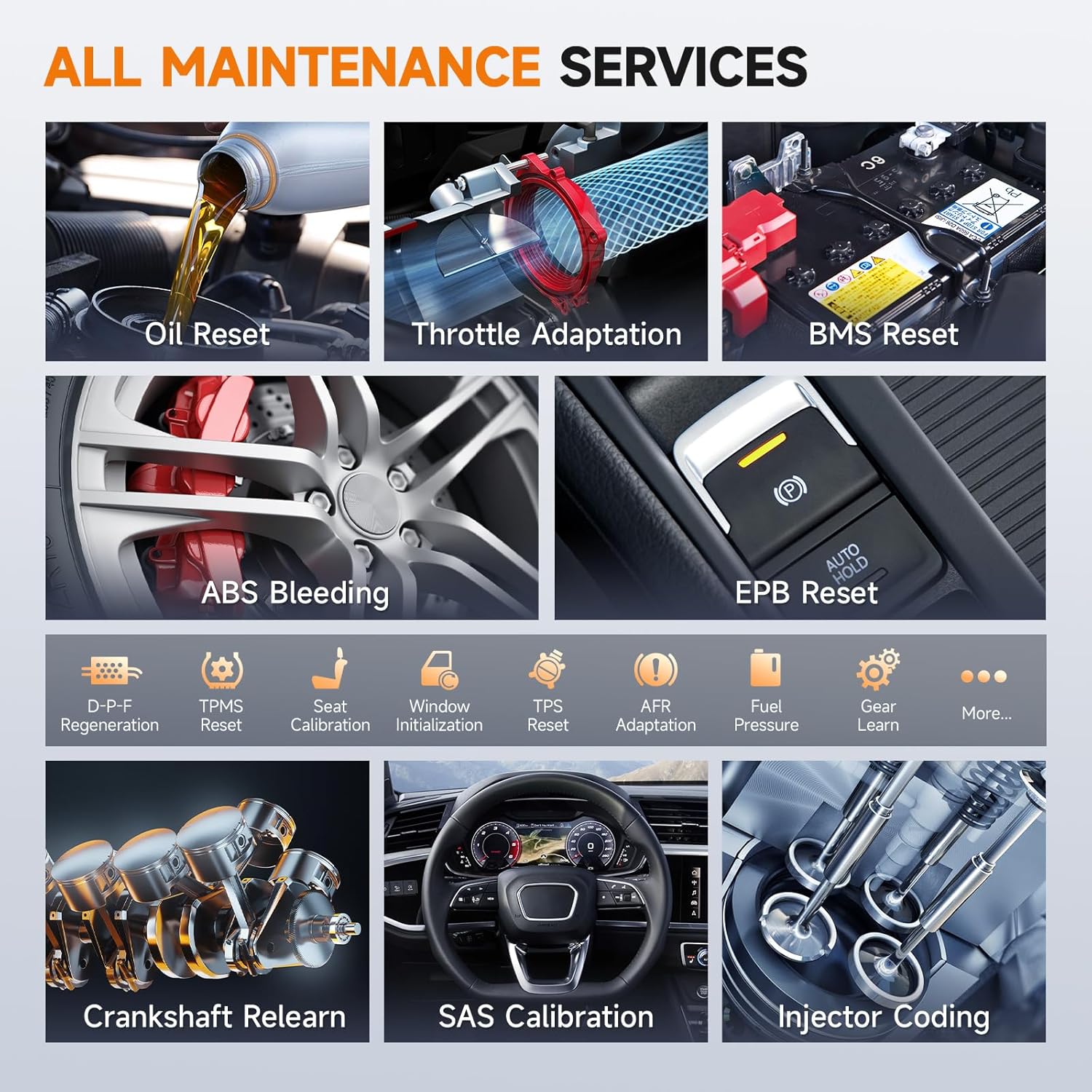
The FOXWELL NT710 diagnostic reset tool enables you to perform various routine maintenance tasks, potentially saving significant costs by avoiding dealership repairs. Compatibility may vary depending on the vehicle model and year.
Available maintenance services include:
- Restabliment de l'EPB (fre d'estacionament electrònic)
- ABS (Anti-lock Braking System) Bleeding
- Restabliment de la llum d'oli
- Restabliment del sensor d'angle de direcció (SAS)
- TPMS (Tire Pressure Monitoring System) Resets
- Reaprenentatge del sensor del cigonyal
- Codificació d'injectors
- Adaptació de l'accelerador
- Restabliment del BMS (sistema de gestió de bateries)
- Regeneració DPF (filtre de partícules dièsel).
- Inicialització de la finestra
- TPS (Throttle Position Sensor) Reset
- AFR (Air Fuel Ratio) Adaptation
- Fuel Pressure monitoring
- Engranatge Aprèn
- I més...

6. Solució De Problemes
If you encounter issues with your FOXWELL NT710, consider the following general troubleshooting steps:
- Comproveu les connexions: Ensure the diagnostic cable is securely connected to both the NT710 and the vehicle's OBD2 port.
- Font d'alimentació: Verify the device has sufficient battery charge.
- Actualitzacions de programari: Confirm that the device software is up to date via Wi-Fi. Outdated software can sometimes cause compatibility or functionality issues.
- Compatibilitat de vehicles: Remember that compatibility for certain functions may vary by vehicle model and year. Refer to the official FOXWELL website or contact support for specific vehicle coverage details.
- Reinicieu el dispositiu: A simple restart of the NT710 can resolve minor software glitches.
Per a problemes persistents, consulteu la secció "Garantia i assistència" per obtenir informació de contacte.
7. Especificacions
| Característica | Detall |
|---|---|
| Marca | FOXWELL |
| Model | FOXWELL NT710 |
| Dimensions del producte | 9.3 cm de llargada x 1.5 cm d'amplada x 4.9 cm d'alçada |
| Sistema operatiu | Android 9.0 |
| Resolució de visualització | 1280 x 800 |
| Pes de l'article | 3.14 lliures |
| Bateries | Necessita 1 bateria de ions de liti (inclosa) |
| Tipus d'ajust d'automòbil | Vehicle Specific Fit (Chrysler, Jeep, Dodge) |
8. Garantia i Suport
FOXWELL provides lifetime free updates for the NT710 Diagnostic Tool. You can easily upgrade the software via Wi-Fi to ensure your device always has the latest features and vehicle coverage.
Your satisfaction is a priority. If you have any questions, require technical assistance, or need support, please contact FOXWELL via Amazon Message or Email. Our service team is dedicated to providing prompt replies and assistance.
Avís legal
The logo and brand name of Chrysler/Jeep/Dodge appeared on the detail page is to describe the item is compatible with Chrysler/Jeep/Dodge vehicles. We are not selling products manufactured/sold by Chrysler/Jeep/Dodge.


