Introducció
The KAIWEETS KES01 Stud Finder Wall Scanner is an electronic device designed to detect the presence of studs (wood or metal), pipes, joists, and live AC wires hidden behind walls, floors, and ceilings. This manual provides detailed instructions for the safe and effective use of your device.
Producte acabatview
The KAIWEETS KES01 features an intelligent microprocessor chip for high sensitivity and an advanced self-calibration system. It includes a tri-color backlight LCD display and audio alarms for clear indication of detected objects.
Característiques principals:
- Detecció precisa: Locates wood, metal studs, joists, pipes, and live AC wires.
- Pantalla fàcil de llegir: Tri-color backlight LCD display (Green: no target, Orange: target edge, Red: stud center) with directional arrows and signal bars.
- 4-in-1 Multi-functional Modes: Includes 3/4" stud scan, 1-1/2" stud scan, metal scan, and AC scan modes.
- La seguretat primer: Indicates live AC wires in all modes to prevent drilling into electrical lines.

Figura 1: Mésview of the KAIWEETS KES01 Stud Finder's 4-in-1 scan modes and their detection depths.
Components del dispositiu:

Figure 2: Labeled components of the KAIWEETS KES01 Stud Finder.
Configuració
1. Instal·lació de la bateria:
The KAIWEETS KES01 requires one 9V battery (included). To install:
- Obriu la tapa del compartiment de la bateria a la part posterior del dispositiu.
- Connecteu la pila de 9 V a la pinça, assegurant-vos de la polaritat correcta.
- Col·loqueu la bateria al compartiment i tanqueu la tapa de manera segura.
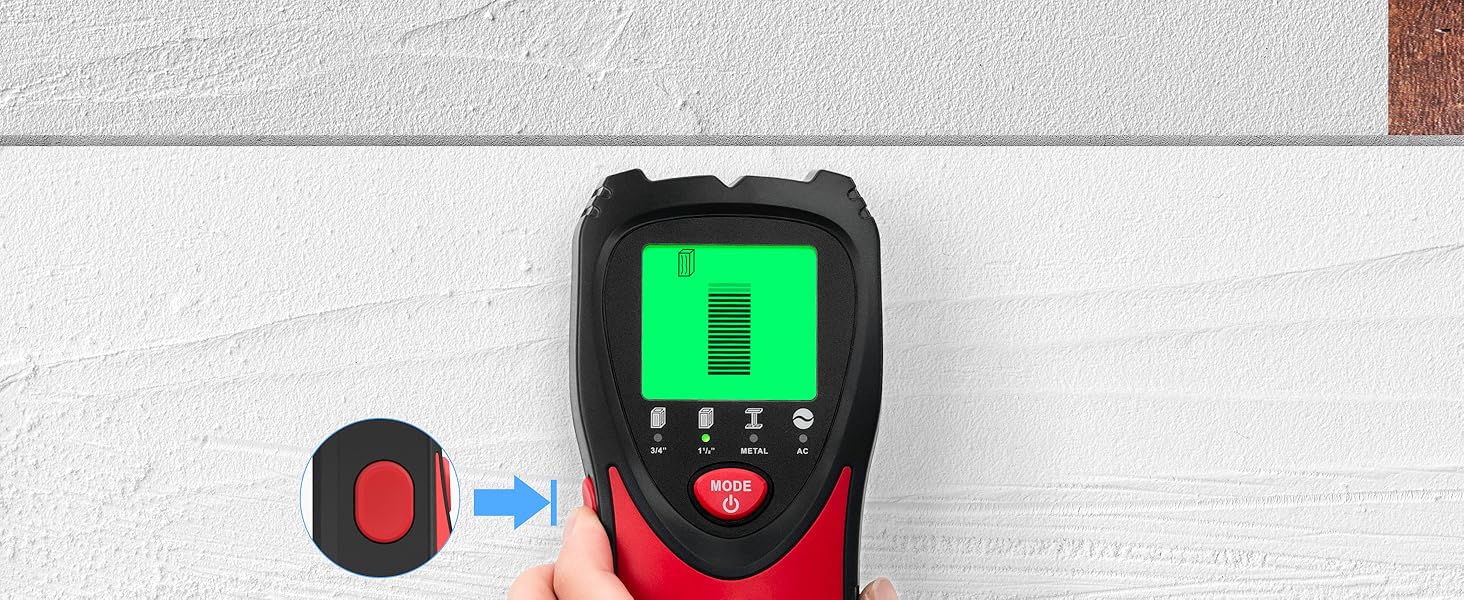
Figure 3: KAIWEETS KES01 package contents, including the 9V battery.
2. Calibració:
Before each use, calibrate the device to ensure accurate readings. Calibration adapts the sensor to the wall material.
- Place the device flat against a blank section of the wall where no objects are expected.
- Press and hold the calibration button (located on the side) until the calibration process is complete (indicated by a beep and stable display).
- Release the button. The device is now calibrated and ready for use.
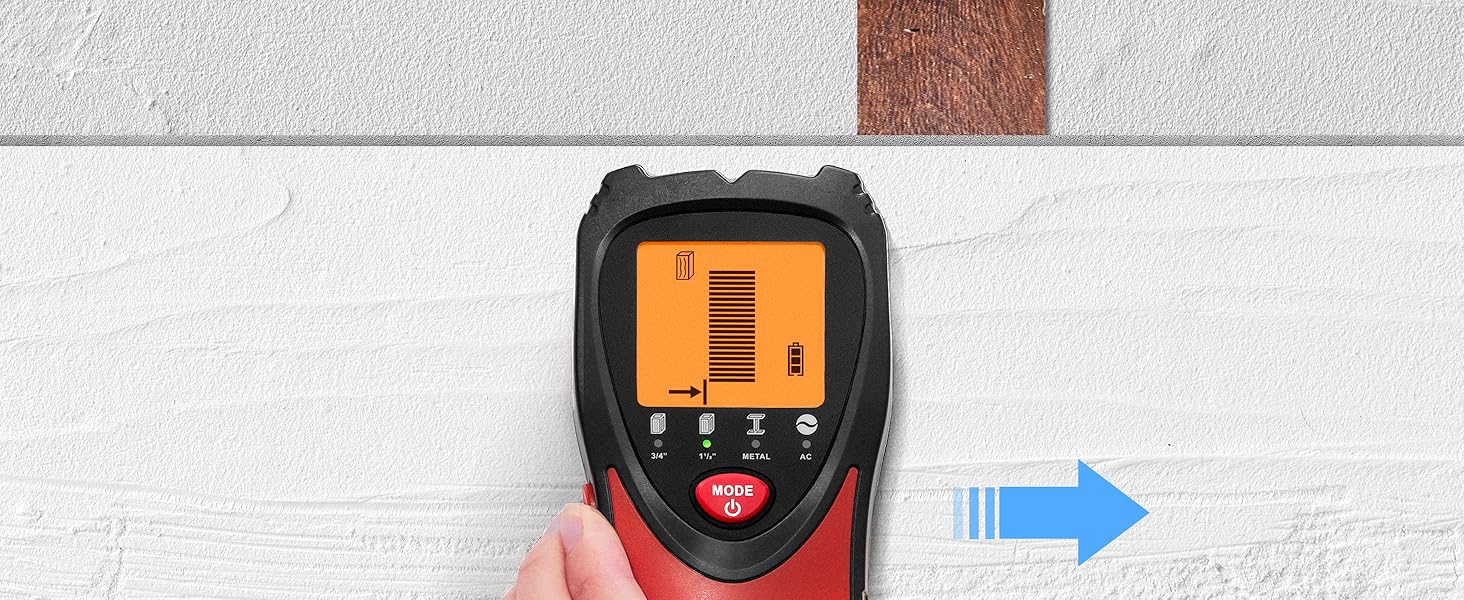
Figure 4: Steps for calibrating the stud finder.
Instruccions de funcionament
To operate the device, select the desired mode and perform a scan as described below. Always ensure the device is calibrated before scanning.
General Scanning Procedure:
- Premeu el botó d'engegada per encendre el dispositiu.
- Press the 'MODE' button to cycle through the available scanning modes (3/4" Stud, 1-1/2" Stud, Metal, AC).
- Calibrate the device against a blank section of the wall.
- Slowly slide the device horizontally across the surface. The display will indicate the presence and location of objects.
1. Stud Mode (3/4" and 1-1/2"):
This mode is used to locate the center and edges of wood or metal studs up to 1.5 inches (38mm) deep. For best results, always start with the 3/4" mode.
- Retroil·luminació taronja: Indicates detection of a stud edge.
- Red Backlight & Audio Alarm: Indicates detection of the stud center.

Figure 5: Tri-color backlight indications for stud detection.

Figura 6: Detallada view of Stud Mode detection.
2. Metal Mode:
This mode detects ferrous and non-ferrous metals up to 2.36 inches (60mm) deep. It is useful for confirming if a detected object is metal or wood.
- First, use a stud mode to locate the center of an object.
- Switch to Metal Mode. If the device detects the object again, it is likely metal. Otherwise, it is wood.
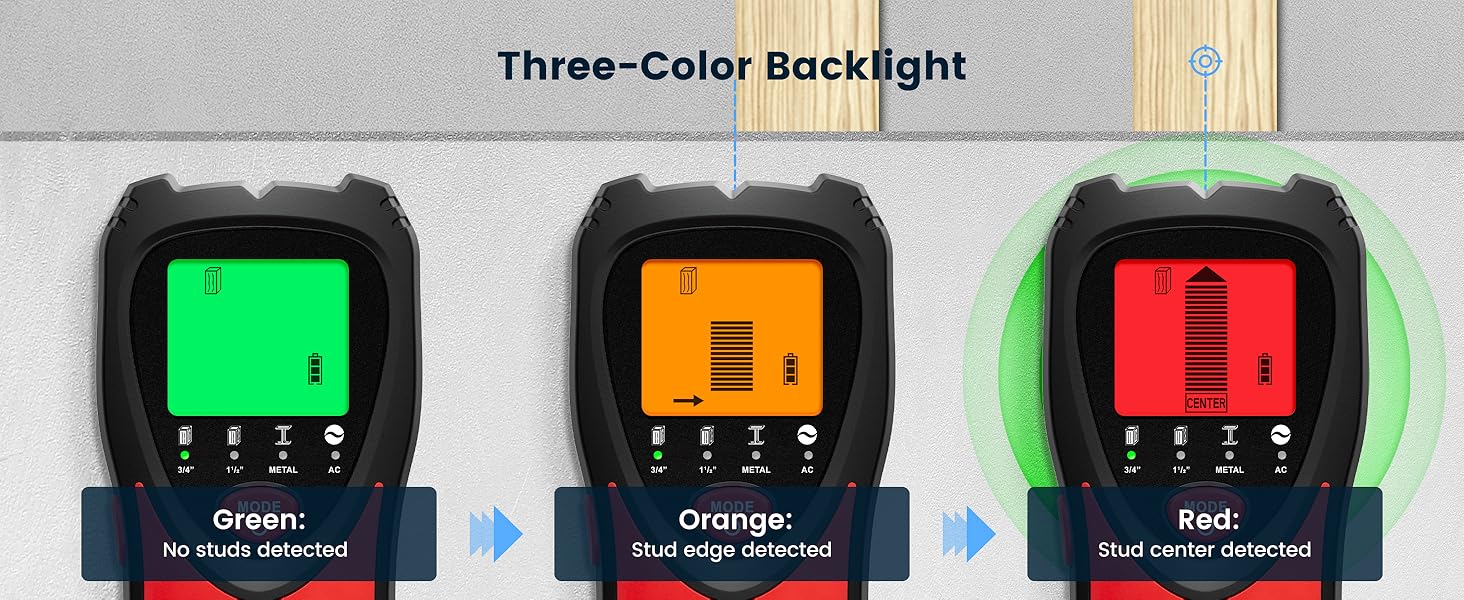
Figura 7: Detallada view of Metal Mode detection.
3. AC Scan Mode:
This mode detects live, unshielded AC wires up to 2 inches (51mm) deep. The AC wire warning icon will flash in all modes when live wires are detected, enhancing safety.
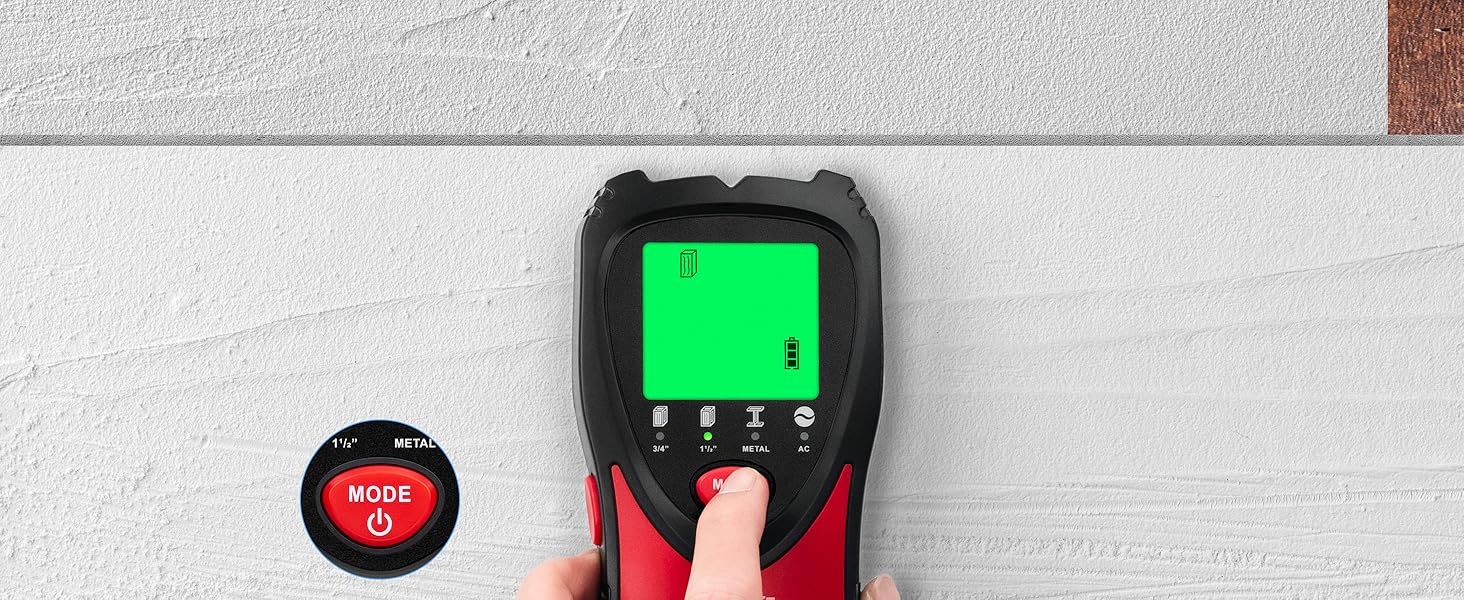
Figura 8: Detallada view of AC Wire detection.
Vídeo de demostració de l'operació:
Video 1: KAIWEETS Stud Finder Wall Scanner Operation Demonstration. This video illustrates the practical use of the device for detecting studs, metal, and AC wires.
Tricolor Backlight Feature Video:
Video 2: Stud Finder Wall Scanner with Tricolor Backlight. This video highlights the visual feedback provided by the device's tri-color display during detection.
Informació de seguretat
Always prioritize safety when using the stud finder. The device is designed to help identify potential hazards, but caution is still required.
- The AC scan mode detects live unshielded AC wires. Always be aware of the AC warning indicator on the display.
- Do not rely solely on the device for safety. Always turn off power to the area you are working on if there is any doubt about live electrical wires.
- Keep hands away from the detection surface during calibration and scanning to avoid interference.
- Do not use the device in wet conditions or extreme temperatures.

Figure 9: The stud finder's AC wire warning feature for enhanced safety.
Especificacions
- Fabricant:
- KAIWEETS
- Número de peça:
- KES
- Pes de l'article:
- 6.3 unces
- Dimensions del paquet:
- 7.72 x 3.62 x 1.73 polzades
- Número de model de l'article:
- KES01
- Color:
- Vermell
- Font d'alimentació:
- Funciona amb bateria
- Voltage:
- 3 Volts
- Tipus de pila de bateria:
- Alcalí
- Stud Scan Depth:
- Fins a 1.5 polzades (38 mm)
- Metal Scan Depth:
- Fins a 2.36 polzades (60 mm)
- AC Scan Depth:
- Fins a 2 polzades (51 mm)
Resolució de problemes
- Lectures inexactes: Ensure the device is properly calibrated on a blank section of the wall before each scan. Avoid placing hands on the scanning surface during operation.
- Sense detecció: Check the battery level. Replace the 9V battery if it is low. Ensure you are using the correct mode for the material you are trying to detect.
- Constant Alarm: This may indicate a large area of dense material or multiple objects. Try scanning from a different starting point or in a different mode.
Manteniment
- Netegeu el dispositiu amb un drap suau i sec. No utilitzeu productes de neteja abrasius ni dissolvents.
- Guardeu el dispositiu en un entorn sec i sense pols quan no l'utilitzeu.
- Traieu la bateria si no heu d'utilitzar el dispositiu durant un període prolongat per evitar fuites.
Garantia i Suport
For detailed warranty information and customer support, please refer to the documentation included with your product or contact KAIWEETS customer service. The user manual provided with the product contains comprehensive operation methods and detailed instructions.


