1. Producte acabatview
The EENOUR Golf Rangefinder Mini is a compact and advanced laser range finder designed for golf and hunting. It features a unique red and green self-illuminated OLED display for clear visibility in various lighting conditions, high accuracy measurements within 0.06 seconds, and intelligent slope compensation. Its durable aluminum alloy shell provides IP54 waterproof protection, and the device is powered by a long-lasting rechargeable battery.
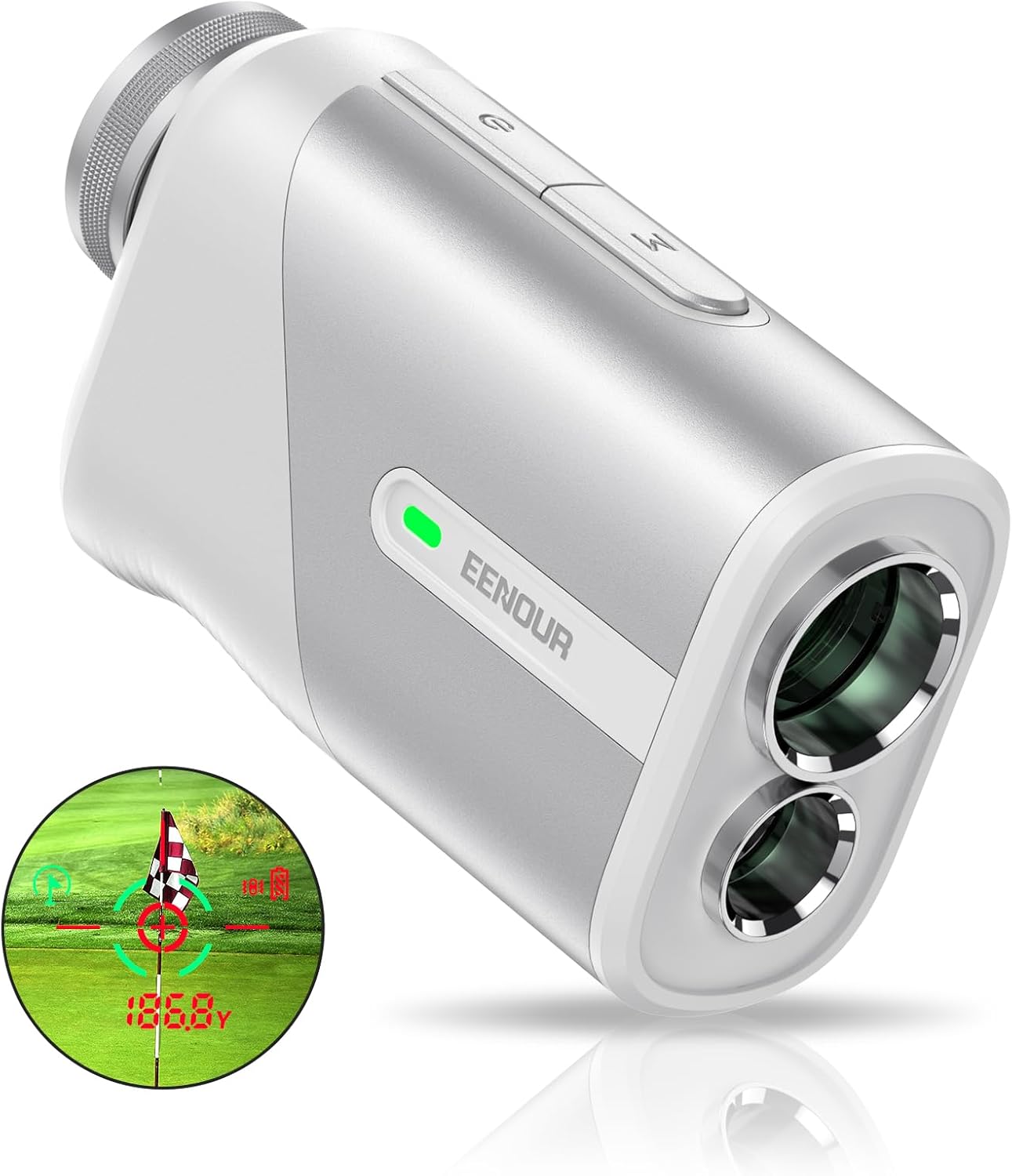
The EENOUR Golf Rangefinder Mini, showcasing its compact design and dual display capability.

Un acabatview of the rangefinder's comprehensive features, including Flagpole Lock, Slope Compensation, Continuous Scan, Horizontal & Vertical Display, Speed Measurement, Vibration Confirmation, Ergonomic Design, and 6X Magnification.
2. Introducció: Configuració
2.1 Càrrega de la bateria
The EENOUR Golf Rangefinder Mini is equipped with a 650mAh rechargeable Lithium-Ion battery. Before first use, ensure the device is fully charged.
- Localitzeu el port de càrrega USB-C al dispositiu.
- Connect the provided Type-C cord to the rangefinder and a compatible USB power source (e.g., computer, wall adapter).
- The charging indicator light will show the charging status. A full charge supports approximately 20,000 measurements.

Details the long-lasting 650mAh rechargeable battery, supporting USB-C charging and providing up to 20,000 measurements on a full charge, with automatic turn-off for power saving.
2.2 Encès/Apagat
- To power on: Briefly press the power button (usually marked with a power symbol). The display will illuminate.
- To power off: The device will automatically turn off after a period of inactivity to conserve battery. You can also manually power off by holding the power button.
2.3 Configuració de la pantalla
The rangefinder features a unique red and green OLED display with adjustable brightness levels.
- Refer to the on-screen menu or specific button presses (usually the 'M' or Mode button) to cycle through brightness levels (1-4 levels).
- The red and green display ensures clear visibility in both bright sunlight and low-light conditions.

Illustrates the superior clarity and readability of the EENOUR rangefinder's red and green OLED display compared to traditional LCD screens, especially in varying light conditions.
3. Instruccions de funcionament
3.1 Basic Measurement (Single Measurement)
- Look through the eyepiece and aim the crosshairs at your desired target.
- Press the power/measurement button briefly. The distance will be displayed almost instantly (within 0.06 seconds).

Demonstrates the rapid measurement capability of the rangefinder, achieving simple measurements in 0.06 seconds and flagpole locking in 0.46 seconds.
3.2 Continuous Scan Mode
This mode allows for continuous measurement as you pan across multiple targets.
- Activate scan mode (refer to your device's specific button for mode selection, usually the 'M' button).
- Press and hold the measurement button while sweeping the rangefinder across the landscape. The display will update distances in real-time.

Depicts the continuous scan mode, allowing users to quickly identify distances to various obstacles or targets across the golf course, ensuring accurate swings.
3.3 Intelligent Slope Compensation (Golf Mode)
This feature calculates the adjusted distance based on uphill or downhill terrain, providing a more accurate 'play as' distance for golf.
- Ensure slope mode is activated (check the display for an indicator, often a 'flag' or 'slope' icon).
- Measure your target as usual. The display will show both the actual distance and the slope-compensated distance.

Illustrates the Intelligent Slope Compensation (ID) Technology, which calculates and displays the slope-adjusted distance for uphill or downhill shots, in addition to the actual distance.
3.4 Flag Locking with Vibration
This mode helps to lock onto the flagpole, ignoring background objects, and provides a vibration confirmation.
- In golf mode, aim at the flagpole. The rangefinder will identify the closest object (the flag) using its First Target Priority algorithm.
- Once locked, the device will vibrate, confirming the measurement to the flag.

Explains the 'Lock on what you want' feature, utilizing a First Target Priority algorithm to accurately display the distance to the closest subject when multiple objects are in view.
3.5 Speed Measurement (Hunting Mode)
El telèmetre també pot mesurar la velocitat dels objectes en moviment.
- Switch to speed measurement mode (consult your manual for specific mode selection).
- Aim at the moving object and press the measurement button. The speed will be displayed. For best accuracy, measure from the front of the moving object.

Highlights the versatility of the rangefinder beyond golf, demonstrating its utility for measuring distance and speed in hunting and archery scenarios.
3.6 Canvi d'unitat
The rangefinder can display measurements in yards or meters.
- To switch units, typically press and hold the 'Mode' button or a dedicated unit button until the unit changes on the display.
4. Manteniment
4.1 Neteja de les lents
- Use the provided lens cloth or a soft, clean microfiber cloth to gently wipe the lenses.
- Avoid using abrasive materials or harsh chemicals, which can damage the lens coatings.
- For stubborn smudges, a small amount of lens cleaning solution designed for optics can be applied to the cloth, not directly to the lens.
4.2 Neteja general
- Netegeu el cos del telèmetre amb un drap suau iamp tela.
- Do not submerge the device in water. While it is IP54 waterproof, meaning it is protected against dust and splashing water, it is not designed for submersion.

Showcases the fine craftsmanship and durability of the rangefinder, including its IP54 waterproof rating, making it suitable for outdoor use in light rain or fog.
4.3 Emmagatzematge
- Store the rangefinder in its protective bag when not in use.
- Guardeu-ho en un lloc fresc i sec, allunyat de la llum solar directa i de temperatures extremes.
5. Solució De Problemes
If you encounter issues with your EENOUR Golf Rangefinder Mini, please refer to the following common solutions:
- El dispositiu no s'encén: Ensure the battery is fully charged. If the issue persists, try charging with a different USB-C cable and power source.
- Lectures inexactes: Ensure the lenses are clean and free from smudges. Make sure you are in the correct measurement mode for your target (e.g., golf mode for flag locking). Environmental factors like heavy fog or rain can affect accuracy.
- Pantalla no clara: Adjust the brightness settings of the OLED display. Ensure the eyepiece is properly focused for your vision.
- Sense retroalimentació de vibració: Check if the vibration feature is enabled in the settings (if applicable). Ensure the device is properly locked onto the target.
For further assistance, please contact EENOUR customer support.
6. Especificacions
| Característica | Detall |
|---|---|
| Marca | EENOUR |
| Nom del model | U1000PRO White |
| Color | Blanc |
| Material | Alumini |
| Pes de l'article | 4.8 unces |
| Interval de mesura | 3-1100 iardes |
| Precisió | ±0.5 yards |
| Ampliació | 6X |
| Tipus de visualització | Red/Green OLED |
| Tipus de bateria | Ió de liti (650 mAh) |
| Nivell de resistència a l'aigua | Impermeable IP54 |
| Dimensions (L x A x A) | 3.72 x 2.17 x 1.3 polzades |
| Components inclosos | Bag, Rangefinder, Type-C Cord, Lens Cloth, Manual |
7. Garantia i Suport
7.1 Informació de la garantia
The EENOUR Golf Rangefinder Mini comes with a 1 any de garantia des de la data de compra. Aquesta garantia cobreix els defectes de fabricació i garanteix que el producte funcioni tal com està previst en condicions d'ús normal. Si us plau, conserveu el comprovant de compra per a reclamacions de garantia.
7.2 Atenció al client
For any questions, technical support, or warranty inquiries, please refer to the official EENOUR weblloc web o poseu-vos en contacte amb el seu departament d'atenció al client. També podeu consultar la guia completa Guia de l'usuari (PDF) per a informació més detallada.
8. Contingut del paquet
Upon opening your EENOUR Golf Rangefinder Mini package, you should find the following items:
- EENOUR Golf Rangefinder Mini (U1000PRO White)
- Bossa de transport protectora
- Cable de càrrega tipus C
- Drap de neteja de lents
- Manual d'usuari (aquest document)

A display of the EENOUR rangefinder packaged with its accessories, including a bag, Type-C cord, lens cloth, and manual.


