1. Introducció
Gràcies per la compraasing the iTOMA CKS507U Alarm Clock Radio. This device combines an alarm clock, FM radio, and Bluetooth speaker into one compact unit, designed for convenience and functionality in your bedroom or living space. Please read this manual carefully before operation and retain it for future reference.
Contingut del paquet:
- iTOMA CKS507U Ràdio despertador
- USB Power Cable (AC Adapter not included)
- Manual d'usuari

Imatge: Frontal view of the iTOMA CKS507U Alarm Clock Radio, showing the large red LED display and top control buttons.
2. Informació de seguretat
- No exposeu la unitat a la pluja o la humitat per evitar incendis o xocs.
- No exposeu la unitat a la llum solar directa ni a temperatures extremes.
- Assegureu-vos que la ventilació sigui adequada; no obstruïu les obertures de ventilació.
- Use only the specified power source (USB port, AC adapter not included).
- No desmunteu ni modifiqueu la unitat. Demaneu el servei tècnic a personal qualificat.
- Mantenir allunyat de camps magnètics forts.
3. Característiques del producte
- Large Red LED Display with 5-level Dimmer Control
- Dual Alarm with Buzzer or FM Radio Wake-up Options
- FM Radio (87.5-108MHz) with Auto Scan and Sleep Timer
- Connectivitat Bluetooth per a la transmissió d'àudio sense fil
- Integrated Nightlight with 3 Brightness Levels
- Snooze Function for Extra Sleep
- Format d’hora de 12/24 hores
- Adjustable Volume (16 levels)
4. Controls i pantalla
Familiarize yourself with the buttons and display indicators on your iTOMA CKS507U.

Imatge: Superior view of the alarm clock radio, highlighting the layout of the control buttons for Bluetooth, alarm settings, nightlight, snooze/dimmer, and volume/tuning.
Funcions del botó:
- PARELL BT: Premeu per entrar al mode de vinculació Bluetooth.
- HORA ESTABLECIDA: Premeu per configurar l'hora.
- AL1/AL2: Press to set Alarm 1 or Alarm 2.
- DORMIR: Press to set FM radio sleep timer.
- LLUM DE NIT: Press to cycle through nightlight brightness levels.
- SNOOZE/DIMMER: Press to snooze alarm or adjust display brightness.
- VOL + / VOL-: Ajustar el volum.
- TUNE+/TUNE-: Tune FM radio frequency.
- ALARM ON/OFF Switch (Rear): Physically enable or disable alarms.
5. Configuració
5.1 Connexió d'alimentació:
Connect the provided USB power cable to the USB port on the back of the unit. Plug the other end into a standard USB power adapter (not included) or a powered USB port. The display will light up.

Image: The alarm clock radio with its USB power cable, illustrating its compact dimensions (6.22 in W x 3.54 in H) and noting that the AC adapter is not included.
Note: This device does not have a battery backup. In case of a power outage, time and settings will need to be reset.
5.2 Setting the Time:
- Manteniu premut el botó HORA CONFIGURADA fins que els dígits de les hores parpellegin.
- Utilitza el VOL + / VOL- botons per ajustar l'hora. Premeu HORA CONFIGURADA per confirmar.
- Els dígits dels minuts parpellejaran. Feu servir VOL + / VOL- per ajustar els minuts. Premeu HORA CONFIGURADA per confirmar.
- The display will show "12H" or "24H". Use VOL + / VOL- to select your preferred time format. Press HORA CONFIGURADA per confirmar i sortir del mode de configuració de l'hora.
6. Instruccions de funcionament
6.1 Setting Alarms (Dual Alarm):
The CKS507U features two independent alarms (Alarm 1 and Alarm 2).
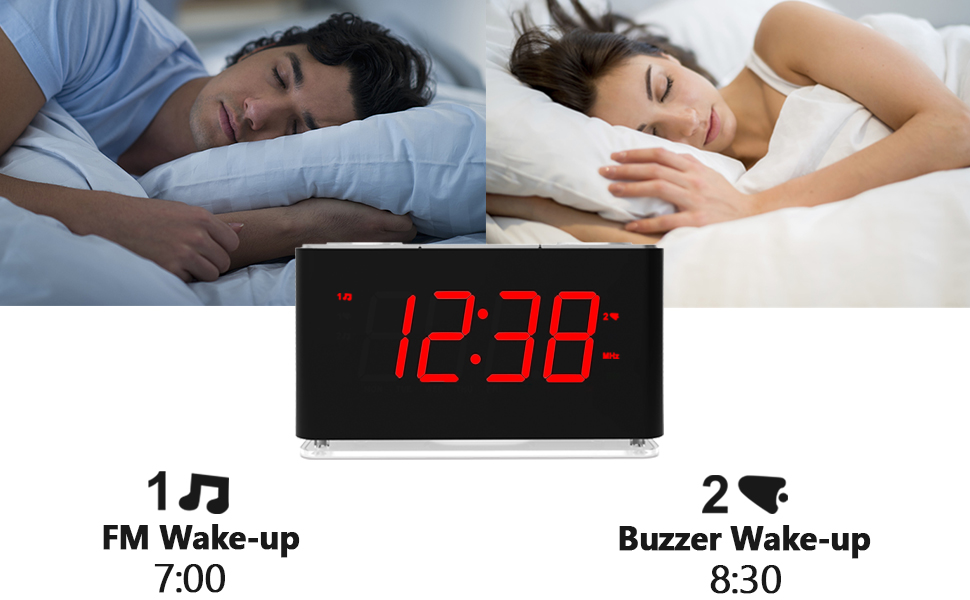
Image: Visual representation of the dual alarm feature, showing two individuals sleeping and the clock displaying "12:38". Below, it indicates "1 FM Wake-up 7:00" and "2 Buzzer Wake-up 8:30", demonstrating the flexibility of setting two distinct alarms with different sound options.
- Manteniu premut el botó AL1 / AL2 button. The alarm icon (1 or 2) and hour digits will flash.
- Ús VOL + / VOL- to adjust the alarm hour. Press AL1 / AL2 per confirmar.
- Els dígits dels minuts parpellejaran. Feu servir VOL + / VOL- to adjust the alarm minutes. Press AL1 / AL2 per confirmar.
- The display will show "BU" (Buzzer) or "FM" (FM Radio). Use VOL + / VOL- to select your desired alarm sound. Press AL1 / AL2 per confirmar.
- If FM radio is selected, use VOL + / VOL- to set the alarm volume. Press AL1 / AL2 per confirmar i sortir del mode de configuració de l'alarma.
- To activate an alarm, ensure the physical ALARMA ON / OFF switch on the rear of the unit is in the "ON" position. The corresponding alarm icon (1 or 2) will appear on the display.
- Per desactivar una alarma que sona, premeu la tecla SNOOZE / DIMMER button for 9 minutes of snooze, or flip the ALARMA ON / OFF switch to "OFF" to disable it completely until manually re-enabled.
6.2 FM Radio Operation:
The unit features an FM radio with a frequency range of 87.5-108MHz.
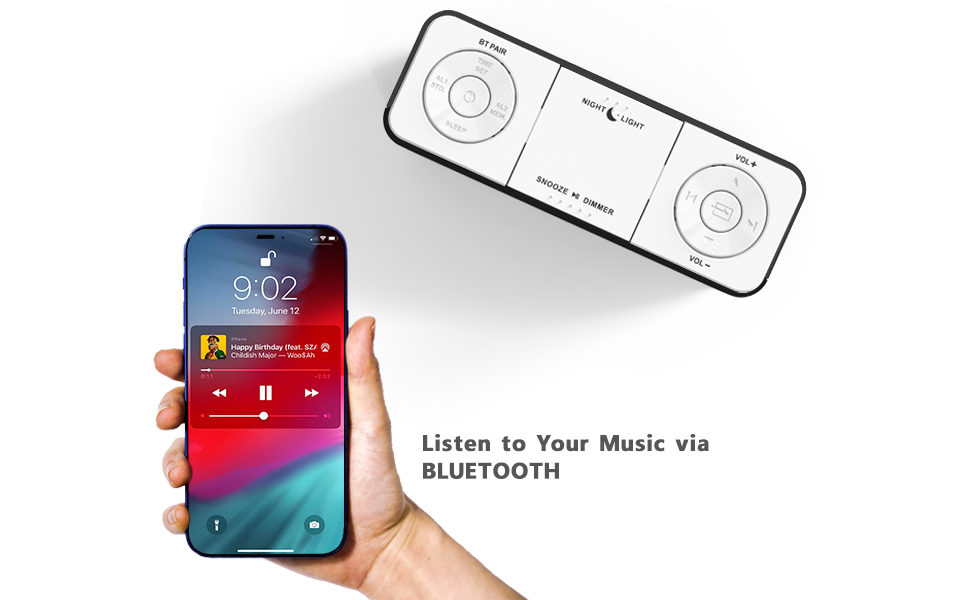
Image: The alarm clock radio displaying "106.4 MHz", with a graphic representation of the FM frequency spectrum from 87.5MHz to 108MHz, indicating the radio's tuning capability.
- Activació/desactivació: Premeu el botó FM button (if available, otherwise it might be integrated with mode button or auto-on when tuning). If no dedicated FM button, assume it's part of a mode cycle or automatically on when tuning.
- Escaneig automàtic: Manteniu premut el botó TUNE+/TUNE- button for 2 seconds to automatically scan and store available FM stations.
- Sintonització manual: Premeu breument TUNE+/TUNE- to fine-tune the frequency step by step.
- Ajust de volum: Utilitza el VOL + / VOL- buttons to adjust the radio volume (16 levels).
- Temporitzador de son: While listening to FM radio, press the DORMIR button repeatedly to set a sleep timer (10-90 minutes). The radio will automatically turn off after the set time.
6.3 Bluetooth Operation:
Reprodueix àudio en streaming sense fil des dels teus dispositius amb Bluetooth.

Image: A hand holding a smartphone displaying a music player interface, positioned next to the iTOMA CKS507U alarm clock radio, illustrating the wireless music streaming capability via Bluetooth.
- Premeu el botó BT PARELL botó. L'indicador Bluetooth de la pantalla parpellejarà, indicant el mode d'emparellament.
- On your Bluetooth device (smartphone, tablet, etc.), enable Bluetooth and search for "CKS507U" (or similar name).
- Select "CKS507U" to connect. Once connected, the Bluetooth indicator will stop flashing and remain solid.
- You can now play audio from your device through the alarm clock radio.
- Utilitza el VOL + / VOL- buttons on the unit or your connected device to adjust the volume.
6.4 Display Dimmer:
Adjust the brightness of the LED display to your preference.

Image: A circular diagram illustrating the 5-level dimmer control for the LED display. It shows different brightness levels (L-1, L-2, L-3, OFF) and an "AU" (Auto) setting, demonstrating the flexibility in adjusting display intensity.
Premeu breument SNOOZE / DIMMER button repeatedly to cycle through the 5 brightness levels (including OFF) and an automatic dimming mode (AU).
6.5 Nightlight:
The integrated nightlight provides soft illumination.
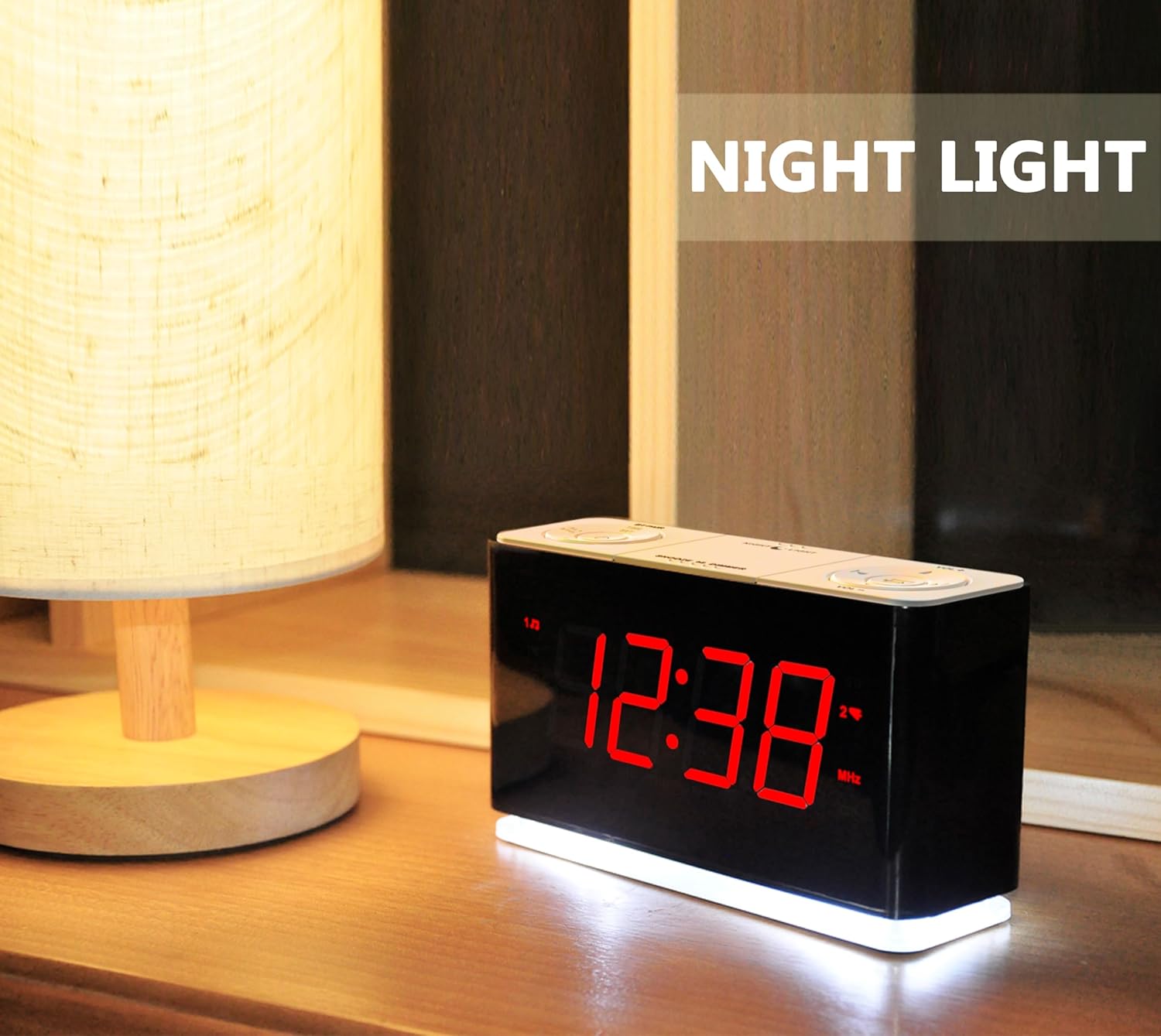
Image: The iTOMA CKS507U alarm clock radio on a bedside table with its nightlight feature activated, casting a soft glow around the base of the unit.
Premeu el botó LLUM DE NIT button repeatedly to cycle through the 3 brightness levels of the nightlight or turn it off.
7. Manteniment
- Neteja: Netegeu la unitat amb un drap suau i sec. No utilitzeu productes de neteja abrasius ni dissolvents.
- Emmagatzematge: If storing for an extended period, disconnect from power and keep in a dry, cool place.
8. Solució De Problemes
| Problema | Causa possible | Solució |
|---|---|---|
| Sense engegada/Pantalla apagada | Power cable not connected; USB adapter faulty; Power outage. | Ensure USB cable is securely connected. Try a different USB adapter or power outlet. Note: No battery backup, settings will be lost after power loss. |
| L'alarma no sona | Alarm not set; Alarm volume too low; Alarm ON/OFF switch is OFF. | Verify alarm time and sound selection. Increase alarm volume. Ensure the physical ALARM ON/OFF switch on the rear is set to ON. |
| No es pot emparellar el Bluetooth | Device not in pairing mode; Bluetooth device too far; Already connected to another device. | Press BT PAIR button to enter pairing mode. Move devices closer. Disconnect from other Bluetooth devices. |
| Mala recepció de ràdio FM | Senyal feble; Interferències. | Adjust the position of the unit to improve reception. Avoid placing near other electronic devices that may cause interference. |
9. Especificacions
- Model: CKS507 U-NA
- Font d'alimentació: USB (AC Adapter not included)
- Tipus de visualització: LED vermell
- Freqüència FM: 87.5-108 MHz
- Versió Bluetooth: No especificat
- Dimensions: 6.22"W x 3.54"H (158mm W x 90mm H)
- Pes: 15.5 unces (aprox. 439 g)
- Material: Plàstic
10. Garantia i Suport
Per obtenir informació sobre la garantia o assistència tècnica, consulteu les dades de contacte proporcionades amb la compra o visiteu el lloc web oficial d'iTOMA. weblloc web. Conserveu el rebut de compra com a comprovant de compra.
Guia d'usuari oficial (PDF): Descarregar PDF


