Introducció
The LIGE Smart Watch is designed for active individuals, offering a robust 1.39-inch HD display, Bluetooth calling, and comprehensive fitness tracking. This manual provides essential information for setting up, operating, maintaining, and troubleshooting your device to ensure optimal performance and longevity.

Imatge: El rellotge intel·ligent LIGE, mostraasing its design with both metal and silicone strap options, along with examples of its customizable watch faces and water resistance.
Configuració
1. Càrrega inicial
Before first use, fully charge your LIGE Smart Watch. Connect the magnetic charging cable to the charging port on the back of the watch and plug the USB end into a compatible power adapter (not included). A full charge typically takes 1-2 hours. The watch has a 400mAh battery capacity, providing 5-10 days of typical use and 15-20 days of standby time.

Image: The LIGE Smart Watch's magnetic charging cable and retail packaging, emphasizing the 400mAh battery capacity and charging time.
2. Descàrrega i connexió de l'aplicació
To unlock the full features of your smartwatch, download the FitCloudPro application on your smartphone. The app is available on both the Google Play Store for Android devices and the Apple App Store for iOS devices.
- Activa el Bluetooth al teu telèfon.
- Open the Google Play Store or Apple App Store and search for "FitCloudPro".
- Baixeu i instal·leu l'aplicació.
- Open the FitCloudPro app, navigate to the "Devices" section, and search for your watch (typically identified as "K-52"). Tap to pair.

Image: A visual guide demonstrating the four steps to connect the LIGE Smart Watch to the FitCloudPro application on a smartphone, including enabling Bluetooth and searching for the device.
3. Bluetooth Audio Connection (for Calls)
For Bluetooth call functionality, an additional connection is required:
- On your smartwatch, swipe down to access the quick settings menu and tap the "Call" function icon to enable it.
- On your phone, go to Bluetooth settings.
- Find and connect to "K-52" (or similar device name) in your phone's Bluetooth device list.
- Once connected, you can make and receive calls directly from your smartwatch.

Image: A diagram illustrating the process of connecting the LIGE Smart Watch for Bluetooth calls and receiving message alerts, showing the watch interface and a smartphone screen.
Instruccions de funcionament
1. Display and Customization
The smartwatch features a 1.39-inch HD round screen. You can adjust the brightness with five levels for optimal visibility in various conditions. The FitCloudPro app offers a wide selection of watch faces, and you can also upload your own photos to personalize the dial wallpaper.
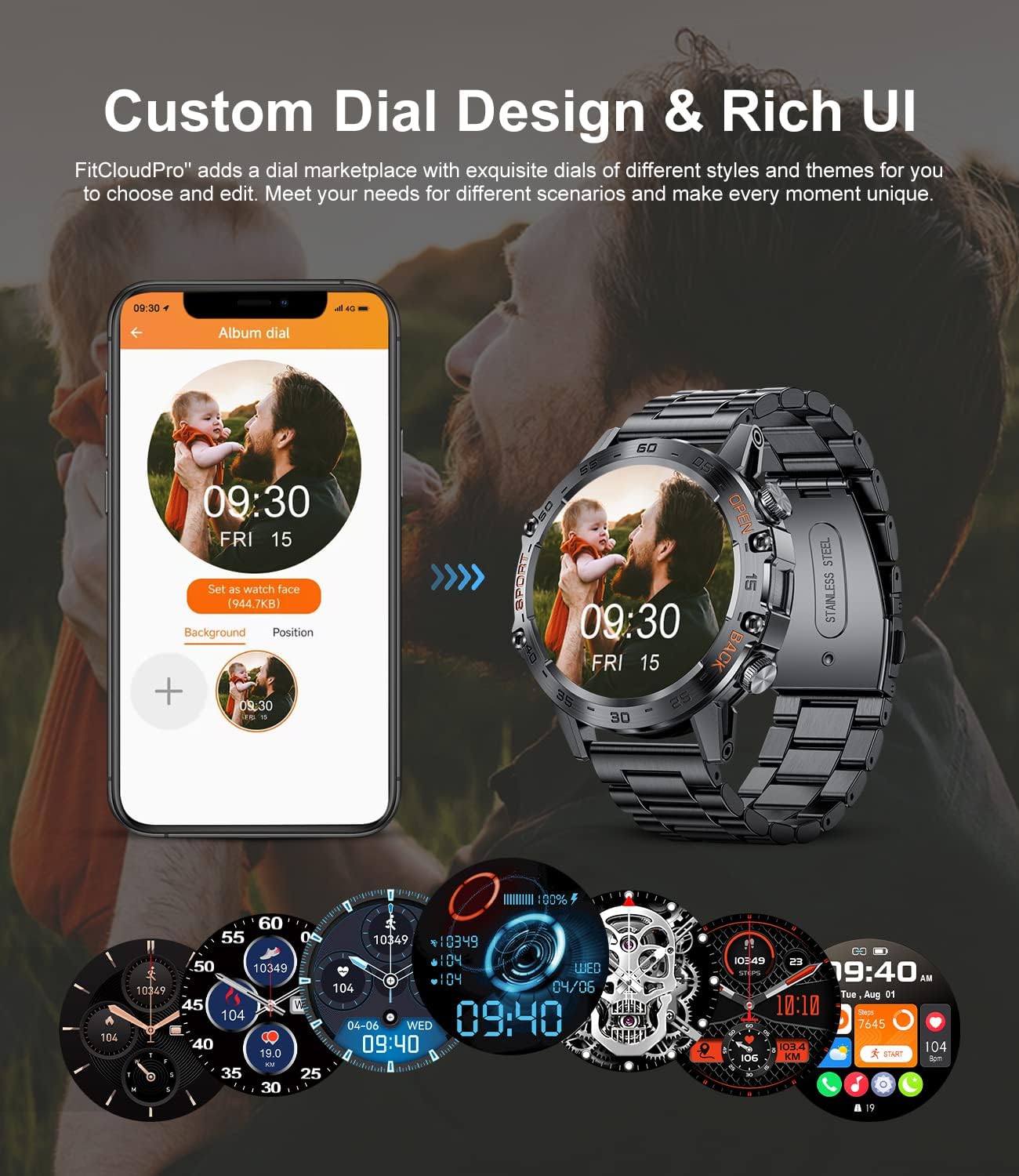
Image: The LIGE Smart Watch displaying a custom dial, with a smartphone screen showing the FitCloudPro app's interface for selecting and customizing watch faces.
2. Bluetooth Call and Message Notifications
Once connected via Bluetooth, you can make and receive calls directly from your watch. The built-in speaker and microphone facilitate hands-free communication. The watch also synchronizes message pushes from your phone, providing vibration alerts for incoming messages. You can scroll through messages on the watch and reject incoming calls.

Image: A user demonstrating the Bluetooth call feature of the LIGE Smart Watch while driving, with the watch displaying a call interface and a smartphone showing the corresponding call screen.
3. Daily Tracking and Sports Modes
The smartwatch functions as a fitness tracker, recording daily data such as steps, distance, and calories. It offers 21 built-in sports modes, including walking, running, cycling, and more. Exercise data can be viewed on the watch and in detail within the FitCloudPro app, including exercise routes, to help you plan your fitness effectively.
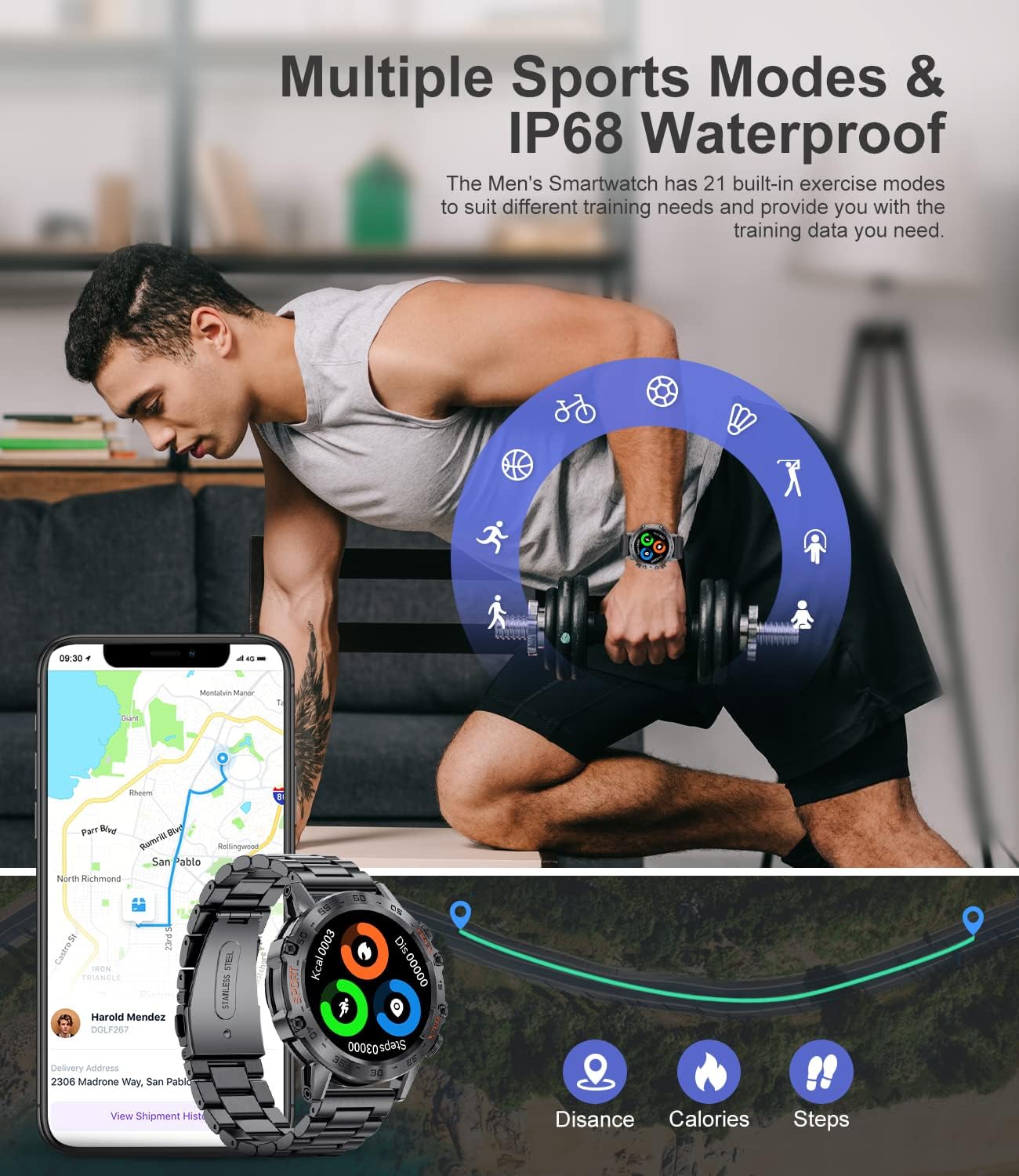
Image: A man engaging in exercise while wearing the LIGE Smart Watch, with icons representing various sports modes and a display of tracked data like distance, calories, and steps on both the watch and the companion app.

Image: An illustration of the LIGE Smart Watch's multiple sports tracking capabilities, highlighting the display of steps, distance, and calories, with various activity icons.
4. Monitorització de la salut
The watch tracks various health metrics, including heart rate and sleep patterns (awake, light, and deep sleep). While these features provide useful insights into your daily activity and well-being, the data should be considered as a reference only and not a substitute for professional medical advice or diagnosis.
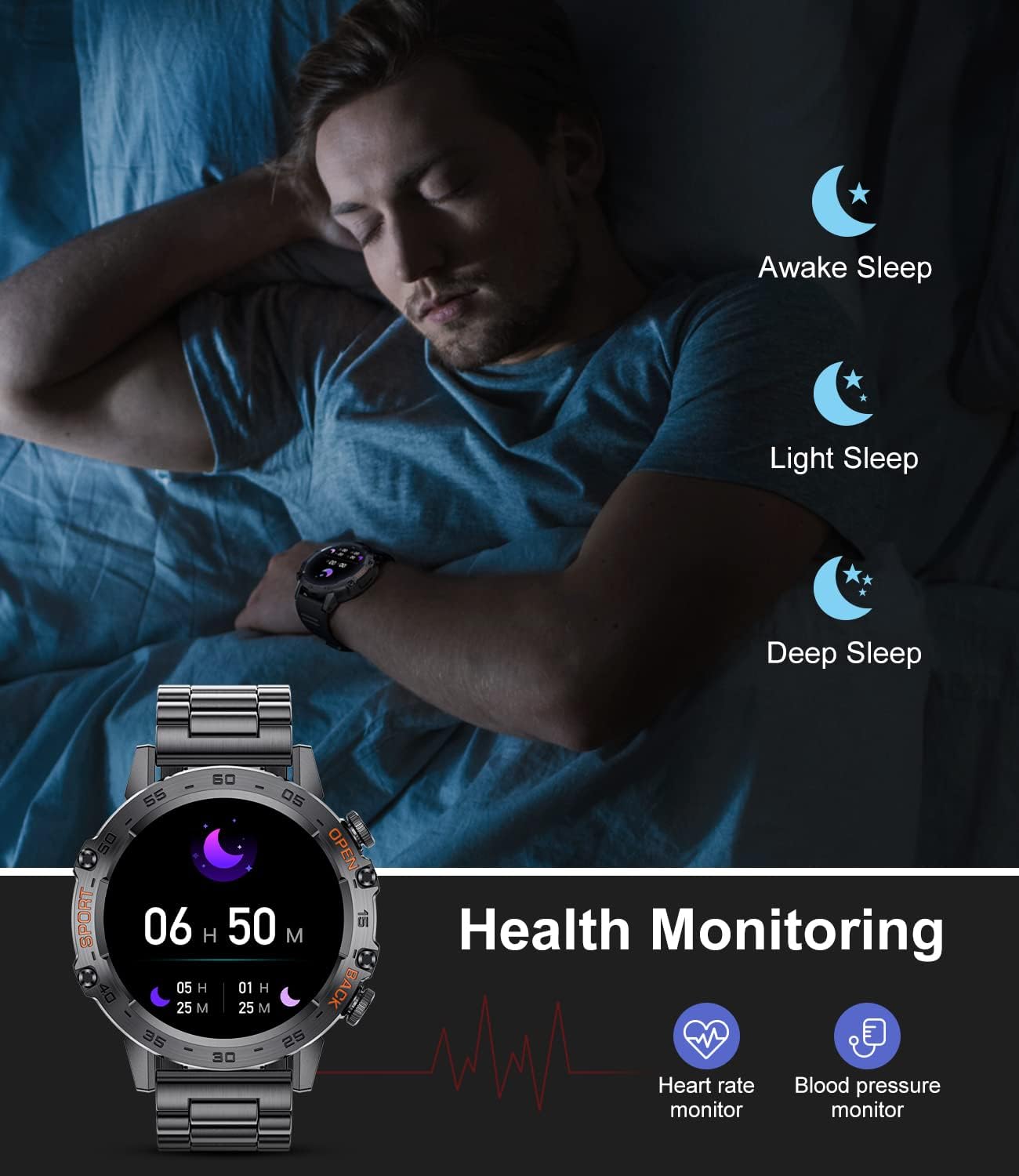
Image: The LIGE Smart Watch displaying health monitoring features, including sleep tracking (awake, light, deep sleep) and heart rate monitoring, with corresponding icons.
5. Additional Practical Functions
The LIGE Smart Watch includes several other useful features to assist in your daily life:
- Pronòstic del temps: Check real-time weather updates.
- Recordatori d'aigua: Receive alerts to stay hydrated.
- Foto remota: Controla la càmera del teu telèfon de forma remota.
- Control de música: Manage music playback on your phone.
- Temporitzador: Feu servir la funció de temporitzador integrada.
- Recordatori sedentari: Rep alertes per moure't després de períodes d'inactivitat.
- Entrenament de la respiració: Exercicis de respiració guiats.
- Assistent de veu AI: Interactua amb el teu rellotge mitjançant ordres de veu.
- Passcode Lock: Secure your smartwatch with a passcode.

Image: The LIGE Smart Watch showcasing its weather forecast display, passcode lock feature, and a visual representation of various other functions such as activity tracking, notifications, and reminders.

Image: A series of images illustrating the LIGE Smart Watch's AI Voice Assistant, message notification display, and music remote control capabilities.
Manteniment
1. Neteja del rellotge intel·ligent
Netegeu regularment el vostre rellotge intel·ligent i la corretja per evitar irritacions de la pell i mantenir-ne l'aspecte. Feu servir un drap suau i sec.amp cloth to wipe the watch face and body. For the strap, follow the manufacturer's recommendations based on the material (silicone or metal). Avoid using harsh chemicals or abrasive materials.
2. Resistència a l'aigua
The LIGE Smart Watch is rated IP68, indicating it is resistant to dust and can withstand immersion in water up to 1.5 meters for 30 minutes. It is suitable for daily use, including hand washing and light rain. However, it is not recommended for hot water baths, saunas, or diving. Prolonged exposure to water or high-pressure water jets should be avoided. While the product is designed to be water-resistant, user experiences may vary, and caution is advised regarding extensive water exposure.

Image: Visual representation of the LIGE Smart Watch's durability features, including 5ATM waterproof rating (suitable for swimming), dustproof design, and shockproof construction.
3. Cura de la bateria
To maximize battery life, avoid fully discharging the watch frequently. Charge it when the battery level is low. If the smartwatch is not charged for an extended period, the battery may enter a self-protection state, requiring a longer charging time to power on.

Image: A graphic highlighting the LIGE Smart Watch's 400mAh large battery capacity, with indicators for average daily use time (10 days) and average standby time (20 days).
Resolució de problemes
- El rellotge no s'encén: Ensure the watch is fully charged. If it has been uncharged for a long time, it may require extended charging to reactivate.
- Cannot connect to app/Bluetooth: Ensure Bluetooth is enabled on your phone and the watch. Restart both devices and try pairing again. Verify the FitCloudPro app has necessary permissions.
- Dades de salut inexactes: Health monitoring data is for reference only. Ensure the watch is worn correctly (snugly on the wrist, not too tight or loose) for best readings.
- Notificacions que no apareixen: Check app permissions on your phone to ensure FitCloudPro can access notifications. Verify notification settings within the FitCloudPro app.
- Autonomia curta de la bateria: Reduce screen brightness, disable unnecessary features, and limit frequent use of power-intensive functions like continuous heart rate monitoring or calls.
For further assistance, refer to the FAQ section within the FitCloudPro app or contact LIGE customer support.
Especificacions

Image: A detailed diagram illustrating the physical dimensions of the LIGE Smart Watch and its technical specifications, including chipset, memory, battery, heart rate sensor, charging method, Bluetooth version, product size, and compatible operating systems.
| Característica | Especificació |
|---|---|
| Marca | LIGE |
| Nom del model | rellotge intel·ligent |
| Número de model | 357fb4be-4f3f-4397-9f5b-8977ea271180 |
| Mida de la pantalla | 1.39 polzades |
| Resolució de visualització | 454 x 454 |
| Tipus de visualització | LCD / LED |
| Capacitat de la bateria | 400 mAh (polímer de liti) |
| Connectivitat | Bluetooth (BT5.0 Low consumption) |
| Sistema operatiu compatible | Android 4.4 i superior i iOS 8.0 i superior |
| Característiques especials | Activity Tracker, Notifications, Pedometer |
| Resistència a l'aigua | IP68 |
| Entrada de la interfície humana | Botons |
| Dimensions de l'article | 20.6 x 9.6 x 2.5 cm; 250 g |
Garantia i Suport
Informació de la garantia
LIGE ofereix una 2 anys de garantia on this smartwatch, ensuring quality and reliability. Additionally, a Servei de devolució de 6 mesos is available for your peace of mind.
Atenció al client
For any inquiries, technical assistance, or support needs, LIGE provides 24-hour online service. Please refer to the contact information provided with your product packaging or visit the official LIGE weblloc per obtenir detalls de suport.

Image: A graphic detailing LIGE's customer service commitments, including 24-hour online service, a 6-month return service, and a 2-year guarantee.


