Introducció
The eRapta Wireless Backup Camera System (Model AWT7) provides enhanced visibility for various vehicles, including cars, pickup trucks, SUVs, RVs, minivans, and sedans. This system features a 7-inch 1080P monitor and an IP69K waterproof camera with night vision and a 150-degree wide-angle view. Its wireless design simplifies installation by eliminating the need for complex wiring between the camera and monitor.
Informació de seguretat
Always operate the vehicle safely and be aware of your surroundings. The backup camera system is an aid and does not replace the need for careful driving and direct observation. Ensure all components are securely installed before driving. Do not attempt to operate the system if any part is damaged or malfunctioning. Keep cables clear of moving parts and heat sources.
Contingut del paquet
Verifiqueu que tots els elements que s'enumeren a continuació s'inclouen al vostre paquet:
- 1 monitor de 7 polzades
- 1 x càmera sense fil
- 1 x Carregador de cotxe
- 2 x Brackets (for monitor mounting)
- 2 x Power Cables (for camera)
- 3 x antenes
- 1 x Instruction Manual (physical copy)
- 1 x Caixa d'embalatge
- 1 x Type-C Charger (for monitor)

Figure 1: Components included in the eRapta AWT7 package.
Configuració
Instal·lació
The eRapta AWT7 system is designed for easy wireless installation, minimizing complex wiring. The monitor connects to your vehicle's lighter charger, and the camera connects to either the running light or reversing light power source.

Figure 2: Two-step installation process for the eRapta AWT7 system.
- Connexió d'alimentació del monitor: Connect the monitor to the car's cigarette lighter charger. Press the switch button on the cigarette lighter adapter to turn the monitor on or off.
- Camera Power Connection: Connect the camera's black wire to a ground point on your vehicle. Connect the red wire to either the running light or reversing light power source. This provides power to the camera.
No additional wiring is required between the camera and the monitor due to the wireless transmission feature.
Instruccions de funcionament
Funcions del monitor
- FHD 1080P Resolution: The 7-inch high-resolution monitor, equipped with a built-in CMOS upgrade chip, provides vivid and clear images for enhanced visibility.
- DIY Parking Lines: The system allows for customization of parking lines to perfectly fit different vehicle models. You can adjust the width, height, and position of the guide lines.

Figure 3: Adjustable DIY parking guide lines.
- Mirror/Flip Function: The camera supports mirror and flip functions, allowing for flexible viewing options (normal, mirror, flip, mir-flip) to suit front or rear view aplicacions.
- Suport de pantalla dividida: The monitor supports up to two channels, enabling either full-screen display or split-screen viewing for simultaneous monitoring from multiple cameras (additional camera sold separately).

Figure 4: Full screen and split screen display options.
Característiques de la càmera
- Powerful Digital Signal: Featuring the latest Sunrest transmission chip, the system provides a stable 2.4GHz WiFi transmission with high stability, ensuring vivid and instant images for safer driving. The effective transmission distance is up to 40 feet.
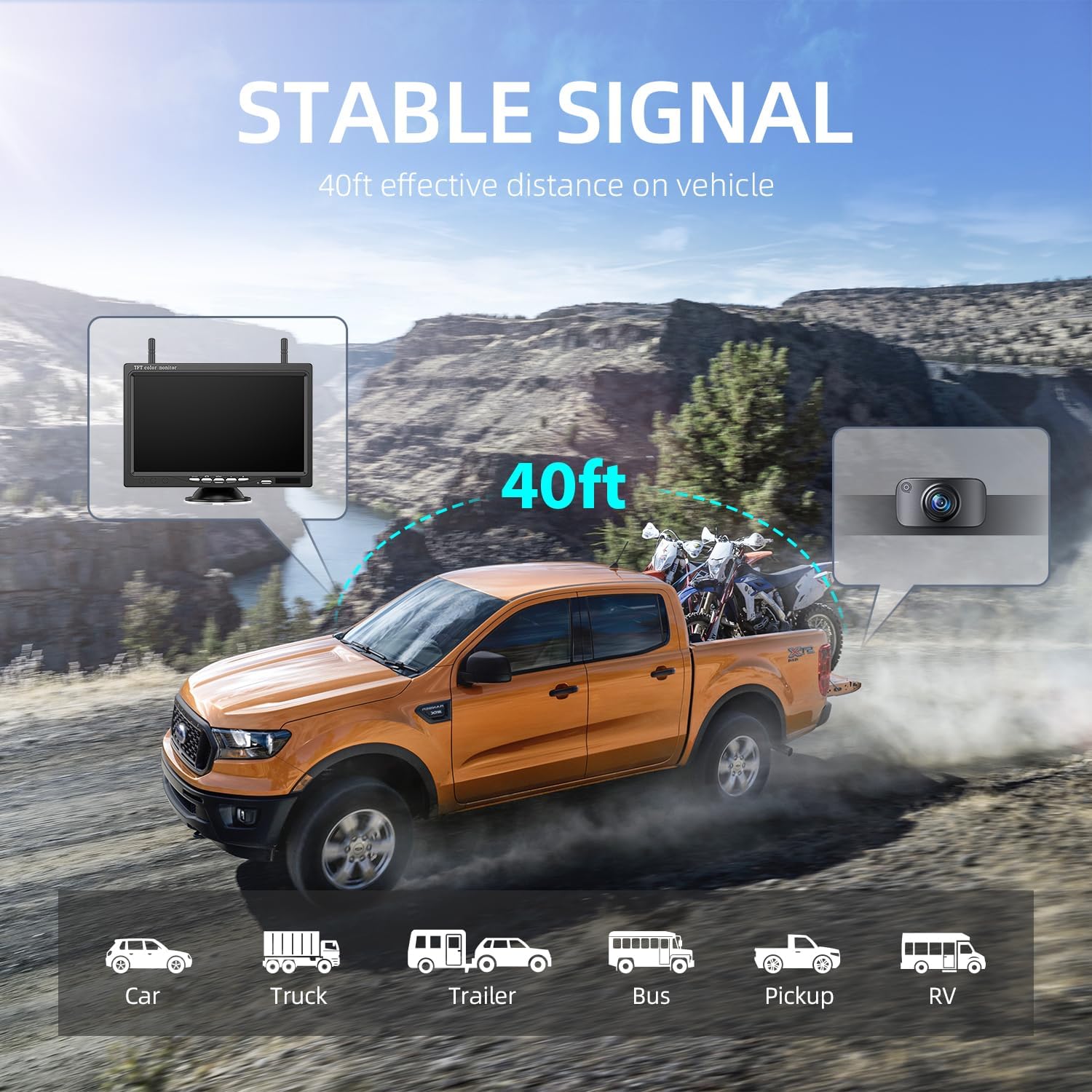
Figure 5: Stable wireless signal transmission up to 40 feet.
- Clear Night Vision: Equipped with automatic light sensors, the camera delivers high-definition clear vision even in the darkest conditions, providing clear color images in low light or exposure environments.
- IP69K Waterproof Rating: The camera features upgraded sealing material, providing IP69K waterproof, shock-proof, and drop-proof capabilities. It is designed to withstand temperatures from -4°F to 35°F, making it suitable for all weather conditions.

Figure 6: IP69K waterproof camera design.
- Gran angular de 150° View: La càmera ofereix un gran angular de 150 graus view, helping to eliminate blind spots and improve overall situational awareness when maneuvering your vehicle.
Manteniment
- Neteja: Utilitzeu un suau, damp cloth to clean the monitor screen and camera lens. Avoid abrasive cleaners or solvents that could damage the surfaces.
- Inspecció del cable: Periodically inspect all cables and connections for signs of wear, damage, or loose connections. Ensure they are securely fastened.
- Emmagatzematge: If storing the system for an extended period, disconnect it from power and store components in a cool, dry place away from direct sunlight and extreme temperatures.
Resolució de problemes
| Problema | Causa possible | Solució |
|---|---|---|
| No hi ha imatge al monitor | Monitor not powered; Camera not powered; Loose connection; Signal interference. | Ensure monitor is plugged in and turned on. Check camera power connection. Verify all cables are securely connected. Relocate monitor or camera to reduce interference. |
| Imatge parpellejant o inestable | Weak signal; Electrical interference. | Ensure camera and monitor are within effective range (40ft). Check for strong electrical sources nearby. |
| Image is reversed or upside down | Mirror/Flip setting incorrect. | Adjust the mirror/flip settings on the monitor as per operating instructions. |
Especificacions
| Característica | Detall |
|---|---|
| Número de model | AWT7 |
| Mida de la pantalla | 7 polzades |
| Tecnologia de visualització | LCD |
| Resolució de captura de vídeo | 1080p |
| Tecnologia de sensors òptics | CMOS |
| Tipus de lent | Wide Angle (150°) |
| Classificació impermeable | IP69K |
| Voltage | 12 Volts |
| Dimensions del producte | 7.1 x 0.8 x 4.51 polzades |
| Pes de l'article | 2.01 lliures |
| Fabricant | eRapta |
Garantia i Suport
The eRapta Wireless Backup Camera System comes with a Dos anys de garantia. Additionally, eRapta provides Suport tècnic de per vida for this product. For any consultation, technical assistance, or warranty claims, please contact the eRapta support department.
Contact information can typically be found on the official eRapta weblloc web o a través de la vostra plataforma de compra.


