1. Introducció
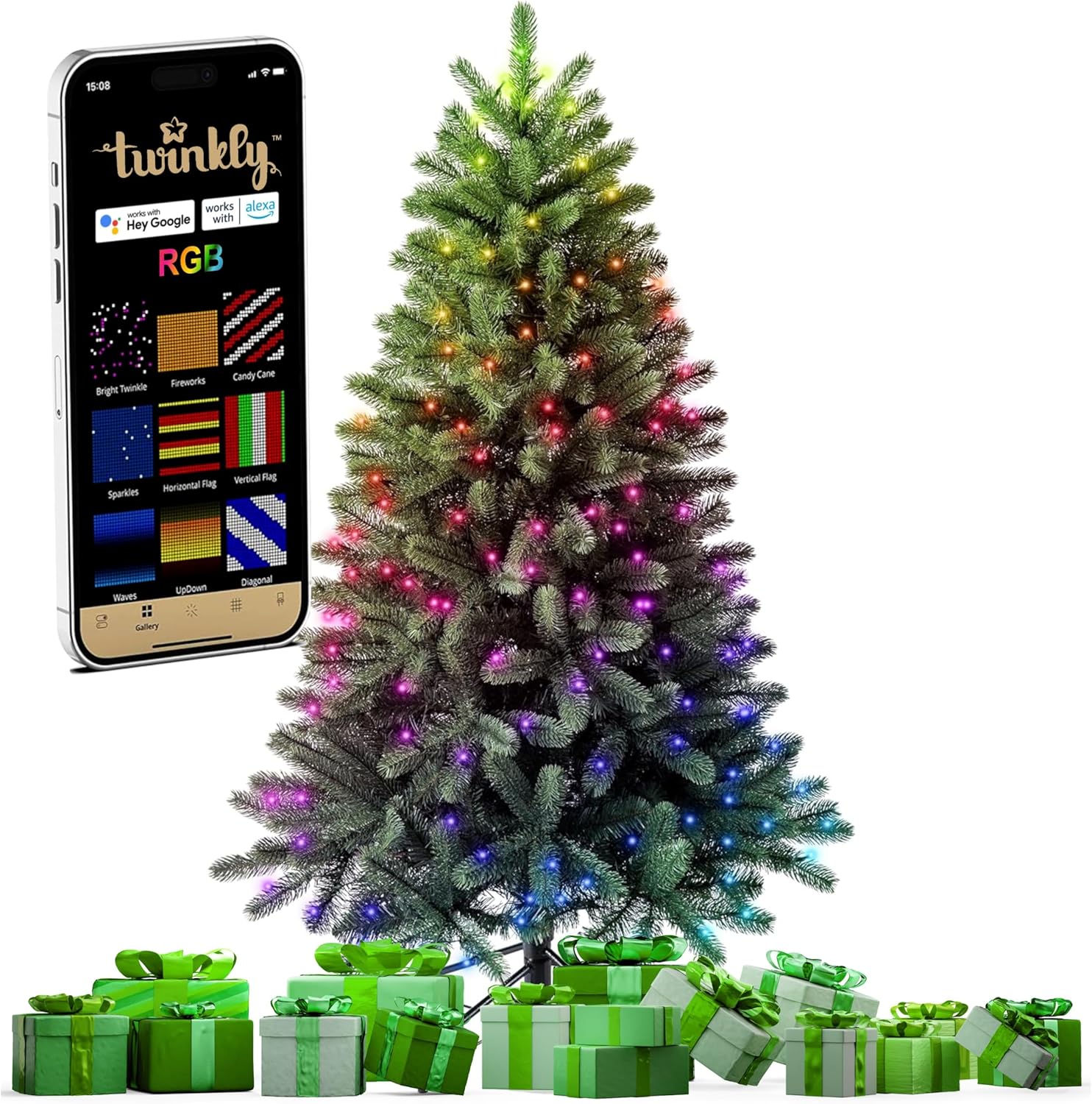
This instruction manual provides essential information for the safe and efficient use of your Twinkly Pre-Lit Christmas Tree. Please read this manual thoroughly before assembly and operation to ensure proper functionality and to maximize your product experience. This 5-foot artificial regal tree features integrated RGB LED lights controllable via the Twinkly mobile application.
2. Informació de seguretat
- Assegureu-vos que l'arbre estigui col·locat sobre una superfície estable i anivellada per evitar que bolqui.
- Mantingueu l'arbre allunyat de fonts de calor, flames obertes i llum solar directa.
- Do not overload electrical outlets. Use only the provided power adapter.
- Inspect the power cord and lights for damage before each use. Do not use if damaged.
- Aquest producte només està pensat per a ús interior.
- Mantenir fora de l'abast dels nens i mascotes.
3. Contingut del paquet
Verifiqueu que tots els components siguin presents abans de començar el muntatge:
- Tree sections (typically 3 sections: base, middle, top)
- Stand d'arbres
- Adaptador de corrent
- Manual d'instruccions
4. Configuració
Follow these steps to assemble your Twinkly Pre-Lit Christmas Tree:
- Muntar el suport de l'arbre: Open the legs of the tree stand and secure them firmly.
- Insert the Base Section: Place the bottom section of the tree into the assembled stand. Ensure it is seated securely.
- Connecteu les seccions central i superior: Insert the middle section into the base section, aligning the internal electrical connections. Then, insert the top section into the middle section. The tree's internal wiring system connects automatically as sections are stacked.
- Forma les branques: Gently spread out the branches of each section, working from the bottom up, to achieve a full and natural appearance.
- Connectar l'alimentació: Plug the power adapter into the tree's main power port, then plug the adapter into a standard electrical outlet.
For a visual guide on assembly and light patterns, refer to the video below:
5. Instruccions de funcionament
Your Twinkly Christmas Tree offers advanced lighting control through its dedicated mobile application and smart home integration.
5.1. Twinkly Mobile App Control
Download the Twinkly mobile app from your device's app store. The app allows you to customize light effects, colors, and patterns.
- Connexió per Bluetooth/WiFi: Open the Twinkly app and follow the on-screen instructions to connect to your tree via Bluetooth or WiFi.
- Map the Lights: Utilize the app's mapping feature to accurately detect the position of each LED on your tree. This enables precise and dynamic lighting effects.
- Selecciona els efectes: Choose from a wide range of pre-set effects or create your own custom designs using the app's color palette and drawing tools.
- Combine Multiple Twinkly Devices: The app allows you to virtually combine multiple Twinkly light sets into one synchronized display.


5.2. Control per veu
The Twinkly Christmas Tree is compatible with popular smart home assistants:
- Assistent de Google
- Amazon Alexa
- Apple Home Kit
Enable the Twinkly skill or integration within your preferred smart home app and follow the setup instructions to control your tree with voice commands (e.g., "Alexa, turn on the Christmas tree lights").

5.3. Sincronització de música
Enhance your holiday ambiance by syncing the tree lights with music. This feature allows the RGB LEDs to dance and change patterns in rhythm with audio. A Twinkly Music device (sold separately) is required for this functionality.

Observe various app-controlled lighting modes in the following video:
6. Manteniment
6.1. Neteja
- Unplug the tree from the power outlet before cleaning.
- Wipe the branches and lights with a soft, dry cloth. Do not use liquid cleaners or abrasive materials.
6.2. Emmagatzematge
- Ensure the tree is completely dry before storing.
- Disassemble the tree by reversing the setup steps.
- Guardeu les seccions d'arbre i el suport en el seu embalatge original o en una bossa d'emmagatzematge adequada en un lloc fresc i sec, allunyat de la llum solar directa i de temperatures extremes.

7. Solució De Problemes
If you encounter issues with your Twinkly Christmas Tree, refer to the following common problems and solutions:
| Problema | Causa possible | Solució |
|---|---|---|
| Els llums no s'encenen | Power adapter not connected; loose tree sections; faulty outlet. | Ensure power adapter is securely plugged in. Check that tree sections are fully connected. Test the outlet with another device. |
| App cannot connect to tree | Bluetooth/WiFi off; tree not in pairing mode; app issues. | Ensure Bluetooth/WiFi is enabled on your device. Restart the Twinkly app. Refer to the app's help section for pairing instructions. |
| Alguns llums no funcionen | Damaged LED; loose connection. | Individual LEDs are generally not replaceable. If a section is out, check connections. Contact customer support if the issue persists. |
| El control per veu no respon | Smart assistant not linked; network issue. | Verify Twinkly is linked in your smart home app. Check your home network connection. |
8. Especificacions
| Característica | Detall |
|---|---|
| Marca | Twinkly |
| Número de model | TG50P4425P01 |
| Tipus d'arbre | Artificial Fir |
| Alçada | 5 peus |
| Tipus de llum | LED RGB |
| Material | Polyvinyl Chloride, Polyethylene |
| Pes de l'article | 10.37 lliures |
| Connectivitat | Bluetooth, Wi-Fi |
| Compatibilitat de control de veu | Google Assistant, Amazon Alexa, Apple Home Kit |
| Sincronització de música | Yes (Twinkly Music device sold separately) |
9. Garantia i Suport
Your Twinkly Pre-Lit Christmas Tree is covered by a manufacturer's warranty. For detailed warranty information, please refer to the documentation included with your purchase or visit the official Twinkly website. For technical support, troubleshooting assistance, or to inquire about replacement parts, please contact Twinkly customer service through their official channels.


