1. Introducció
The BOXPUT Remoter ATV3 Mini is a Bluetooth voice remote control designed for enhanced navigation and interaction with compatible TV boxes. It features Bluetooth connectivity for strong signal transmission without direct line-of-sight, integrated voice control for convenient command input, and dedicated shortcut buttons for popular streaming services.

Figure 1: The BOXPUT Remoter ATV3 Mini remote control.
2. Característiques clau
- Connectivitat Bluetooth: Utilizes Bluetooth for a stable and responsive connection, eliminating the need to point the remote directly at the device.
- Control de veu: Supports voice input for searching, navigating, and controlling your TV box with ease.
- Dedicated Shortcut Buttons: Quick access buttons for Netflix and YouTube for immediate streaming.
- Àmplia compatibilitat: Primarily designed for iATV Q5 and Q5 Plus TV Boxes, with potential compatibility for Xiaomi devices via firmware flashing.
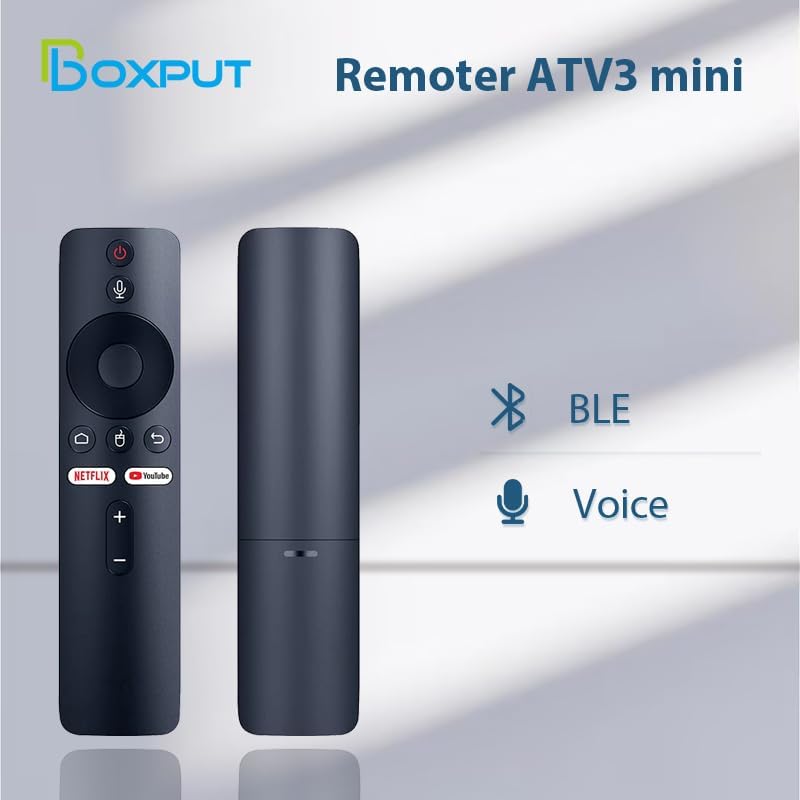
Figure 2: Bluetooth and Voice Control capabilities of the remote.
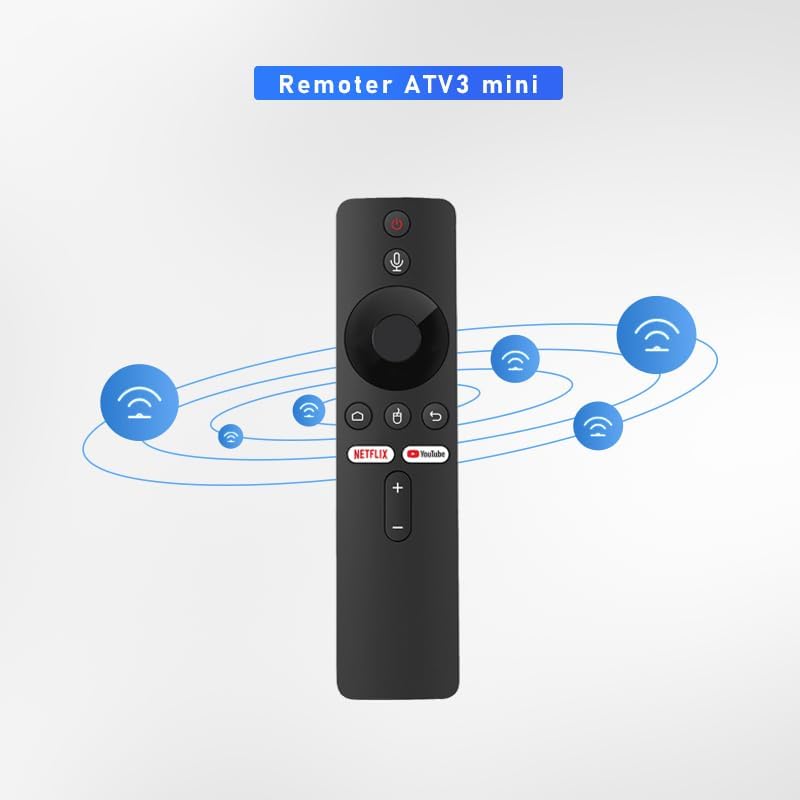
Figure 3: Illustration of the remote's Bluetooth signal range.

Figure 4: Software shortcut buttons for quick access to applications.
3. Disposició i funcions dels botons
Familiarize yourself with the buttons on your BOXPUT Remoter ATV3 Mini for optimal use.
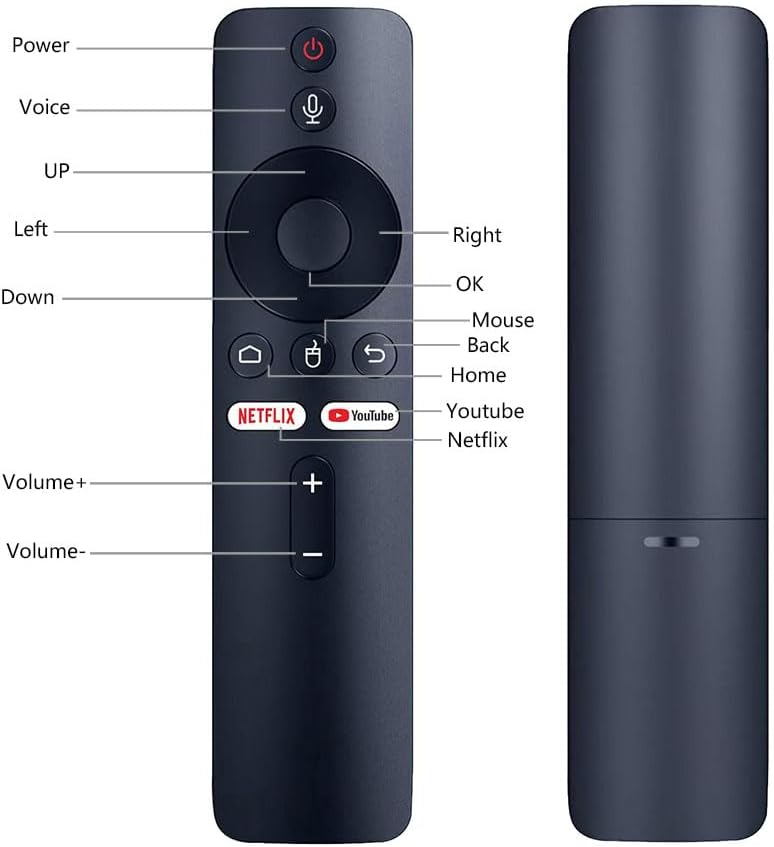
Figura 5: frontal i lateral view of the remote with labeled buttons.
| Botó | Funció |
|---|---|
| Poder | Encén o apaga el dispositiu connectat. |
| veu | Activa el control de veu per a ordres i cerques. |
| Navigation Pad (Up, Down, Left, Right) | Navega pels menús i el contingut. |
| OK | Confirma les seleccions. |
| Ratolí | Activates mouse pointer mode (if supported by device). |
| Enrere | Torna a la pantalla o menú anterior. |
| Casa | Torna a la pantalla d'inici principal. |
| Netflix | Inicia directament l'aplicació Netflix. |
| YouTube | Launches the YouTube application directly. |
| Volum + | Augmenta el volum. |
| Volum - | Disminueix el volum. |
4. Configuració
4.1 Instal·lació de la bateria
- Localitzeu el compartiment de la bateria a la part posterior del comandament a distància.
- Obriu la tapa del compartiment de la bateria.
- Introduïu dues piles AAA (no incloses), assegurant-vos de la polaritat correcta (+/-).
- Tanqueu bé la tapa del compartiment de la bateria.
4.2 Emparellament del control remot
The ATV3 Mini uses Bluetooth for connection. Follow these general steps to pair it with your compatible TV box:
- Ensure your TV box is powered on and within range of the remote.
- Navigate to the Bluetooth settings menu on your TV box. (Specific steps may vary by device model).
- Al comandament a distància, premeu i manteniu premut el botó OK botó i el Enrere button simultaneously for a few seconds until an indicator light on the remote begins to flash, signaling it is in pairing mode.
- On your TV box, search for new Bluetooth devices. The remote should appear as "ATV3 Mini" or a similar name.
- Select the remote control from the list on your TV box to complete the pairing process. The indicator light on the remote should stop flashing and remain solid or turn off, indicating a successful connection.
Note for Xiaomi Devices: For Xiaomi devices, manual connection and use may require flashing specific Xiaomi firmware. Please refer to Xiaomi's official support or community forums for detailed instructions on this advanced procedure.
5. Instruccions de funcionament
5.1 Navegació bàsica
- Utilitza el Bloc de navegació (Up, Down, Left, Right) to move through menus and select items on your screen.
- Premeu el botó OK button to confirm a selection or open an application.
- Premeu el botó Enrere botó per tornar a la pantalla anterior.
- Premeu el botó Casa button to quickly return to the main home screen of your TV box.
5.2 Ús del control per veu
- Manteniu premut el botó veu button (microphone icon).
- Parla clarament al micròfon que es troba al comandament a distància.
- Allibera el veu button when you have finished speaking. Your command or search query will be processed by the TV box.
5.3 Ús dels botons de drecera
- Premeu el botó Netflix button to launch the Netflix application directly.
- Premeu el botó YouTube button to launch the YouTube application directly.

Figure 6: The remote is designed for simple and intuitive operation.
6. Manteniment
- Neteja: Netegeu el comandament a distància amb un drap suau i sec. No utilitzeu netejadors líquids ni materials abrasius.
- Substitució de la bateria: Replace batteries when the remote's performance degrades or it becomes unresponsive. Always use new AAA batteries and dispose of old batteries responsibly.
- Emmagatzematge: Guardeu el comandament a distància en un lloc fresc i sec, allunyat de la llum solar directa i de temperatures extremes.
7. Solució De Problemes
- El comandament a distància no respon:
- Comproveu si les piles estan correctament inserides i tenen prou càrrega. Substituïu-les si cal.
- Ensure the remote is paired with your TV box. If not, follow the pairing instructions in Section 4.2.
- Verify that there are no obstructions between the remote and the TV box, although Bluetooth reduces this concern.
- El control per veu no funciona:
- Assegureu-vos que el comandament a distància estigui correctament emparellat mitjançant Bluetooth.
- Check the TV box's settings to ensure voice input is enabled and configured correctly.
- Parla clar i mantén premut el botó de veu mentre parles.
- Shortcut buttons not launching apps:
- Ensure the respective applications (Netflix, YouTube) are installed and updated on your TV box.
- Verify the remote is correctly paired.
8. Especificacions
| Característica | Detall |
|---|---|
| Dimensions del producte | 6.05 x 1.48 x 0.59 polzades |
| Pes de l'article | 1.44 unces |
| Característica especial | Cerca per veu |
| Nombre màxim de dispositius compatibles | 5 |
| Dispositius compatibles | Home Theater, Set Top Box, Television |
| Connectivitat | Bluetooth (BT) |
| Font d'alimentació | 2 piles AAA (no incloses) |
9. Assistència i garantia
BOXPUT is committed to providing excellent customer support. If you encounter any operational or usage issues that cannot be resolved using this manual, please contact BOXPUT Official Support.
When contacting support, please be prepared to provide details about your product and, if applicable, your device's MAC address for TV box-related issues. Our technical team aims to assist you within 24 hours to help resolve any problems.
For the latest support information and contact details, please visit the official BOXPUT weblloc web o consulteu l'embalatge del producte.


