Introducció
This manual provides essential information for setting up, operating, maintaining, and troubleshooting your HP 15 Laptop Computer. Please read this guide thoroughly to ensure optimal performance and longevity of your device. This laptop is equipped with an AMD Ryzen 3 processor, 16GB RAM, and a 512GB SSD, running on Windows 11 Home.

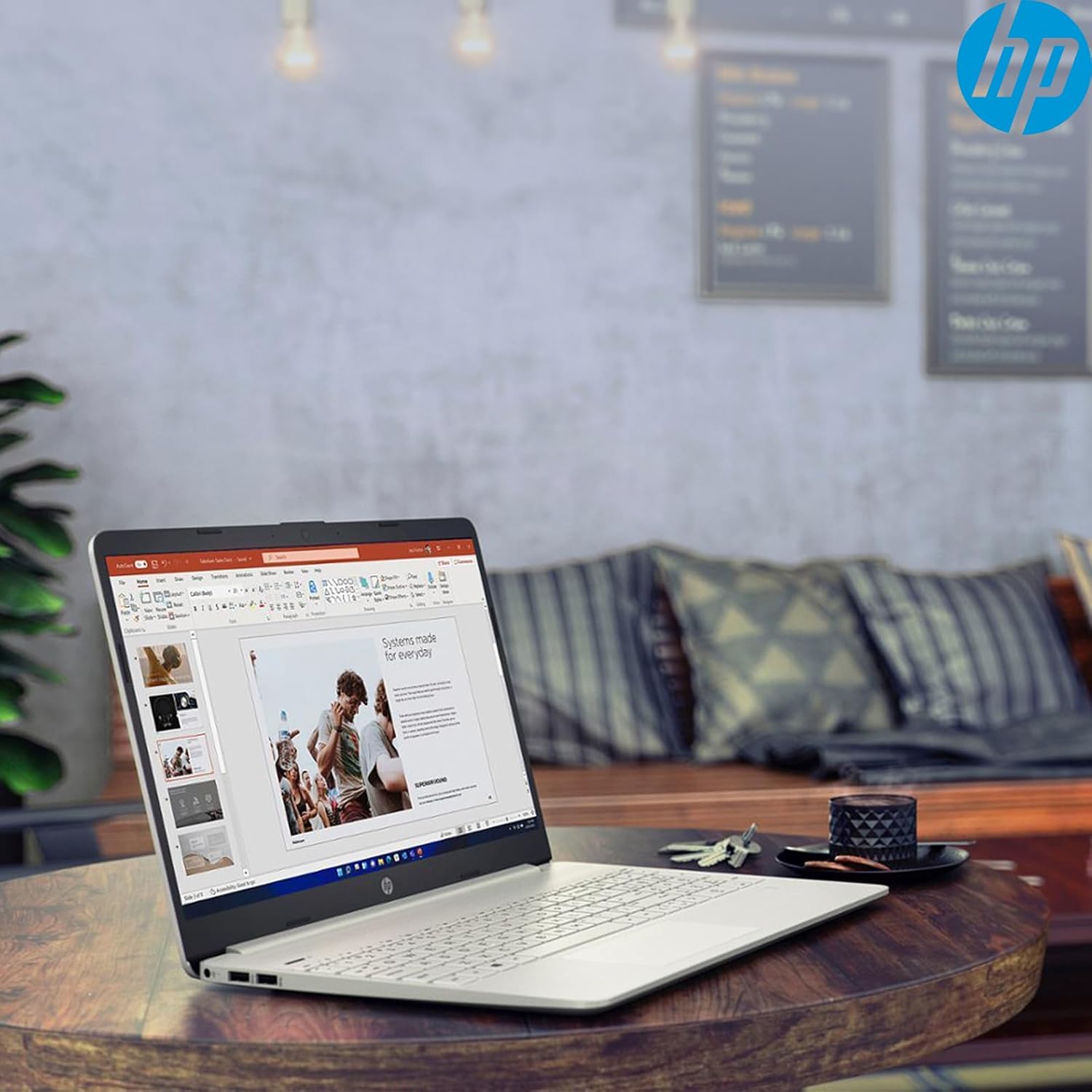
Image: The HP 15 Laptop Computer open, displaying the Windows 11 Home operating system, AMD Ryzen 3 processor, and AMD Radeon Graphics on its screen. An HP earphone case is visible on the palm rest, and the Microsoft Office logo is present on the bottom right.
1. Configuració
1.1 Desembalatge i inspecció inicial
Carefully remove all components from the packaging. Verify that all items listed in the 'What's in the Box' section are present. Inspect the laptop for any visible damage.
- Portàtil HP 15
- Adaptador d'alimentació
- HP Earphone
- Ratolí sense fil
1.2 Connexió de l'adaptador de corrent
Connect the power adapter to the laptop's power jack and then plug it into a wall outlet. It is recommended to fully charge the battery before initial use.
1.3 Engegada inicial i configuració del Windows 11
Premeu el botó d'engegada per engegar el portàtil. Seguiu les instruccions que apareixen a la pantalla per completar el procés de configuració del Windows 11 Home. Això inclou seleccionar la vostra regió, connectar-vos a una xarxa Wi-Fi i crear un compte d'usuari.
2. Com utilitzar el portàtil HP 15
2.1 Funcions bàsiques
- Botó d'encesa: Located on the top right of the keyboard deck. Press to turn on/off, or put the laptop to sleep.
- Teclat: Features a full-size keyboard with a 10-key numeric keypad for efficient data entry.
- Touchpad: Supports multi-touch gestures for navigation.
Imatge: Primer pla view of the HP 15 laptop's keyboard, clearly showing the integrated 10-key numeric keypad on the right side and the central touchpad below the spacebar.
2.2 Ports i connexions
Your HP 15 laptop is equipped with various ports for connectivity:
- USB-C (5Gbps signaling rate): Per transferència de dades.
- USB-A (x2): Ports USB estàndard per a perifèrics.
- HDMI 1.4b: Per connectar a pantalles externes.
- Lector de targetes SD: Per llegir targetes de memòria.
- Conector d'auriculars: Per connectar auriculars o uns auriculars.

Image: This image provides a detailed side view of the HP 15 laptop, illustrating the locations of its various connectivity ports including the power jack, two USB-A ports, an HDMI 1.4b port, an SD card reader, a headset jack, and a SuperSpeed USB Type-C port.
2.3 Webcàmera i àudio
The laptop features an HP True Vision 720p HD camera with dual array digital microphones for video calls. Audio is delivered through B&O-tuned stereo speakers.
2.4 Gestió de la bateria
The laptop offers up to 9.75 hours of battery life. HP Fast Charge technology allows for a 50% charge in approximately 45 minutes when the laptop is powered off or in sleep mode.
3. Manteniment
3.1 Neteja del portàtil
Utilitzeu un drap suau i sense pelusa lleugerament dampened with water or a specialized screen cleaner to clean the display. For the keyboard and chassis, use a soft, dry cloth. Avoid harsh chemicals.
3.2 Actualitzacions de programari
Regularly check for and install Windows updates and HP driver updates to ensure optimal performance and security. Access Windows updates via Settings > Windows Update.
3.3 Gestió d'emmagatzematge
Periòdicament review i eliminar innecessaris files to maintain sufficient free space on your 512GB SSD. Utilize cloud storage or external drives for large files.
4. Solució De Problemes
4.1 Problemes d'energia
- El portàtil no s'encén: Assegureu-vos que l'adaptador de corrent estigui ben connectat i que la presa de corrent funcioni. Proveu una altra presa de corrent.
- La bateria no es carrega: Verifiqueu la connexió de l'adaptador de corrent. Comproveu si hi ha algun dany a l'adaptador o al port de càrrega.
4.2 Problemes de visualització
- Pantalla en blanc: Connect an external monitor to check if the laptop is outputting video. If it displays, the laptop screen may be faulty.
- Pantalla atenuada: Adjust brightness settings using the function keys (Fn + F2/F3 typically).
4.3 Problemes de rendiment
- Funcionament lent: Close unnecessary applications. Check Task Manager for high resource usage. Ensure sufficient free storage space.
- Sobreescalfament: Assegureu-vos que les reixetes de ventilació estiguin buides. Feu servir el portàtil sobre una superfície dura i plana.
4.4 Problemes de connectivitat
- El Wi-Fi no es connecta: Restart your router and laptop. Check Wi-Fi settings in Windows.
- El dispositiu Bluetooth no s'emparella: Ensure the device is in pairing mode and within range. Check Bluetooth settings.
5. Especificacions
| Característica | Detall |
|---|---|
| Model | HP 15 |
| Sistema operatiu | Windows 11 Home |
| Processador | AMD Ryzen 3 (up to 3.8GHz, 4 cores, 8 threads) |
| Gràfics | Gràfics AMD Radeon (integrats) |
| RAM | 16 GB DDR4 |
| Emmagatzematge | SSD M.2 PCIe NVMe de 512 GB |
| Mostra | 15.6" HD (1366 x 768), micro-edge, anti-glare, 250 nits, 45% NTSC |
| Connectivitat sense fil | Realtek Wi-Fi 5, Bluetooth 5 |
| Ports | 1x USB-C (5Gbps), 2x USB-A, 1x HDMI 1.4b, 1x SD Card Reader, 1x Headset Jack |
| Weblleva | Càmera HP True Vision HD de 720p |
| Àudio | Dual B&O-tuned stereo speakers |
| Durada de la bateria | Up to 9.75 hours (HP Fast Charge: 50% in 45 mins) |
| Dimensions (LxWxH) | 14.11 x 9.53 x 0.78 polzades |
| Pes | 3.75 lliures |
6. Garantia i Suport
6.1 Garantia del producte
Your HP 15 Laptop Computer comes with a standard manufacturer's warranty. Please refer to the warranty card included with your product or visit the official HP support weblloc per obtenir els termes i condicions detallats.
6.2 Suport tècnic
Per obtenir assistència tècnica, descàrregues de controladors o més informació, visiteu el lloc web oficial de suport d'HP. website or contact HP customer service. Have your product model and serial number ready when contacting support.
Suport d'HP Weblloc: support.hp.com