1. Introducció
Thank you for choosing the BOYA Omic-D Wireless Lavalier Microphone. This system is designed to provide high-quality audio recording for your iPhone and iPad devices with Lightning ports. Featuring MFi certification, noise cancellation, and a convenient magnetic clip, the Omic-D is ideal for video recording, vlogging, interviews, and live streaming. Please read this manual carefully to ensure proper operation and to maximize the performance of your device.
2. Contingut del paquet
Before use, please verify that all items listed below are included in your package:
- 2 x Omic TX Transmitters (Microphones)
- 1 x Omic RXD Receiver (Lightning Connector)
- 2 x Fur Windshields
- 1 x cable USB-A a USB-C
- 1 x funda de càrrega Omic CC
- 1 x Malet per portar

Image: Contents of the BOYA Omic-D package.
3. Producte acabatview
The BOYA Omic-D system consists of two compact transmitters (microphones), a receiver, and a portable charging case. Each component is designed for ease of use and portability.
3.1. Transmitters (TX)
The transmitters are small, lightweight microphones equipped with a magnetic clip for secure attachment to clothing. They feature a built-in omnidirectional microphone and a button for noise cancellation.
3.2. Receiver (RXD)
The receiver plugs directly into your iPhone or iPad's Lightning port. It facilitates the wireless connection between the transmitters and your device, enabling audio capture without additional cables.
3.3. Charging Case (CC)
The charging case not only protects your microphones and receiver but also recharges them on the go. It supports both USB-C wired charging and wireless charging.

Image: The BOYA Omic-D wireless clip microphone and charging case.
4. Configuració
The BOYA Omic-D system is designed for plug-and-play operation, requiring minimal setup.
- Carregueu els dispositius: Ensure both transmitters and the charging case are fully charged before first use. Place the transmitters into the charging case. Connect the charging case to a power source using the provided USB-A to USB-C cable or place it on a wireless charger.
- Emparellament automàtic: Open the charging case. The transmitters will automatically power on and attempt to pair with each other and the receiver.
- Connecta el receptor: Plug the Omic RXD receiver directly into the Lightning port of your iPhone or iPad. The receiver will automatically connect to the transmitters. A blue indicator light on the transmitters signifies a successful connection.
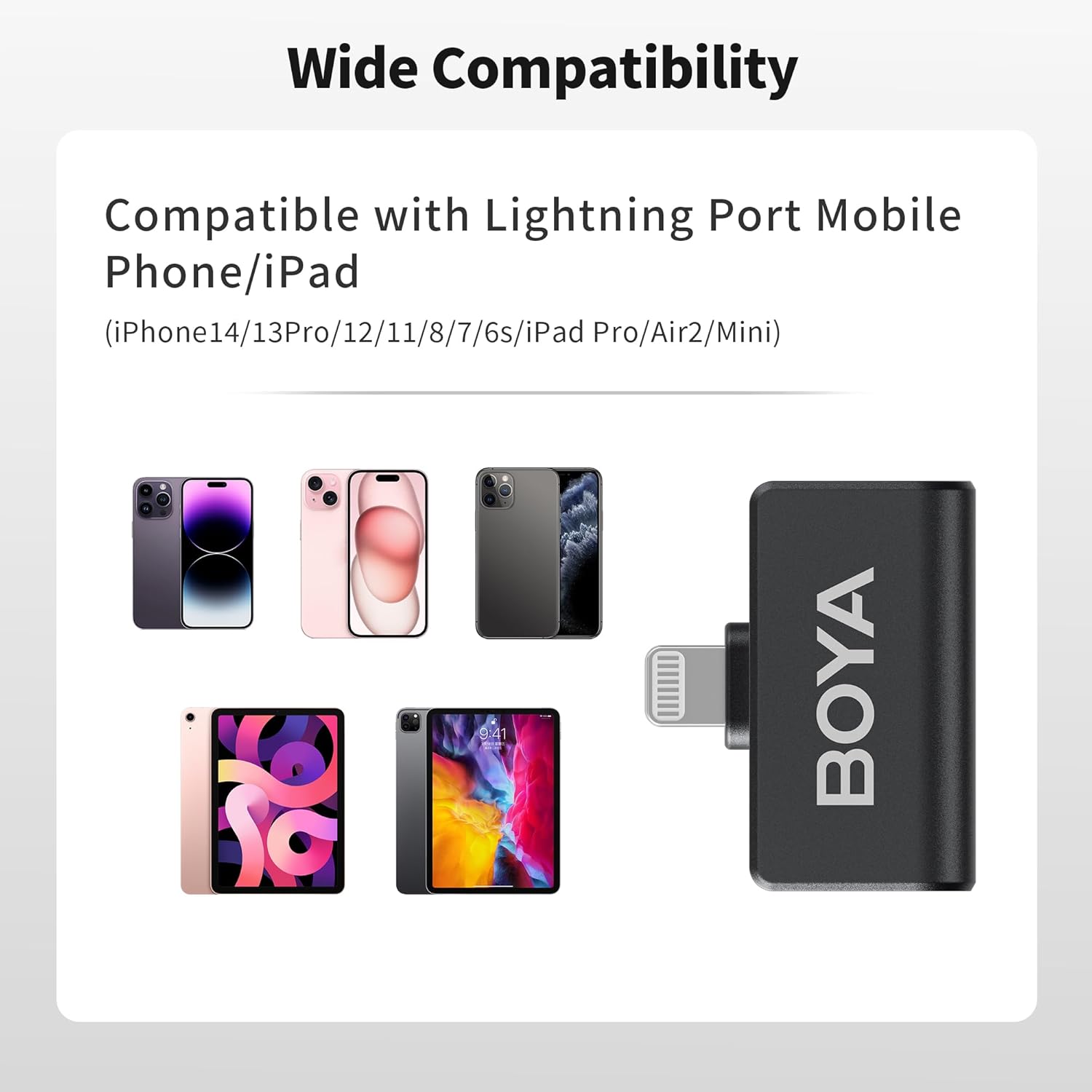
Image: Wide compatibility of the Omic-D with Lightning port devices.
5. Instruccions de funcionament
5.1. Encendre/apagar
- Encès: Open the charging case, and the transmitters will automatically power on.
- Apagar: Place the transmitters back into the charging case, and they will automatically power off.
5.2. Wearing the Microphone
The transmitters can be worn in two ways:
- Enganxament magnètic: Use the integrated magnetic clip to attach the transmitter securely to your clothing.
- Clip-On: Alternatively, use the traditional clip-on method to secure the microphone.
For optimal audio quality, position the microphone approximately 6-8 inches (15-20 cm) from your mouth.

Image: Various ways to wear the Omic-D microphone using magnetic or clip-on methods.
5.3. Cancel·lació de soroll
The BOYA Omic-D features an active noise cancellation algorithm to reduce ambient noise. To activate or deactivate noise cancellation, press the designated button on the transmitter. A change in the indicator light may signify the mode change.

Image: Illustration of the noise cancellation feature on the Omic-D microphone.
5.4. Windshields
For outdoor recording or in windy conditions, attach the provided fur windshields to the transmitters to minimize wind noise and improve audio clarity.
5.5. Reproducció
The Omic-D receiver utilizes exclusive audio analysis technology, allowing you to play back audio directly through your phone's built-in speaker without needing to unplug the receiver.
5.6. Charging Your Phone
The receiver includes a built-in USB-C port. This port allows you to connect a power source to charge your iPhone or iPad while the microphone system is in use, supporting fast charging up to 3A.
6. Càrrega
The BOYA Omic-D system offers flexible charging options:
- Estoig de càrrega: The charging case itself can be charged via the USB-C port using the included cable or wirelessly by placing it on a compatible wireless charging pad.
- Transmissors: Place the transmitters into the charging case to recharge them. The case provides multiple full charges for the transmitters.
A fully charged transmitter provides approximately 5 hours of continuous recording. The charging case extends the total operating time to up to 15 hours.

Image: Rechargeable digital battery case features and capacity.
7. Compatibilitat
The BOYA Omic-D is MFi certified and compatible with a range of Apple devices:
- iPhone 14/14 Pro/14 Pro Max
- iPhone 13/13 Pro
- iPhone 12 / XR / X
- iPad Pro Series with Lightning Port
NOTE: This device is NOT compatible with iPhone 15 series or any USB-C port iPad models. For these devices, please choose the BOYA Omic-U model.
8. Especificacions
| Característica | Detall |
|---|---|
| Factor de forma del micròfon | Lavalier |
| Patró polar | Omnidireccional |
| Tecnologia de connectivitat | 2.4 GHz sense fils |
| Tipus de connector | Llamp |
| Rang de transmissió | Fins a 50 metres (164 peus) en zones obertes |
| Resposta de freqüència | 20 Hz - 20 kHz |
| Ràtio senyal / soroll | 80 dB |
| Nombre de canals | 2 |
| Tipus de bateria | Polímer de liti (inclòs) |
| Pes del transmissor | Aproximadament 2 grams (0.071 unces) |
| Capacitat de la caixa de càrrega | 300mAh (approximate) |
| Característiques especials | Battery Indicator Light, Clip, Noise Reduction, Runs on Plug-In Power, Volume Control |

Image: The BOYA Omic-D offers up to 164ft (50m) transmission range.
9. Solució De Problemes
If you encounter issues with your BOYA Omic-D microphone, please refer to the following common solutions:
- No Sound/Microphone Not Recognized:
- Ensure the receiver is fully inserted into your iPhone/iPad's Lightning port.
- Verify that both transmitters are powered on and paired (indicated by a steady blue light).
- Check your device's audio input settings to ensure the external microphone is selected, if applicable.
- Confirm your device is compatible (not an iPhone 15 series or USB-C iPad).
- Restart your iPhone/iPad and try reconnecting.
- Mala qualitat d'àudio/Soroll excessiu:
- Ensure the microphone is positioned correctly, approximately 6-8 inches from the sound source.
- Activate the noise cancellation feature if in a noisy environment.
- Attach the fur windshields when recording outdoors or in windy conditions.
- Check for obstructions between the transmitter and receiver that might interfere with the wireless signal.
- Problemes de càrrega:
- Ensure the USB-C cable is securely connected to both the charging case and a power source.
- If using wireless charging, ensure the case is correctly placed on a compatible wireless charging pad.
- Verifiqueu que la font d'alimentació funciona correctament.
10. Manteniment
To ensure the longevity and optimal performance of your BOYA Omic-D microphone system, follow these maintenance guidelines:
- Neteja: Feu servir un drap suau i sec per netejar els dispositius. Eviteu utilitzar productes químics agressius o materials abrasius.
- Emmagatzematge: Store the microphones and receiver in their charging case when not in use to protect them from dust, moisture, and physical damage.
- Eviteu condicions extremes: No exposeu els dispositius a temperatures extremes, llum solar directa ni humitat elevada.
- Manejar amb cura: Eviteu deixar caure els dispositius ni sotmetre'ls a impactes forts.
11. Garantia i Suport
BOYA offers a 2 any de garantia for the Omic-D Wireless Lavalier Microphone. This warranty covers manufacturing defects and malfunctions under normal use.
If you experience any issues or require technical assistance, please contact BOYA customer support. You can find contact information on the official BOYA weblloc web o a través de la vostra plataforma de compra.
For more information and product updates, visit the official BOYA Store.


