1. Introducció
This manual provides comprehensive instructions for the setup, operation, and maintenance of your MACHENIKE M721 Wireless/Wired Gaming Mouse. Please read this manual thoroughly before using the product to ensure optimal performance and longevity.

Figure 1: MACHENIKE M721 Wireless Gaming Mouse
2. Contingut del paquet
Verifiqueu que tots els elements siguin presents al paquet:
- MACHENIKE M721 Gaming Mouse
- Cable de càrrega/dades USB-C a USB-A
- Receptor USB 2.4G
- Manual d'usuari (aquest document)
3. Producte acabatview
The MACHENIKE M721 is a high-performance gaming mouse designed for versatility and comfort. It features dual-mode connectivity (wireless 2.4G and wired USB-C), a high-precision optical sensor, customizable RGB lighting, and programmable buttons.
Característiques principals:
- M-SPEED Wireless Technology: Provides 0.001s latency-free response for reliable gaming.
- Connectivitat de mode dual: Seamlessly switch between 2.4G wireless and wired USB-C modes.
- Sensor òptic avançat: Max 10000 DPI, 400 IPS, and 1000Hz polling rate for precise tracking.
- Llarga vida útil de la bateria: Built-in 1000mAh battery offers up to 120 hours of wireless usage.
- Disseny ergonòmic: Shaped for comfortable grip, suitable for medium and large hands.
- Kailh Switches: Provides a distinct and responsive click feel.
- Customizable RGB Backlit: Features cool RGB body lighting with 16 million colors.
- Botons programables: Configure DPI, lighting, key functions, and macros via dedicated software.
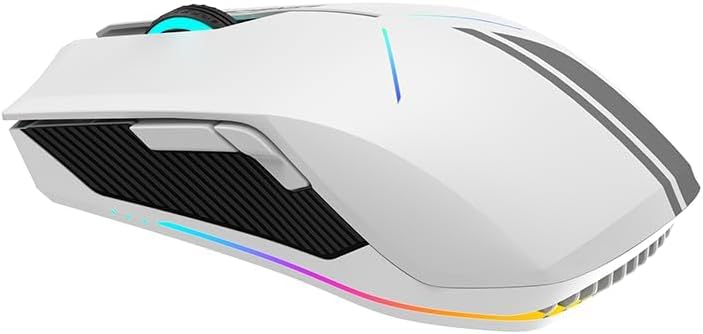
Figura 2: lateral view showing ergonomic design and side buttons

Figure 3: RGB lighting in action
4. Configuració
4.1 Càrrega del ratolí
Before first use, it is recommended to fully charge the mouse. Connect the supplied USB-C cable to the mouse's front port and the USB-A end to a computer's USB port or a USB wall adapter.
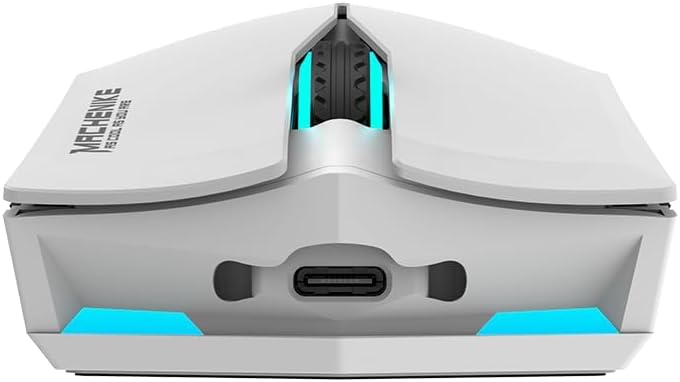
Figure 4: USB-C charging port
The mouse features a 1000mAh battery, providing approximately 120 hours of usage on a full charge.
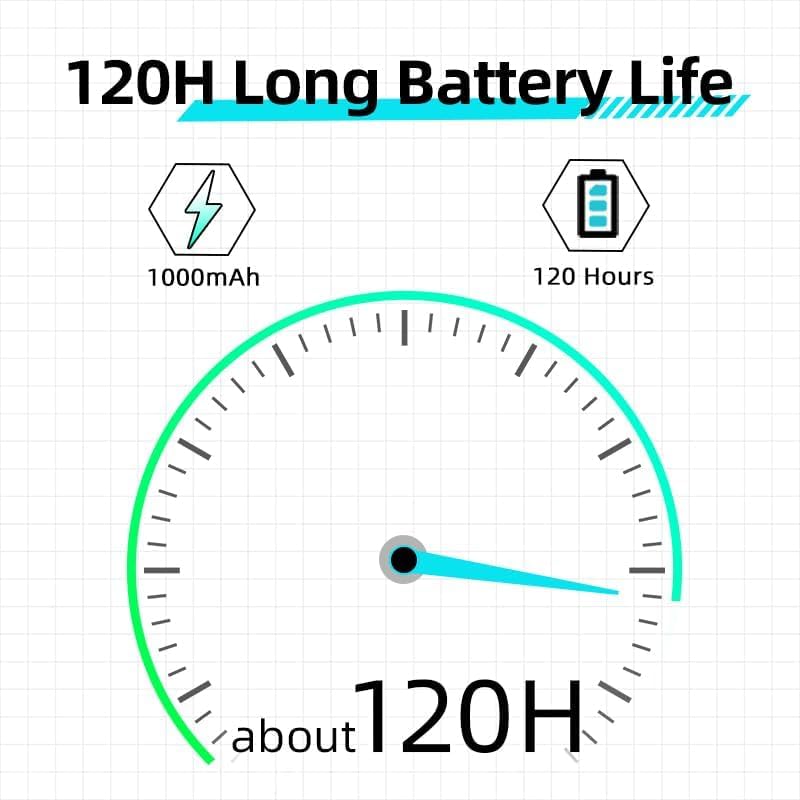
Figura 5: Indicació de la durada de la bateria
4.2 Connexió del ratolí
The M721 supports both 2.4G wireless and wired USB-C connections. It also supports Bluetooth connectivity as per specifications.
4.2.1 Mode sense fil 2.4G
- Locate the 2.4G USB receiver, usually stored in a compartment on the underside of the mouse.
- Connecteu el receptor USB a un port USB-A disponible de l'ordinador.
- Turn on the mouse using the power switch located on its underside. The mouse should automatically connect to the receiver.
4.2.2 Wired USB-C Mode
- Connecteu el cable USB-C subministrat al port frontal del ratolí.
- Connecteu l'extrem USB-A del cable a un port USB-A disponible de l'ordinador.
- El ratolí canviarà automàticament al mode amb cable i començarà a carregar-se.
4.2.3 Bluetooth Mode (If applicable)
- Assegureu-vos que el Bluetooth de l'ordinador estigui activat.
- Switch the mouse to Bluetooth mode (refer to the switch on the underside of the mouse, if present, or consult the official software for mode switching instructions).
- On your computer, search for Bluetooth devices and select 'MACHENIKE M721' to pair.
5. Instruccions de funcionament
5.1 Ajust de DPI
The M721 features a maximum DPI of 10000. You can cycle through preset DPI levels using the dedicated DPI button, usually located behind the scroll wheel. For fine-tuning and custom DPI settings, use the MACHENIKE gaming software.
5.2 Control d'il·luminació RGB
The mouse's RGB lighting can be customized to your preference. Use the MACHENIKE gaming software to select from 16 million colors, various lighting effects, and adjust brightness or turn off the lighting.
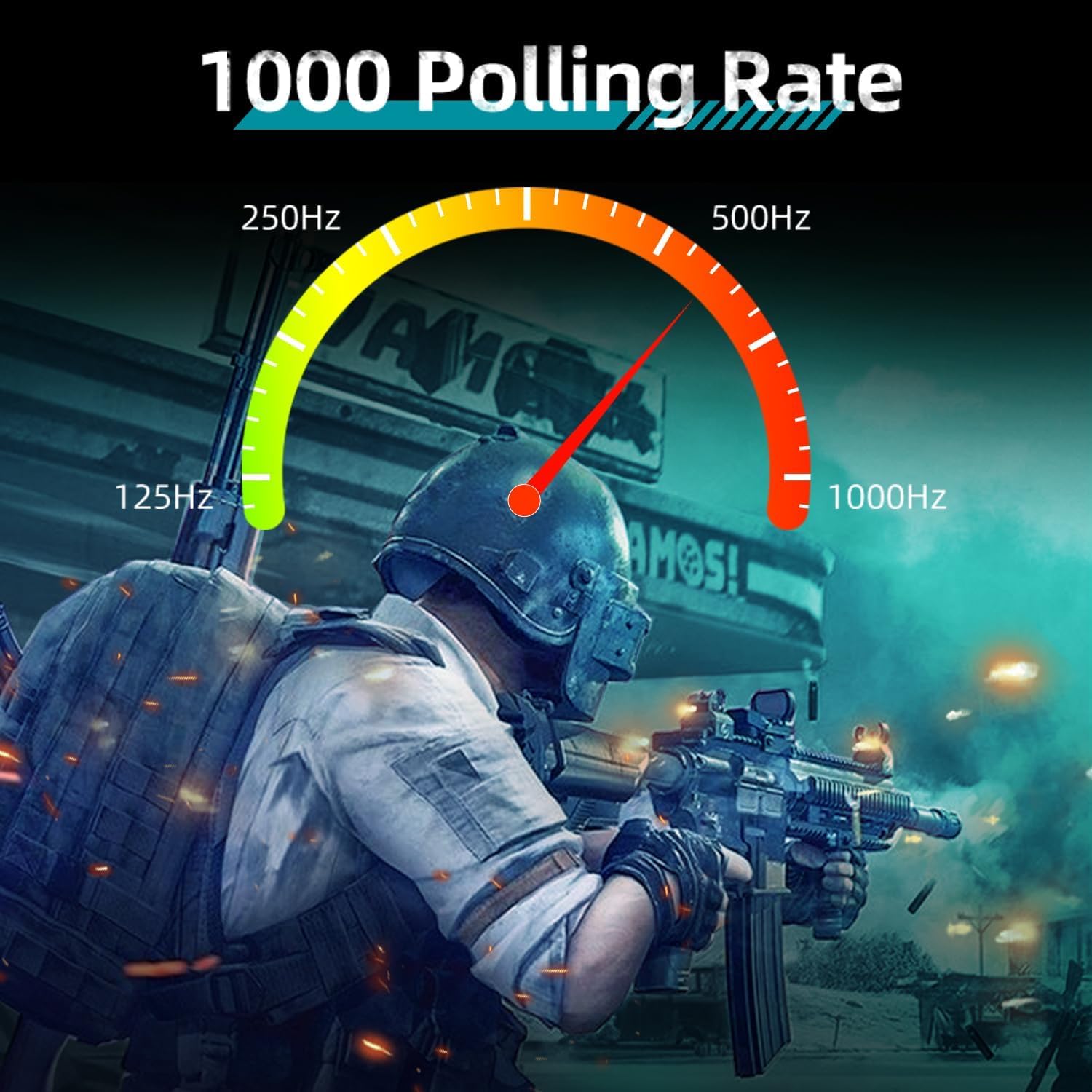
Figure 6: Customizable RGB lighting
5.3 Programmable Buttons and Macros
The M721 is equipped with programmable buttons. Download and install the official MACHENIKE gaming software to:
- Reassignar les funcions dels botons.
- Create and assign complex macros.
- Ajusta la velocitat de sondeig (fins a 1000 Hz).
- Gestionar profiles per a diferents jocs o aplicacions.

Figure 7: Polling rate and specifications overview
6. Manteniment
6.1 Neteja
Per mantenir un rendiment òptim, netegeu el ratolí regularment:
- Feu servir un drap suau i sec per netejar la superfície del ratolí.
- Per a la brutícia persistent, lleugerament dampNetegeu el drap amb aigua o una solució de neteja suau. Eviteu productes químics agressius.
- Feu servir aire comprimit per treure la pols de les esquerdes i del voltant dels botons.
- Clean the optical sensor on the underside with a cotton swab lightly dampamb alcohol isopropílic.
6.2 Cura de la bateria
- Eviteu descarregar completament la bateria amb freqüència.
- Guardeu el ratolí en un lloc fresc i sec quan no l'utilitzeu durant períodes prolongats.
- No exposeu el ratolí a temperatures extremes.
7. Solució De Problemes
If you encounter issues with your MACHENIKE M721 mouse, refer to the following common solutions:
| Problema | Causa possible | Solució |
|---|---|---|
| El ratolí no respon (sense fil) | Low battery, receiver disconnected, incorrect mode. | Charge the mouse. Ensure the 2.4G receiver is securely plugged in. Verify the mouse is in 2.4G wireless mode. |
| El ratolí no respon (amb cable) | Cable not connected properly, faulty cable. | Ensure the USB-C cable is firmly connected to both the mouse and the computer. Try a different USB port or cable. |
| Seguiment o moviment del cursor inconsistent | Dirty sensor, unsuitable surface, low battery. | Clean the optical sensor. Use a clean, opaque mouse pad. Charge the mouse. |
| La il·luminació RGB no funciona | Il·luminació apagada, problema de programari. | Check lighting settings in the MACHENIKE gaming software. Ensure the software is up to date. |
| Scroll wheel unresponsive | Dust/debris, software issue, hardware fault. | Clean around the scroll wheel with compressed air. Update mouse drivers/software. If the issue persists, contact customer support. |
| Botons no programables | Software not installed, software not running. | Download and install the latest MACHENIKE gaming software. Ensure the software is running in the background. |
8. Especificacions
| Característica | Detall |
|---|---|
| Model | M721 |
| Connectivitat | 2.4G Wireless, USB-C Wired, Bluetooth |
| Tipus de sensor | Òptic |
| DPI màxim | 10000 DPI |
| Velocitat de seguiment | 400 IPS |
| Taxa de votació | 1000 Hz |
| Botons | 6 |
| Interruptors | Kailh Switches |
| Capacitat de la bateria | 1000 mAh |
| Durada de la bateria | Fins a 120 hores (mode sense fil) |
| Il·luminació | 16 milions de retroil·luminació RGB |
| Dimensions (L x A x A) | 125 mm x 59 mm x 37 mm |
| Pes | 95 g (aprox.) |
| Orientació de la mà | Destra |
| Dispositius compatibles | PC, Mac |
9. Garantia i Suport
For warranty information and technical support, please refer to the warranty card included with your product or visit the official MACHENIKE weblloc. Conserveu el rebut de compra per a reclamacions de garantia.
If you require further assistance, please contact MACHENIKE customer service through their official channels.


