1. Introducció
This manual provides detailed instructions for the operation and maintenance of your GOODTEL G9 Android 13 Tablet. Please read this manual thoroughly before using the device to ensure proper functionality and to maximize your user experience.

Image 1.1: The GOODTEL G9 Android 13 Tablet, showcasing its 16GB RAM, 256GB ROM, 2K display, and Android operating system.
2. Contingut del paquet
Si us plau, verifiqueu que tots els elements que s'enumeren a continuació estiguin inclosos al vostre paquet:
- GOODTEL G9 Android 13 Tablet
- Teclat Bluetooth
- Ratolí sense fil
- Funda protectora
- Protector de pantalla
- Adaptador d'alimentació
- Cable USB-Type C
3. Producte acabatview
3.1 Components físics
The GOODTEL G9 tablet features an 11-inch display, a durable metal body, and strategically placed ports and buttons for ease of use.
- Botó d'encesa: Situat al lateral, s'utilitza per encendre/apagar o activar/reposar el dispositiu.
- Botons de volum: Ajusta els nivells d'àudio.
- Port USB tipus C: For charging, data transfer, and OTG connectivity.
- Ranura per a targeta MicroSD: For expanding storage up to 1TB.
- Càmera frontal: 5MP per a videotrucades i selfies.
- Càmera posterior: 13MP main camera with a 2MP macro lens.
- Ponents: Four stereo speakers for immersive audio.
4. Configuració
4.1 Encès inicial
- Press and hold the Power Button until the screen lights up.
- Segueix les instruccions que apareixen a la pantalla per seleccionar el teu idioma i la teva regió.
4.2 Connexió de xarxa
- Navega a Configuració > Xarxa i Internet > Wi-Fi.
- Activeu el Wi-Fi i seleccioneu la xarxa desitjada de la llista.
- Introduïu la contrasenya si us demana i toqueu Connecta't. The tablet supports both 2.4G and 5G Wi-Fi networks.
4.3 Configuració del compte de Google
To access the Google Play Store and other Google services, sign in with your Google account during the initial setup or later via Configuració > Comptes.
4.4 Connexió d'accessoris Bluetooth
To connect the included Bluetooth keyboard and mouse:
- Ensure the accessory is in pairing mode (refer to the accessory's individual manual if needed).
- A la tauleta, vés a Configuració > Dispositius connectats > Bluetooth.
- Turn on Bluetooth and tap Vincula un dispositiu nou.
- Select the accessory from the list of available devices and follow any on-screen instructions to complete pairing.
5. Funcionament de la tauleta
5.1 Sistema operatiu Android 13
The GOODTEL G9 runs on Android 13, offering enhanced privacy controls, improved security features, and a user-friendly interface. It allows for faster application loading and a smooth multimedia experience.

Imatge 5.1: acabatview of the tablet's core features including Android 13, 5G/2.4G WiFi, 16GB RAM, 256GB ROM, Type-C connectivity, and 4 speakers.
5.2 Característiques de visualització
The tablet is equipped with an 11-inch 2K Incell display (2000 x 1200 resolution), providing vibrant colors and rich details. It also features anti-blue light technology for eye protection.
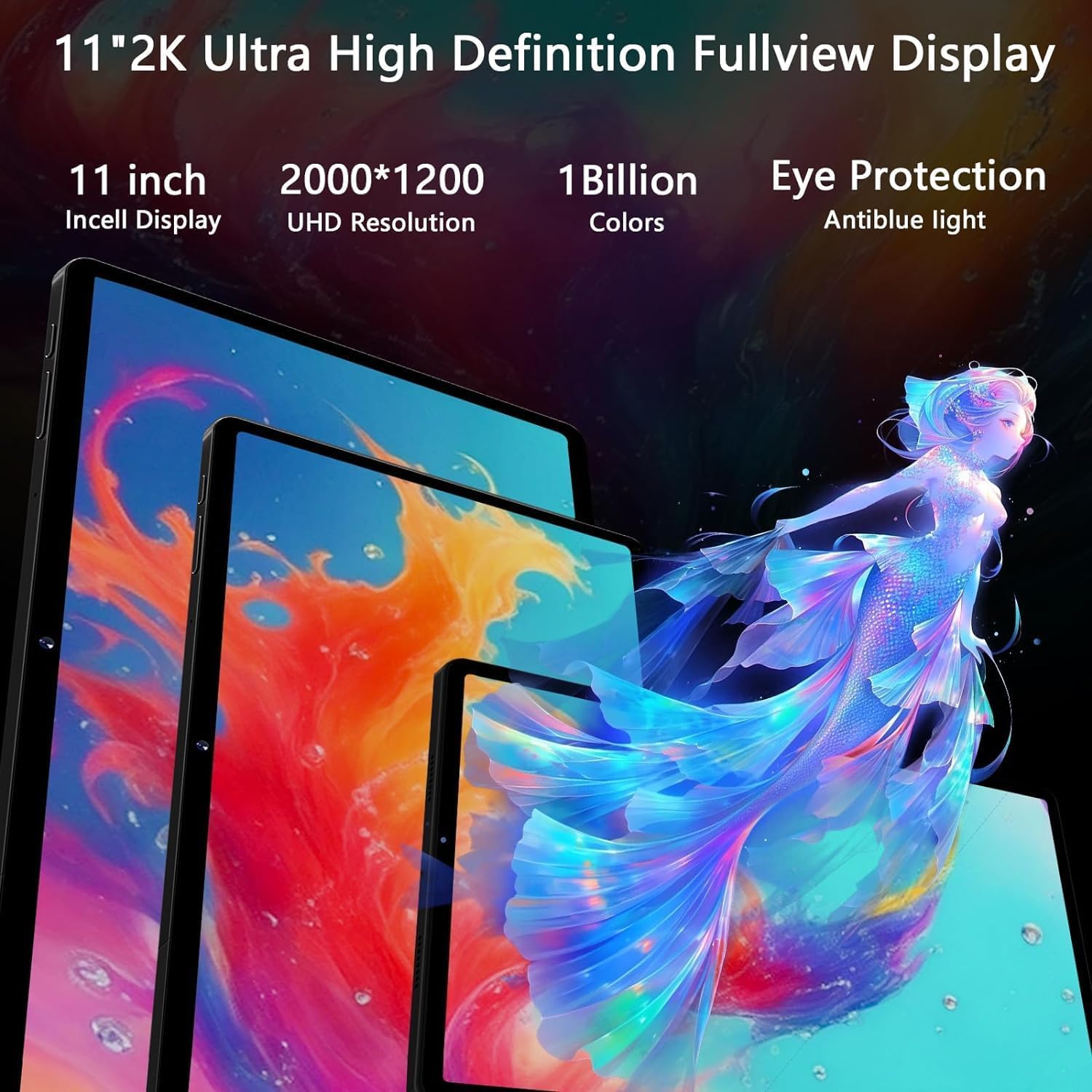
Image 5.2: The 11-inch 2K Incell display with 2000x1200 resolution, highlighting its vivid color reproduction and eye protection features.
5.3 Ús de la càmera
The tablet includes a 5MP front camera for video calls and a rear camera system with a 13MP main sensor and a 2MP macro lens for capturing photos and videos.
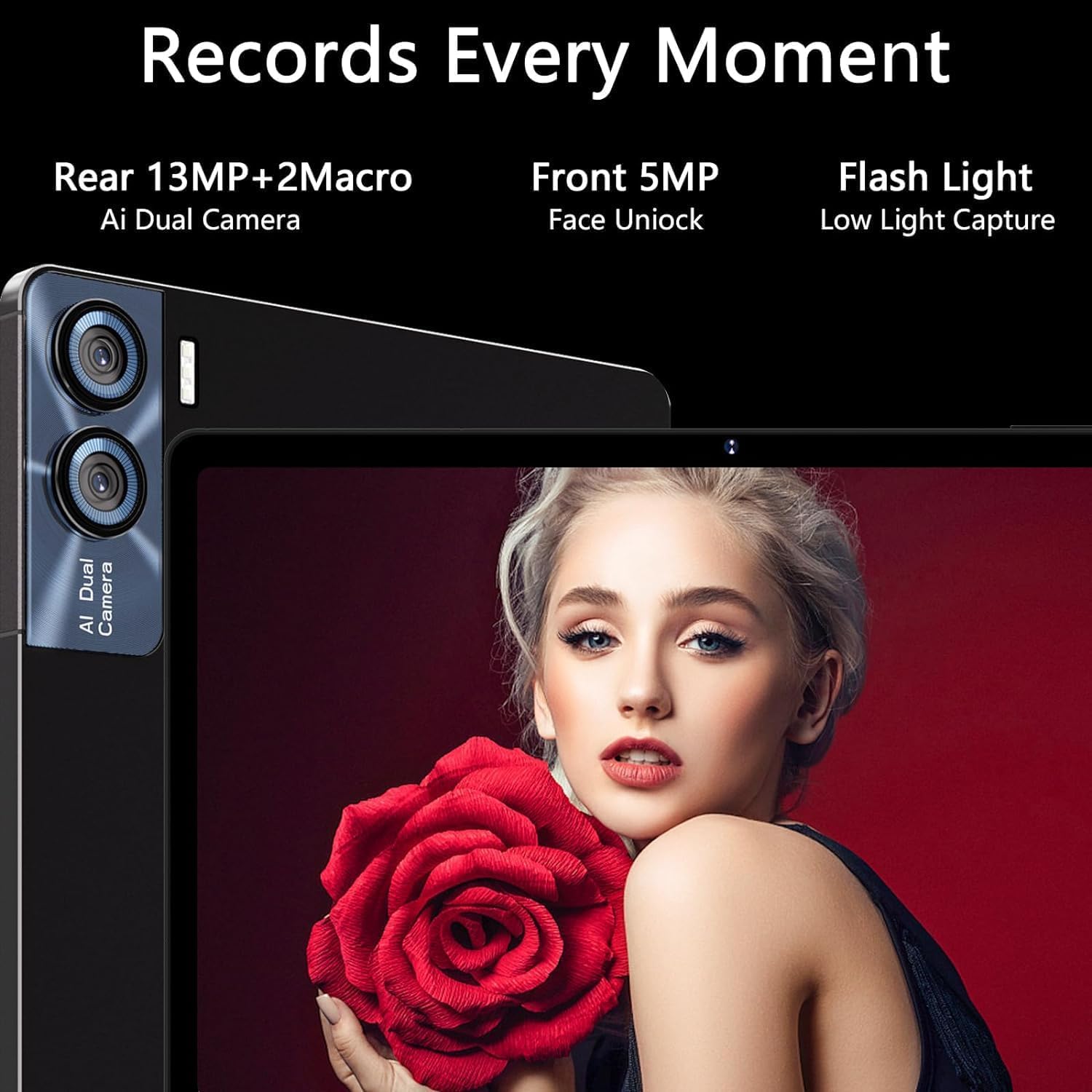
Image 5.3: Details of the tablet's camera system, including the 13MP+2MP macro rear camera and 5MP front camera with face unlock capability.
5.4 Àudio
Experience 360-degree surround sound with the tablet's four stereo speakers, enhancing your music and video playback.
6. Connectivitat
- Wi-Fi: Supports 5G and 2.4G dual-band Wi-Fi for stable and fast internet connections.
- Bluetooth 5.0: For connecting wireless peripherals like headphones, speakers, keyboard, and mouse.
- GPS: Integrated GPS for navigation and location services.
- OTG (On-The-Go): Allows the tablet to act as a host, enabling connection of USB devices such as flash drives or external hard drives.
7. Emmagatzematge i rendiment
The GOODTEL G9 is powered by an Octa-Core 2.0 GHz processor, ensuring efficient multitasking and smooth operation for demanding applications and games.

Image 7.1: Visual representation of the tablet's MT8183 Octa-Core processor, highlighting its 16GB RAM and 2.0GHz running frequency for high performance.
- RAM: 16GB (8GB physical + 8GB expandable virtual memory) for superior multitasking.
- Emmagatzematge intern (ROM): 256GB for applications, photos, and files.
- Emmagatzematge ampliable: Supports MicroSD cards up to 1TB.

Image 7.2: Illustrates the tablet's capability for smooth and stable performance, particularly during gaming, due to its 16GB RAM and optimized design.
8. Gestió de la bateria
The GOODTEL G9 is equipped with an 8600mAh battery, designed for extended usage. To optimize battery life:
- Ajusteu la brillantor de la pantalla.
- Tanca les aplicacions que no s'utilitzen i que s'executen en segon pla.
- Desactiva el Wi-Fi o el Bluetooth quan no estiguis en ús.
Durada estimada de la bateria:
- Standby: Up to 240 hours
- Music Playback: Up to 16 hours
- Web Browsing: Up to 24 hours
- Video Playback: Up to 10 hours

Image 8.1: Highlights the tablet's 8600mAh battery capacity and its extended usage times for various activities.
9. Manteniment
9.1 Neteja
Feu servir un drap suau i sense borrissol per netejar la pantalla i el cos de la tauleta. Eviteu utilitzar productes químics agressius o materials abrasius.
9.2 Actualitzacions de programari
Comproveu i instal·leu regularment si hi ha actualitzacions de programari per garantir un rendiment òptim, seguretat i accés a noves funcions. Aneu a Configuració > Sistema > Actualització del sistema.
10. Solució De Problemes
| Problema | Possible solució |
|---|---|
| La tauleta no s'encén. | Ensure the battery is charged. Connect the tablet to the charger for at least 30 minutes, then try powering on again. |
| Problemes de connexió Wi-Fi. | Restart the tablet and your Wi-Fi router. Check if other devices can connect to the network. Ensure the Wi-Fi password is correct. |
| Bluetooth accessory not pairing. | Ensure the accessory is in pairing mode and within range. Restart Bluetooth on the tablet and try again. |
| Rendiment lent. | Close unused apps. Clear cache. Consider performing a factory reset if the issue persists (back up data first). |
| La pantalla no respon. | Restart the tablet by holding the power button. If unresponsive, force restart (refer to device specific instructions if available, usually holding power for 10-15 seconds). |
11. Especificacions
| Característica | Detall |
|---|---|
| Marca | BON TEL |
| Número de model | G9 |
| Sistema operatiu | Android 13 |
| Processador | Octa-Core, 2.0 GHz (Unisoc) |
| RAM | 16 GB (8GB + 8GB expandable) |
| Emmagatzematge intern (ROM) | 256 GB |
| Emmagatzematge ampliable | Up to 1 TB via MicroSD |
| Mida de la pantalla | 11 polzades |
| Resolució de visualització | 2000 x 1200 pixels (2K Incell) |
| Càmera posterior | 13 MP + 2 MP Macro |
| Càmera frontal | 5 MP |
| Wi-Fi | 802.11ac (5G + 2.4G Dual Band) |
| Bluetooth | 5.0 |
| Capacitat de la bateria | 8600 mAh |
| Pes | 450 grams |
| Dimensions | 35.4 x 19 x 6.7 cm (Paquet) |
12. Garantia i Suport
GOODTEL provides professional support with 10 years of experience. If you have any questions or require assistance with your purchase, please contact our customer support team via email. Refer to your purchase documentation for specific warranty terms and contact details.


