1. Introducció
Thank you for choosing the Monster Airmars XKT06 Wireless Gaming Headphones. These True Wireless Stereo (TWS) earbuds are designed to provide a high-quality audio experience for both music listening and gaming, featuring low-latency performance and stable Bluetooth 5.2 connectivity. Please read this manual carefully to ensure proper use and maintenance of your new headphones.
2. Contingut del paquet
- Monster Airmars XKT06 Wireless Earbuds (Left and Right)
- Estoig de càrrega
- Cable de càrrega USB tipus C
- Manual d'usuari
- Puntes d'orella (diverses mides)
3. Producte acabatview
Familiarize yourself with the components of your Monster Airmars XKT06 headphones.

Figura 3.1: Monster Airmars XKT06 Wireless Gaming Headphones in their charging case, showcasing the earbuds and the case with illuminated accents.
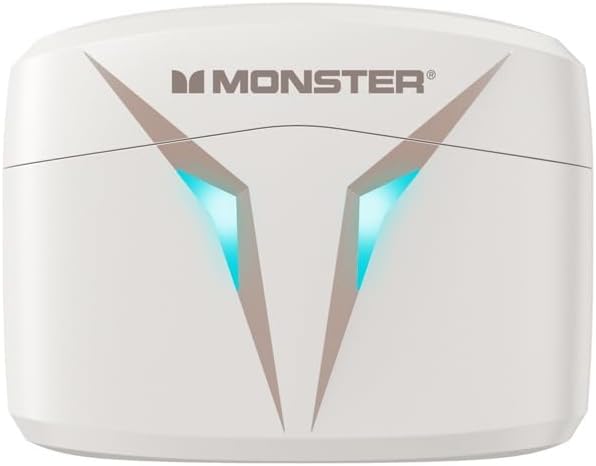
Figura 3.2: A dalt view of the Monster Airmars XKT06 charging case, highlighting the Monster logo and the distinctive V-shaped light indicators.
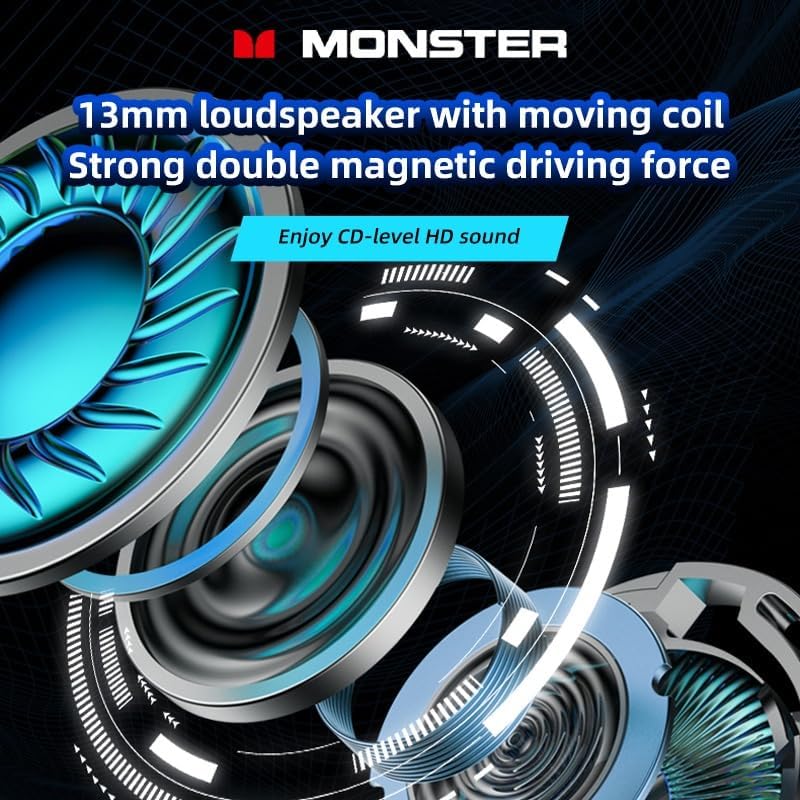
Figura 3.3: An exploded diagram illustrating the internal structure of the 13mm loudspeaker, emphasizing its moving coil and strong double magnetic driving force for enhanced audio quality.
4. Configuració
4.1. Càrrega dels auriculars i l'estoig
Abans del primer ús, carregueu completament els auriculars i l'estoig de càrrega.
- Connect the provided USB Type-C cable to the charging port on the case.
- Connecteu l'altre extrem del cable a un adaptador de corrent USB (no inclòs) o al port USB d'un ordinador.
- The indicator lights on the case will show charging status. Once fully charged, the lights will indicate completion or turn off.
- Place the earbuds into the charging case. They will automatically begin charging. The earbuds' indicators will show charging status and turn off when fully charged.
4.2. Emparellament amb el dispositiu
The Monster Airmars XKT06 headphones support Bluetooth 5.2 for a stable connection.
- Obre l'estoig de càrrega. Els auriculars entraran automàticament en mode d'emparellament (indicat pels llums intermitents dels auriculars).
- Al dispositiu (telèfon intel·ligent, tauleta, ordinador), aneu a la configuració de Bluetooth.
- Activa el Bluetooth.
- Cerca available devices and select "MONSTER Airmars XKT06" from the list.
- Un cop connectats, els llums indicadors dels auriculars deixaran de parpellejar.
Nota: Els auriculars es tornaran a connectar automàticament a l'últim dispositiu emparellat quan es treguin de l'estoig, si el Bluetooth està habilitat al dispositiu.
5. Instruccions de funcionament
5.1. Toqueu Controls
The Monster Airmars XKT06 headphones feature intuitive touch controls on each earbud.
| Acció | Auricular esquerre | Auricular dret |
|---|---|---|
| Reproduir/Pausa | Un sol toc | Un sol toc |
| Pista següent | Fes doble toc | |
| Pista anterior | Fes doble toc | |
| Respondre/Finalitzar la trucada | Un sol toc | Un sol toc |
| Rebutja la trucada | Premsa llarga (2 s) | Premsa llarga (2 s) |
| Activa l'Assistent de veu | Toca tres vegades | Toca tres vegades |
| Canvia el mode de joc | Premsa llarga (2 s) | Premsa llarga (2 s) |
5.2. Mode de joc
The Monster Airmars XKT06 features a dedicated gaming mode that reduces audio latency for a more immersive gaming experience. To activate or deactivate gaming mode, long press the touch area on either earbud for approximately 2 seconds. You will hear an audio prompt indicating the mode change.

Figura 5.1: The Monster Airmars XKT06 charging case, illustrating the low-latency feature for an immersive experience, ideal for gaming.
5.3. Ús d'un sol auricular
Both earbuds can be used independently. Simply take one earbud out of the case, and it will automatically connect to your device. The other earbud can remain in the case or be used by another person.

Figura 5.2: The Monster Airmars XKT06 headphones demonstrating the free switching capability, allowing either earbud to be used independently.
6. Manteniment
6.1. Neteja
- Feu servir un drap suau, sec i sense borrissol per netejar els auriculars i l'estoig de càrrega.
- No utilitzeu netejadors abrasius, alcohol ni dissolvents químics.
- Netegeu suaument els contactes de càrrega tant dels auriculars com de la funda per garantir una càrrega correcta.
6.2. Emmagatzematge
- Guarda sempre els auriculars a la seva funda de càrrega quan no els facis servir per protegir-los i mantenir-los carregats.
- Emmagatzemar en un lloc fresc i sec, allunyat de temperatures extremes i de la llum solar directa.
7. Solució De Problemes
If you encounter issues with your Monster Airmars XKT06 headphones, please refer to the following common solutions:
| Problema | Possible solució |
|---|---|
| Els auriculars no s'emparellaven | Assegura't que els auriculars estiguin carregats. Desactiva i activa el Bluetooth al dispositiu. Oblida't del dispositiu a la configuració del Bluetooth i torna a emparellar-lo. |
| No hi ha so d'un auricular | Place both earbuds back in the case, close it, then open it again. Ensure both earbuds are charged. |
| Problemes de càrrega | Check the USB cable and power adapter. Clean the charging contacts on earbuds and case. Ensure earbuds are correctly seated in the case. |
| Volum baix o mala qualitat de so | Adjust volume on your device. Ensure earbuds are clean and free of debris. Try different sized eartips for a better seal. |
| Connexió intermitent | Ensure no obstacles between headphones and device. Stay within the 10-meter Bluetooth range. Avoid strong electromagnetic interference. |
If the problem persists, try resetting the headphones (refer to manufacturer's weblloc web per obtenir instruccions específiques de restabliment si no es detallen aquí) o poseu-vos en contacte amb l'atenció al client.
8. Especificacions
- Tipus de producte: TWS Esports Headset
- Model: XKT06
- Marca: Monstre
- Color: Blanc
- Versió Bluetooth: Bluetooth 5.2
- Distància de transmissió Bluetooth: 10 metres
- Mida de la banya: 13 mm
- Interval de resposta de freqüència: 20Hz-20KHz
- Horn Impedance: 32 Ω ± 15%
- Sensibilitat: 106 dB ± 3 dB
- Interfície de càrrega: Tipus-C
- Col·locació de les orelles: A l'orella
- Factor de forma: A l'orella
- País d'origen: Xina
9. Garantia i Suport
For warranty information and customer support, please refer to the documentation provided with your purchase or visit the official Monster weblloc web. Conserveu el comprovant de compra per a reclamacions de garantia.
For technical assistance or further inquiries, please contact Monster customer service through their official channels.


