Introducció
Thank you for choosing the CIAO TECH Portable Charger Power Bank. This device is designed to provide reliable and efficient power for your electronic devices on the go. With its high-capacity battery and versatile charging options, you can stay connected wherever you are.

Image: The CIAO TECH Portable Charger Power Bank, a sleek black device with an LED display indicating charge levels (25, 50, 75, 100).
Característiques del producte
- Alta capacitat: Equipped with a 20000 mAh battery, capable of charging multiple devices.
- Sortides USB duals: Provides two USB-A outputs, each delivering DC5V 2.1A for efficient charging.
- Entrades flexibles: Features both Type-C and Micro USB inputs (DC5V 2A) for convenient recharging of the power bank.
- Pantalla LED: A user-friendly LED screen displays the remaining battery percentage, allowing for easy monitoring of the charging status.
- Llanterna integrada: Includes a utility flashlight for added convenience.
- Disseny compacte i portàtil: Slim and durable, designed for easy portability and travel.
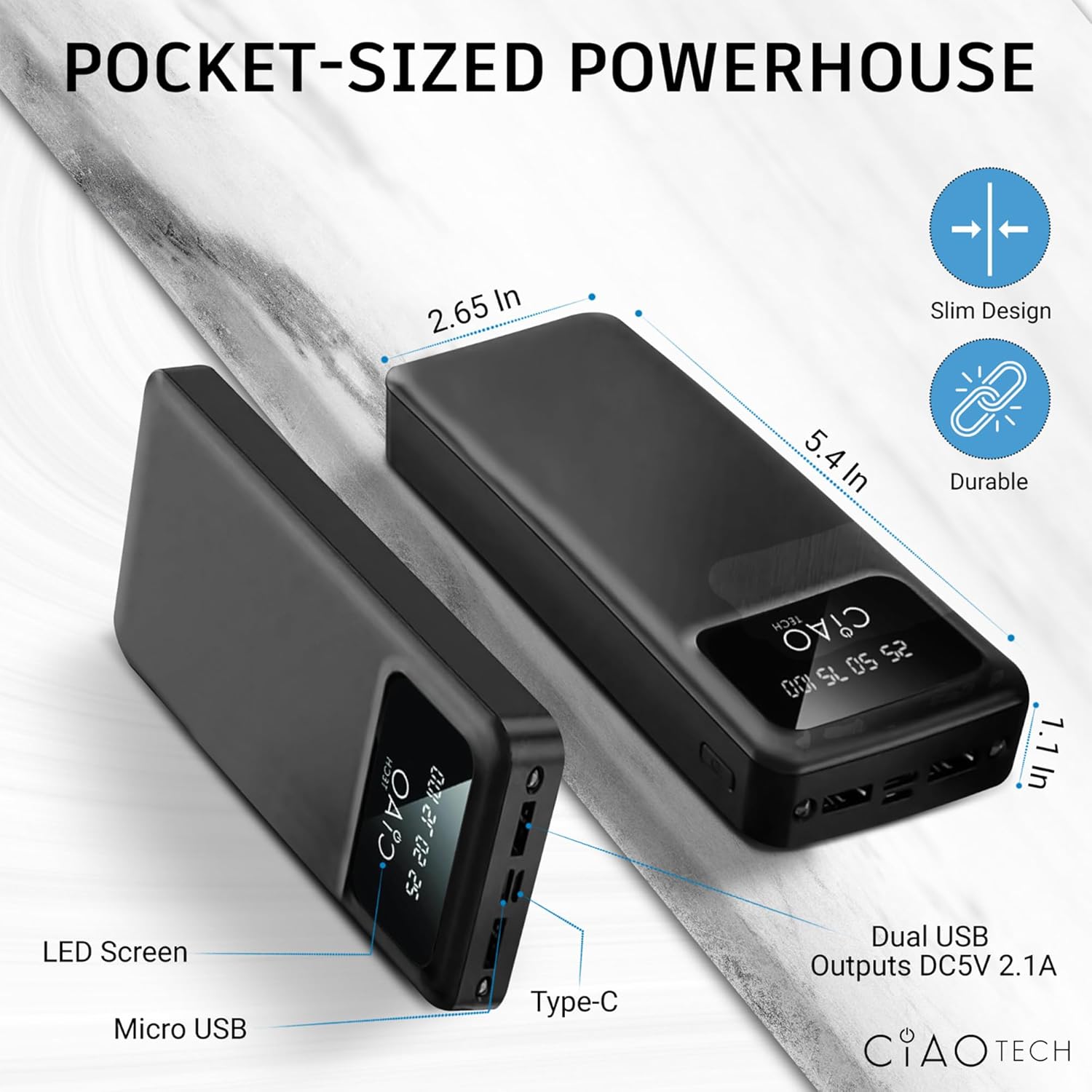
Image: A diagram illustrating the compact dimensions (2.65 in x 5.4 in x 1.1 in) and port locations (Micro USB, Type-C, Dual USB Outputs DC5V 2.1A) of the power bank.
Configuració
Càrrega inicial del banc d'energia
Before first use, it is recommended to fully charge your CIAO TECH Portable Charger Power Bank. This ensures optimal performance and battery longevity.
- Connect a compatible USB cable (Type-C or Micro USB) to the corresponding input port on the power bank.
- Plug the other end of the USB cable into a USB wall adapter (not included) or a computer's USB port.
- The LED display will illuminate, showing the charging progress. The numbers (25, 50, 75, 100) will light up sequentially as the power bank charges.
- Once the display shows "100", the power bank is fully charged and ready for use. Disconnect the charging cable.
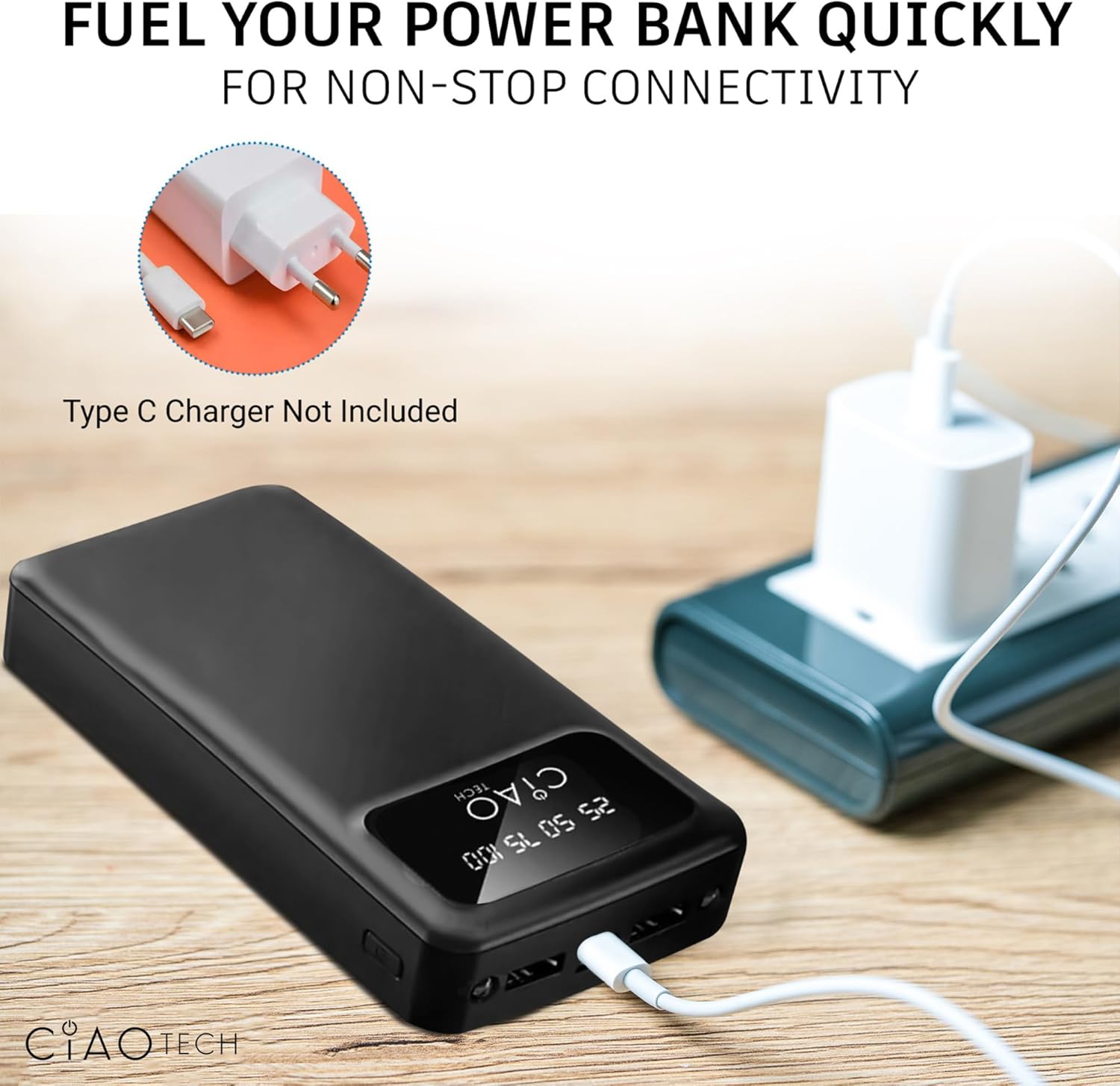
Image: The power bank connected to a wall adapter via a USB cable, illustrating the recharging process. Note: Type-C charger not included.
Instruccions de funcionament
Carregant els teus dispositius
The power bank features dual USB-A output ports for charging your electronic devices.
- Connect your device's USB charging cable to one of the USB-A output ports on the power bank.
- Connecteu l’altre extrem del cable al dispositiu.
- The power bank will automatically begin charging your device. The LED display will show the current charge level of the power bank.
- You can charge two devices simultaneously using both USB-A output ports.

Image: A person charging a smartphone with the power bank, demonstrating its portability and "on-the-go" design.
Utilitzant la llanterna
The power bank includes a built-in utility flashlight.
- To turn on the flashlight, press and hold the power button located on the side of the power bank for approximately 3 seconds.
- To turn off the flashlight, press and hold the power button again for approximately 3 seconds.
Manteniment
Proper maintenance will extend the lifespan of your power bank.
- Mantingueu el banc d'energia allunyat de temperatures extremes (calor o fred) i de la llum solar directa.
- Eviteu deixar caure o sotmetre el banc d'energia a forts impactes.
- No exposeu el banc d'energia a l'aigua ni a una humitat excessiva.
- Netegeu el banc d'energia amb un drap suau i sec. No utilitzeu productes químics agressius ni materials abrasius.
- If storing for an extended period, charge the power bank to approximately 50-75% capacity and recharge every 3-6 months to prevent deep discharge.
Resolució de problemes
| Problema | Causa possible | Solució |
|---|---|---|
| El banc d'energia no es carrega | Cable not properly connected; faulty cable; wall adapter issue; power bank fully discharged. | Ensure cables are securely connected. Try a different charging cable or wall adapter. Allow the power bank to charge for a few minutes, even if the display doesn't immediately light up. |
| El dispositiu no es carrega des del banc d'energia | Power bank is out of charge; device cable is faulty; device is not compatible; power bank is in flashlight mode. | Recharge the power bank. Try a different charging cable. Ensure your device is compatible with standard USB charging. Turn off the flashlight if it is on. |
| Flashlight not turning on/off | Incorrect button press; power bank is out of charge. | Press and hold the power button for approximately 3 seconds. Recharge the power bank. |
| Velocitat de càrrega lenta | Using a non-fast charging cable/adapter; charging multiple devices; device's charging input limit. | Ensure you are using appropriate cables and adapters. Charging two devices simultaneously may reduce individual charging speeds. |
Especificacions
| Característica | Detall |
|---|---|
| Número de model | CPBTI01-035 |
| Capacitat de la bateria | 20000 mAh |
| Entrada tipus C | DC5V 2.0A |
| Entrada micro USB | DC5V 2.0A |
| Sortida USB A | DC5V 2.1A (màx.) |
| Sortida tipus C | DC5V 2.1A (màx.) |
| Dimensions del producte | 2.65 x 5.4 x 1.1 polzades |
| Pes de l'article | 13.1 unces |
| Color | Negre |
| Característiques especials | LED Indicator Lights, Utility Flashlight |
Garantia i Suport
For information regarding product warranty, please refer to the warranty card included with your purchase or contact the manufacturer directly. Keep your proof of purchase for any warranty claims.
For technical support or further inquiries, please visit the official CIAO TECH website or contact their customer service department. Contact details are typically provided on the product packaging or the manufacturer's weblloc.


