1. Introducció
Thank you for choosing the ShanWan M13 Mobile Game Controller. This device is designed to enhance your mobile gaming experience by providing precise control and ergonomic comfort. It is compatible with a wide range of mobile devices and gaming platforms, offering a console-like experience on your smartphone.

Image: The ShanWan M13 Mobile Game Controller with a smartphone securely mounted, showcasing a game library on the screen. This illustrates the controller in active use.
2. Contingut del paquet
Si us plau, comproveu el paquet per veure si hi ha els elements següents:
- ShanWan M13 Mobile Game Controller
- Cable de càrrega USB-C
- Manual d'usuari
- Thumb Grips (optional accessory)
Vídeo: Un breu resumview of the ShanWan M13 Mobile Game Controller, highlighting its design and button layout. This video demonstrates the physical components of the controller.
3. Característiques del producte
- Àmplia compatibilitat: Supports cloud, mobile, and emulator gaming including PS Remote Play, Xbox Game Pass Ultimate, Steam Link, GeForce NOW, Apple Arcade, and MFi games.
- Adjustable Joystick: Customize joystick height by rotating for preferred control without additional tools.
- Botons de disparador lineals: Provides multi-stage performance for precise speed control in games.
- Connectivitat Bluetooth 5.0: Garanteix una connexió sense fil estable i de baixa latència.
- Durada de la bateria ampliada: La bateria recarregable integrada ofereix aproximadament 25 hores de joc amb una sola càrrega.
- Disseny adequat per a casos: Features a sunken design on the left side to accommodate phone cameras and cases, eliminating the need to remove your phone case.
- Configurable Back Buttons: Four M1-M4 buttons on the back can be assigned complex in-game macros for enhanced control.
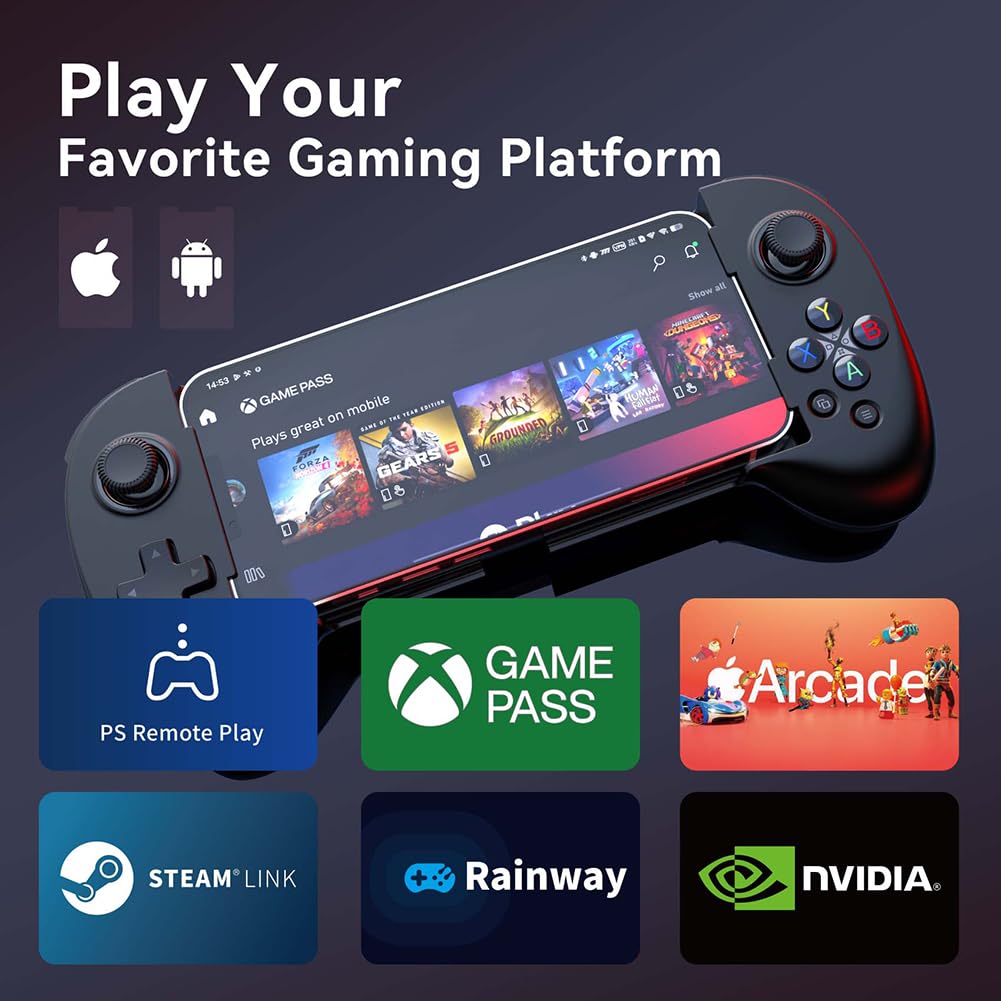
Image: The ShanWan M13 Mobile Game Controller displayed alongside logos of compatible gaming platforms, including PS Remote Play, Xbox Game Pass, Steam Link, and GeForce NOW, illustrating its broad compatibility.

Image: A diagram illustrating the adjustable joystick feature of the controller. It shows how the joystick height can be changed from a minimum of 3.8mm to a maximum of 6.3mm by rotation, allowing users to customize their control preference.
Video: This video demonstrates the adjustable joystick feature, showing how to rotate the joystick to change its height for personalized comfort and control.
Video: A demonstration of the linear trigger buttons, illustrating their multi-stage input capability for precise control in racing or other games requiring nuanced input.
4. Configuració i connexió
4.1 Initial Pairing (First Time Use)
- Ensure your mobile device's Bluetooth is turned on.
- Manteniu premut el botó Parella button on the controller until the indicator light flashes, indicating it is in pairing mode.
- On your mobile device, search for Bluetooth devices and select "Wireless Controller" from the list.
- Un cop connectat, l'indicador lluminós del controlador s'il·luminarà fixament.
4.2 Reconnecting (Subsequent Use)
After initial pairing, simply press the Casa button on the controller. It will automatically attempt to reconnect to the last paired device.

Image: A visual guide highlighting the 'Pair' button for initial Bluetooth connection and the 'Home' button for subsequent reconnections, simplifying the setup process.
4.3 Installing the ShanWan Controller App
For enhanced functionality and game compatibility, download the "ShanWan Controller" app from your device's app store:
- Descarrega a Google Play
- Descarrega a l'App Store (Note: Replace XXXXXXXXX with actual App Store ID if available)

Image: A smartphone screen showing the ShanWan Controller application icon and a glimpse of its user interface, indicating where to find and how the app appears.
5. Instruccions de funcionament
5.1 Controls generals
The ShanWan M13 controller features standard gamepad buttons and joysticks:
- Manets analògics esquerre/dret: Per al moviment i el control de la càmera.
- D-Pad: Entrada direccional.
- Botons d'acció (A, B, X, Y): Primary interaction buttons.
- Botons d'espatlla (L1/R1) i disparadors (L2/R2): Per a diverses accions dins del joc.
- Botó d'inici: Power on/off, reconnect.
- Botons de selecció/inici: Menu navigation, pause.
5.2 Customizing Back Buttons (M1-M4)
The four configurable buttons (M1, M2, M3, M4) on the back of the controller can be mapped to replicate other button presses or execute macros. Refer to the ShanWan Controller app for detailed instructions on how to program these buttons.
6. Càrrega i bateria
The controller is equipped with a built-in rechargeable Lithium Ion battery.
- Càrrega: Connect the controller to a power source using the provided USB-C charging cable. The charging indicator light will show the charging status.
- Durada de la bateria: A full charge provides approximately 25 hours of continuous gameplay under normal usage conditions.
- Temps de càrrega: A full charge typically takes less than 2 hours.
- Estalvi d'energia: The controller will automatically shut off after 15 minutes of inactivity to conserve battery life.

Image: An illustration of the ShanWan M13 controller with a prominent battery icon, indicating its capability to provide over 25 hours of gameplay on a single charge.
7. Manteniment
To ensure the longevity and optimal performance of your ShanWan M13 controller, follow these maintenance guidelines:
- Neteja: Feu servir un drap suau i sec per netejar el controlador. Eviteu utilitzar productes químics agressius o materials abrasius.
- Emmagatzematge: Guardeu el controlador en un lloc fresc i sec, allunyat de la llum solar directa i de temperatures extremes.
- Eviteu les gotes: Protegiu el controlador de caigudes i impactes, que poden danyar els components interns.
- Exposició líquida: No exposeu el controlador a l'aigua ni a altres líquids.
8. Solució De Problemes
| Problema | Causa possible | Solució |
|---|---|---|
| El controlador no s'encén. | Bateria baixa. | Carregueu el controlador amb el cable USB-C proporcionat. |
| El controlador no s'aparella amb el dispositiu. | Bluetooth not enabled on device; controller not in pairing mode; interference. | Ensure Bluetooth is on. Press and hold the Pair button. Move closer to the device. Restart both controller and device. |
| Buttons/joysticks are unresponsive or laggy. | Low battery; Bluetooth interference; software issue. | Charge the controller. Reduce distance to device. Close other Bluetooth devices. Restart controller and device. Update controller firmware via the app if available. |
| Phone does not fit in the controller. | Phone dimensions exceed supported range. | The controller supports phones with a stretch length between 127mm and 180mm. Verify your phone's dimensions. |
| Game does not recognize the controller. | Game lacks controller support; incorrect controller mode. | Verify if the game supports external controllers. Check the ShanWan Controller app for game-specific settings or mapping options. |
9. Especificacions
| Característica | Detall |
|---|---|
| Model | M13 |
| Connectivitat | Bluetooth 5.0 |
| Tipus de bateria | 1 bateria de ions de liti (inclosa) |
| Durada de la bateria | Aprox. 25 hores |
| Temps de càrrega | Menys de 2 hores |
| Dimensions del producte | 8.5 x 2 x 5.5 polzades |
| Pes de l'article | 10.8 unces |
| Longitud de telèfon compatible | 127mm - 180mm (stretch length) |
10. Garantia i Suport
For warranty information and technical support, please refer to the documentation included with your product or visit the official ShanWan website. You may also contact ShanWan customer service directly for assistance with product issues or inquiries.


