Introducció
The Bose QuietComfort Wireless Noise Cancelling Headphones are designed to provide an immersive audio experience with advanced noise cancellation technology. These over-ear headphones offer comfort, high-fidelity sound, and up to 24 hours of battery life, making them suitable for various listening environments.
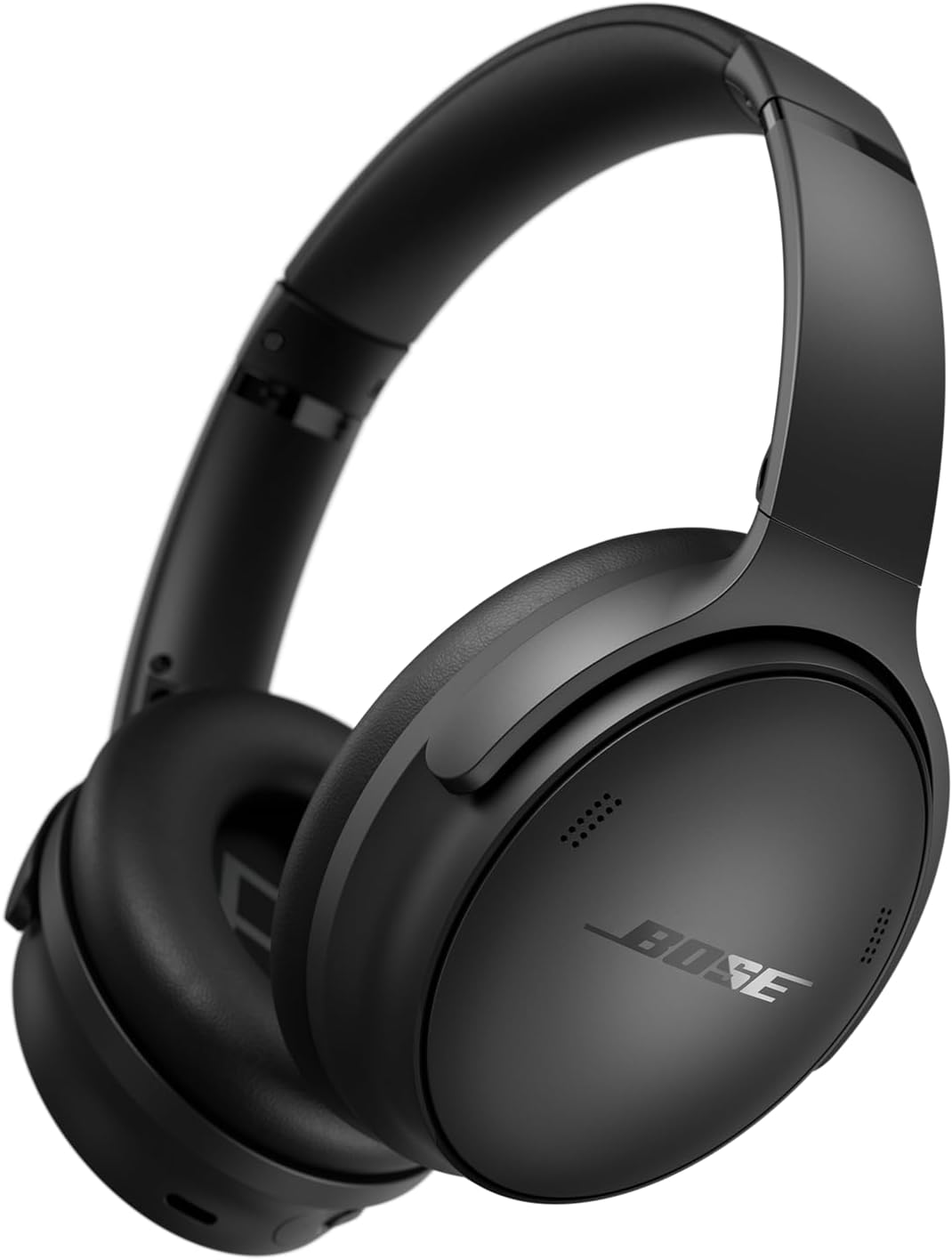
Image: Bose QuietComfort Wireless Noise Cancelling Headphones, showcasing el seu elegant disseny negre i el seu factor de forma supraaural.
Què hi ha a la caixa
Verifiqueu que tots els components siguin presents a l'embalatge:
- Bose QuietComfort Wireless Noise Cancelling Headphones
- Funda protectora
- Audio Cable (3.5 mm)
- Cable de càrrega USB-C
- Manual d'usuari (aquest document)

Image: The complete package contents, including the headphones, a protective carrying case, a USB-C charging cable, and a 3.5mm audio cable.
Configuració
1. Càrrega dels auriculars
Abans del primer ús, carregueu completament els auriculars. Una càrrega completa triga aproximadament 2.5 hores.
- Connect the small end of the USB-C charging cable to the USB-C port on the right earcup.
- Connect the other end of the cable to a USB wall charger (not included) or a computer that is powered on.
- The battery indicator light will glow amber during charging and turn solid white when fully charged.
2. Encès / apagat
- To power on, slide the Power/Bluetooth switch on the right earcup to the 'On' position.
- To power off, slide the Power/Bluetooth switch to the 'Off' position.
3. Emparellament Bluetooth
Pair your headphones with a Bluetooth-enabled device to enable wireless audio.
- With the headphones powered on, slide the Power/Bluetooth switch to the Bluetooth symbol and hold until the Bluetooth indicator light blinks blue.
- On your device, enable Bluetooth and select "Bose QuietComfort" from the list of available devices.
- Once connected, the Bluetooth indicator light will glow solid blue.
4. Bose Music App
For full control over features like adjustable EQ, noise cancellation levels, and firmware updates, download the Bose Music app from your device's app store.
Funcionament dels auriculars

Imatge: Una imatge detallada view of the control buttons located on the earcup, including volume and multi-function buttons.
1. Noise Cancellation Modes
The headphones feature two primary listening modes:
- Mode silenciós: Provides maximum noise cancellation, reducing ambient sounds for focused listening.
- Mode conscient: Allows you to hear your surroundings while still enjoying your audio, useful for situational awareness.
Toggle between these modes using the dedicated button on the left earcup or through the Bose Music app.

Image: The Bose QuietComfort Headphones illuminated with a soft glow, representing the active noise cancellation feature.
2. Audio Playback Controls
Use the buttons on the right earcup to control audio playback:
- Pujar/baixar el volum: Premeu els botons '+' o '-'.
- Reproduir/pausa: Premeu el botó multifunció una vegada.
- Saltar la pista endavant: Premeu el botó multifunció dues vegades.
- Saltar pista enrere: Premeu el botó multifunció tres vegades.
3. Gestió de trucades
Manage phone calls using the multi-function button:
- Respondre/Finalitzar la trucada: Premeu el botó multifunció una vegada.
- Rebutja la trucada: Premeu i manteniu premut el botó multifunció.
4. Connexió per cable
Connect the headphones to devices without Bluetooth using the included 3.5mm audio cable. This allows for continued listening even if the battery is depleted.
5. Equalizer (EQ) Adjustment
Customize your audio experience by adjusting the equalizer settings through the Bose Music app. This allows you to fine-tune bass, mid-range, and treble levels.

Image: A person wearing the Bose QuietComfort Headphones while standing on a rooftop in a city, demonstrating their use in various environments.
Càrrega i bateria
The Bose QuietComfort headphones offer extended listening times and efficient charging:
- Durada de la bateria: Fins a 24 hores amb una sola càrrega.
- Càrrega ràpida: A 15-minute charge provides up to 2.5 hours of additional play time.
- Temps de càrrega: Aproximadament 2.5 hores per a una càrrega completa.
- Port de càrrega: USB-C.
Manteniment
Neteja
- Wipe the surfaces of the headphones with a soft, dry cloth.
- No utilitzeu netejadors líquids ni dissolvents.
- Ensure no moisture enters the earcup openings or charging port.
Emmagatzematge
- When not in use, store the headphones in their protective carrying case to prevent damage.
- Eviteu l'emmagatzematge a temperatures extremes o humitat elevada.

Image: A top-down perspective of the Bose QuietComfort Headphones, emphasizing the plush earcups and padded headband designed for comfort during extended use.
Resolució de problemes
| Problema | Possible solució |
|---|---|
| Els auriculars no s'encenen | Assegureu-vos que la bateria estigui carregada. Connecteu-la a una font d'alimentació amb el cable USB-C. |
| No es pot emparellar per Bluetooth | Ensure headphones are in pairing mode (blinking blue light). Check your device's Bluetooth settings and try reconnecting. Turn off and on both devices. |
| Sense so | Check volume levels on both headphones and connected device. Ensure headphones are properly paired or the audio cable is fully inserted. |
| Noise cancellation not effective | Ensure Quiet Mode is selected. Adjust earcups for a proper seal around your ears. |
Especificacions
| Característica | Detall |
|---|---|
| Nom del model | Bose QuietComfort Wireless Noise Cancelling Headphones |
| Tecnologia de connectivitat | Amb cable, sense fil (Bluetooth 5.0) |
| Conector d'auriculars | 3.5 mm Jack |
| Col·locació de l'orella | Sobre l'orella |
| Control de soroll | Cancel·lació activa del soroll |
| Durada de la bateria | Fins a 24 hores |
| Temps de càrrega | 2.5 hores |
| Pes de l'article | 8.3 unces (235 grams) |
| Dimensions del producte | 3.15 x 6.18 x 7.68 polzades |
| Material | Plàstic |
| Tipus de control | Control multimèdia, tàctil |
| Interval de freqüència | 20 Hz - 20,000 Hz |
| UPC | 732262048246 |
| Número de model de l'article | 884367-0100-cr |
Informació de seguretat
Please read and follow these safety guidelines to ensure proper use and prevent damage:
- Do not expose the headphones to water or moisture.
- Eviteu l'exposició prolongada a nivells de volum elevats per evitar danys auditius.
- Mantenir fora de l'abast dels nens.
- No intenteu desmuntar ni modificar els auriculars.
- Feu servir només el cable de càrrega proporcionat o un equivalent certificat.
Suport i garantia
For technical support, warranty information, or additional assistance, please visit the official Bose website or contact Bose customer service. Product registration may be available for updates and support.
Assistència en línia: www.bose.com/support


