1. Introducció
The WOLFANG Seeker One is a high-performance action camera designed to capture your adventures in stunning 4K 60FPS Ultra HD. Featuring a robust, waterproof design, dual color screens, and advanced image stabilization, it is suitable for various outdoor activities. This manual provides essential information for setting up, operating, and maintaining your camera.

Imatge 1.1: The WOLFANG Seeker One Action Camera, showcasing its front lens and the vibrant front display screen.
2. Contingut del paquet
Verifiqueu que tots els elements siguin presents al vostre paquet:
- WOLFANG Seeker One Action Camera
- Bateria recarregable de ions de liti (1200 mAh)
- Cable de càrrega USB-C
- Various Mounting Accessories (e.g., helmet mounts, adhesive mounts, bicycle mount)
- Manual d'usuari

Imatge 2.1: Un acabatview of the WOLFANG Seeker One camera and its comprehensive set of included mounting accessories.
3. Configuració
3.1. Instal·lació i càrrega de la bateria
- Localitzeu el compartiment de la bateria a la càmera.
- Insert the 1200mAh Lithium-ion battery, ensuring correct polarity.
- Tanqueu el compartiment de la bateria de manera segura.
- Connect the camera to a USB power source using the provided USB-C cable to charge. The charging indicator will illuminate.
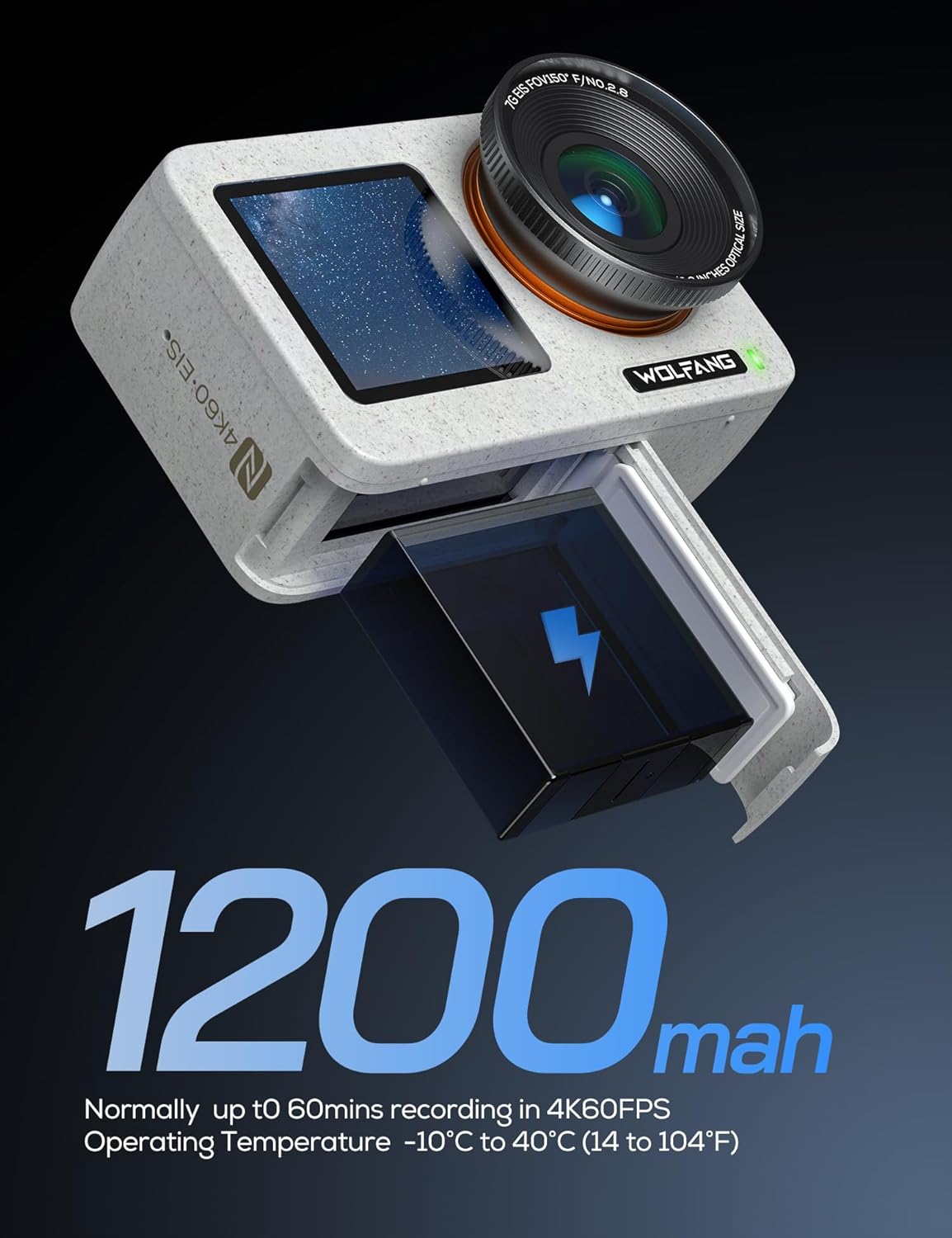
Imatge 3.1: The WOLFANG Seeker One camera with its 1200mAh battery, illustrating the battery insertion process.
3.2. Micro SD Card Insertion
A Micro SD card (not included) is required for recording. Ensure the card is Class 10 or higher and formatted before first use.
- Open the Micro SD card slot cover.
- Insert the Micro SD card with the contacts facing the correct direction until it clicks into place.
- Tanqueu la coberta.
3.3. Encès / apagat
- To power on: Press and hold the Power/Mode button.
- To power off: Press and hold the Power/Mode button again.
4. Funcionament de la càmera
4.1. Dual Screen Display
The Seeker One features a 2.45-inch rear IPS touchscreen and a 1.4-inch front screen. The front screen is ideal for vlogging and selfies, while the rear screen provides a larger view for framing and menu navigation.
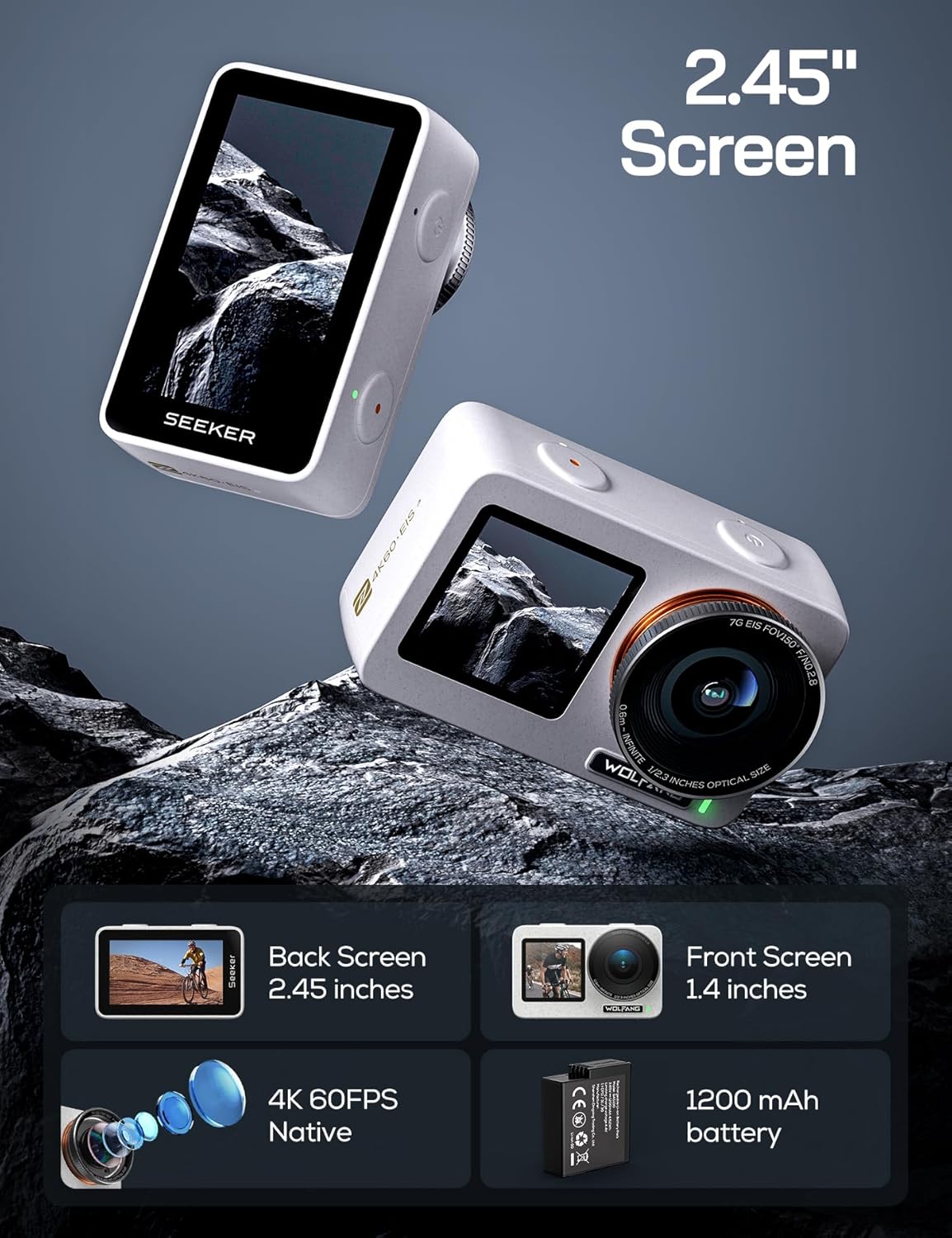
Imatge 4.1: The WOLFANG Seeker One camera, illustrating its dual screen functionality, 4K 60FPS video capability, and 1200mAh battery.
4.2. Gravació de vídeo
The camera supports native 4K video recording at 60 frames per second (4K/60FPS) with an Ambarella H22 chip, ensuring high-quality footage at 100 Mbps. It also features 4K HDR video mode for enhanced dynamic range.
- Select video mode using the Power/Mode button or touchscreen.
- Premeu el botó de l'obturador per començar a gravar.
- Premeu de nou el botó de l'obturador per aturar la gravació.

Imatge 4.2: Un detallat view of the WOLFANG Seeker One's lens, highlighting its capability for native 4K 60FPS video recording.
4.3. Captura de fotos
Capture high-resolution still images with an effective resolution of 8 Megapixels.
- Select photo mode.
- Premeu el botó de l'obturador per fer una foto.
4.4. Image Stabilization (Go APE Stabilization)
The camera incorporates "Go APE Stabilization" technology to reduce motion blur and noise, providing smoother footage even in dynamic environments.
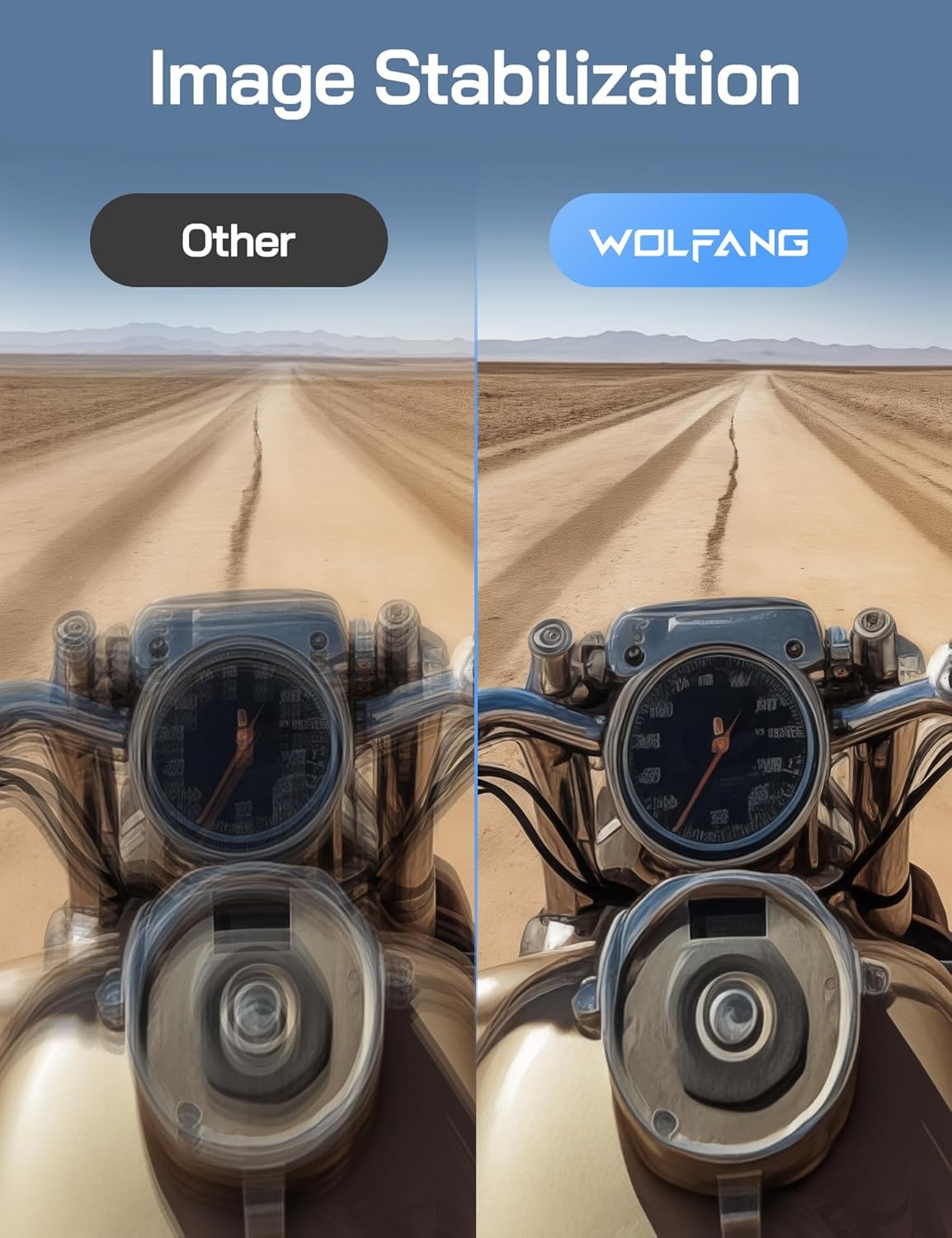
Imatge 4.3: A visual comparison demonstrating the effectiveness of WOLFANG's Go APE Image Stabilization technology in reducing blur and noise in video recordings.
4.5. Waterproof Capability
The Seeker One is designed to be waterproof up to 16 feet (approximately 5 meters) without an additional housing. For deeper underwater use, a separate protective frame is required (not included).
4.6. Connectivity and Go APE App
The camera supports Wi-Fi and NFC connectivity. Download the Go APE App to your smartphone or tablet to control the camera remotely, access creative modes, utilize AI auto-editing features, and share your content instantly.
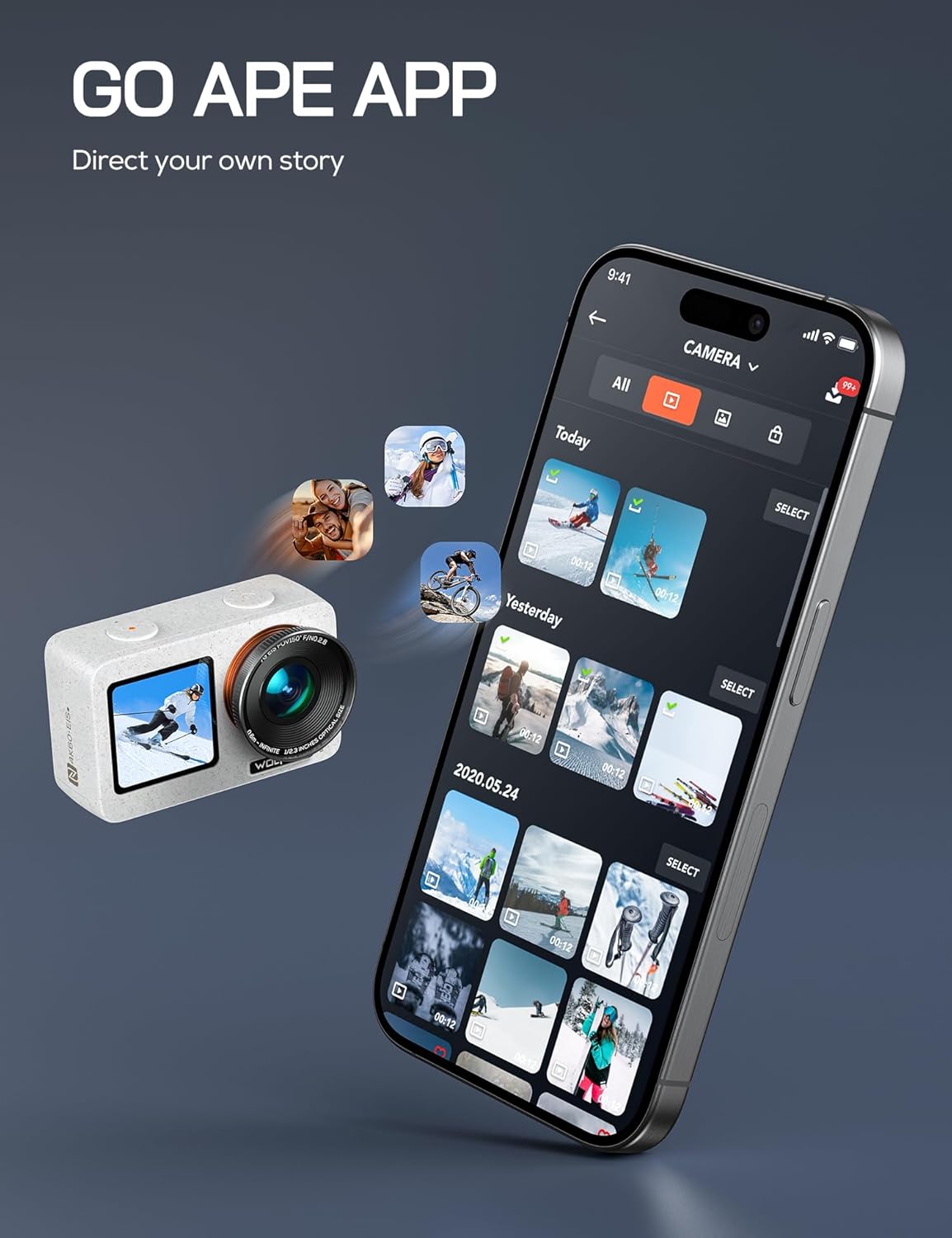
Imatge 4.4: The WOLFANG Seeker One camera interacting with the Go APE mobile application, showing content management and sharing features.
4.7. Característiques especials
- Lapse de temps: Capture sequences of images over time to create dynamic time-lapse videos.
- WebFuncionalitat de la càmera: Connect the camera to your computer for use as a weblleva.
- Transmissió en directe: Utilize the camera for live streaming capabilities.
5. Manteniment
5.1. Neteja de la càmera
- Feu servir un drap suau i sense borrissol per netejar el cos i les pantalles de la càmera.
- For the lens, use a specialized lens cleaning cloth and solution. Avoid abrasive materials.
- Ensure all ports and covers are clean and free of debris, especially before using in wet conditions.
5.2. Cura de la bateria
- Guardeu les piles en un lloc fresc i sec quan no les utilitzeu.
- Eviteu descarregar completament la bateria amb freqüència per allargar-ne la vida útil.
- No exposeu les piles a temperatures extremes.
5.3. Emmagatzematge
When storing the camera for extended periods, remove the battery and store the camera in a protective case to prevent dust and damage.
6. Solució De Problemes
6.1. La càmera no s'encén
- Assegureu-vos que la bateria estigui completament carregada.
- Comproveu que la bateria estigui inserida correctament.
- Try a different battery if available.
6.2. Problemes de gravació
- Verify that a Micro SD card is inserted and has sufficient free space.
- Ensure the Micro SD card is formatted correctly (FAT32 for cards up to 32GB, exFAT for cards over 32GB).
- Check the card's speed rating; a Class 10 or UHS-I (U1 or U3) card is recommended for 4K recording.
6.3. Connectivity Problems (Wi-Fi/NFC)
- Ensure Wi-Fi/NFC is enabled on both the camera and your mobile device.
- Reinicieu els dos dispositius.
- Make sure your mobile device is within range of the camera's Wi-Fi signal.
6.4. Problemes de qualitat d'imatge
- Netegeu la lent de la càmera.
- Assegureu-vos de tenir unes condicions d'il·luminació adequades.
- Check camera settings for resolution, frame rate, and stabilization.
7. Especificacions
| Característica | Especificació |
|---|---|
| Marca | LLOFANG |
| Model | CERCADOR U |
| Color | BLANC |
| Resolució de vídeo | 4K (60 FPS) |
| Resolució de fixes efectius | 8 megapíxels |
| Estabilització d'imatge | Go APE Stabilization (True) |
| Pantalles | Dual (Rear IPS Touchscreen 2.45", Front 1.4") |
| Nivell impermeable | Fins a 16 peus (5 metres) |
| Connectivitat | Wi-Fi, NFC |
| Emmagatzematge compatible | Micro SD (Class 10 or higher) |
| Tipus de bateria | Lithium-ion (1200mAh) |
| Zoom digital | 6x |
| Abertura | f/2 |
| Format de captura de vídeo | MP4 |
| Format d'àudio compatible | AAC |
| Pes de l'article | 980 grams |
| Garantia del fabricant | 1 any |
8. Garantia i Suport
8.1. Garantia del fabricant
The WOLFANG Seeker One Action Camera comes with a 1 any de garantia del fabricant des de la data de compra. Aquesta garantia cobreix els defectes de materials i de fabricació en condicions d'ús normal. Conserveu el comprovant de compra per a reclamacions de garantia.
8.2. Atenció al client
For technical assistance, troubleshooting, or warranty inquiries, please contact WOLFANG customer support. You can also find additional resources, firmware updates, and community support through the Go APE App or official WOLFANG online channels.


