Introducció
Thank you for choosing the Hbada Ergonomic Office Chair. This manual provides detailed instructions for assembly, operation, maintenance, and troubleshooting to ensure you get the most comfortable and productive experience from your new chair. Designed for optimal support and adjustability, this chair features 3D adjustable armrests, adjustable lumbar support, a high back, and a breathable mesh seat cushion, making it ideal for long hours of computer work or home office use.
Informació de seguretat
- Assegureu-vos que tots els components estiguin ben subjectats abans d'utilitzar-los.
- No us poseu drets a la cadira ni la feu servir com a tamboret.
- Avoid placing heavy objects on the chair that exceed its maximum weight recommendation (150 kg / 330 lbs).
- Mantingueu les mans i els dits allunyats de les peces mòbils durant l'ajust.
- Feu servir la cadira sobre una superfície plana i estable per evitar que es bolqui.
- Regularly inspect the chair for loose screws or damaged parts and address them promptly.
Contingut del paquet
Before assembly, please verify that all parts are present and undamaged. The package should contain:
- Respatller de la cadira
- Seat Cushion with Mechanism
- Reposabraços (2)
- Reposacaps
- Base (Base Estel·lar)
- Rodes (5)
- Cilindre d'elevació de gas
- Footrest (if included with specific model variant)
- Hardware Kit (screws, Allen wrench)
- Manual d'instruccions (aquest document)
Muntatge i muntatge
Assembly typically takes about 30 minutes and requires only the included Allen wrench. All screws and pieces are clearly labeled for ease of installation.
- Muntar la base: Start by attaching the legs to the central hub of the chair base.

Image: The chair's five-star base with casters being attached to each leg.
- Fixeu les rodes: Insert the five casters (wheels) into the designated holes at the end of each leg of the base.
- Insert Gas Lift Cylinder: Place the air pneumatic cylinder into the center hole of the assembled base.
- Install Footrest (if applicable): If your model includes a footrest, it can be easily attached and slides under the seat cushion.
- Col·loqueu els recolzabraços: Screw both armrests securely to the underside of the seat cushion.

Image: Underside of the chair seat showing attachment points for armrests.
- Connectar el respatller al seient: Screw the backrest support onto the back of the chair seat. Then, connect the entire backrest and seat assembly together.

Image: The chair's backrest being connected to the seat assembly.
- Muntar la cadira: Carefully place the assembled seat and backrest onto the gas lift cylinder, ensuring it is firmly seated.
- Fixar el reposacaps: Slide the headrest onto the top of the backrest until it clicks into place.

Image: The headrest being slid into position on top of the chair's backrest.
Instruccions de funcionament
Your Hbada Ergonomic Office Chair offers multiple adjustment features to customize your seating experience for maximum comfort and support.
1. Chair Height Adjustment
To adjust the chair's height, locate the lever on the right side, beneath the seat. Pull the lever upwards while seated to lower the chair, or stand up and pull the lever upwards to raise the chair. Release the lever at your desired height.
2. Backrest Recline and Lock
The chair features a 135° reclining function. To recline, pull the lever on the left side, beneath the seat, outwards. Lean back to your desired angle. To lock the recline, push the lever inwards. To return to an upright position, pull the lever outwards again and lean forward.

Image: Visual representation of the chair's recline angles, from 90° to 135°.
3. Adjustable Backrest (Lumbar Support)
The ergonomic backrest can be adjusted vertically by 4.5 cm with 3 levels of adjustment to better fit your waist and back. To adjust the lumbar support, gently lift the backrest upwards. You will hear clicking sounds as it moves through the gears. To reset to the lowest gear, simply lift the backrest to its highest position, then allow it to drop down. Repeat the lifting process to select your desired gear.

Image: Diagram illustrating the four adjustable gears for the backrest's vertical movement.
4. 3D Adjustable Armrests
The armrests offer three-dimensional adjustment for optimal elbow pressure relief and comfort:
- Ajust d'alçada: Press the button on the side of the armrest to move it up and down by 2.95 inches.
- Ajust endavant/enrere: Slide the armrest pad forward or backward by 1.97 inches.
- Rotació: Rotate the armrest pad up to 45 degrees left or right.
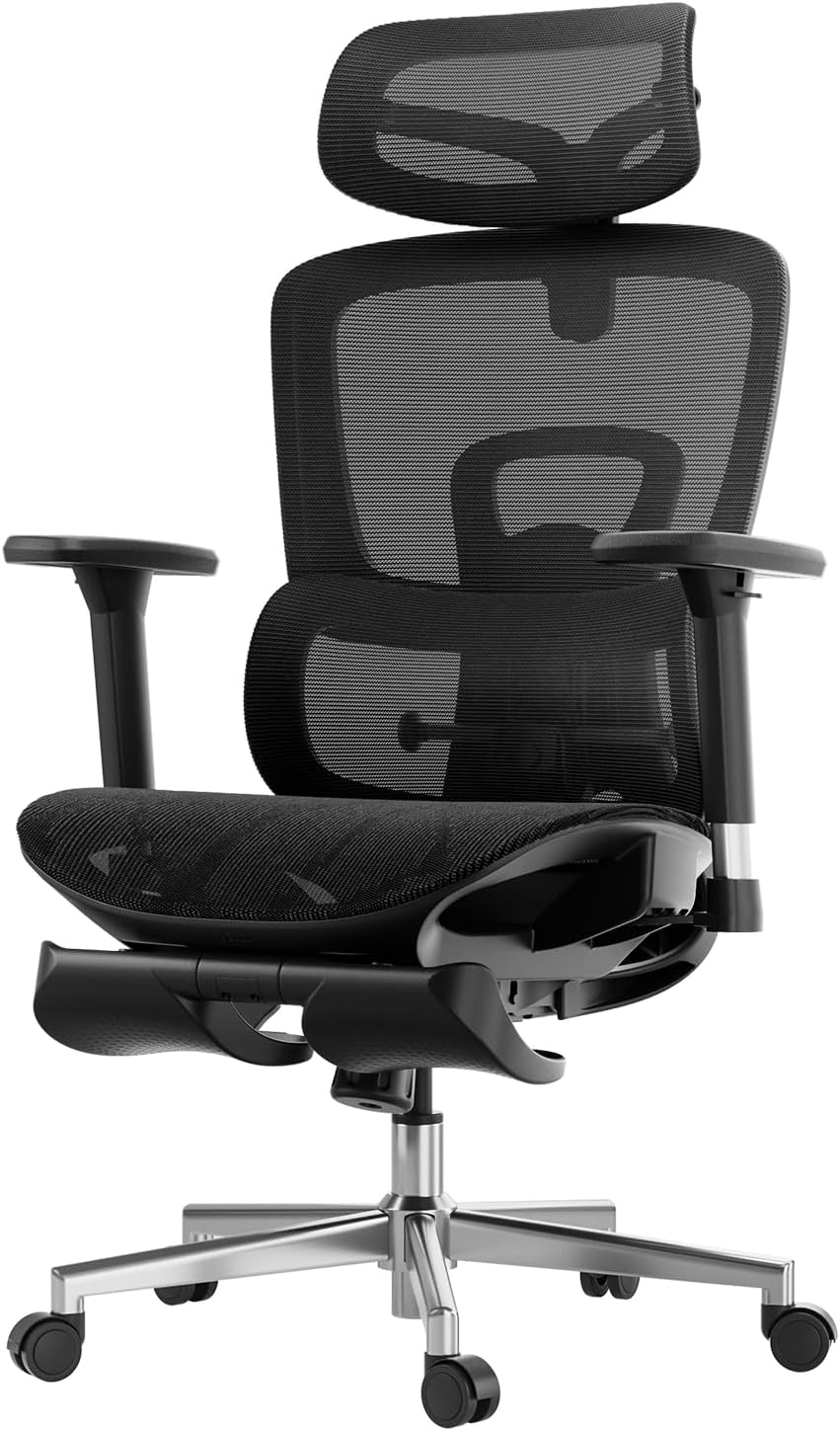
Imatge: Detallada view of the armrests highlighting their 3D adjustment capabilities.
5. Reposacaps ajustable en 2D
The headrest provides precise neck support and can be adjusted in two ways:
- Ajust d'alçada: Adjust up and down by 3.93 inches.
- Ajust d'angle: Rotate back and forth by 38 degrees.
Image: Diagram illustrating the headrest's adjustable height and rotation.
6. Footrest Operation (if applicable)
If your chair model includes a footrest, pull it out from beneath the seat. You can then flip it over to position it for leg support when reclining. Push it back under the seat when not in use.
Manteniment
Regular maintenance will extend the life and appearance of your Hbada office chair.
- Neteja: For the mesh and plastic components, wipe with a soft, damp drap. Eviteu productes de neteja abrasius o productes químics agressius.
- Inspecció: Reviseu periòdicament tots els cargols i perns per assegurar-vos que estiguin ben ajustats. Torneu a apretar-los si cal.
- Rodes: Netegeu les rodes regularment per eliminar la pols i les restes que puguin dificultar el moviment suau.
- Ascensor de gas: No intenteu desmuntar el cilindre d'elevació de gas.
Resolució de problemes
Si teniu algun problema amb la cadira, consulteu els següents problemes i solucions habituals:
| Problema | Causa possible | Solució |
|---|---|---|
| La cadira no s'ajusta en alçada. | Gas lift cylinder malfunction or lever not engaged. | Ensure the height adjustment lever is fully pulled. If the issue persists, contact customer service for gas lift replacement. |
| La cadira trontolla o es nota inestable. | Cargols solts o terra irregular. | Revisa i estreny tots els cargols de muntatge. Assegura't que la cadira estigui sobre una superfície plana. |
| Les rodes no giren suaument. | Restes atrapades a les rodes o rodes danyades. | Clean any hair or debris from the casters. If damaged, casters may need replacement. |
| Backrest recline mechanism is stuck. | Recline lock engaged or mechanism obstruction. | Ensure the recline lock lever is disengaged. Check for any obstructions around the mechanism. |
Especificacions
| Marca | Hbada |
| Nom del model | Hbada E208 |
| Número de model de l'article | E208BMA/CB |
| Color | Negre |
| Dimensions del producte | 23.74 "P x 17.52" W x 22.64" H |
| Pes de l'article | 49.6 lliures |
| Recomanació de pes màxim | 150 quilograms (aprox. 330 lliures) |
| Estil d'esquena | Espatlla sòlida |
| Característica especial | Lumbar ajustable |
| Estil | Modern |
| Tipus d'acabat | Niló |
| Usos recomanats | Oficina |
| Alçada del seient | 18.25 polzades |
| Inclinació | Sí |
Garantia i Suport
Hbada es compromet a oferir productes d'alta qualitat i un excel·lent servei al client.
- Garantia: Your Hbada E2 Ergonomic Office Chair comes with a worry-free 3-year warranty.
- Devolucions: Gaudeix d'una política de devolució gratuïta de 30 dies.
- Igualació de preus: S'ofereix una garantia d'igualació de preus de 15 dies.
- Danyat a l'arribada: La reparació i la substitució estan garantides per als articles danyats a l'arribada.
- Atenció al client: For any questions, concerns, or warranty claims, please contact Hbada customer service. Refer to the contact information provided with your purchase or visit the official Hbada weblloc.
For more information and support, you may also refer to the official Manual d'instal·lació (PDF).


