Introducció
Welcome to your new Best Choice Products 61-Key Electronic Keyboard Piano Set. This comprehensive set is designed for beginners and aspiring musicians, offering a full range of features to facilitate learning and musical expression. With lighted keys, multiple teaching modes, and a complete accessory bundle, you'll be playing your favorite tunes in no time. This manual provides essential information for setup, operation, maintenance, and troubleshooting to ensure optimal performance and longevity of your instrument.

Image: The complete 61-key electronic keyboard piano set, including the keyboard, adjustable stand, padded bench, and a music rest with a tablet displaying sheet music.
Què s'inclou
Your Best Choice Products 61-Key Electronic Keyboard Piano Set comes with the following components:
- 1 teclat electrònic de 61 tecles
- 1 x H-Style Keyboard Stand
- 1 x Padded Stool (Bench)
- 1 x Music Stand (Holder)
- 1 x Auriculars
- 1 x Note Stickers for keys
- Adaptador d'alimentació
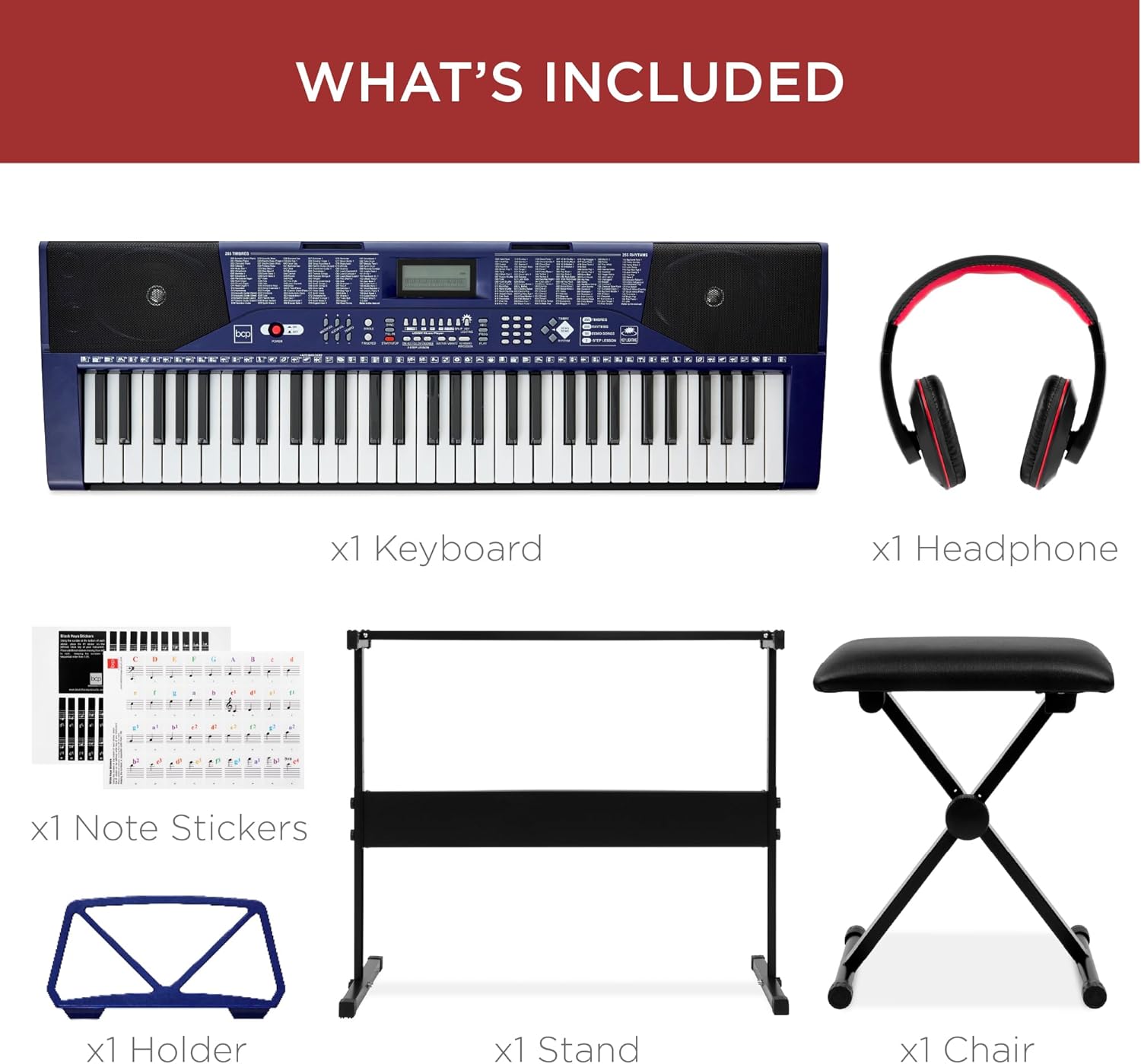
Image: A visual representation of all components included in the package: the keyboard, headphones, note stickers, a blue music holder, the black keyboard stand, and the black padded stool.
Configuració
- Muntar el suport del teclat: Unfold the H-style keyboard stand and adjust it to a comfortable height. Ensure all locking mechanisms are securely fastened to prevent wobbling.
- Assemble the Padded Stool: Unfold the padded stool and ensure it is stable.
- Col·loca el teclat: Col·loqueu amb cura el teclat electrònic de 61 tecles sobre el suport muntat. Assegureu-vos que estigui centrat i estable.
- Attach the Music Stand: Insert the music stand into the designated slot on the top of the keyboard.
- Apply Note Stickers (Optional): If desired, carefully apply the provided note stickers to the keys. These can assist beginners in identifying notes.
- Connectar l'alimentació: Plug the power adapter into the DC IN port on the back of the keyboard, then plug the adapter into a standard electrical outlet.
- Encès: Premeu el botó PODER button on the keyboard to turn it on.
Instruccions de funcionament
Funcionament bàsic
- Control de volum: Use the volume knob or buttons to adjust the overall sound level.
- Pantalla LCD: The LCD screen displays current settings, selected timbre, rhythm, and teaching mode information.
- Auriculars Jack: For private practice, plug the included headphones into the 3.5mm headphone jack. This mutes the built-in speakers.

Image: The included headphones, featuring padded speakers, designed for comfortable and private practice sessions.
Modalitats d'ensenyament
The keyboard features three teaching modes to assist beginners:
- One-Key Mode: Allows you to play along with demo songs by pressing any key. The keyboard will play the correct note.
- Mode de seguiment: The keyboard waits for you to play the correct note before proceeding with the song.
- Mode conjunt: You play the melody while the keyboard plays the accompaniment.
The light-up keys feature provides visual guidance, illuminating the correct keys to press during teaching modes or demo songs.
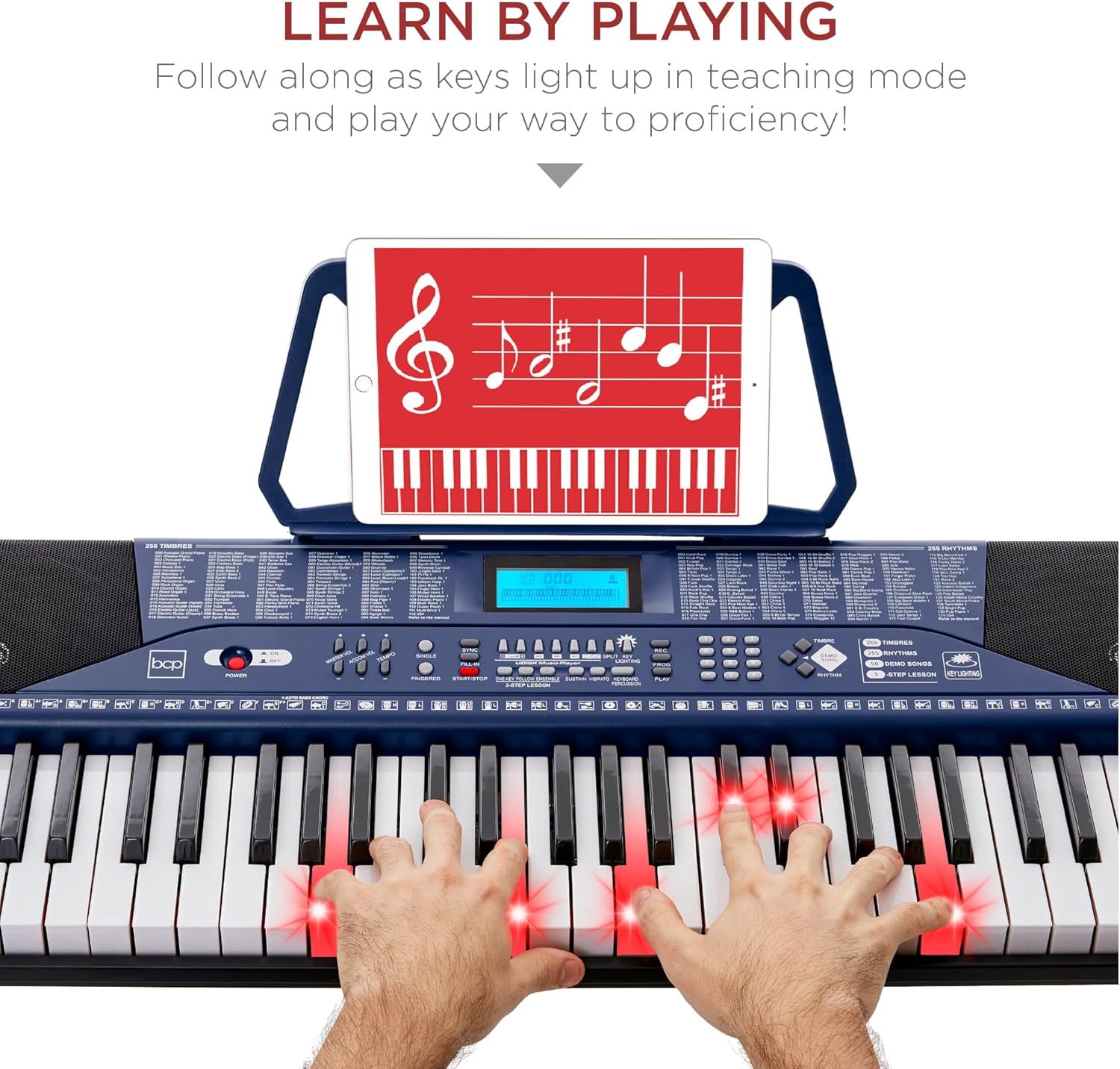
Image: A close-up of hands playing the keyboard, with several keys illuminated in red, demonstrating the "Learn by Playing" feature with lighted keys.
Personalització del so
Explore the various sound options to enhance your musical creations:
- Timbres (255): Select from a wide range of instrument sounds. Refer to the keyboard's panel for a list of available timbres.
- Rhythms (255): Choose from various rhythm patterns to accompany your playing.
- Demo Songs (50): Play along or listen to pre-recorded demo songs.
- Keyboard Percussion (32 types): Access different percussion sounds directly from the keys.
- Rhythm Programmer: Create and program your own rhythm sequences.
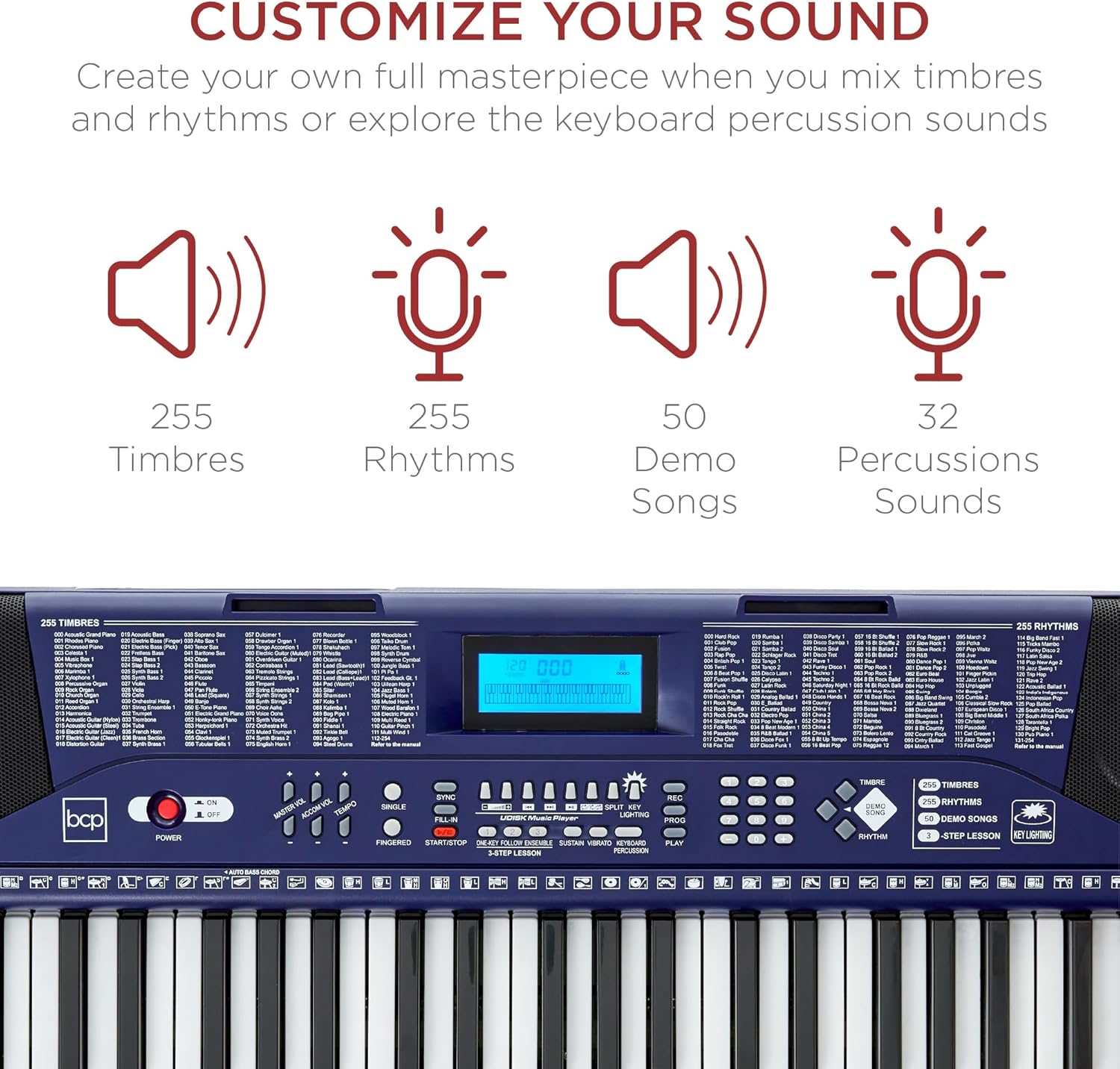
Imatge: Una imatge detallada view of the keyboard's control panel, highlighting the extensive options for sound customization, including 255 timbres, 255 rhythms, 50 demo songs, and 32 percussion sounds.
Funcionalitat del port USB
The integrated USB port allows you to connect a USB drive and play along to songs stored on it. This feature enables you to practice with your favorite tracks or add your own melodies and rhythms to background music.
Manteniment
- Neteja: Use a soft, dry cloth to wipe down the keyboard and accessories. Avoid using abrasive cleaners or solvents, as they may damage the finish.
- Emmagatzematge: Quan no l'utilitzeu, guardeu el teclat en un lloc fresc i sec, allunyat de la llum solar directa i de temperatures extremes.
- Manipulació: Handle the keyboard and its components with care to prevent physical damage. Avoid dropping or placing heavy objects on the keys.
- Potència: Always turn off the keyboard and unplug it from the power outlet when not in use for extended periods or during electrical storms.
Resolució de problemes
| Problema | Causa possible | Solució |
|---|---|---|
| No hi ha so dels altaveus/auriculars | Volume too low; Headphones not fully inserted; Power not connected. | Increase volume; Re-insert headphones firmly; Ensure power adapter is connected and keyboard is on. |
| Les tecles no s'il·luminen | Light-up key feature is off; Not in a teaching mode that uses lighted keys. | Activate the key lighting feature (refer to keyboard controls); Select a teaching mode (One-Key, Follow, Ensemble). |
| El teclat no s'encén | Power adapter not connected; Power outlet issue. | Check power adapter connection; Try a different power outlet. |
| So distorsionat | Volume too high; Loose connections. | Lower volume; Check all cable connections. |
If you encounter issues not listed here, please refer to the manufacturer's support information.
Especificacions
- Marca: Millor elecció de productes
- Nom del model: 61-Key Beginners Electronic Keyboard Piano Set w/ Lighted Keys, Headphones
- Número de model: Sky7174
- Nombre de claus: 61
- Timbres: 255
- Ritmes: 255
- Cançons de demostració: 50
- Percussió de teclat: 32 tipus
- Dimensions del producte: 36.4" (llargada) x 12" (amplada) x 3.7" (alçada)
- Pes de l'article: 17.2 lliures
- Color: Blau
- Tipus de material: Plàstic
- Tecnologia de connectivitat: USB
- Presa per a auriculars: Jack de 3.5 mm
- Nivell d'habilitat: Principiant
- Característica especial: Portàtil
- UPC: 842957136353
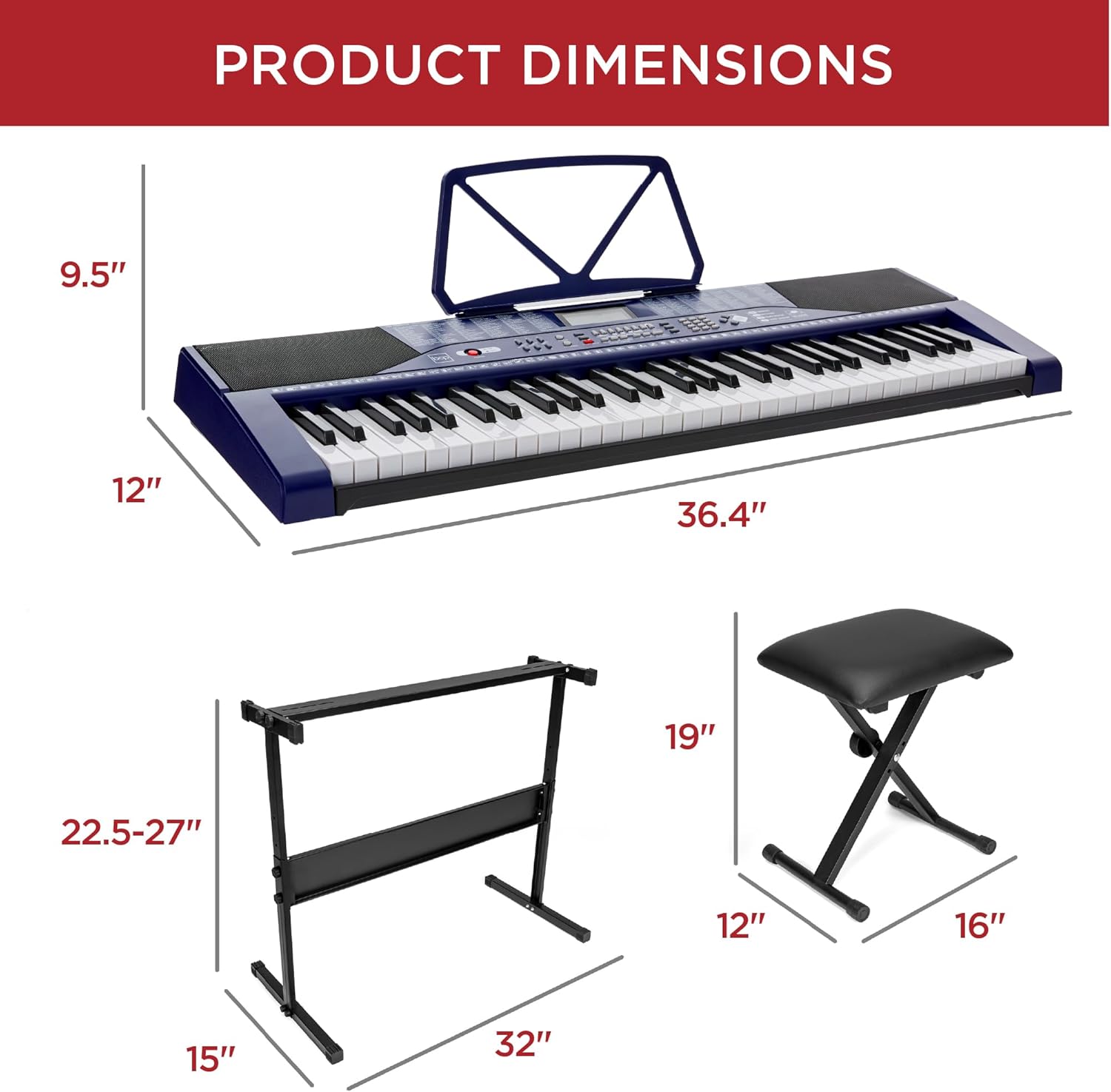
Image: A visual guide illustrating the key dimensions of the keyboard (36.4" L x 12" W x 9.5" H with music rest), the keyboard stand (32" W x 15" D x 22.5-27" H adjustable), and the padded stool (16" L x 12" W x 19" H).
Garantia i Suport
For detailed warranty information and customer support, please refer to the documentation included with your product or visit the official Best Choice Products website. You can also contact their customer service for assistance with any product-related inquiries or issues.
Protection plans are available for purchase separately. Please refer to the product listing or contact Best Choice Products for more details on extended protection options.


