Introducció
This manual provides essential information for the safe and efficient operation of your Dragon Touch Notepad K10 Tablet. Please read this manual thoroughly before using the device and retain it for future reference.
The Dragon Touch Notepad K10 is a 10.1-inch Android tablet featuring a Quad-Core processor, 64GB internal storage (expandable up to 256GB), a 1280x800 IPS HD display, Micro HDMI output, GPS, FM radio, and 5G WiFi connectivity.
Contingut del paquet
Verifiqueu que hi hagi tots els elements en desembalar-los:
- 1 x 10.1 Inch Android Tablet (Notepad K10)
- 1 x cable USB
- 1 x 5V 2A Charger
- 1 x Manual d'usuari
Dispositiu acabatview
Familiarize yourself with the tablet's physical features and ports.

Imatge: Anvers i revers view of the Dragon Touch Notepad K10 Tablet, highlighting its sleek design and camera placement.
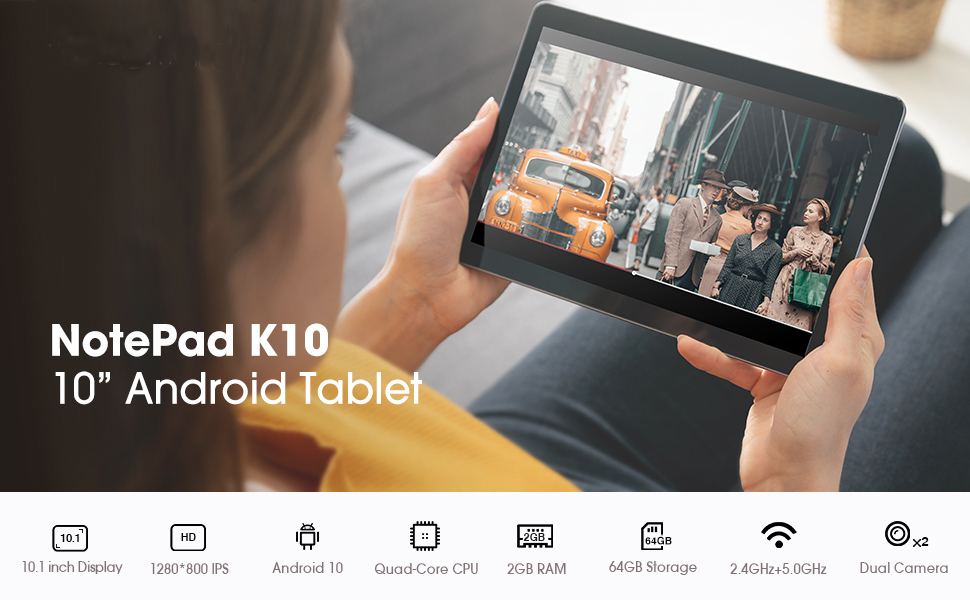
Image: A visual summary of the tablet's key features including 10.1-inch display, Android 10, Quad-Core CPU, 2GB RAM, 64GB storage, dual-band Wi-Fi, and dual cameras.
- Pantalla: 10.1-inch IPS HD Display (1280x800 resolution).
- Càmeres: Dual cameras (front and rear).
- Ports: Micro USB charger port, MicroSD card port, 3.5mm standard headphone jack, Micro HDMI port.
- Ponents: Dual speakers for audio output.
Configuració
1. Càrrec inicial
Before first use, fully charge the tablet using the provided USB cable and 5V 2A charger. Connect the Micro USB end to the tablet's charging port and the USB-A end to the power adapter, then plug the adapter into a wall outlet. The charging indicator will show progress.
2. Encendre/apagar
- To power on: Press and hold the power button until the Dragon Touch logo appears.
- Per apagar: manteniu premut el botó d'engegada i, a continuació, seleccioneu "Apagar" de les opcions.
3. Assistent de configuració inicial
Upon first power-on, the tablet will guide you through the initial setup process. This includes selecting your language, connecting to a Wi-Fi network, and signing in with your Google account. A Google account is required to download applications from the Google Play Store.

Image: The tablet screen showing the Android 10 logo, indicating the operating system.
4. Expandable Storage
The tablet supports MicroSD cards up to 256GB for expanded storage. Insert the MicroSD card into the designated slot until it clicks into place. You can then format the card for use as portable or internal storage via the tablet's settings.
Instruccions de funcionament
1. Navegació i interfície
- Gestos de la pantalla tàctil: Toca per seleccionar, llisca per desplaçar-te, pessiga per ampliar.
- Pantalla d'inici: Accedeix a les teves aplicacions i widgets. Fes lliscar el dit cap a l'esquerra o cap a la dreta per navegar entre pantalles.
- Panell de notificacions: Llisca cap avall des de la part superior de la pantalla per accedir a les notificacions i a la configuració ràpida.
2. Connectivitat Wi-Fi
The tablet supports dual-band Wi-Fi (2.4GHz and 5GHz). To connect:
- Vés a Configuració > Xarxa i Internet > Wi-Fi.
- Activa la Wi-Fi.
- Seleccioneu la xarxa desitjada de la llista i introduïu la contrasenya si se us demana.
3. Emparellament Bluetooth
To pair with Bluetooth devices (e.g., headphones, speakers):
- Vés a Configuració > Dispositius connectats > Bluetooth.
- Activa el Bluetooth.
- Assegureu-vos que el dispositiu Bluetooth estigui en mode d'emparellament.
- Seleccioneu el dispositiu de la llista per emparellar-lo.
4. Using Micro HDMI
Connect your tablet to an external display (TV, monitor) using a Micro HDMI to HDMI cable (sold separately) to mirror your tablet's screen.

Image: The tablet displaying its content on a larger television screen via Micro HDMI connection.
5. Eye-Care Mode
The tablet features an Eye-Care mode that automatically adjusts and optimizes the backlight for comfortable reading, especially at night. This can be enabled in the display settings.
Media and Entertainment
The Notepad K10 is designed for a robust entertainment experience, supporting various media formats and applications.
Video: A demonstration of the tablet's capabilities, including general usage, video playback, and gaming. This video highlights the tablet's performance and display quality.

Image: A user enjoying video content on the Dragon Touch Notepad K10 Tablet in an outdoor setting, demonstrating portability and display clarity.
Manteniment
- Neteja: Feu servir un drap suau i sense borrissol per netejar la pantalla i la carcassa. Eviteu productes de neteja o dissolvents abrasius.
- Emmagatzematge: Guardeu la tauleta en un lloc fresc i sec, allunyat de la llum solar directa i de temperatures extremes.
- Cura de la bateria: To prolong battery life, avoid fully discharging the battery frequently. Charge the tablet regularly.
- Actualitzacions de programari: Comproveu periòdicament si hi ha actualitzacions del sistema a Configuració > Sistema > Actualització del sistema per garantir un rendiment i una seguretat òptims.
Resolució de problemes
Tablet Does Not Turn On
- Ensure the tablet is fully charged. Connect it to the charger for at least 30 minutes before attempting to power on.
- Premeu i manteniu premut el botó d'engegada durant 10-15 segons per realitzar un reinici forçat.
Rendiment lent
- Tanca les aplicacions que no s'utilitzen i que s'executen en segon pla.
- Esborra les dades de la memòria cau de les aplicacions a Configuració > Aplicacions i notificacions > Veure totes les aplicacions > [Nom de l'aplicació] > Emmagatzematge i memòria cau > Esborra la memòria cau.
- Ensure sufficient free storage space. Uninstall unnecessary apps or move files to the MicroSD card.
- Reinicieu la tauleta periòdicament.
Problemes de connexió Wi-Fi
- Ensure Wi-Fi is enabled on the tablet and the router is working correctly.
- Oblida't de la xarxa i torna a connectar-te: vés a Configuració > Xarxa i Internet > Wi-Fi, tap the network name, then Oblida't. Reconnect afterwards.
- Reinicieu el vostre encaminador Wi-Fi.
Problemes de càrrega
- Feu servir només el carregador i el cable USB proporcionats.
- Comproveu el port de càrrega per veure si hi ha restes o danys.
- Proveu una presa de corrent diferent.
- If the charging port feels loose or damaged, contact customer support.
Especificacions
| Característica | Detall |
|---|---|
| Model | Notepad K10 |
| Sistema operatiu | Android 10 |
| Mida de la pantalla | 10.1 polzades |
| Resolució de pantalla | 1280 x 800 IPS HD |
| Processador | Quad Core Cortex A55 (up to 1.3 GHz) |
| RAM | 2 GB |
| Emmagatzematge intern | 64 GB |
| Emmagatzematge ampliable | MicroSD fins a 256 GB |
| Tecnologia sense fils | IEEE802.11a/b/g/n (Dual Band WIFI 2.4Ghz/5GHz) |
| Bluetooth | Bluetooth 4.2 |
| Càmeres | Dual Camera (Rear 5 MP) |
| Tipus de bateria | Bateria de ions de liti de 5000 mAh |
| Durada mitjana de la bateria | 5 hores |
| Configuració de la interfície | Micro USB, MicroSD, 3.5mm Headphone Jack, Micro HDMI |
| Pes de l'article | 2.05 lliures |
| Dimensions del producte | 9.4 x 0.4 x 6.7 polzades |
Garantia i Suport
For warranty information and technical support, please refer to the official Dragon Touch weblloc web o contacteu directament amb el servei d'atenció al client. Conserveu el rebut de compra per a reclamacions de garantia.
Nota: The manufacturer's warranty typically covers defects in materials and workmanship under normal use. Damage caused by misuse, accidents, or unauthorized modifications may not be covered.


