1. Introducció
Thank you for choosing the Pamray 55 Inch Computer Desk. This desk is designed to provide a functional and organized workspace for your home or office. It features ample storage, a comfortable monitor stand, and a dedicated computer tower compartment. This manual provides essential information for assembly, operation, maintenance, and troubleshooting to ensure you get the most out of your new desk.

Figure 1.1: Fully assembled Pamray 55 Inch Computer Desk.

Figure 1.2: Pamray Computer Desk in a typical office environment.
2. Informació de seguretat
Si us plau, llegiu atentament totes les instruccions de seguretat abans del muntatge i l'ús. Si no seguiu aquestes instruccions, podeu patir lesions o danys al producte.
- This product has a maximum weight recommendation of 100 quilograms (220 lliures)No supereu aquest límit de pes.
- Es recomana que dues persones assemble the desk to ensure safety and ease of construction.
- Always use the included tools and follow the assembly instructions carefully to ensure stability and proper weight capacity.
- If necessary, anchor the desk to the wall to prevent tipping, especially in households with children or pets.
- Mantingueu les peces petites i els materials d'embalatge lluny dels nens per evitar perills d'asfixia.
3. Llista de components
Abans de començar el muntatge, verifiqueu que tots els components que s'enumeren a continuació siguin presents i no estiguin danyats. Si hi ha alguna peça que falti o que estigui danyada, poseu-vos en contacte amb el servei d'atenció al client.
| Component | Descripció | Quantitat |
|---|---|---|
| Panells d'escriptori | Main work surface and monitor stand top. | Varia |
| Components del marc metàl·lic | Legs, support bars, and structural elements. | Varia |
| Non-woven Storage Drawers | Fabric drawers for storage. | 3 |
| Suport de monitor | Elevated shelf for monitor placement. | 1 |
| Computer Tower Compartment Panels | Panels forming the PC storage area. | Varia |
| Open Shelf Panels | Lower shelf for additional storage. | 1 |
| Ganxos | For hanging headphones or backpacks. | 2 |
| Pack de maquinari | Screws, bolts, nuts, and other fasteners. | 1 conjunt |
| Eines d'instal·lació | Allen wrench, screwdriver (if applicable). | 1 conjunt |
| Coixinets de peu ajustables | Per a estabilitat en superfícies irregulars. | 6 |
4. Configuració (instruccions de muntatge)
Assembly of the Pamray Computer Desk is designed to be straightforward. We recommend having two people for the assembly process. All necessary tools are included in the accessory bag.
- Desempaquetar i identificar les peces: Desembaleu amb cura tots els components i col·loqueu-los sobre una superfície neta i suau per evitar ratllades. Consulteu la llista de components per assegurar-vos que hi hagi totes les peces.
- Muntar el marc: Follow the detailed instructions in the provided installation manual to connect the metal frame components. Ensure all screws are tightened securely but do not overtighten.
- Adjunta els panells d'escriptori: Secure the main desktop panels to the assembled frame.
- Install Storage Sections: Assemble and integrate the non-woven drawer sections, computer tower compartment, and open shelf according to the manual.
- Suport de monitor de muntatge: Attach the removable monitor stand to the main desktop.
- Enganxeu ganxos: Secure the two hooks to the designated areas on the desk frame.
- Ajustar les coixinetes dels peus: Once assembled, adjust the six foot pads at the bottom of the desk to ensure stability on uneven surfaces.
For comprehensive visual guidance, please refer to the official installation manual and videos:
- Manual d'instal·lació (PDF): Descarrega el manual en PDF
- Vídeos d'instal·lació: Comprehensive installation videos are available. You can often find these by scanning the transparency label on the product packaging or by visiting the product page online.

Figure 4.1: Adjustable foot pads for stability.
5. Funcionament (ús)
The Pamray Computer Desk is designed for optimal functionality and comfort in your workspace.
5.1 Ample Desktop Space
With a desktop area of 7.43 square feet and a monitor stand space of 1.46 square feet, the desk provides sufficient room for your laptop, PC, keyboard, mouse, and other daily essentials. This ample space helps enhance work efficiency and maintain a tidy workspace.
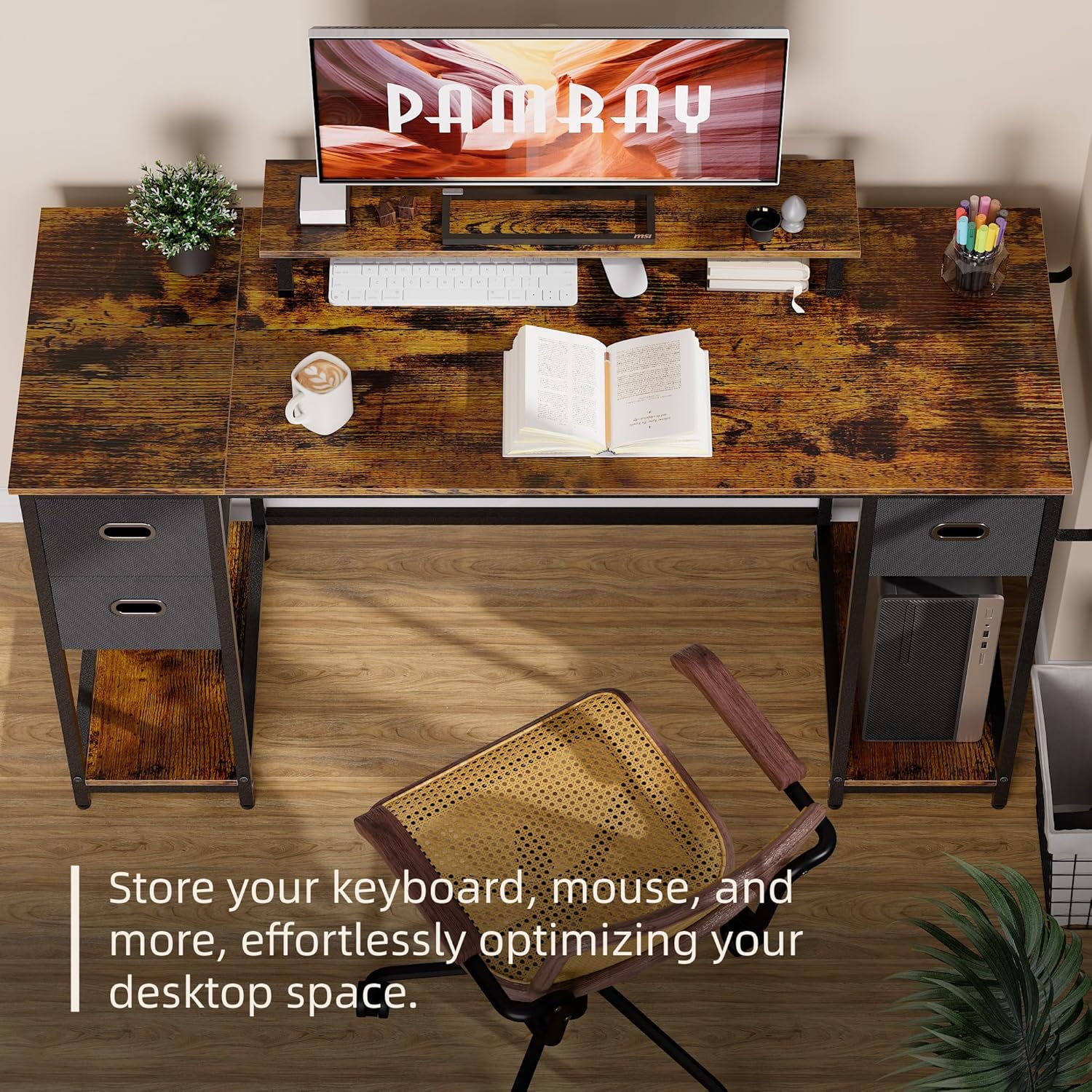
Figure 5.1: Optimized desktop space with keyboard and mouse storage.
5.2 Monitor Stand
The integrated monitor stand allows you to adjust the height of your monitor, enhancing visibility and work comfort. This feature can boost your work efficiency and help maintain correct posture while working, reducing neck and eye strain.

Figure 5.2: Removable monitor stand for flexible layout.

Figure 5.3: Proper posture facilitated by the monitor stand.
5.3 Storage Solutions
The desk offers various storage options to keep your workspace organized:
- Non-Woven Storage Drawers: Three non-woven drawers provide a total of 1.77 cubic feet of storage for files, books, earphones, and other items.
- Computer Tower Compartment: A dedicated compartment (1.83 cubic feet) is designed to house your computer tower, optimizing desk space and keeping your PC safely stored.
- Prestatge obert: An additional open shelf (1.19 cubic feet) offers easy access storage for frequently used items.
- Ganxos: Two integrated hooks are available for conveniently hanging your backpack, headphones, or other accessories.

Figure 5.4: Non-woven storage drawers for various items.

Figure 5.5: Dedicated computer tower compartment.

Figure 5.6: Convenient headphone hooks.
6. Manteniment
Proper care and maintenance will extend the life and appearance of your Pamray Computer Desk.
- Neteja: Netegeu les superfícies de l'escriptori amb un drap suau iamp drap. Eviteu utilitzar productes químics agressius o netejadors abrasius, que poden danyar l'acabat.
- Vessaments: The desk surface is designed to be water-resistant. In case of spills, wipe them immediately with a dry cloth to prevent water damage.
- Cura del calaix: The non-woven drawers can be spot cleaned with a mild detergent and water. Allow them to air dry completely before placing them back in the desk.
- Comprovació d'estabilitat: Periodically check all screws and fasteners to ensure they remain tight. Retighten if necessary to maintain the desk's stability.
- Eviteu la llum solar directa: Prolonged exposure to direct sunlight can cause fading or damage to the desk's finish.

Figure 6.1: Water-resistant desk surface.
7. Solució De Problemes
This section addresses common issues you might encounter with your Pamray Computer Desk.
| Problema | Causa possible | Solució |
|---|---|---|
| L'escriptori està inestable o trontolla. | Fixacions fluixes; terra irregular; muntatge incorrecte. | Ensure all screws are tightened. Adjust the foot pads at the bottom of the desk to compensate for uneven flooring. Review assembly steps in the manual. |
| Peces que falten o danyades a l'arribada. | Danys durant l'enviament; error d'embalatge. | Do not proceed with assembly. Contact Pamray customer support immediately with your purchase details and a list of missing/damaged parts. |
| Els calaixos no llisquen suaument. | Incorrect drawer insertion; obstruction. | Ensure the non-woven drawers are inserted correctly and are not overfilled. Check for any obstructions in the drawer compartments. |
8. Especificacions
Detailed technical specifications for the Pamray 55 Inch Computer Desk:

Figure 8.1: Desk dimensions and storage capacities.
| Característica | Detall |
|---|---|
| Marca | Pamray |
| Número de model | A6black55 |
| Nom del model | A6-140 |
| Dimensions del producte (P x A x A) | 138 cm de profunditat x 50 cm d'amplada x 75 cm d'alçada |
| Color | Negre |
| Estil | Modern |
| Material base | Metall |
| Tipus de material superior | Fusta d'enginyeria |
| Tipus d'acabat | Recobert de pols |
| Pes de l'article | 17 quilograms (37.5 lliures) |
| Recomanació de pes màxim | 100 quilograms (220 lliures) |
| Nombre de calaixos | 3 (Non-woven) |
| Nombre de prestatges oberts | 1 |
| Components inclosos | Non-woven storage drawers, Monitor stand, Computer tower compartment, Open shelf, Installation tools |
| Muntatge requerit | Sí |
| Nombre recomanat de persones per a l'assemblea | 2 |
9. Informació de la garantia
The Pamray 55 Inch Computer Desk comes with a Garantia limitada. For specific details regarding the terms and conditions of your warranty, including coverage period and what is covered, please refer to the warranty documentation included with your product packaging or contact Pamray customer support directly.
10. Atenció al client
If you have any questions, require assistance with assembly, or encounter any issues not covered in this manual, please do not hesitate to contact Pamray customer support. Please have your product model number (A6black55) and purchase information ready when contacting support.
For more information about Pamray products and to explore our full range, please visit the official Pamray Store:


