1. Introducció
1.1 Producte acabatview
The Sena Smart HJC 50B is a second-generation premium Bluetooth communication system designed for seamless integration into HJC helmets. It offers an all-in-one design, ensuring optimal weight balance and aerodynamic performance. Based on the Bluetooth 5.0 low power system, the 50B supports both Mesh Intercom and 4-way Bluetooth Intercom functionalities.
This system features an enhanced sound system with audio multi-tasking capabilities, sound equalization, and advanced noise-canceling technology. It is equipped with HD speakers to enrich mid-to low-pitched sounds, providing a clear audio experience. The unit also supports digital assistant access, multi-language voice commands, FM radio, and music sharing.
1.2 Característiques clau
- Bluetooth 5.0 connectivity for stable and efficient communication.
- Mesh Intercom (Open/Group) for large group communication.
- 4-way Bluetooth Intercom for smaller group conversations.
- Audio Multitasking allows simultaneous audio playback and intercom communication.
- HD Speakers for improved audio quality, especially for mid-to low-pitched sounds.
- Digital Assistant Access for hands-free control (e.g., Siri, Google Assistant).
- FM Radio with scan and save functions.
- Intercom range up to 1600mm (1 mile).
- Advanced Noise Control for clear communication in noisy environments.
- Music Sharing feature to share audio with another rider.
- Customized design for seamless integration with HJC helmets.
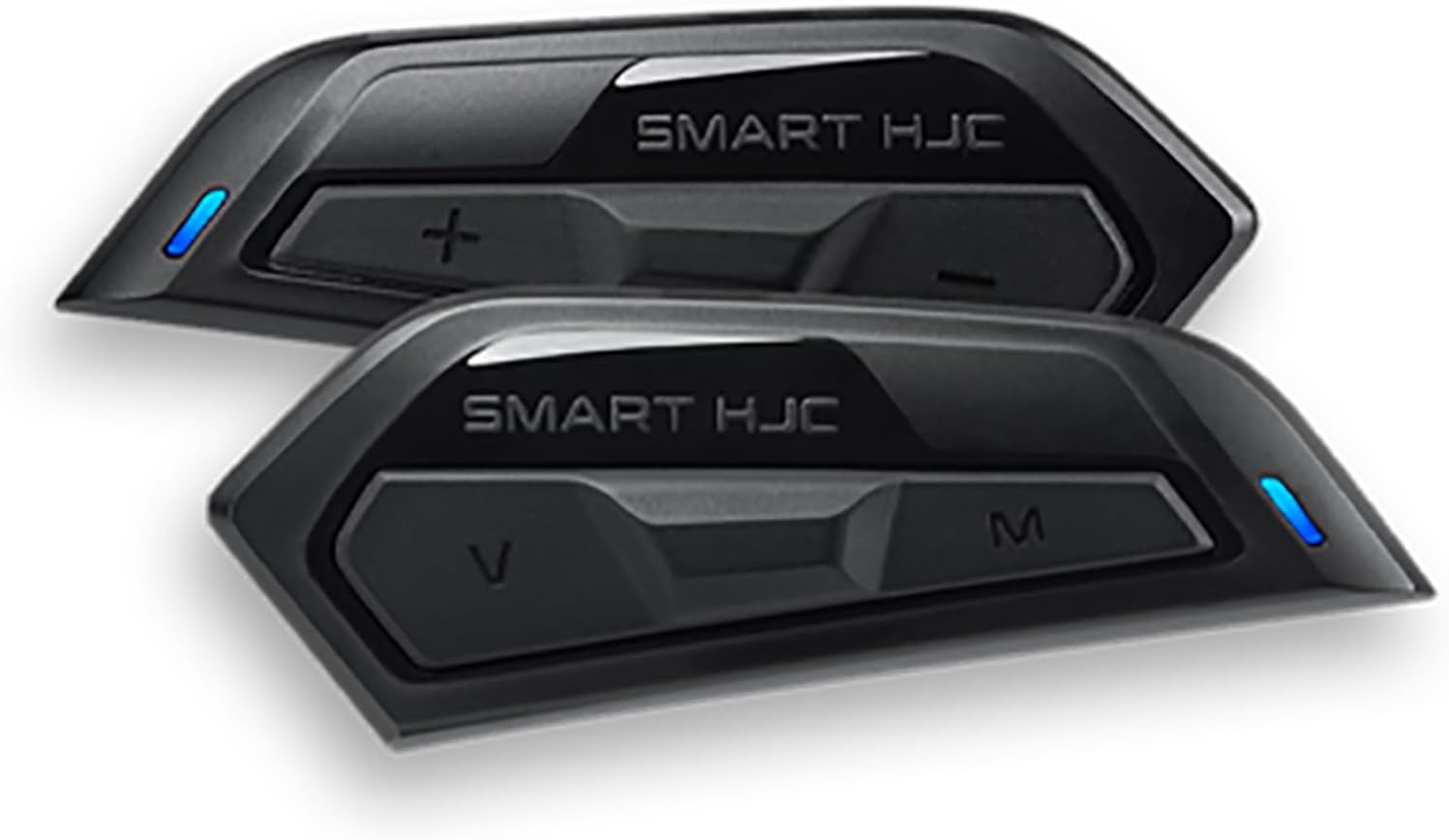
Image: The Sena Smart HJC 50B communication system units. These units are designed to integrate directly into compatible HJC helmets, providing a streamlined appearance and enhanced functionality for riders.
2. Informació de seguretat
Always prioritize safety when operating your motorcycle and using the communication system. Ensure the system is securely installed and does not obstruct your vision or movement. Operating the device at high volumes for extended periods may cause hearing damage. Be aware of your surroundings and local traffic laws.
Advertència de la proposta 65: Aquest producte pot contenir substàncies químiques que l'estat de Califòrnia sap que causen càncer i defectes congènits o altres danys reproductius. Per a més informació, visiteu www.P65Warnings.ca.gov.
This communication system is intended for use with DOT approved and FMVSS 218 certified helmets, ensuring legal on-road motorcycle use in the United States.
3. Contingut del paquet
Marqueu la casella per assegurar-vos que hi hagi tots els elements:
- Sena Smart HJC 50B Main Unit
- HD Speakers (Left and Right)
- Micròfon Boom
- Micròfon per cable
- USB-C Charging and Data Cable
- Mounting Hardware (e.g., clamps, adhesive mounts)
- Velcro Pads for Speakers and Microphones
- Manual d'usuari (aquest document)
4. Configuració
4.1 Installation into Helmet
- Prepare Helmet: Remove the helmet's cheek pads and liner to access the interior.
- Install Main Unit: The 50B is designed for specific HJC helmets. Follow the helmet's instructions for integrating the main unit into the designated slot. Ensure it clicks securely into place.
- Instal·lar altaveus: Place the HD speakers into the helmet's ear pockets using the provided Velcro pads. Ensure they are positioned directly over your ears for optimal sound. Route the speaker wires neatly under the liner.
- Instal·lar el micròfon: Choose between the boom microphone (for open-face helmets) or the wired microphone (for full-face helmets). Attach the microphone to the helmet using Velcro, ensuring it is close to your mouth but not obstructing your vision. Route the microphone cable.
- Connectar els cables: Connect the speaker and microphone cables to the main unit.
- Reassemble Helmet: Carefully reinsert the helmet liner and cheek pads, ensuring no wires are pinched.
4.2 Emparellament inicial (Bluetooth)
Before first use, fully charge the device. To pair your 50B with a smartphone or other Bluetooth device:
- Encès: Press and hold the Center Button and (+) Button for 1 second to power on the unit.
- Introduïu el mode de vinculació: With the unit powered off, press and hold the Phone Button for 5 seconds until the LED flashes red and blue alternately.
- Search on Device: On your smartphone, go to Bluetooth settings and search for new devices. Select "Sena 50B" from the list.
- Confirmeu l'aparellament: If prompted, enter "0000" for the PIN. Once paired, the LED will turn solid blue.
5. Instruccions de funcionament
5.1 Controls bàsics
- Encès/apagat: Press and hold the Center Button and (+) Button for 1 second (On) or 5 seconds (Off).
- Ajust de volum: Press the (+) Button to increase volume, and the (-) Button to decrease volume.
- Respondre/Finalitzar la trucada: Press the Phone Button.
- Reproduir/pausar música: Press the Center Button.
5.2 Intercom Features
- Intercomunicador Bluetooth: Pair with up to three other Sena or compatible Bluetooth intercom devices. Initiate intercom by tapping the Center Button.
- Mesh Intercom (Open Mesh): Enter Open Mesh mode by tapping the Mesh Intercom Button. This allows communication with any 50B user within range.
- Mesh Intercom (Group Mesh): Create a private group with specific users. This requires setting up a group in the Sena Utility App.
5.3 Music and Audio
- Reproducció de música: Control music directly from the unit (Play/Pause, Next/Previous Track). Note: Some users have reported difficulty pausing/restarting music directly from the unit; this may require control from the paired phone.
- Multitasca d'àudio: Listen to music or GPS instructions while simultaneously having an intercom conversation. The audio levels will adjust automatically.
- Ràdio FM: Turn on/off the FM radio, scan for stations, and save presets using the controls or the Sena Utility App.
- Compartir música: Share your music with one other connected Sena device.
5.4 Ordres de veu
The 50B supports multi-language voice commands for hands-free operation. Simply say "Hey Sena" followed by a command (e.g., "Hey Sena, volume up"). You can also access your smartphone's digital assistant (Siri, Google Assistant) by saying "Hey Google" or "Hey Siri".
6. Manteniment
- Neteja: Netegeu la unitat amb un suau, damp tela. No utilitzeu productes químics o dissolvents aggressivs.
- Cura de la bateria: Charge the battery regularly, even if not in use, to maintain its lifespan. Avoid extreme temperatures.
- Actualitzacions de firmware: Periodically check for firmware updates using the Sena Device Manager software on your computer. Updates can improve performance and add new features.
7. Solució De Problemes
If you encounter issues with your Sena Smart HJC 50B, try the following:
- Sense energia: Assegureu-vos que la unitat estigui completament carregada. Connecteu-la a una font d'alimentació i comproveu l'indicador de càrrega.
- Sense so/Volum baix: Check volume levels on both the 50B and your connected device. Ensure speakers are correctly positioned in the helmet.
- Intercom Disconnects/Cuts Out: Ensure units are within range. Obstacles and electromagnetic interference can affect range. Try resetting the unit or re-pairing.
- Problemes de connectivitat Bluetooth: Delete the 50B from your phone's Bluetooth list and re-pair. Ensure no other devices are interfering.
- La unitat no respon: Perform a factory reset. Refer to the full manual for specific factory reset instructions.
- Poor Audio Quality (Bass): Some users report less low-end bass compared to other audio devices. Ensure speakers are positioned correctly and consider adjusting equalizer settings via the Sena Utility App if available.
8. Especificacions
| Característica | Detall |
|---|---|
| Nom del model | Smart Hjc 50b Bluetooth and Mesh Communi |
| Tecnologia de comunicació sense fils | Bluetooth 5.0 |
| Tipus de control | Control de soroll |
| Pes de l'article | 1.1 lliures (aprox. 0.5 kg) |
| Dimensions del producte | 10 x 6 x 4 polzades (aprox. 25.4 x 15.2 x 10.2 cm) |
| Nombre d'articles | 1 (communication system unit) |
| UPC | 885465016229 |
| Fabricant | SENA |
| Bateries | Cal 1 bateria no estàndard |
| Número de peça del fabricant | 0750-1350-00 |
| Usos recomanats | Motociclisme |
| Franja d'edat | Adult |
9. Garantia i Suport
Sena products are covered by a limited warranty against defects in materials and workmanship. The specific warranty period may vary by region and product. Please retain your proof of purchase for warranty claims.
For technical support, firmware updates, or detailed warranty information, please visit the official Sena website or contact Sena customer service. You can also find additional resources and FAQs on the Botiga Sena a Amazon.


