1. Introducció
This manual provides detailed instructions for the installation, operation, and maintenance of your Tenveo TEVO-VHD630A PTZ Camera. Please read this manual thoroughly before using the product to ensure proper functionality and to prevent damage.
The Tenveo TEVO-VHD630A is a professional-grade PTZ (Pan-Tilt-Zoom) camera designed for high-quality live streaming and video production. It features AI auto-tracking, a powerful 30X optical zoom, and multiple output interfaces, making it suitable for various applications.
2. Producte acabatview
The Tenveo TEVO-VHD630A PTZ Camera delivers Full HD 1080P video at 60 frames per second, equipped with a 1/2.8" CMOS sensor. Its advanced optical system includes 30X optical zoom and 8X digital zoom, providing clear imagery even at significant distances. Integrated 2D and 3D Digital Noise Reduction technology ensures a sharp and crystal-clear video output.
Les característiques clau inclouen:
- Vídeo d'alta resolució: 1080P 60FPS output for professional quality.
- Zoom potent: 30X optical zoom combined with 8X digital zoom.
- AI Auto-Tracking: Human shape tracking with face recognition for automatic framing.
- Lent gran angular: Camp de 69.5° View.
- Connectivitat flexible: SDI, HDMI, USB3.0, RJ45 (PoE supported) interfaces.
- Smooth PTZ Movement: Pan 350° (±175°) and Tilt 180° (±90°) with silent operation.
- Compatibilitat universal: Works with popular streaming software like Zoom, YouTube, OBS, and more.

Image: Tenveo TEVO-VHD630A PTZ Camera showing its various input/output ports on the rear base.

Imatge: Més deview of camera features including 30X optical zoom, PoE support, 69.5° wide FOV, IR remote, OSD menu, auto/manual focus, live streaming capability, AI tracking & auto framing, 1080P 60FPS, and various video outputs.
3. Contingut del paquet
Verifiqueu que tots els elements siguin presents al paquet:
- Tenveo AI Auto Tracking PTZ Camera (TEVO-VHD630A)
- Comandament a distància IR
- Adaptador d'alimentació DC12V
- Cable USB3.0
- Suport de muntatge a la paret
- Cargols de muntatge
- Manual d'usuari (aquest document)
4. Configuració
4.1 Opcions de muntatge
The camera supports various mounting configurations:
- Ubicació d'escriptori: Col·loqueu la càmera sobre una superfície plana i estable.
- Muntatge del monitor: Securely attach to the top of a monitor using appropriate accessories (not included unless specified).
- Muntatge a la paret: Use the provided wall mount bracket and screws to fix the camera to a wall. Ensure the wall can support the camera's weight.
- Muntatge al sostre: Utilize the wall mount bracket for ceiling installation. The camera features a built-in gravity sensor that automatically flips the image vertically when ceiling mounted.
4.2 Connexió d'alimentació
Connect the camera to power using one of the following methods:
- DC12V Power Adapter: Connect the included DC12V power adapter to the camera's DC-12V port and then to a power outlet.
- Alimentació per Ethernet (PoE): If using a PoE-enabled network switch, connect an Ethernet cable from the switch to the camera's RJ45 port. This will provide both power and network connectivity.
4.3 Video and Control Connections
The TEVO-VHD630A offers multiple interfaces for video output and control:
- USB3.0: Connect the camera to a computer using the supplied USB3.0 cable for direct video and control.
- HDMI: Connect an HDMI cable to a display or video switcher for high-definition video output.
- IDS: Connect an SDI cable for professional long-distance video transmission to compatible equipment.
- RJ45 (LAN): Connect an Ethernet cable for IP streaming, PoE power, and network control.
- RS232/RS485: Use these ports for professional control via a PTZ joystick controller or other serial control devices.
- LÍNIA D'ENTRADA/SORTIDA: Connect external audio devices for integrated audio streaming (audio device not included).

Image: Illustration of various connectivity options for the camera, including USB, Ethernet, HDMI, and SDI for live streaming applications.
5. Instruccions de funcionament
5.1 Encès/Apagat
After connecting power, the camera will automatically power on. To power off, disconnect the power source.
5.2 Control de panoràmica, inclinació i zoom
The camera offers smooth and silent pan, tilt, and zoom movements:
- Gamma de panell: ±175° (350° total horizontal rotation).
- Rang inclinat: ±90° (180° total vertical movement).
- Zoom: 30X optical zoom + 8X digital zoom.
Control methods include:
- Control remot IR: Use the included IR remote for basic pan, tilt, zoom, and preset recall.
- RS232/RS485: Connect to a dedicated PTZ joystick controller for precise control and advanced preset management (up to 255 presets).
- Web Navegador: Accedir a la càmera web interface via its IP address for network-based control and configuration.

Image: Illustration of the camera's pan (±175°) and tilt (±90°) movement capabilities.

Imatge: Més deview of control options: RS232/RS485 for PTZ controllers, IR remote, and RJ45 for web control del navegador.
5.3 Seguiment automàtic d'IA
The AI auto-tracking feature allows the camera to automatically follow a presenter or subject. Based on advanced AI algorithms and face recognition, the camera can accurately determine the location of people, track them, and automatically frame them within the shot. This feature is ideal for dynamic presentations, lectures, or events where a single subject needs to be continuously monitored.

Imatge: Example of AI Tracking and Auto Framing in a classroom environment, highlighting a presenter.
5.4 presets
The camera supports setting and recalling preset positions:
- Control remot IR: Up to 10 presets can be configured and recalled using the IR remote.
- RS232/RS485 Control: Up to 255 presets can be set and managed via professional control systems.
5.5 Video Quality and Zoom
The camera provides FHD 1080P 60FPS video output. The 30X optical zoom allows for detailed close-ups from a distance. For example, a subject at 100 feet (30 meters) can be clearly viewed with the optical zoom.
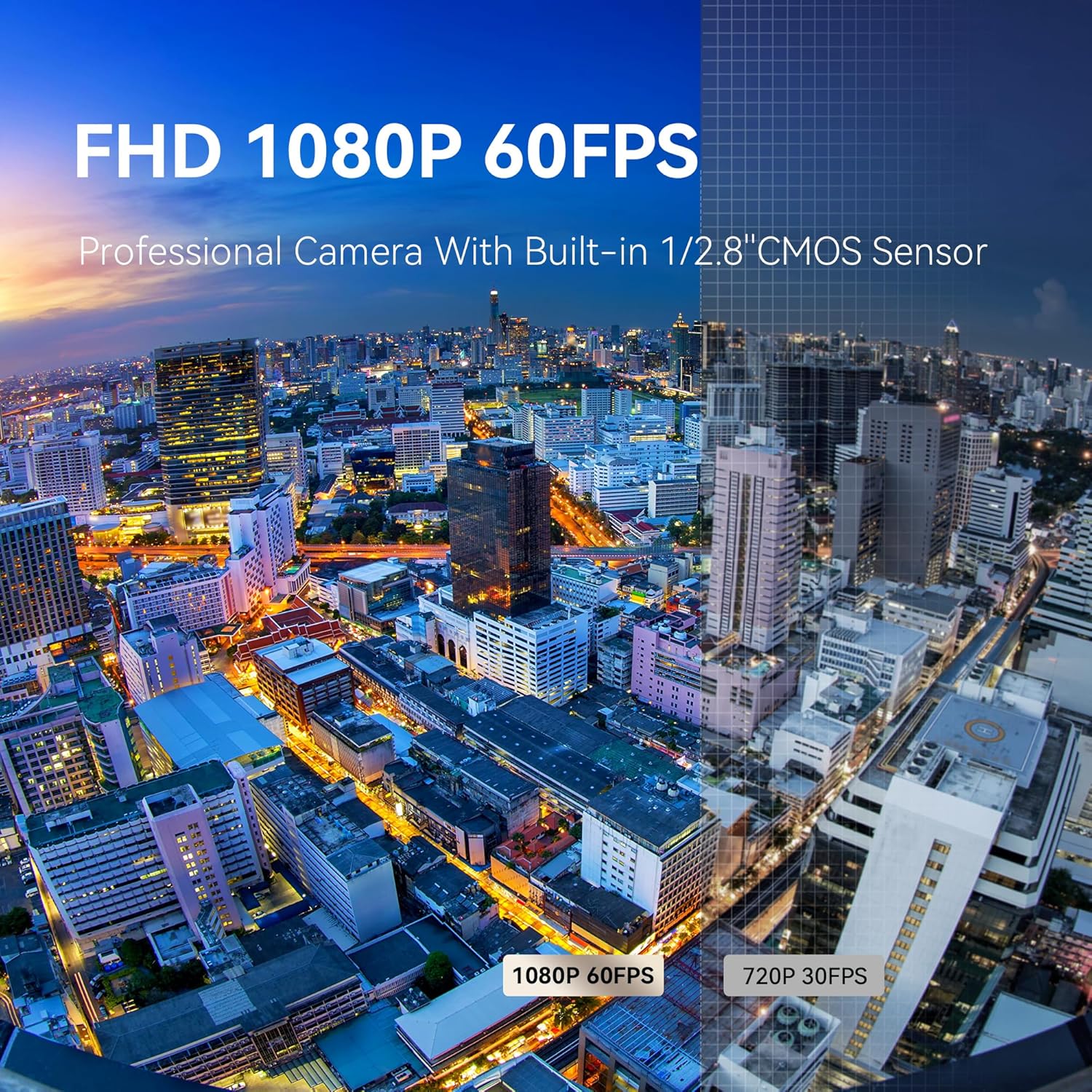
Image: Comparison of 1080P 60FPS video quality versus 720P 30FPS, demonstrating superior clarity.

Image: Visual representation of the 30X optical zoom, showing clarity at distances up to 100 meters (330 feet).
6. Manteniment
To ensure the longevity and optimal performance of your Tenveo PTZ camera, follow these maintenance guidelines:
- Neteja: Feu servir un drap suau i sec per netejar el cos de la càmera. Per a l'objectiu, feu servir un drap i una solució especials per a la neteja d'objectius. Eviteu productes químics agressius o materials abrasius.
- Medi ambient: Operate and store the camera in a clean, dry environment, away from extreme temperatures, humidity, and direct sunlight.
- Manipulació: Handle the camera with care. Avoid sudden impacts or excessive force on the pan/tilt mechanism.
- Actualitzacions de firmware: Periodically check the Tenveo official weblloc web per a qualsevol actualització de firmware disponible per millorar el rendiment i afegir noves funcions.
7. Solució De Problemes
Si teniu problemes amb la càmera, consulteu els passos habituals següents per a la resolució de problemes:
- Sense energia: Ensure the DC12V power adapter is securely connected and plugged into a working outlet, or that the PoE connection is active and functioning correctly.
- Sense sortida de vídeo: Verify all video cables (HDMI, SDI, USB) are correctly connected to both the camera and the receiving device. Check the input selection on your display or switcher.
- Sense control: For IR remote, ensure line of sight and fresh batteries. For RS232/RS485, check cable connections and communication settings (baud rate, protocol). For IP control, verify network connectivity and the camera's IP address.
- Image Quality Issues (Blurry/Grainy): Check focus settings (auto/manual). Ensure sufficient lighting in the environment. Verify that the lens is clean.
- AI Tracking Not Working: Ensure the feature is enabled in the camera settings (via OSD menu or web interface). Provide clear visibility of the subject for face recognition.
- Image Flipped: If the image is upside down, check if the camera is ceiling mounted. The built-in gravity sensor should automatically correct this. If not, check the OSD menu for image flip settings.
For further assistance, please contact Tenveo customer support.
8. Especificacions
| Característica | Detall |
|---|---|
| Marca | Tenveo |
| Número de model | TEVO-VHD630A |
| Pes de l'article | 3.01 lliures |
| Dimensions del producte | 5.98 x 9.72 x 6.69 polzades |
| Tecnologia del sensor fotogràfic | CMOS (1/2.8") |
| Resolució de captura de vídeo | 1080p (FHD) |
| Velocitat de fotogrames | 60 FPS |
| Zoom òptic | 30X |
| Zoom digital | 8X |
| Distància focal màxima | 138 mil·límetres |
| Apertura màxima | 1.8 f |
| Tecnologia de connectivitat | USB, HDMI, SDI, RJ45 (PoE) |
| Format de captura de vídeo | H.264/H.265/MJPG |
| Format d'àudio compatible | AAC |
| Rotació panoràmica | ±175° |
| Rotació d'inclinació | ±90° |
| Característiques especials | AI Auto-Tracking, 2D&3D Digital Noise Reduction, PoE Support |
9. Garantia i Suport
Tenveo provides comprehensive support for the TEVO-VHD630A PTZ Camera:
- Garantia estàndard: 3 Anys.
- Suport tècnic: Lifetime technical support service, including firmware upgrades. Remote assistance for setup is available upon request.
- Garantia de devolució de diners: 30-Day No-Questions-Asked Money-Back Guarantee.
For any questions or support needs, please contact Tenveo customer service via email at tenveo_amazon@tenveo.com. Our team aims to reply within 12 hours and provide a satisfactory solution.


