Introducció
This manual provides detailed instructions for the Ajazz AK33 3-in-1 Wired Gaming Keyboard and Mouse Set. This set includes an 82-key mechanical keyboard, a lightweight gaming mouse, and a mouse pad, designed for a comprehensive gaming and typing experience. Please read this manual thoroughly before using the product to ensure proper setup and operation.

Image: The Ajazz AK33 3-in-1 Gaming Keyboard and Mouse Set, featuring the 82-key keyboard with green backlighting, the honeycomb shell mouse with RGB lighting, and a black mouse pad.
Contingut del paquet
- Ajazz AK33 82-Key Mechanical Gaming Keyboard
- Ajazz Wired Gaming Mouse with Honeycomb Shell
- Coixinet de ratolí
- Detachable Type-C USB Cable (for keyboard)
- Extractor de tecles
- Raspall de neteja
- Manual d'usuari (aquest document)
Instruccions de configuració
- Connecteu el teclat: Locate the Type-C port on the back of the keyboard. Connect one end of the provided Type-C USB cable to the keyboard and the other end to an available USB port on your computer.
- Connecteu el ratolí: Connect the USB cable of the gaming mouse to another available USB port on your computer.
- Col·loca el tapete del ratolí: Position the mouse pad on your desk for optimal mouse performance.
- Instal·lació del controlador: The keyboard and mouse are plug-and-play for basic functionality. For advanced customization (e.g., programmable mouse buttons, specific RGB settings), you may need to download the official driver software from the Ajazz weblloc. Consulteu el manual del fabricant website for driver availability and installation instructions.

Image: Illustration showing the detachable Type-C cable connecting to the keyboard's port.
Once connected, your operating system should automatically detect and install the necessary drivers for basic functionality. The devices are compatible with Windows 98 / 2000 / 2003 / 7 / 8 / 10 / XP / Vista / MAC, etc.

Image: Visual representation of the product's compatibility with Windows XP, Windows 7/8, Windows 10/11, macOS, and Linux operating systems.
Instruccions de funcionament
Funcions del teclat
The Ajazz AK33 keyboard features an 82-key compact layout with mechanical blue switches, offering tactile feedback and an audible click. It includes anti-ghosting technology for simultaneous key presses.

Imatge: Un primer pla view of the Ajazz AK33 82-key mechanical keyboard, highlighting its compact form factor and green backlighting.
Control de la llum de fons
- The keyboard features 8 different backlight effects. Use the designated function keys (often in combination with the Fn key) to cycle through these effects.
- Adjust backlight brightness and speed using specific key combinations, typically involving the Fn key and arrow keys or other designated keys. Refer to the keyboard's keycap legends for specific controls.
Tecles de drecera multimèdia
The keyboard includes 12 multimedia shortcut keys, accessible by pressing the Fn key in combination with the F1-F12 keys. These keys provide quick access to functions such as volume control, media playback, and more.

Image: Diagram illustrating the 12 multimedia shortcut functions available on the keyboard, activated by combining the Fn key with F1-F12.
Funcions del ratolí
The gaming mouse features an ergonomic design with a honeycomb shell for lightweight performance (approximately 65 grams). It offers up to 12000 DPI and includes 7 buttons, 6 of which are programmable.

Image: The lightweight gaming mouse with its honeycomb shell design, showcasing its ergonomic shape and RGB lighting.
Ajust de DPI
- Use the DPI loop +/- button (typically located near the scroll wheel) to cycle through different DPI settings. The mouse supports a range from 800 to 12000 DPI.
- The current DPI setting may be indicated by a change in the mouse's RGB lighting pattern or color.
Botons programables
The mouse features 7 buttons, including Left, Right, Mid (scroll wheel click), Forward, Backward, and DPI Loop +/-. Six of these buttons are programmable. To customize these buttons, you will need to install the official mouse driver software from the Ajazz weblloc.

Image: Diagram labeling the six main buttons on the gaming mouse: DPI Loop +/-, Backward Button, Right Button, Mid Button, Forward Button, and Left Button.
RGB Backlight Effects (Mouse)
The mouse offers 26 kinds of backlight effects. These can typically be cycled through using a dedicated button on the mouse (often on the bottom) or customized via the driver software.
Funcions avançades
- Hot-Swappable Mechanical Switches: The keyboard's PCB supports both 3-pin and 5-pin mechanical switches. This allows users to replace switches without soldering, enabling customization of typing feel and extending the keyboard's lifespan. The included switches are blue switches, known for their clicky and tactile feedback.
- Anti-ghosting complet: All keys on the keyboard are conflict-free, meaning multiple key presses are registered simultaneously and accurately, which is beneficial for gaming and fast typing.
- Ergonomic and Lightweight Mouse Design: The mouse's honeycomb shell reduces its weight to approximately 65 grams, contributing to faster movements and reduced fatigue during extended use. Its ergonomic shape is designed for comfortable grip.
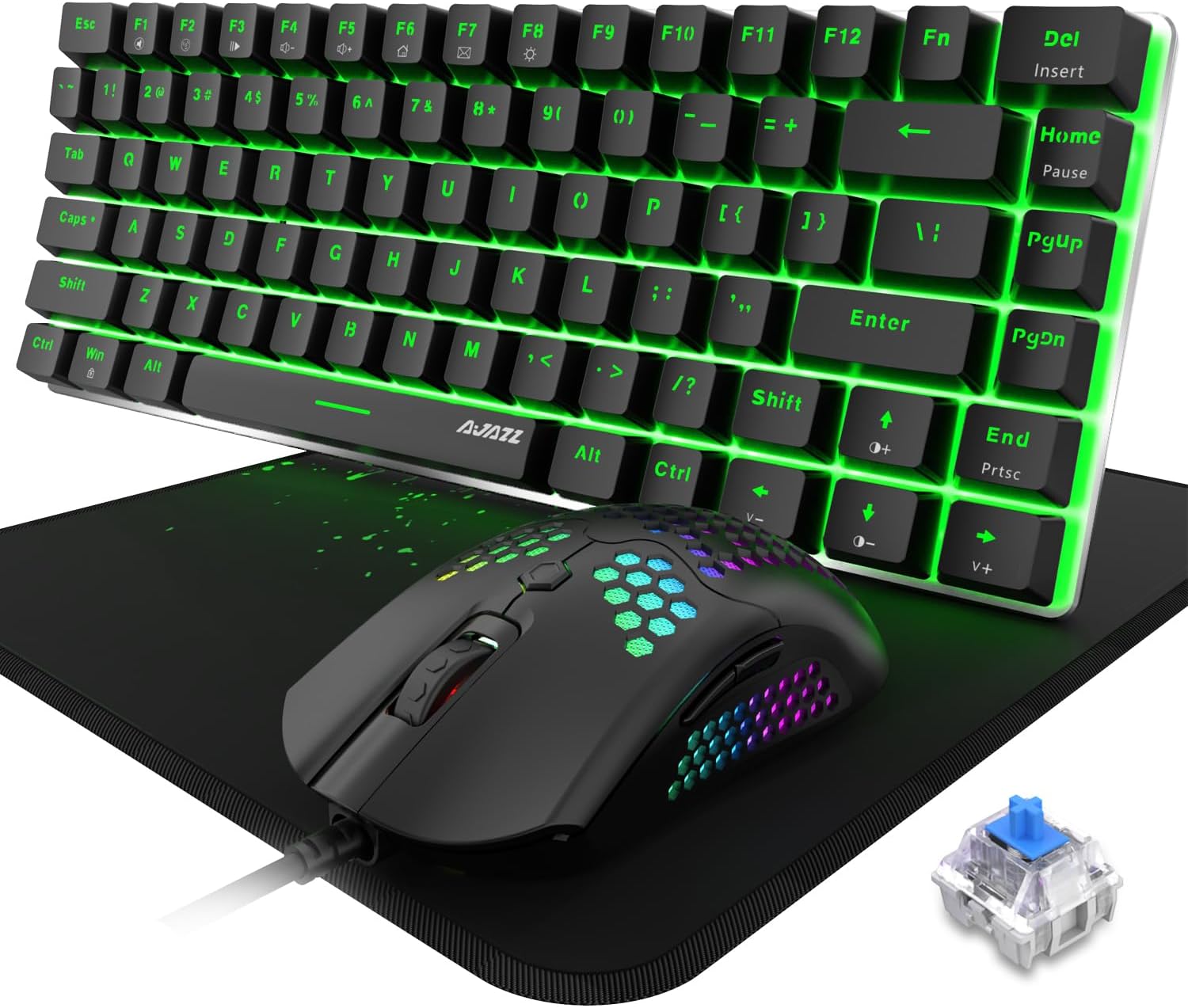
Image: The Ajazz AK33 keyboard and mouse set, with a close-up inset of a blue mechanical switch, illustrating the hot-swappable feature.
Manteniment
- Neteja del teclat:
- Use the provided keycap puller to carefully remove keycaps for thorough cleaning.
- Use the cleaning brush to remove dust and debris from between the keys and switches.
- Netegeu les tecles amb un drap suauamp cloth. Ensure the keyboard is completely dry before reattaching keycaps and using.
- Neteja del ratolí:
- Feu servir un drap suau i sec per netejar la superfície del ratolí.
- For the honeycomb shell, use a soft brush or compressed air to remove dust and debris from the perforations.
- Atenció general: Avoid exposing the devices to excessive moisture, extreme temperatures, or direct sunlight. Do not use harsh chemicals or abrasive materials for cleaning.
Resolució de problemes
| Problema | Causa possible | Solució |
|---|---|---|
| El teclat/ratolí no respon | Connexió USB fluixa, port USB defectuós, problema amb el controlador. |
|
| La retroiluminació no funciona o és incorrecta | Backlight settings, software conflict. |
|
| Mouse DPI not changing | DPI button malfunction, driver issue. |
|
| Els botons programables no funcionen | Driver not installed or configured. |
|
Especificacions
| Característica | Detall |
|---|---|
| Nom del producte | Ajazz AK33 3-in-1 Wired Gaming Keyboard and Mouse Set |
| Model | AK33 |
| Disposició del teclat | 82 Keys, Compact |
| Tipus d'interruptor de teclat | Mechanical Blue Switch (Hot-Swappable 3-pin/5-pin compatible) |
| Il·luminació de fons del teclat | Rainbow LED Backlit (8 effects) |
| Característiques del teclat | Full Anti-Ghosting, 12 Multimedia Buttons, Detachable Type-C Cable |
| Disseny del ratolí | Ergonomic, Lightweight (65g), Honeycomb Shell |
| DPI del ratolí | Fins a 12000 DPI (ajustable) |
| Botons del ratolí | 7 botons (6 programables) |
| Retroil·luminació del ratolí | RGB Backlit (26 effects) |
| Connectivitat | USB per cable |
| Compatibilitat | Win98 / 2000 / 2003 / 7 / 8 / 10 / XP / Vista / MAC, etc. |
| Pes de l'article | 2 lliures (paquet total) |
| Dimensions del paquet | 12 x 6 x 3 polzades |
Garantia i Suport
For warranty information and technical support, please refer to the official Ajazz weblloc web o contacteu directament amb el seu servei d'atenció al client. Conserveu el rebut de compra com a comprovant de compra per a qualsevol reclamació de garantia.
Official Ajazz Weblloc: www.ajazz.com (Nota: Això és un marcador de posició) URL as the actual URL was not provided in the product data. Please replace with the correct URL if available.)