Introducció
The DeerTalk AR55-2 TV LED Light Strip provides an immersive viewing experience by synchronizing LED backlighting with your TV screen's picture. Utilizing advanced AR sensor technology, it captures real-time colors for accurate and low-latency light matching. This system enhances movies, games, and general viewing, while also offering features like music synchronization and comprehensive app control. This manual provides detailed instructions for setup, operation, and maintenance to ensure optimal performance of your LED light strip.

Figure 1: Complete DeerTalk AR55-2 TV LED Light Strip System
Què hi ha a la caixa
Si us plau, verifiqueu que hi hagi tots els components abans de continuar amb la instal·lació:
- 14.8FT LED Light Strip
- AR Sensor Camera
- Caixa de control
- Adaptador d'alimentació
- Manual d'usuari (aquest document)
Instruccions de configuració
Follow these steps for proper installation of your DeerTalk TV LED Light Strip:
- Prepare Your TV: Ensure the back of your TV is clean and dry for optimal adhesive application.
- Connecteu la tira LED: Carefully peel the adhesive backing and attach the 14.8FT LED light strip to the back of your TV. For TVs up to 65 inches, the strip will cover all four sides. For larger TVs (up to 100 inches), it will cover three sides. Ensure the strip is securely adhered along the edges.
- Position the AR Sensor Camera: Mount the AR sensor camera at the top center of your TV. The adjustable telescoping pole allows for compatibility with TVs from 24 to 100 inches and various thicknesses. Ensure the sensor has a clear view de la pantalla.

Figure 2: AR Sensor picks up colors from the screen.

Figure 3: Accurate color reading by the AR sensor.

Figure 4: Light strip installation suitability for various TV sizes.
- Connectar components: Connect the LED light strip and the AR sensor camera to the control box. Then, connect the control box to the power adapter and plug it into a power outlet.
- Descarrega l'aplicació: Download the "uLamp" app from Google Play Store or Apple App Store, or scan the QR code provided on the product packaging.
- Vincula amb l'aplicació: Open the "uLamp" app and follow the on-screen instructions to pair your device via Bluetooth. No complicated calibration is required.
Instruccions de funcionament
Your DeerTalk TV LED Light Strip offers multiple ways to control and customize your lighting experience:
Control d'aplicacions
The "uLamp" app provides full control over your LED lights. Once connected, you can:
- Selecció de color: Choose from 16 million colors to set the perfect ambiance.
- Ajust de brillantor: Easily dim or brighten the lights to your preference.
- Modes d'escena: Select from various pre-set scene modes for different moods or occasions.
- Mode DIY: Crea i desa els teus propis efectes d'il·luminació personalitzats.
- Funció de temporitzador: Programar els llums perquè s'encenguin/apaguin a hores específiques.
- Mode de sincronització de música: The built-in microphone in the control box allows the lights to react in real-time to music and gaming audio, creating a dynamic visual experience.
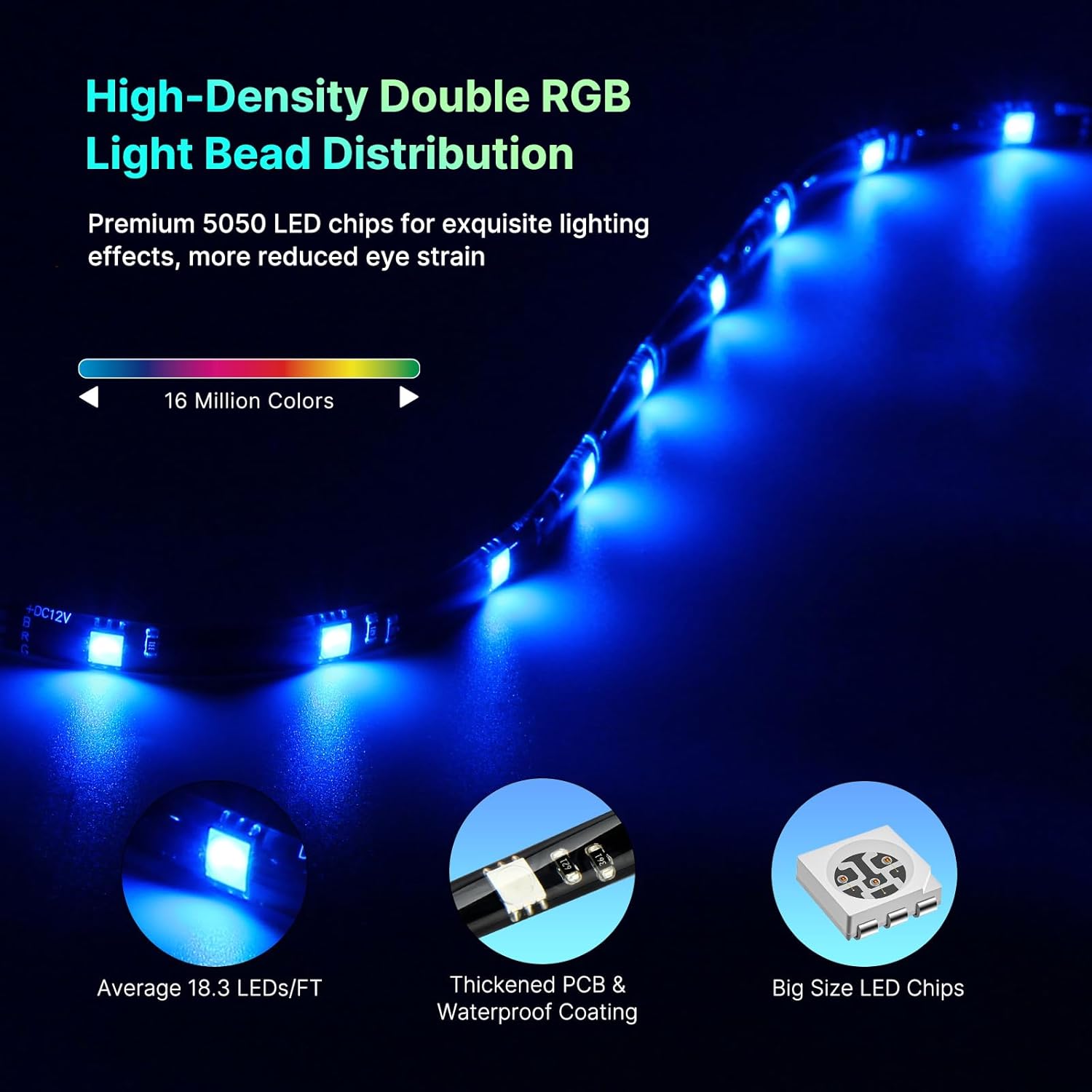
Figure 5: Enhanced Music Mode in action.
Funcionament de la caixa de control
The physical control box provides basic functionality without needing the app or network connection:
- Botó d'encesa: Encendre/apagar els llums.
- Botó de mode: Cycle through different lighting modes (e.g., static colors, dynamic effects, music sync).
- Botons de brillantor: Ajusteu la intensitat de la llum.

Figure 6: High-Density Double RGB Light Bead Distribution for vivid lighting.
Manteniment
The DeerTalk TV LED Light Strip is designed for durability and features a fully waterproof coating for protection. Minimal maintenance is required:
- Neteja: Gently wipe the LED strip and AR sensor with a soft, dry cloth to remove dust. For stubborn dirt, a slightly damp cloth can be used, ensuring no liquid enters the control box or power connections.
- Emmagatzematge: Si guardeu el dispositiu durant un període prolongat, desconnecteu-lo de l'alimentació i guardeu-lo en un lloc fresc i sec, allunyat de la llum solar directa.
Resolució de problemes
If you encounter any issues with your DeerTalk TV LED Light Strip, please refer to the following common solutions:
| Problema | Causa possible | Solució |
|---|---|---|
| Els llums no s'encenen. | Sense corrent, connexió fluixa, adaptador de corrent defectuós. | Check power outlet, ensure all cables are securely connected. Try a different power outlet. |
| Lights not syncing with TV picture. | AR sensor obstructed, incorrect sensor placement, app not in sync mode. | Ensure AR sensor has a clear view of the screen. Adjust sensor position if necessary. Verify "uLamp" app is in the correct synchronization mode. |
| App cannot connect to the device. | Bluetooth off, device out of range, app glitch. | Ensure Bluetooth is enabled on your smartphone. Move closer to the control box. Close and reopen the "uLamp" app. Restart your smartphone. |
| Colors appear inaccurate or dim. | Brightness setting too low, environmental lighting interference, sensor calibration needed (though usually automatic). | Adjust brightness via app or control box. Reduce ambient room lighting for best effect. Ensure AR sensor lens is clean. |
Si el problema persisteix després de provar aquestes solucions, poseu-vos en contacte amb l'atenció al client.
Especificacions
| Característica | Detall |
|---|---|
| Marca | DeerTalk |
| Número de model | AR55-2 |
| Ús interior/exterior | Interior |
| Tipus de font de llum | LED (5050RGB) |
| Font d'alimentació | Elèctric amb cable |
| Color clar | Multiple (16 Million Colors) |
| Estil | Modern |
| Material | Policarbonat |
| Tipus de controlador | App Control, Control Box |
| Protocol de connectivitat | Bluetooth |
| Tecnologia de connectivitat | Bluetooth |
| Nombre de fonts de llum | 60 |
| Wattage | 120 watts |
| Components inclosos | AR sensor camera, control box |
| Nombre d'articles | 1 |
| Mètode de control | App |
| Nivell de resistència a l'aigua | Impermeable |
| Pes de l'article | 15.2 unces |
| Dimensions del paquet | 7.68 x 7.56 x 2.36 polzades |
| Necessites piles? | No |
Garantia i Suport
DeerTalk stands behind the quality of its products. The TV LED backlight comes with a Garantia de substitució d’un any. If you experience any issues within this period, please contact our customer support for assistance.
Our expert support team is committed to providing quick responses and ensuring your satisfaction with the product and service.
Per obtenir ajuda, visiteu el nostre lloc web oficial website or contact us via the "uLamp" app's support section.


