Amazon Kindle (16 GB) User Manual
Model: Kindle 11th Generation (2024 Model)
1. Introducció
Welcome to your new Amazon Kindle! This manual provides essential information on setting up, operating, maintaining, and troubleshooting your device. The Kindle is designed to provide a comfortable, distraction-free reading experience with its anti-glare screen, adjustable front light, and long battery life. It is the lightest and most compact Kindle in its range, allowing you to carry your entire library wherever you go.
This device features an improved display with higher contrast and faster page turns, ensuring an effortless reading experience in various lighting conditions. With 16 GB of storage, you can store thousands of books, magazines, and comics. The Kindle also supports free cloud storage for all your Amazon content.

Image: The Kindle's compact design and user-friendly interface, showing the home screen with multiple book titles.
2. Configuració
2.1. Què hi ha a la caixa
- Amazon Kindle e-reader
- Cable de càrrega USB-C
- Guia d'inici ràpid
2.2. Càrrec inicial
Before first use, fully charge your Kindle. Connect the provided USB-C cable to the Kindle's charging port and plug the other end into a 9W USB-C power adapter (not included) or a computer's USB port. A full charge takes less than 2 hours with a 9W adapter.
2.3. Power On and Wi-Fi Connection
Press and hold the power button until the screen lights up. Follow the on-screen instructions to select your language, connect to a Wi-Fi network, and register your Kindle to your Amazon account. No computer is required for content download or initial setup, as the device is wireless.
3. Operating Your Kindle
3.1. Experiència de lectura
The Kindle features a 6-inch Amazon screen with integrated light, 300 ppi, optimized font display technology, and 16 grayscale levels. This e-ink display minimizes glare, making it comfortable to read even in direct sunlight.

Image: The Kindle's high-resolution e-ink display provides a paper-like reading experience.
3.2. Adjustable Front Light and Dark Mode
Adjust the front light to your preferred brightness level for comfortable reading in any environment. The front light is now 25% brighter when set to maximum. You can also enable Dark Mode for an inverted display, which can be beneficial for reading in low-light conditions.

Image: Adjusting the front light and switching to dark mode for optimal reading comfort.
3.3. Page Turns and Navigation
Experience faster page turns for a more fluid reading experience. Simply tap the right side of the screen to advance a page or the left side to go back. You can also swipe across the screen to navigate.

Image: The Kindle's improved processor allows for quicker and smoother page turns.
3.4. Battery Life and Storage
A single charge provides up to six weeks of battery life, based on half an hour of reading per day with wireless connectivity disabled and brightness set to 13. Battery life may vary based on usage and settings. The Kindle comes with 16 GB of internal storage, capable of holding thousands of books.
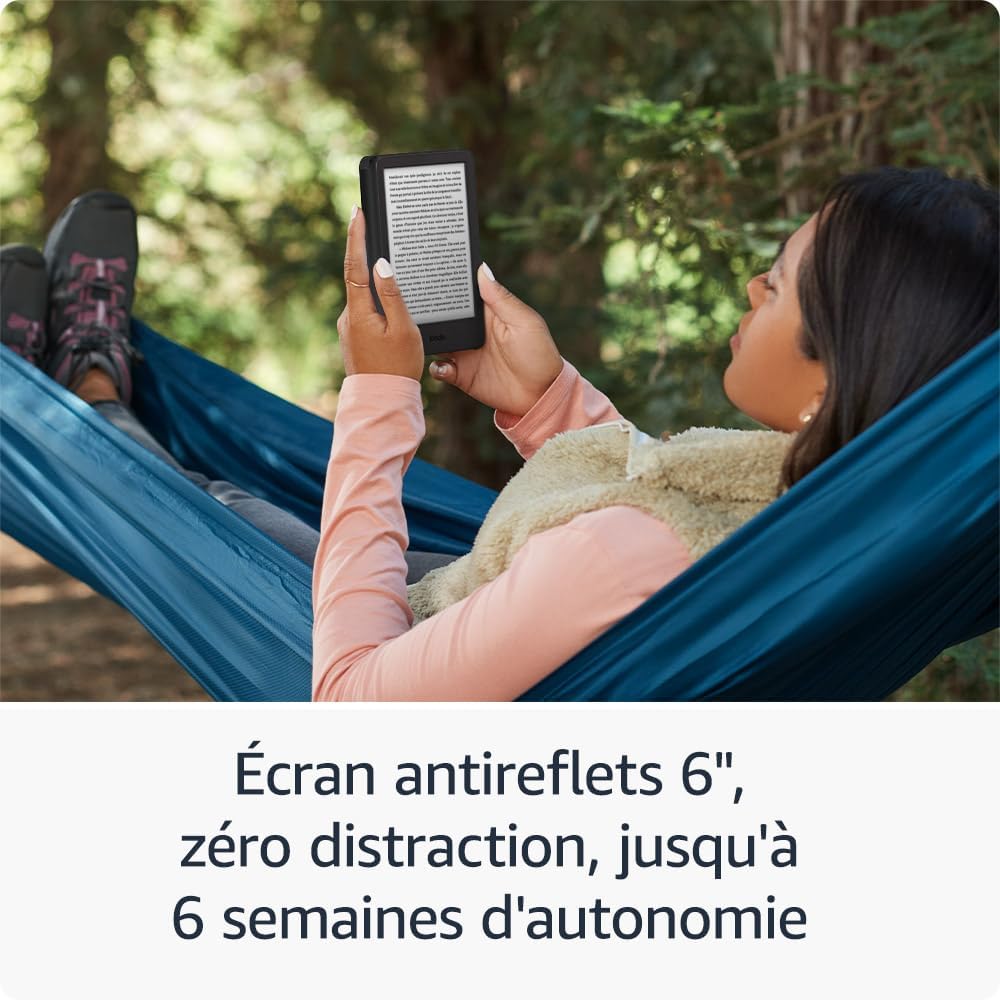
Image: Enjoy extended reading sessions outdoors thanks to the anti-glare screen and impressive battery life.

Image: The 16 GB storage allows you to carry an extensive library of books with you.
3.5. Content Management and Accessibility
Your Kindle supports various content formats including Kindle Format 8 (AZW3), Kindle (AZW), TXT, PDF, unprotected MOBI, and PRC (native formats). It also supports PDF, DOCX, DOC, HTML, EPUB, TXT, RTF, JPEG, GIF, PNG, and BMP via conversion. All Amazon content benefits from free Cloud storage.
For accessibility, the Kindle allows for inversion of black and white, as well as adjusting font size and style, line spacing, and margins to suit your reading preferences.

Image: Access millions of titles and discover new stories with a Kindle subscription.
4. Manteniment
4.1. Cleaning Your Kindle
To clean your Kindle, use a soft, lint-free cloth. Do not use abrasive cleaners, solvents, or aerosol sprays. Keep the device away from liquids and excessive moisture.
4.2. Actualitzacions de programari
Your Kindle automatically receives software security updates guaranteed for at least four years following the device's removal from sale as a new item on Amazon websites. Ensure your device is connected to Wi-Fi periodically to receive these updates, which improve performance and add new features.
5. Solució De Problemes
5.1. El dispositiu no respon
If your Kindle is unresponsive, try a forced restart. Press and hold the power button for 40 seconds until the device restarts. If it doesn't restart, ensure it is charged.
5.2. Problemes de connectivitat Wi-Fi
Ensure your Kindle is within range of your Wi-Fi router. The device supports 2.4 GHz and 5.0 GHz networks with WEP, WPA, WPA2, WPA3, and OWE security protocols. It does not support ad-hoc (peer-to-peer) Wi-Fi networks. Try restarting your router or re-entering your Wi-Fi password on the Kindle.
5.3. La bateria s'esgota ràpidament
Battery life can be affected by high brightness settings, frequent Wi-Fi use, and active downloads. To conserve battery, reduce screen brightness, turn off Wi-Fi when not needed, and ensure all downloads are complete.
6. Especificacions
| Característica | Descripció |
|---|---|
| Pantalla | Amazon 6” screen with integrated light; 300 ppi; optimized font display technology; 16 grayscale levels. |
| Dimensions | 157.8 x 108.6 x 8.0 mm. These dimensions correspond to the total size of the device. |
| Pes | 158 g. Exact dimensions and weight may vary by configuration and manufacturing process. |
| Requisits del sistema | None; the device is wireless and no computer is required for content download. |
| Emmagatzematge al dispositiu | 16 GB; can hold thousands of books. |
| Emmagatzematge al núvol | Free Cloud storage for all Amazon content. |
| Durada de la bateria | A single charge provides up to six (6) weeks of battery life, with wireless connectivity disabled and brightness set to 13, based on half an hour of reading per day. Battery life may vary depending on usage, including lighting settings and wireless usage. |
| Temps de càrrega | Full charge in less than 2 hours via a 9W USB-C power adapter. |
| Connectivitat Wi-Fi | Supports 2.4 GHz and 5.0 GHz networks with support for WEP, WPA, WPA2, WPA3, and OWE security protocols using password authentication or Wi-Fi Protected Setup (WPS) standard. Does not support connection to ad-hoc (or peer-to-peer) Wi-Fi networks. |
| Característiques d'accessibilitat | Kindle allows for inversion of black and white, as well as adjusting font size and style, line spacing, and margins. |
| Formats de contingut compatibles | Kindle Format 8 (AZW3), Kindle (AZW), TXT, PDF, unprotected MOBI, and PRC (native formats); PDF, DOCX, DOC, HTML, EPUB, TXT, RTF, JPEG, GIF, PNG, and BMP (via conversion). |
| Generació | Kindle 11th Generation (2024 Model) |
7. Garantia i Suport
This device is covered by the legal guarantee of conformity for consumer goods, which covers defects appearing within 24 months from the delivery date. Under this legal guarantee, you are entitled to free repair or replacement of a non-conforming device. You also benefit from the hidden defects warranty for 2 years following the discovery of the defect, entitling you to a price reduction or product refund.
Additionally, this device is covered by a one-year commercial warranty provided by the manufacturer. Terms and conditions are detailed in the dedicated booklet included in the product packaging and are also available by consulting the commercial warranty section. This commercial warranty also applies when purchasing Amazon devices from authorized resellers.
For further assistance, refer to the Kindle Quick Start Guide and User Guide, or visit Amazon's customer support weblloc.


