Introducció
Thank you for choosing the Lexip Tsume Kakashi Kamui Naruto Shippuden Controller. This high-performance gaming controller is designed to enhance your gaming experience with its unique design and advanced features. This manual provides essential information for setting up, operating, and maintaining your controller.
Contingut del paquet
Si us plau, comproveu el paquet per veure si hi ha els elements següents:
- Lexip Tsume Kakashi Kamui Naruto Shippuden Controller
- Càrrega USB/Cable de dades
- Manual d'usuari (aquest document)
Disseny del controlador
Familiarize yourself with the various components of your controller.

Figura 1: Davant view del controlador, mostraasing the limited edition design inspired by Naruto Shippuden.
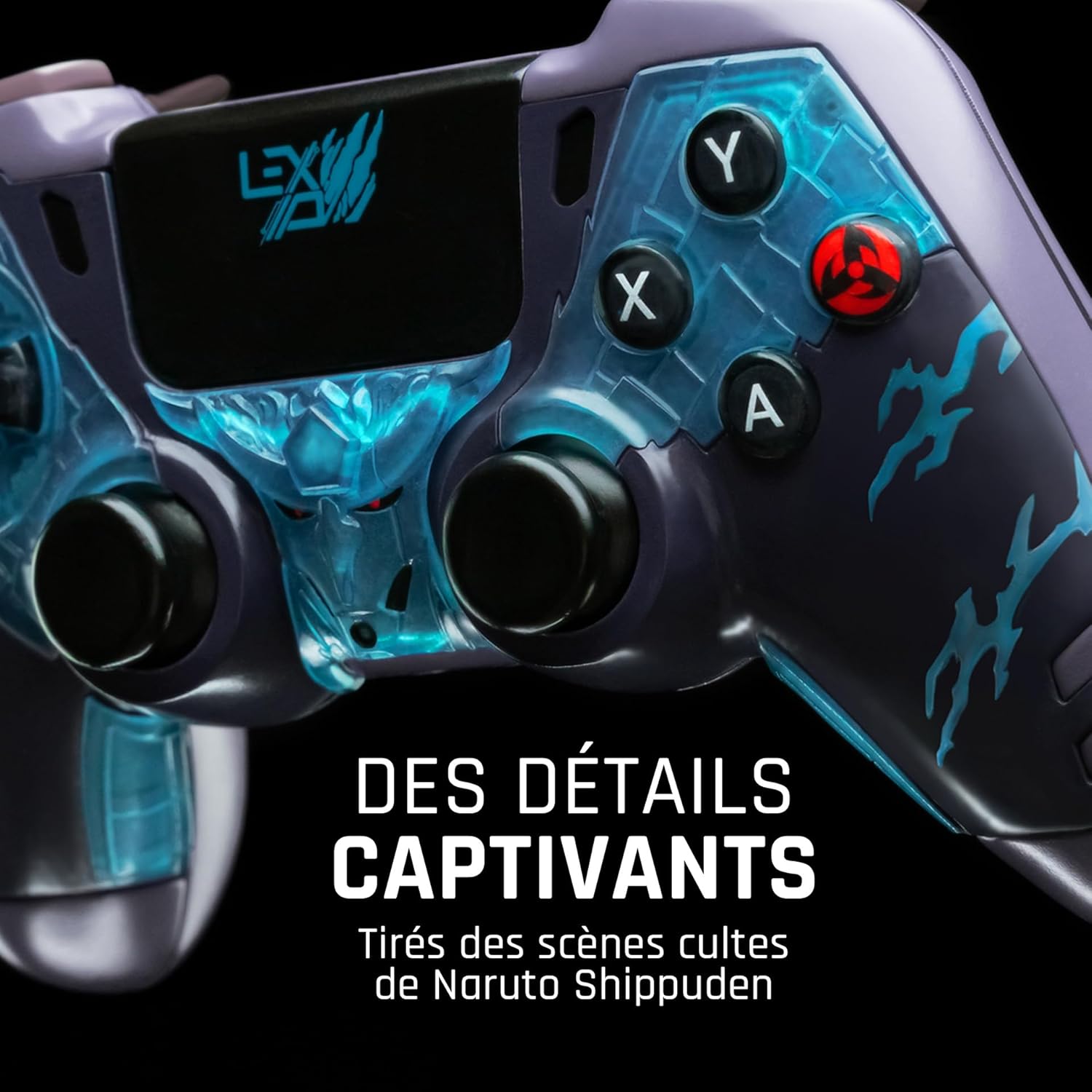
Figura 2: Detallada view of the controller's face buttons and analog sticks, highlighting the intricate Naruto Shippuden design elements.

Figura 3: posterior view of the controller, illustrating the placement of the programmable paddles (M1, M2, M3) for enhanced gameplay.
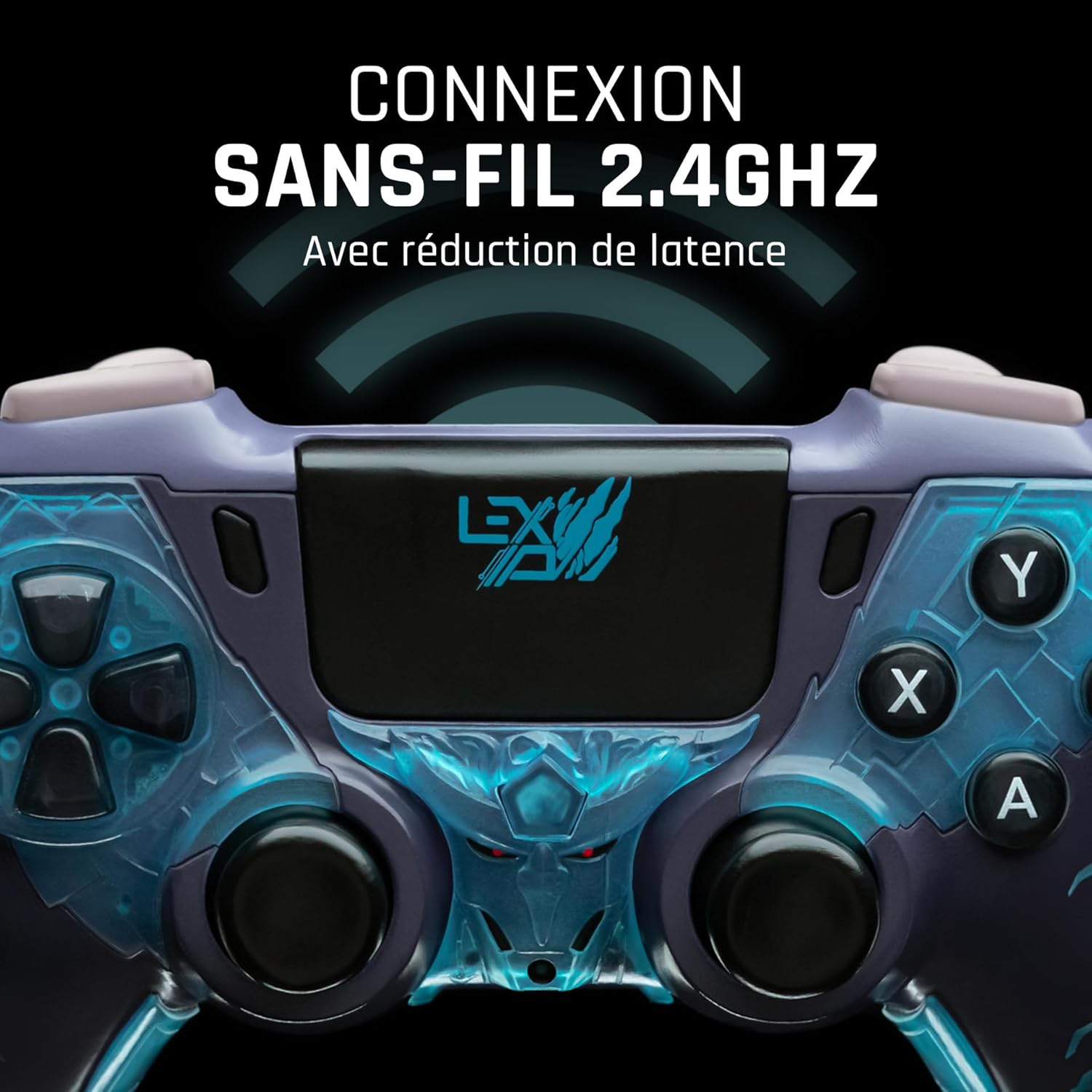
Figura 4: Davant view of the controller, indicating its 2.4GHz wireless connection capability for reduced latency.
Components clau:
- Manets analògics: Dos joysticks analògics d'alta precisió per al moviment i el control de la càmera.
- D-Pad: Pad direccional per a una entrada precisa.
- Botons frontals (A, B, X, Y): Botons d'acció estàndard.
- Botons d'espatlla (L1, R1) i disparadors (L2, R2): Per a diverses accions dins del joc.
- Programmable Paddles (M1, M2, M3): Located on the rear for custom button assignments.
- Botó d'inici: For system menu access.
- Share/Options Buttons: For in-game menu and sharing functions.
- Port USB-C: Per a càrrega i connexió per cable.
Configuració
1. Càrrega inicial
Before first use, fully charge the controller. Connect the supplied USB cable to the controller's USB-C port and the other end to a powered USB port (e.g., console, PC, or USB wall adapter). The charging indicator will show the charging status and turn off when fully charged.
2. Connexió sense fil (2.4 GHz)
- Insert the 2.4GHz wireless dongle (if included, typically found in the controller's packaging or a dedicated slot) into an available USB port on your gaming console or PC.
- Engegueu el controlador prement el botó Inici.
- The controller will automatically attempt to pair with the dongle. The indicator light on the controller will stop flashing and remain solid once connected.
3. Connecting via USB Cable
To use the controller in wired mode or if wireless connection is not desired:
- Connect the USB cable to the controller's USB-C port.
- Connect the other end of the USB cable to an available USB port on your gaming console or PC.
- The controller will be recognized as a wired device and is ready for use.
Instruccions de funcionament
Encès/Apagat
- Per encendre: Press the Home button. The controller will attempt to connect to the last paired device.
- Per apagar: Press and hold the Home button for approximately 5-10 seconds until the indicator lights turn off. The controller will also power off automatically after a period of inactivity to conserve battery.
Using Programmable Paddles
The controller features three programmable paddles (M1, M2, M3) on the rear. These paddles can be assigned to replicate other button inputs for quick access during gameplay. Refer to your console or PC's controller settings for specific button remapping options, as dedicated software for programming these paddles may not be available.

Figura 5: A user holding the controller, demonstrating its ergonomic design during use.
Manteniment
- Neteja: Feu servir un drap suau i sec per netejar el controlador. Per a la brutícia persistent, netegeu lleugerament.ampNetegeu el drap amb aigua. No utilitzeu productes químics agressius ni netejadors abrasius.
- Emmagatzematge: Guardeu el controlador en un lloc fresc i sec, allunyat de la llum solar directa i de temperatures extremes.
- Cura de la bateria: Per allargar la durada de la bateria, eviteu descarregar completament el controlador amb freqüència. Carregueu-lo regularment, fins i tot si no l'utilitzeu durant períodes prolongats.
Resolució de problemes
El controlador no es connecta
- Assegureu-vos que el controlador estigui carregat.
- For wireless connection, ensure the 2.4GHz dongle is securely plugged into the console/PC and the controller is powered on.
- Try connecting the controller via the USB cable to verify functionality.
- Restart your console/PC and try connecting again.
Buttons/Sticks Unresponsive
- Assegureu-vos que el controlador estigui connectat i engegat correctament.
- Check for any physical obstructions or debris around the buttons or sticks.
- Test the controller with another game or application to determine if the issue is specific to one program.
Durada de la bateria curta
- Assegureu-vos que el controlador estigui completament carregat abans d'utilitzar-lo.
- Reduce rumble intensity if possible through system settings, as vibration motors consume significant power.
- Avoid extreme temperatures during use and storage.
Especificacions
| Característica | Detall |
|---|---|
| Número de model | TSXLXGC0002 |
| Connectivitat | Sense fil de 2.4 GHz, amb cable USB |
| Dimensions (L x A x A) | 3.94 x 1.97 x 0.5 polzades |
| Pes | 1.01 lliures |
| Entrada Voltage | 3V - 500mA |
| Programmable Paddles | Yes (M1, M2, M3) |
Garantia i Suport
For warranty information and technical support, please refer to the official Lexip website or contact Lexip customer service. Keep your proof of purchase for warranty claims.
Lexip Official Weblloc: www.lexip.com (Note: This is a placeholder link, please refer to actual Lexip support channels.)


