1. Introducció
Thank you for choosing the pTron Bassbuds Eon True Wireless Stereo (TWS) Earbuds. This manual provides essential information for setting up, operating, maintaining, and troubleshooting your new earbuds. Please read it carefully before use to ensure optimal performance and longevity of your device.
2. Contingut del paquet
- pTron Bassbuds Eon TWS Earbuds (Left & Right)
- Estoig de càrrega
- Cable de càrrega USB tipus C
- Puntes d'orella (diverses mides)
- Manual d'usuari

Image: The pTron Bassbuds Eon earbuds resting in their open charging case, illustrating the complete package contents.
3. Producte acabatview
Components dels auriculars
- Àrea de control tàctil: Per gestionar la reproducció de música, les trucades i l'assistent de veu.
- Micròfon: Built-in HD mic for calls, enhanced by AI-ENC technology.
- Ponent: 13mm dynamic drivers for audio output.
- Contactes de càrrega: Located at the bottom of each earbud.
Components de la caixa de càrrega
- Port de càrrega: Port USB tipus C per carregar la funda.
- Indicador LED: Mostra l'estat de càrrega i el nivell de la bateria.
- Ranures per a auriculars: Subjecta i carrega els auriculars de manera segura.

Image: The pTron Bassbuds Eon earbuds are shown outside their charging case, highlighting their design and individual components.
4. Configuració
4.1 Càrrega dels auriculars i l'estoig
- Càrrec inicial: Abans del primer ús, carregueu completament els auriculars i l'estoig de càrrega.
- Càrrega de la caixa: Connect the provided USB Type-C cable to the charging port on the case and a power source (e.g., wall adapter, computer USB port). The LED indicator will show charging progress.
- Càrrega dels auriculars: Place the earbuds into their respective slots in the charging case. Ensure the charging contacts align. The earbuds will automatically begin charging.
A full charge for the earbuds takes approximately 1 hour, and the case also takes about 1 hour. The case provides up to 30 hours of total playback time.

Image: The pTron Bassbuds Eon earbuds and charging case are depicted with icons indicating Type-C fast charging, 1-hour charge time, and DC5V-1A charge input.
4.2 Vinculació amb un dispositiu
- Encès: Obre l'estoig de càrrega. Els auriculars s'encendran automàticament i entraran en mode d'emparellament.
- Activa el Bluetooth: Al telèfon intel·ligent o a un altre dispositiu compatible amb Bluetooth, aneu a la configuració de Bluetooth i activeu el Bluetooth.
- Seleccioneu el dispositiu: Look for "pTron Bassbuds Eon" in the list of available devices and select it to connect.
- Confirmació: Once connected, you will hear an audio prompt, and the earbuds' LED indicators will change (e.g., turn off or flash slowly).
The earbuds support Bluetooth v5.3 for a stable and fast connection with a wireless range of up to 10 meters. They also feature 1-step pairing for convenience.
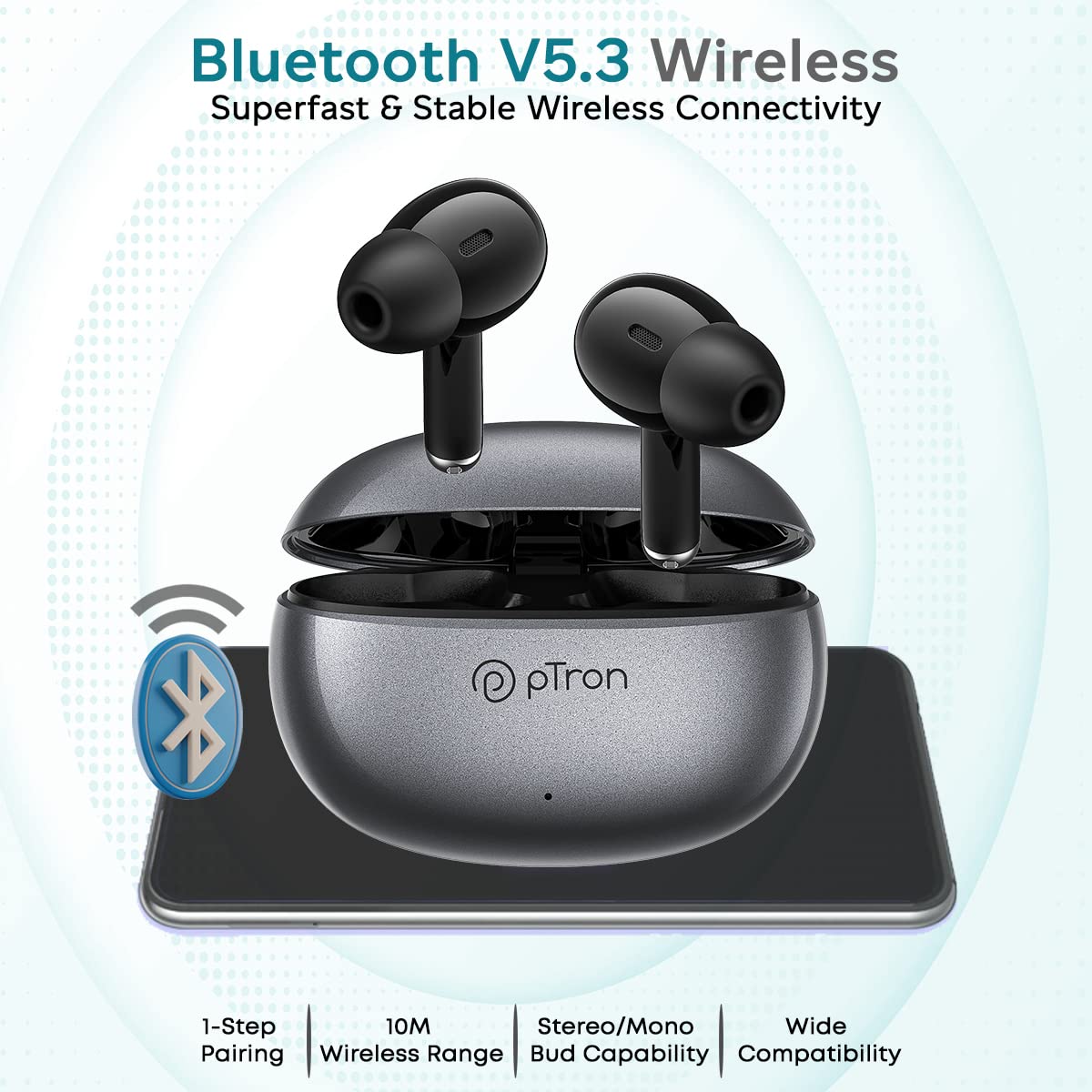
Image: The pTron Bassbuds Eon earbuds and charging case are shown with a Bluetooth icon, emphasizing Bluetooth V5.3 wireless connectivity, 1-step pairing, 10m wireless range, stereo/mono bud capability, and wide compatibility.
5. Instruccions de funcionament
5.1 Controls tàctils
The pTron Bassbuds Eon feature intuitive touch controls on each earbud. The functions are as follows:
| Acció | Funció |
|---|---|
| Toc únic (esquerra/dreta) | Reproduir/Pausar música, Respondre/Finalitzar trucada |
| Doble toc (dreta) | Pista següent |
| Doble toc (esquerra) | Pista anterior |
| Toc tres vegades (dreta) | Puja el volum |
| Toc tres vegades (esquerra) | Baixa el volum |
| Premsa llarga (2 segons) | Rebutja la trucada, activa l'assistent de veu |

Image: The pTron Bassbuds Eon earbuds are shown with various feature callouts, including 'Touch Control Buds', 'Voice Assist', 'Passive Noise Cancellation', 'IPX4 Water Resistant', 'Round Edges Case', and 'Stereo Calls'.
5.2 Fer trucades
The earbuds feature built-in HD microphones and AI-ENC (Environmental Noise Cancellation) technology for clear call quality.
- Respondre / finalitzar trucades: Toqueu un sol cop qualsevol dels auriculars.
- Rebutjar trucades: Premeu llargament qualsevol dels auriculars durant 2 segons.

Image: The pTron Bassbuds Eon earbuds are displayed with a graphic illustrating 'ENC Technology Enhances Your Voice on the Call' and 'TruTalk Technology', showing noise reduction and voice clarity.
5.3 Assistent de veu
Long press either earbud for 2 seconds to activate your device's voice assistant (e.g., Google Assistant, Siri).
6. Manteniment
6.1 Neteja
- Netegeu regularment els auriculars i l'estoig de càrrega amb un drap suau, sec i sense borrissol.
- Traieu les puntes de les orelles i netegeu-les amb aigua i sabó suau, i després eixugueu-les bé abans de tornar-les a col·locar.
- Assegura't que els contactes de càrrega dels auriculars i de la funda estiguin nets i lliures de residus per mantenir una càrrega correcta.
6.2 Emmagatzematge
Quan no els utilitzeu, guardeu els auriculars a la seva funda de càrrega per protegir-los i mantenir-los carregats.
6.3 Resistència a l'aigua
The earbuds are IPX4 water-resistant, meaning they can withstand splashes of water and sweat. They are not designed for submersion in water. Avoid exposing them to heavy rain or showering.
7. Solució De Problemes
- Auriculars que no s'emparellan: Assegura't que tots dos auriculars estiguin carregats. Torna'ls a posar a la funda, tanca-la i torna-la a obrir per tornar a entrar al mode d'emparellament. Comprova la configuració de Bluetooth del dispositiu i intenta tornar-lo a connectar.
- Només funciona un auricular: Place both earbuds back in the charging case, close the lid, wait a few seconds, then open it again. This often re-syncs them. If the issue persists, try resetting the earbuds (refer to manufacturer's weblloc web per obtenir instruccions específiques de restabliment si no estan al manual).
- Sense so: Comprova el nivell de volum tant del dispositiu com dels auriculars. Assegura't que els auriculars estiguin connectats correctament al dispositiu.
- Problemes de càrrega: Assegureu-vos que el cable de càrrega estigui ben connectat i que la font d'alimentació estigui activa. Netegeu els contactes de càrrega tant dels auriculars com de la funda.
- Qualitat de trucada baixa: Ensure the microphone is not obstructed. Move closer to your connected device to avoid signal interference.
8. Especificacions
| Característica | Especificació |
|---|---|
| Nom del model | Bassbuds Eon |
| Tecnologia de connectivitat | Sense fil (Bluetooth v5.3) |
| Interval Bluetooth | 10 metres |
| Mida del controlador d'àudio | 13 Mil·límetres |
| Interval de freqüència | 20Hz-20kHz |
| Impedància | 32 ohms |
| Bateria d'auriculars | 30 mAh |
| Bateria de la caixa | 300 mAh |
| Durada de la bateria (total) | Up to 30 Hours with case |
| Charge Time (Earbuds/Case) | Aprox. 1 hora |
| Nivell de resistència a l'aigua | IPX4 |
| Tipus de control | Toca |
| Pes de l'article | 32 grams |
| Dimensions del producte | 6 x 4.3 x 2.5 cm |
9. Garantia i Suport
The pTron Bassbuds Eon comes with a Garantia del fabricant de 1 anys des de la data de compra.
For warranty claims, technical support, or any other inquiries, please contact our customer care team:
- Telèfon: 040-67138888
- Correu electrònic: Support@ptron.in
Si us plau, conserveu el comprovant de compra per validar la garantia.


